For the past few months, I’ve been building a reader in my spare time-the app I wish had existed when I started learning Japanese.
Reading books and picking up words in context helped enormously, this brings that focus to a polished reading experience.
Here’s Fleuron.
#shipaton
In Fleuron, you can save a word straight from the page and review it later with built-in spaced repetition; so vocabulary you meet while reading has somewhere to go.
Read it. Save it. Learn it.
Checking an earlier chapter shouldn’t mean losing your place.
Fleuron’s Peek lets you browse somewhere else in the book while saving your reading position. When you’re done, one tap takes you straight back.
It’s a small feature I’ve wanted in ebook readers for years.
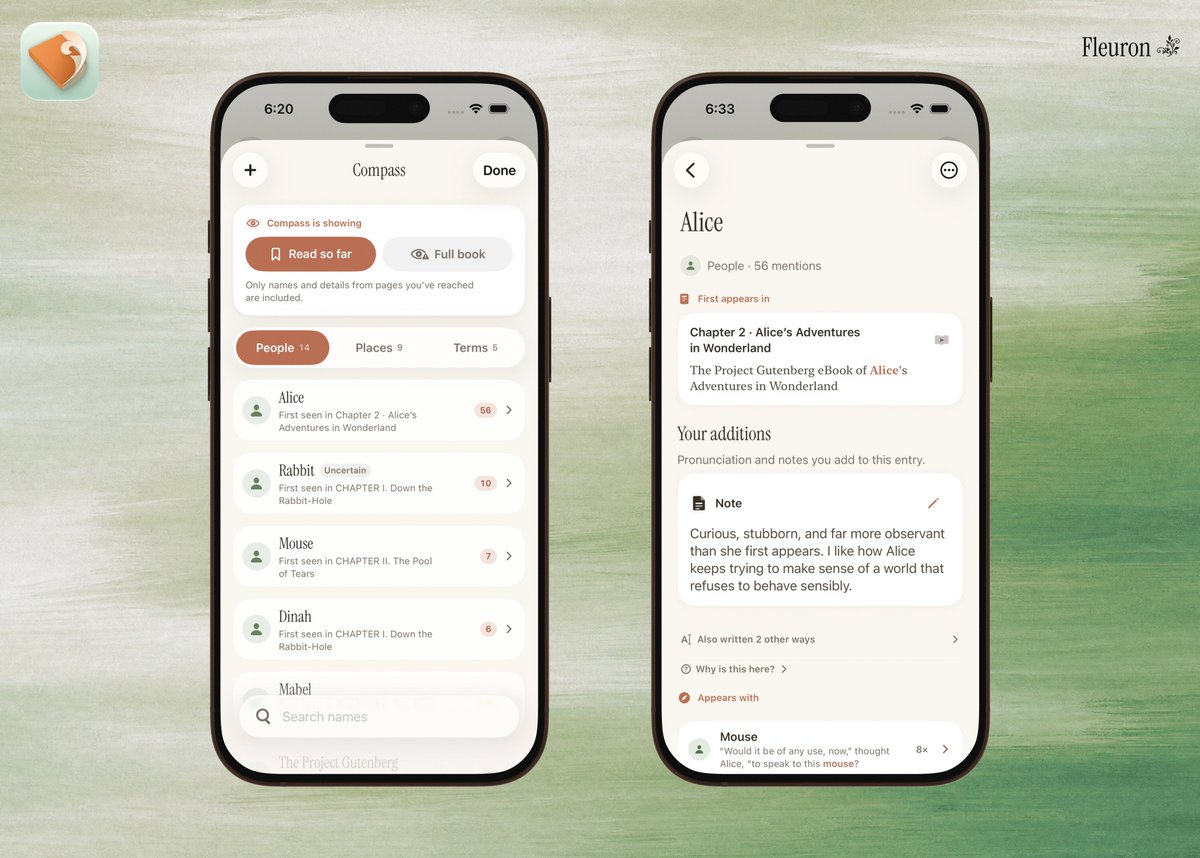
Ever return to a book after sometime away and think: wait, who was this again?
Fleuron’s Compass keeps track of the people, places and terms you’ve encountered—but only up to your current position, so looking someone up won’t spoil what comes next.
Japanese inspired Fleuron. It also supports Korean, Chinese and English.
Lens can show kanji and hanzi readings or word meanings. You control how much help appears, so you get just enough to keep moving.
Coming soon to the App Store → https://t.co/ERW56bLeIw
For the past few months, I’ve been building a reader in my spare time-the app I wish had existed when I started learning Japanese.
Reading books and picking up words in context helped enormously, this brings that focus to a polished reading experience.
Here’s Fleuron.
#shipaton
@uwukko Thank you for the update!
Can we have a flag to hide the address bar? Compact mode is nice but that address bar feels unnecessary to me as I just use cmd+l to focus it anyway
@AravSrinivas@comet Yes, please! Just the option would be great.
The main reason behind it would be to save space vertically, which helps a lot for ultra-wide monitors, so anything extra like the address bar (and the other buttons) would also need to be in the sidebar.
@jnnnthnn@net__email__app Been on the TestFlight for a bit now and this one really is a game changer, loving it. Do you guys have any plans for a web version anytime soon?
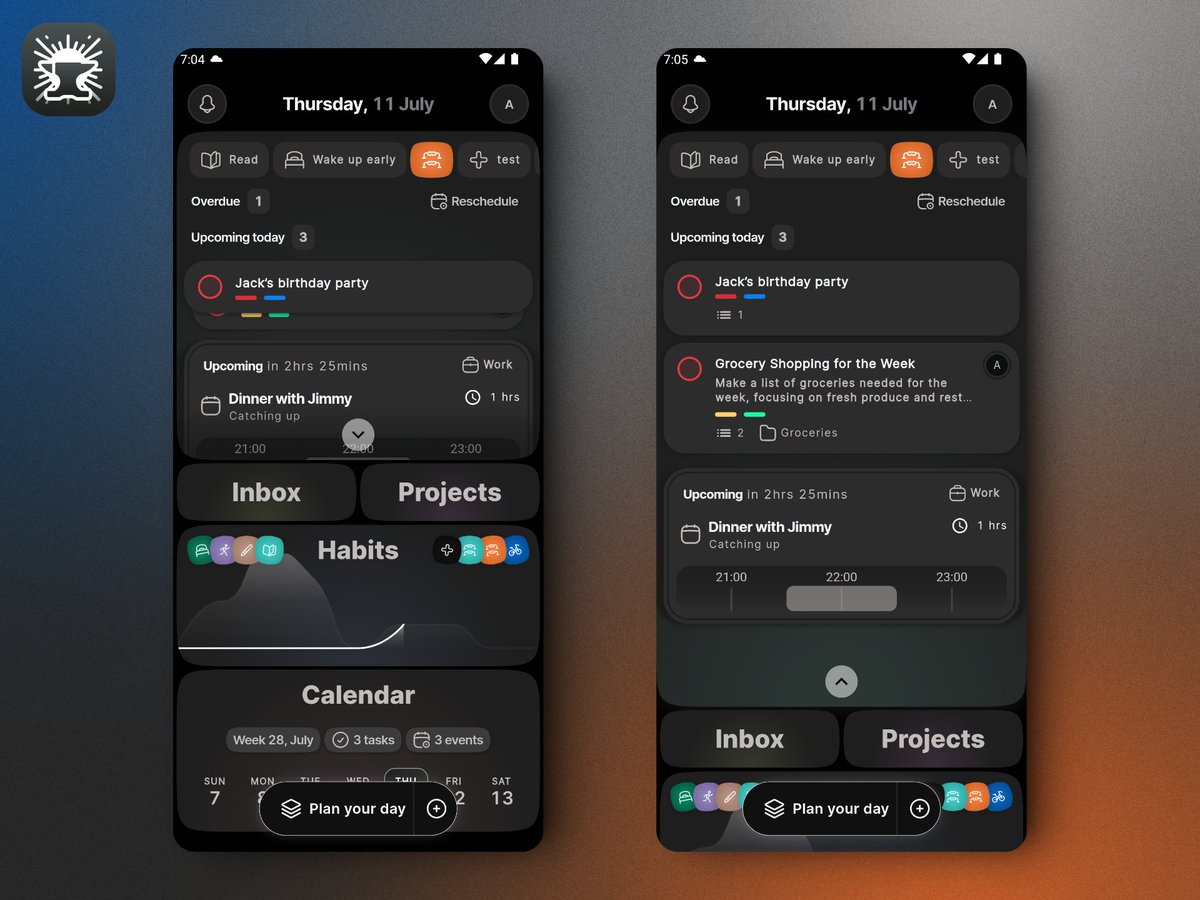
This is the homepage, with the expanded 'Today' card on the right and the collapsed one on the left.
The Today card holds all your actionable items for the day -- habits, tasks, events and overdue tasks!
It has been a while since I've last posted about Dayforge. We've been in closed beta for a while now and it's coming along pretty well. So well that I'll soon be publishing it on PlayStore!
As we close in on the release date, I thought I'd share some screenshots.
@marckohlbrugge It started out with that intent but it has grown quite a bit now that I feel it'd be a shame to not try and productize/release it haha. Here's a few screenshots of Dayforge, a productivity app I've been making in my free time for all actionable things in my life.
@niklogvinenko Personally speaking, when I see screenshots by @screenshotfirst, I feel like giving the app a try even if I don't particularly need the app.
@niklogvinenko Realistically, I think there isn't a sure fire way to determine if an increase in users were directly related to the app screenshots. That said, if I gave my app's screenshots a glowup and notice an increase in users, I'd assume that's due to the better screenshots.