Adding RIZZ with App Store screenshots 🌈
Boosting conversion rates with stunning designs
NGL, Purp, Wave AI, Runna, Promova, Bump
✨ Book a call or DM us!
We’re The Screenshot First Company
We just hit 10k followers 🎉
It’s the perfect time to re-introduce ourselves:
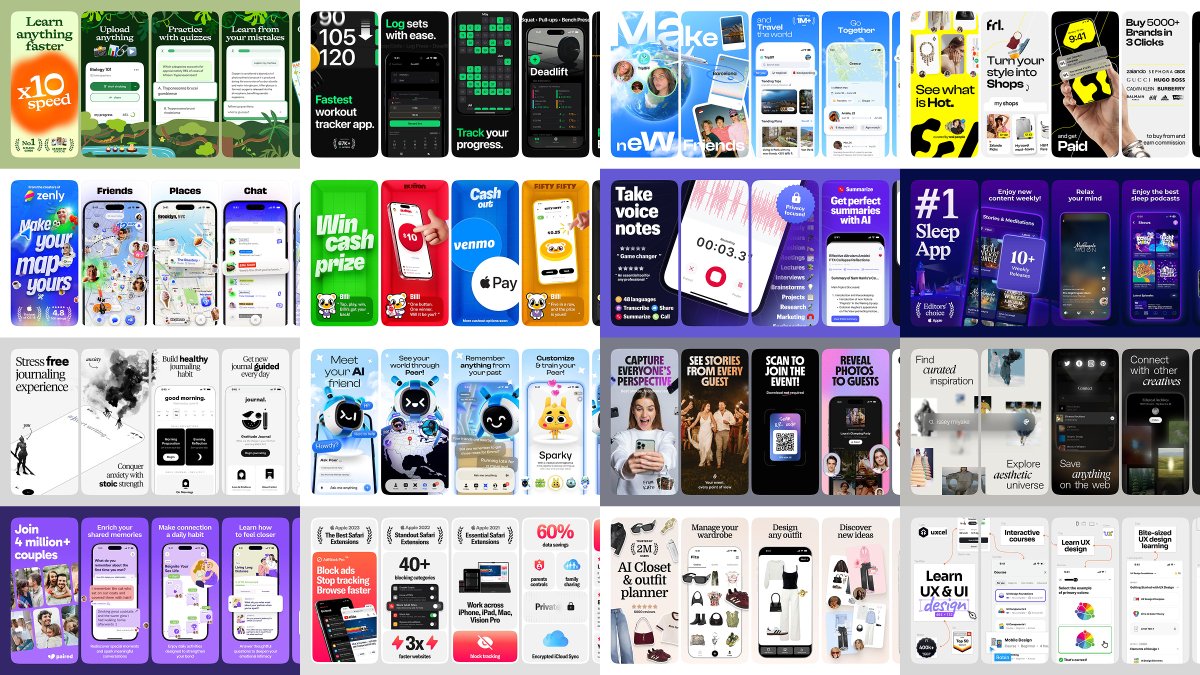
We specialize in creating captivating visuals and adding rizz that make your app shine in stores.
Clients: Promova, Gringo, Happn, Bump, Paired, Cal AI, Sleepiest, Purp, Kismia, Uxcel, Jammable, Riveo, and counting.
Huge thank you to everyone who’s been part of the journey 🚀
Yesterday we posted Ellie's new App Store screenshots.
A few people asked us why they look the way they do so here are the six decisions marked on the image.
1. The first frame says "Clear your head". We put what you get before the name as someone scrolling through search results won't yet know who Ellie is.
2. We used a hand-drawn illustration for the person. Ellie is a very calm app and a significant number of its users have ADHD so a quiet ink drawing was far better than another phone mockup. It's also the first thing Chris reacted to when we showed him.
3. His arm goes from frame 1 to frame 2. Intentional.
4. The hamster is Ellie's AI assistant within the app. He was a tiny icon in there so we gave him a body and a line to say.
5. One headline and one thing to look at per frame.
6. Frame 3 is the real app with a task being dragged into the day. The drag is the feature people are after so we show it in the middle of the move, with the card still tilted and the slot it's going into already outlined underneath.
@raroque then took it much further than screenshots. He rebuilt Ellie's whole look on top of them!
Yesterday we posted Ellie's new App Store screenshots.
A few people asked us why they look the way they do so here are the six decisions marked on the image.
1. The first frame says "Clear your head". We put what you get before the name as someone scrolling through search results won't yet know who Ellie is.
2. We used a hand-drawn illustration for the person. Ellie is a very calm app and a significant number of its users have ADHD so a quiet ink drawing was far better than another phone mockup. It's also the first thing Chris reacted to when we showed him.
3. His arm goes from frame 1 to frame 2. Intentional.
4. The hamster is Ellie's AI assistant within the app. He was a tiny icon in there so we gave him a body and a line to say.
5. One headline and one thing to look at per frame.
6. Frame 3 is the real app with a task being dragged into the day. The drag is the feature people are after so we show it in the middle of the move, with the card still tilted and the slot it's going into already outlined underneath.
@raroque then took it much further than screenshots. He rebuilt Ellie's whole look on top of them!
i built Ellie 5 years ago (WAY before AI coding was a thing)
i had no idea what i was doing. and it shows 😅
so i spent the last 6 weeks going back to fix every mistake past me made (onboarding, pricing, etc...)
....41% jump in revenue 👀
heres what i did
@_RoadTo10M “legal” is a pretty strong word here
the rule applies to the screenshot set as a whole, not to the three individual screenshots we shared here
We like how MigoMap’s activity pins make the map feel lively and give each plan a recognisable icon.
Two things we’d work on in the first three frames:
- “Simply push the button” leaves the action vague, and the go-karting details are small.
- Frame 3 switches to a different group’s chat, so the plan from frame 2 gets lost.
Refs:
- Give a few activity pins more space in frame 1. Bump makes its portrait pins large enough to read against the map; try that scale with your own activity icons (img 1).
- Change frame 2’s headline to “Join a plan nearby” and enlarge the “I’m in” button. Partiful keeps the event details and Going badge prominent (img 2).
- Pull Chloe’s go-karting card forward in frame 2 and quiet the map behind it. Flighty places its flight list in front of the map, making the details easier to pick out (img 3).
- Carry the go-karting example into frame 3, with a short chat confirming time and place. Howbout uses familiar plans and readable chat bubbles to make the examples easy to follow (img 4).
Show us what you got! Vol. 12 🌈
Post your App Store or Google Play link in the comments 👇
We'll come back with ideas to make your set clearer and sharper, and how to improve its storytelling.
seeing the lock screen notifications under “Your payments log themselves” makes the benefit instantly clear, and we like how “Coffee $4.50 and padel $18” makes voice logging feel concrete
two things are holding it back:
- eight different background colours make this feel like eight separate ads, without one recognisable Kesef look
- the later chat, automation and budget frames get into dense lists and small numbers, losing the clarity of the payment and voice examples
a few ideas you can try:
- we’d pick your green as the background and carry it through the whole set. Wise runs its bright green and deep forest green with the same chunky capitals in every frame, from “Grow your money” to “Protect every cent”, and even its photo frames bring the green back through the card and the UI (img 1)
- make “chat with your spending” a big, readable question and answer. Under “No interest, seriously”, Cleo zooms in on the chat so the question “what’s the catch?” and the answer “No catch” read at a glance, and “Everything your bank can’t do” leads with the chat itself (img 2)
- let the Apple Pay auto-logging moment break out of the phone. Venmo pops the “Payday has arrived!” notification past the phone under “Get paid up to 2 days early”, and lets the “Pay with venmo” button and the Split card spill over the edges (img 3)
- give each later feature one big visual moment instead of a full list. Robinhood gives each feature one huge statement, like the giant “Earn 3.6% APY” under “Grow your cash with 3.6% APY” and the neon “3% IRA Match” under “Get a 3% IRA Match” (img 4)
Refs below 🌈
the dark UI and rich poster art look so good together, especially in the Ted Lasso frame. seeing it running on Watch and TV is a nice flex too
two things are holding it back:
- the name FilmNoir promises a mood, but the plain white template loses all the dark, cinematic feel already there in the app
- ten frames with the same layout and small headlines read like a feature list, while the posters stay tiny inside the phones
a few ideas you can try:
- we’d open with a full-bleed poster or film still, no phone, and make the noir mood the hook. MUBI opens with a film still and “WATCH GREAT CINEMA”, no phone needed (img 1)
- let the key art fill the background behind the phone. Kinopoisk makes big movie and show artwork dominate every frame (img 2)
- go dark and give each frame one big two-line headline. NBC uses bold lines like “DISCOVER new shows” on dark colour gradients (img 3)
- keep one dark system and one accent across all ten, then close with Watch, TV and Vision Pro. Hulu keeps a dark system with a neon accent and closes with “watch on your favorite devices” (img 4)
Refs below 🌈
Nice set! "Close the feed. Open your day." is a strong opener.
two things are holding it back:
- after that first line, the copy gets vaguer. the one frame that shows the block says "Autopilot ends here", and the closed screen is small next to the floating icons, so it's easy to miss what just happened
- seven similar scenic frames start to blend together. the photography is good, but the actual block needs to be the main event somewhere
a few ideas you can try:
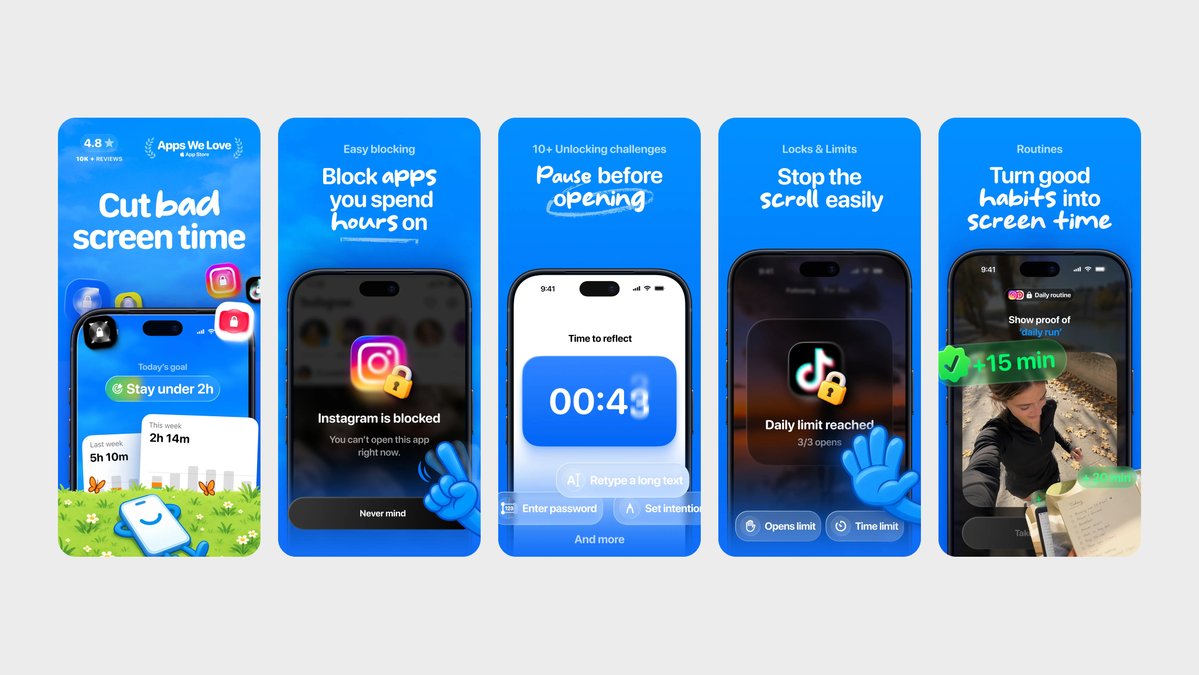
- make the block the hero: tap Instagram, hit the wall, big headline. Jomo puts the blocked app right in the middle of the frame (img 1)
- give the paused-app screen a whole frame. BUSY does it on a dark background with just a glowing lock and "Apps blocked", pretty close to your own Focus screens (img 2)
- put the blocked screen beside a plain line saying it stays closed until Focus ends. Opal makes the result of a rule easy to see (img 3)
- follow with one clean frame showing how to set that block. Lemio uses photo backgrounds like yours and gives each frame one line, like "Limits don't work. Schedules do" (img 4)
Refs below 🌈
"Names drawn. Secrets kept." is such a good line, and the italic serif gives the whole set a nice gift-shop feel
two things are holding it back:
- almost every frame is a cream background with a phone full of lists, so the set looks samey even with the colour changes
- the gifts are shown as rows of text. we never see an actual gift, a wrapped box or a happy person, so it doesn't feel like gifting
a few ideas you can try:
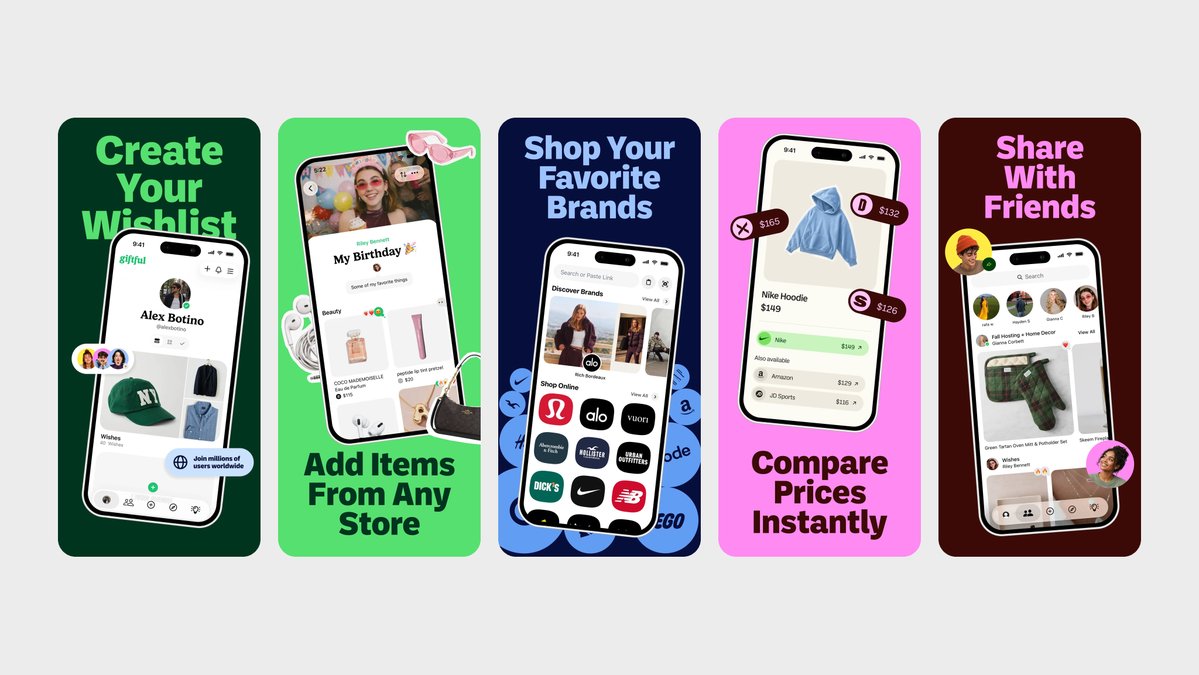
- try bolder colour blocks per frame to break the cream. Giftful changes the whole background every frame and shows real products (img 1)
- bring in real photos of gifts and people. SpoilMe mixes product shots and a happy person with the UI, same serif vibe as yours (img 2)
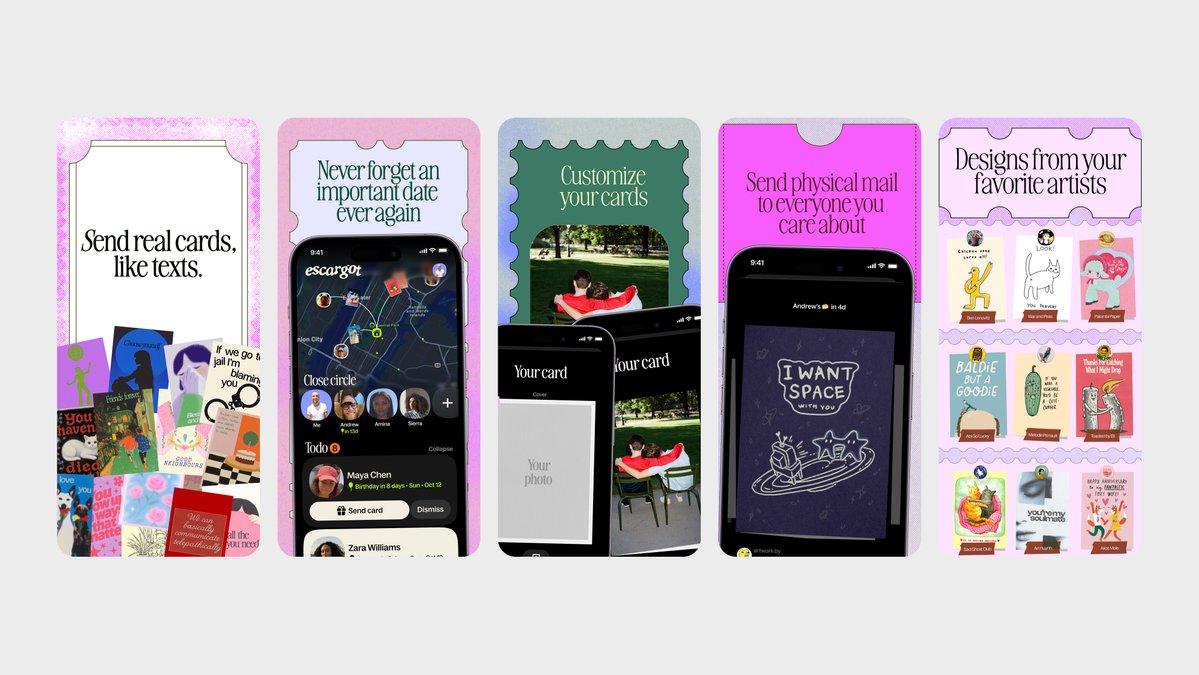
- show gift ideas as objects, not rows. Escargot shows real cards and designs as the hero, and each frame feels different (img 3)
- give one moment a whole frame, like the Secret Santa reveal. Birdie does one idea per frame on a dark background and it feels premium (img 4)
Refs below 🌈
"Save from any app" with the app icons floating around is a really clear frame, and the purple-orange highlight on the key words is super nice
two things are holding it back:
- all four frames use the same layout (big black headline, phone below), so after the second one they start to blend
- we never see the moment you actually save something from Instagram or TikTok. the share step is the whole product but it's not on screen
a few ideas you can try:
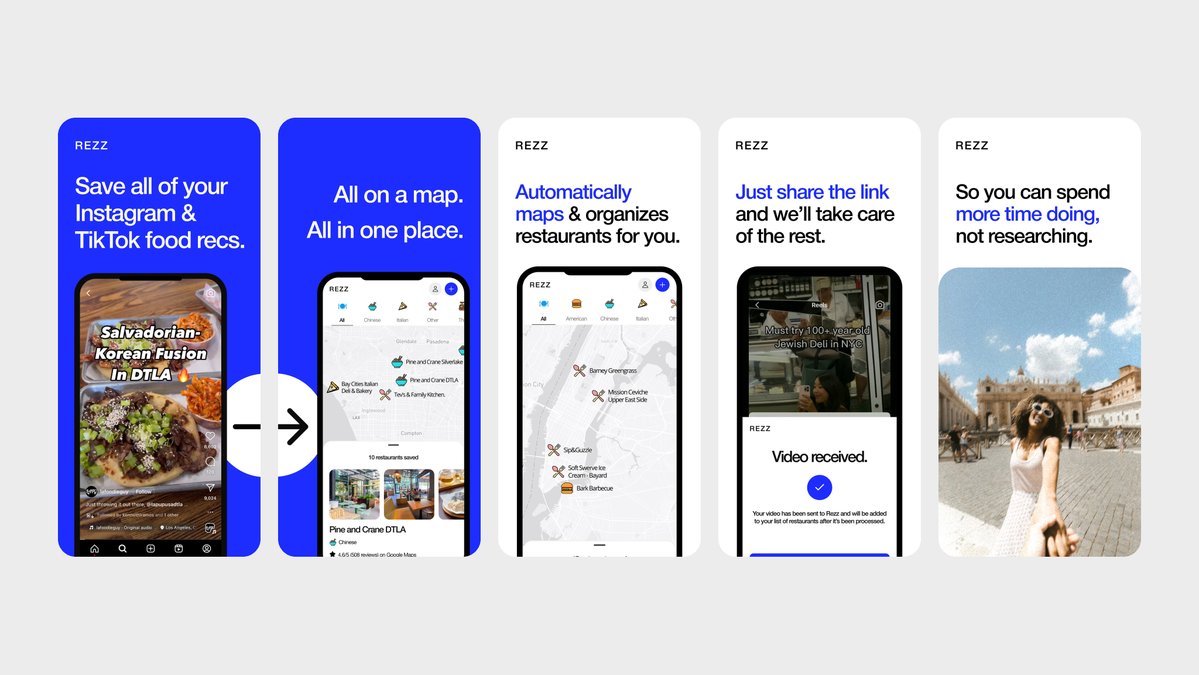
- show the share moment: a TikTok or a post on the left, the saved card in sleeve on the right. Rezz goes from Instagram food recs to "just share the link and we'll take care of the rest" (img 1)
- switch the background colour per frame to break the rhythm. Tote uses a different bold colour every frame and it never feels samey (img 2)
- try one full-bleed frame with no phone at all, just the saved content. Savee lets the imagery fill the frame (img 3)
- make the "in short" summary the hero of a frame, bigger and readable at a glance. Matter gives its reading and highlighting views a whole clean frame each (img 4)
Refs below 🌈
the dog with the toy in frame 1 is a great opener, warm and instantly "pet app". the orange and cream look really premium too
two things are holding it back:
- the dog only shows up in frame 1. after that it's 8 frames of UI, so the set stops feeling like it's about someone's pet
- nutrition takes up three frames (5, 6, 7) with pretty similar charts, while the allergen alert, probably the strongest moment, gets one small frame
a few ideas you can try:
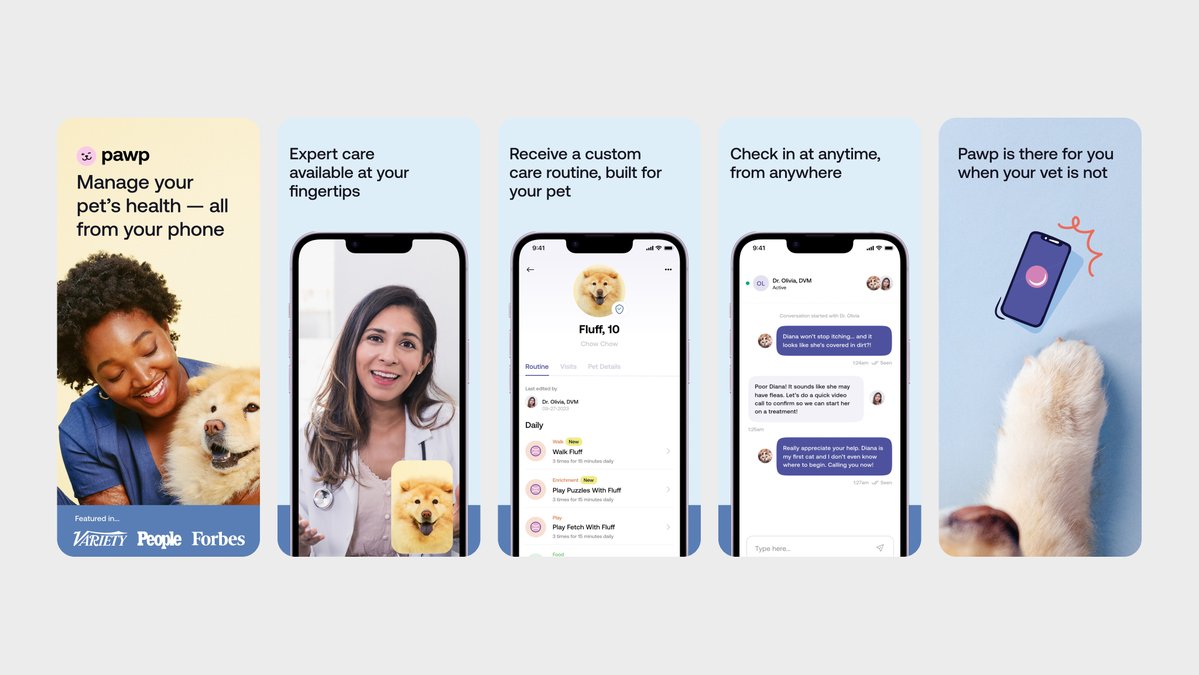
- keep a real pet in most frames, next to the UI rather than instead of it. Pawp mixes vets, owners and pets into almost every frame (img 1)
- give the "allergen detected" alert its own frame with the pet in it. Furbo puts its barking and emergency alerts right on top of a photo of the dog (img 2)
- merge the three nutrition frames into one: scan, then one big result. Calog goes from a photo of the food straight to "445 kcal" as the hero (img 3)
- try one health score as a headline number. Petcube's "Rex is doing well, 95" says more than a full chart (img 4)
Refs below 🌈
Nice set! the cream and green give the set a calm, consistent feel.
two things are holding it back:
- frame 1 starts at the dashboard, so we miss the useful bit: point the camera at lunch, get fiber grams, a gut score and one thing to add
- the repeated "make X a habit" headlines and similar layouts blur together. scanning a meal and collecting plants could look quite different
a few ideas you can try:
- open on a real plate through the camera, then show the result. Food Scouter's camera UI and big food photos are the clearest ref for this (img 1)
- make the food recognition screen big enough to read at a glance. Calog opens on the camera framing a plate, then puts the numbers right over the photo (img 2)
- show a barcode scan while shopping, with a short headline. OnFork shows the product in someone's hand with "Simply scan a barcode" (img 3)
- try a weekly plant collection that shows progress towards 30. ZOE has a "10 / 30 plants this week" frame, and it's a gut health app too (img 4)
Refs below 🌈
Nice set! the pastel board sits nicely against the dark background.
two things are holding it back:
- the first frame asks people to learn the rules before they've seen why placing a queen feels satisfying. the board needs more room
- frames 3–5 lean on archive, packs and streaks. useful once you're playing, but they tell us less about this particular puzzle
a few ideas you can try:
- blow up the board and show one readable move. Bullpen puts the colour regions right at the centre of the frame (img 1)
- teach the rules one step per frame instead of all at once. Triplit does it in three numbered frames, then wraps up with "Solve the puzzle!" (img 2)
- crop closer so we can read the puzzle without zooming. NYT Games gives each game enough space to explain itself visually (img 3)
- try a little more personality in the headline type, like Sixtep. "no guessing. one solution." could hold a frame with a big board underneath (img 4)
Refs below 🌈