🔴ADIÓS A LOS DE CIBERSEGURIDAD!
Acaba de salir un repositorio con cientos de herramientas de seguridad para IA en un repositorio open source.
Muestran técnicas y herramientas para poner a prueba sistemas de IA:
↳ Frameworks de jailbreak para LLMs
↳ Testers de prompt injection
↳ Agentes de red team para IA
↳ Herramientas de extracción de modelos
↳ Vectores de ataque a la supply chain
↳ Pentesting automatizado para aplicaciones con IA
Las MISMAS herramientas que usan los equipos de seguridad para defender sistemas.
Ahora están disponibles para cualquiera.
Dejo el enlace al repositorio en los comentarios↓
PostgreSQL on Kubernetes is no longer “can we?” but “how?”
This guide covers the architecture choices that matter: operators, HA, PgBouncer, storage, monitoring, backups, and PITR
https://t.co/q2xHpc8Y2x
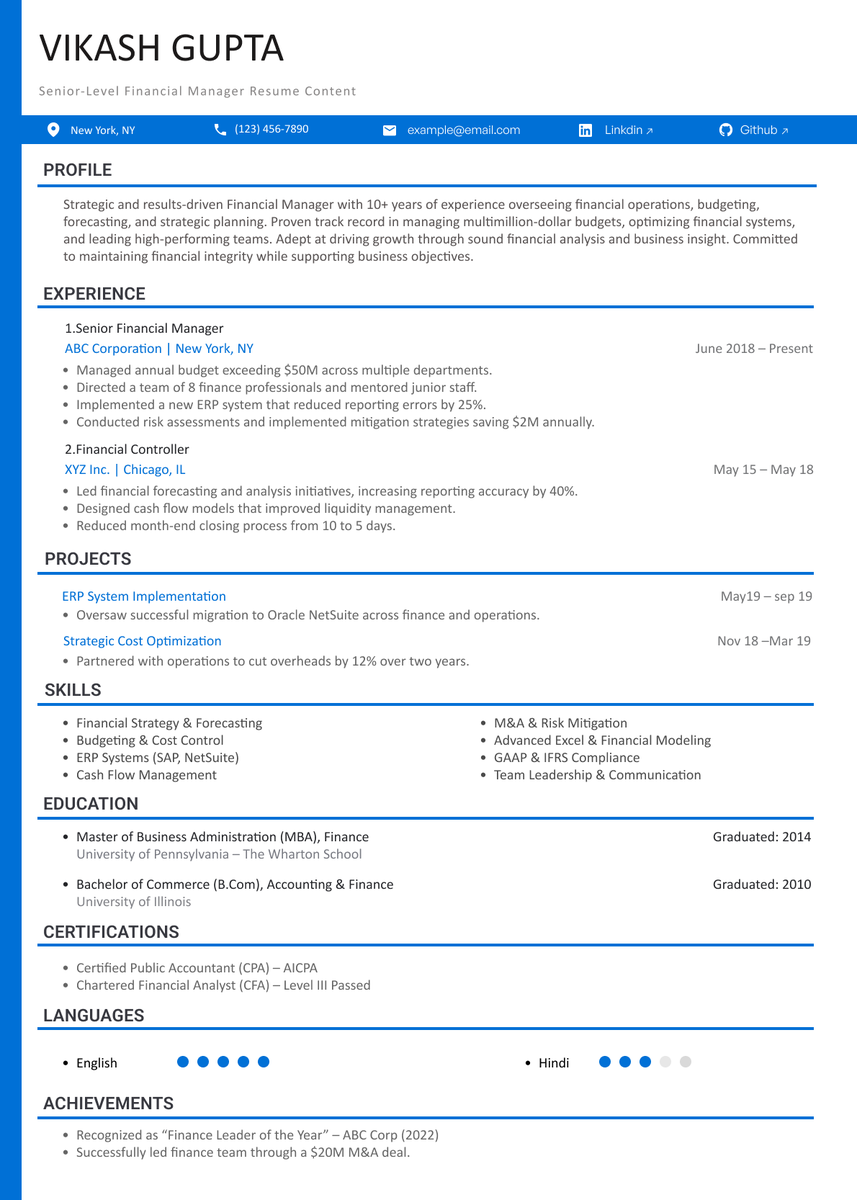
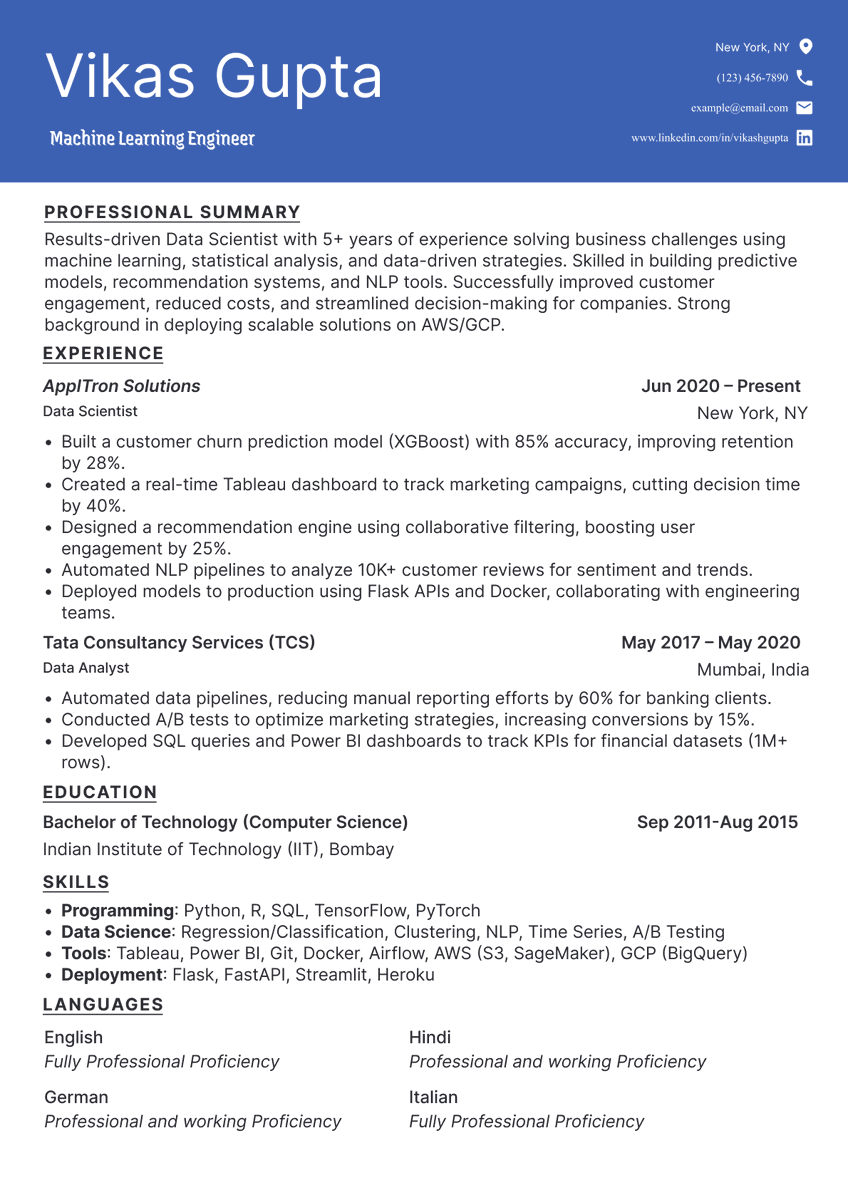
🚨BREAKING: Claude can now write your entire job application like a top recruiter.
Here are 10 prompts that turn a job description into a tailored CV, cover letter, and interview prep guide in under 5 minutes.
(Save this)
🧵 Day 30/30 — #SystemDesign
Most people fail System Design interviews before they even start designing.
Not because they don’t know Kafka, Load Balancers, or databases…
but because they jump into architecture without understanding the problem first.
System Design interviews are less about “perfect architecture” and more about structured thinking under constraints.
A strong system design approach usually looks like this:
→ Clarify requirements
→ Estimate scale (users, traffic, storage)
→ Design high-level architecture
→ Identify bottlenecks
→ Discuss databases, caching, queues, scaling
→ Handle tradeoffs
→ Think about failures, reliability, monitoring
Interviewers want to see how you think, communicate, and prioritize.
One of the biggest mistakes candidates make:
Trying to sound “advanced.”
People randomly add:
→ Kafka
→ Microservices
→ Redis
→ Kubernetes
even when the system doesn’t need them.
Good engineering is not adding more tools.
It’s choosing the right level of complexity.
Another important skill is discussing tradeoffs clearly.
Example:
→ SQL vs NoSQL
→ Consistency vs Availability
→ Monolith vs Microservices
→ Poll
Fault Tolerance in System Design
➤ What is Fault Tolerance
→ Definition: The ability of a system to continue operating even when some components fail
→ Goal: Minimize downtime → Maintain availability → Ensure reliability
→ Faults can occur in:
→ Servers → Databases → Networks → APIs → Storage systems
➤ Why Fault Tolerance Matters
→ Prevents complete system failure
→ Improves user experience and reliability
→ Supports high availability systems
→ Critical for large-scale distributed applications
→ Examples:
→ E-commerce platforms during traffic spikes
→ Banking systems handling transactions
→ Streaming services serving millions of users
➤ Common Causes of Failures
→ Hardware failures → Disk crash → Power outage → CPU/RAM failure
→ Software bugs → Memory leaks → Application crashes
→ Network failures → Packet loss → DNS issues → High latency
→ Database failures → Replication lag → Corruption → Overload
→ Human errors → Misconfiguration → Deployment mistakes
➤ Techniques for Fault Tolerance
→ Redundancy
→ Duplicate critical components → Backup servers → Replica databases
→ Load Balancing
→ Distribute traffic across multiple servers
→ Prevent overload on a single machine
→ Replication
→ Maintain copies of data across different nodes or regions
→ Failover Systems
→ Automatically switch to backup systems during failure
→ Health Checks & Monitoring
→ Continuously monitor servers and services
→ Detect failures quickly
→ Circuit Breaker Pattern
→ Prevent cascading failures between services
→ Retry Mechanisms
→ Retry failed requests automatically after short delays
→ Data Backups
→ Regular backups to recover from catastrophic failures
➤ Types of Fault Tolerance
→ Active-Active Architecture
→ Multiple servers handle traffic simultaneously
→ If one fails, others continue serving requests
→ Active-Passive Architecture
→ Primary server handles traffic
→ Backup server activates only during failure
➤ Challenges in Fault Tolerance
→ Increased infrastructure cost
→ Higher architectural complexity
→ Data consistency issues in distributed systems
→ Replication and synchronization overhead
→ Difficult debugging and monitoring
➤ Fault Tolerance vs High Availability
→ Fault Tolerance → System continues operating despite failures
→ High Availability → System minimizes downtime and remains accessible
→ Insight: Fault tolerance contributes to achieving high availability
➤ In System Design Interviews
→ Identify possible failure points → Servers → Databases → Networks
→ Design redundancy and failover strategies
→ Discuss trade-offs → Cost vs Reliability
→ Explain monitoring and recovery mechanisms
→ Consider scalability together with fault tolerance
➤ System Design Handbook
→ A complete guide to mastering system design concepts and distributed architectures
→ Covers scalability, fault tolerance, caching, databases, load balancing, and real-world trade-offs
→ Designed for developers preparing for interviews and building reliable production systems
📘 Get the System Design Handbook here:
https://t.co/WIMretQFPE
🧵 Day 26/30 — #SystemDesign
Retries seem harmless.
An API fails → retry the request.
Still fails → retry again.
Simple… until thousands of servers start retrying together and accidentally take the entire system down.
That’s why production systems use Retry Strategies with Exponential Backoff instead of blind retries.
A retry mechanism helps recover from temporary failures like:
→ Network instability → Timeout issues → Short server overloads → Rate limiting
But retrying instantly creates traffic spikes during failures.
Exponential backoff solves this by increasing delay after every failed attempt.
Example:
→ Retry 1 → wait 1s → Retry 2 → wait 2s → Retry 3 → wait 4s → Retry 4 → wait 8s
This gives systems time to recover instead of getting overwhelmed.
Modern systems also add Jitter (randomness in delay) so millions of clients don’t retry at the exact same moment.
Without jitter:
→ Retry storm → Traffic spikes → Cascading failures
With jitter:
→ Requests spread naturally → Better recovery behavior → More stable systems
That’s why companies like AWS, Google, Stripe, and Netflix heavily recommend exponential backoff patterns in distributed systems.
Retries improve resilience. Uncontrolled retries destroy resilience.
#30DaysOfSystemDesign #DistributedSystems #BackendEngineering
🧵 Day 21/30 — #SystemDesign
Load Balancer: The silent system that keeps everything fast & alive
One server handling all traffic?
Works… until it doesn’t.
Traffic spikes → server overload → downtime.
That’s why systems use a Load Balancer.
A load balancer sits between users and servers and distributes incoming requests across multiple instances.
Flow:
User → Load Balancer → Multiple Servers
Goal:
→ No single server overloaded
→ Better performance
→ High availability
Types (keep it simple)
Layer 4 (Transport)
→ Works on IP + Port
→ Fast, less intelligent
Layer 7 (Application)
→ Works on HTTP/HTTPS
→ Smart routing (headers, paths)
Common Algorithms
→ Round Robin (equal distribution)
→ Least Connections (send to least busy)
→ IP Hash (same user → same server)
→ Weighted (based on server capacity)
Why It Matters
→ Handles traffic spikes
→ Improves uptime
→ Enables horizontal scaling
→ Supports failover
→ Better latency
Real Usage
→ AWS ELB / ALB
→ NGINX
→ HAProxy
→ Cloudflare
Every scalable system uses one.
Golden Rule
Scaling = adding more servers.
Load balancer = using them efficiently.
#30DaysOfSystemDesign #LoadBalancing #BackendEngineering
Kubernetes Tip: In-place pod resize
Here is how it works 👇
In-Place Pod Resize feature allows you to change CPU and memory requests and limits on a running pod without deleting or recreating it.
When a resize is needed,
The kubelet updates the container's Linux cgroup directly, without deleting the pod or restarting the container, unless you explicitly request it.
The --subresource resize flag tells kubernetes that it is updating only the resizable fields (CPU and memory) of the pod.
We have a detailed guide explains,
- How it works behind the scenes.
- How to resize pod in-place with VPA
- Memory downsizing issues and more..
𝗥𝗲𝗮𝗱 𝗶𝘁 𝗵𝗲𝗿𝗲: https://t.co/FP2yA8KbgT
Have you tried this feature yet?
Comment below.
#devops #kubernetes
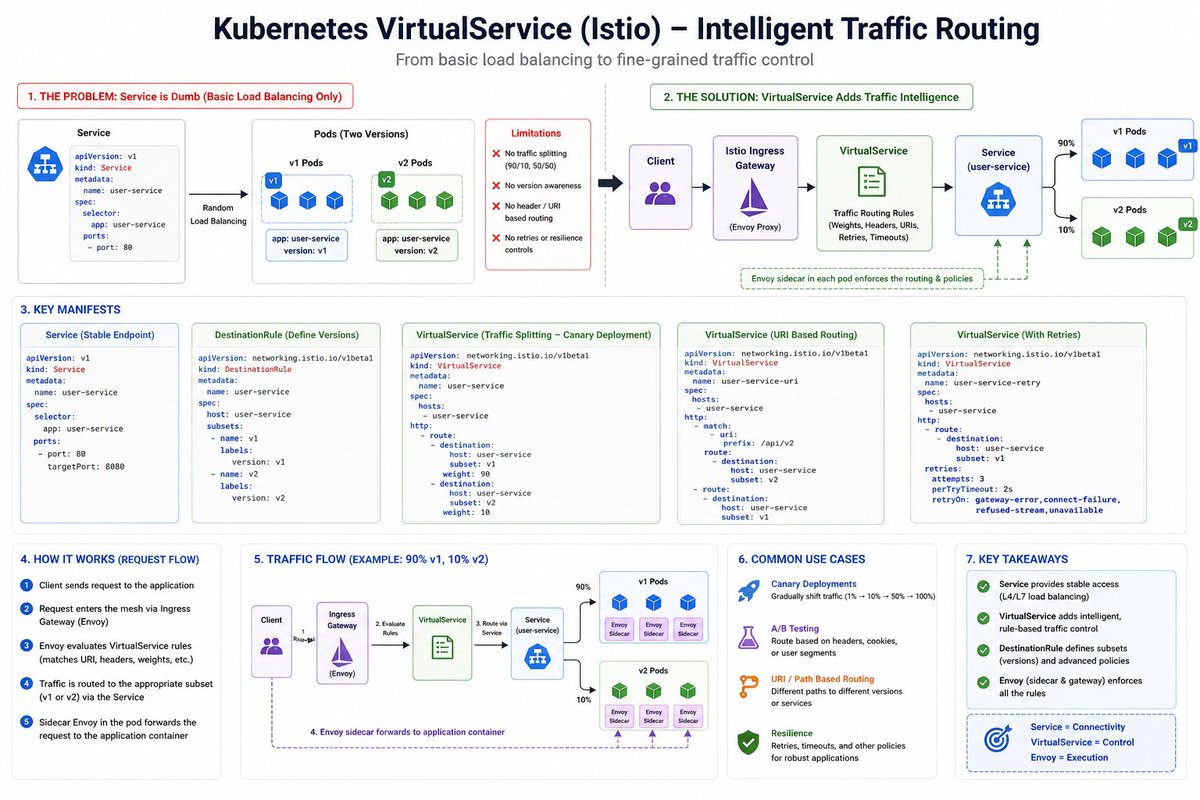
Kubernetes Service solved one big problem:
👉 Pod IPs keep changing
But it didn’t solve:
👉 “Where exactly should my traffic go?”
Let’s go deeper into VirtualService
https://t.co/fUmna6MIVt
🧵 Day 20/30 — #SystemDesign
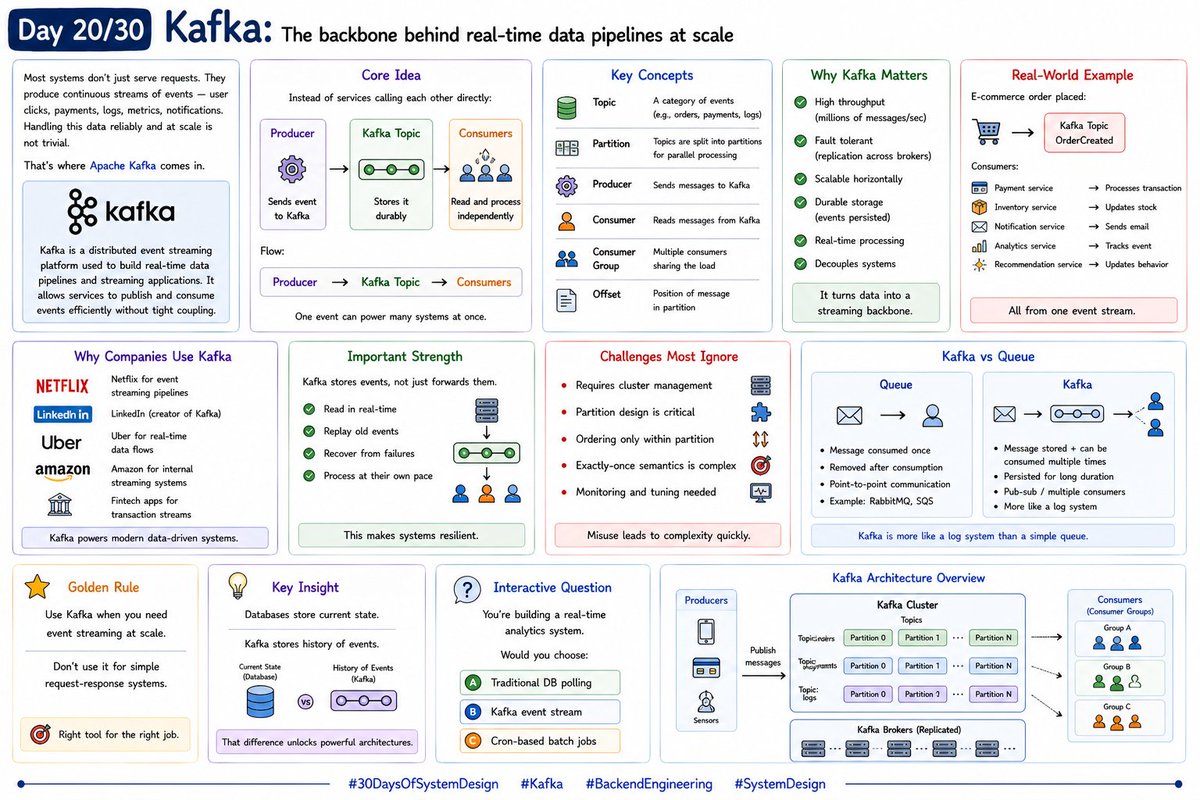
Kafka: The backbone behind real-time data pipelines at scale
Most systems don’t just serve requests. They produce continuous streams of events — user clicks, payments, logs, metrics, notifications. Handling this data reliably and at scale is not trivial.
That’s where Apache Kafka comes in.
Kafka is a distributed event streaming platform used to build real-time data pipelines and streaming applications. It allows services to publish and consume events efficiently without tight coupling.
----------------------
Core Idea !!
Instead of services calling each other directly:
→ Producer sends event to Kafka
→ Kafka stores it durably
→ Multiple consumers read and process independently
Flow:
Producer → Kafka Topic → Consumers
One event can power many systems at once.
---------------------
Key Concepts
1. Topic
A category of events (e.g., orders, payments, logs)
2. Partition
Topics are split into partitions for parallel processing
3. Producer
Sends messages to Kafka
4. Consumer
Reads messages from Kafka
5. Consumer Group
Multiple consumers sharing load
6. Offset
Position of message in partition
These concepts define Kafka’s power.
------------------------
Why Kafka Matters
→ High throughput (millions of messages/sec)
→ Fault tolerant (replication across brokers)
→ Scalable horizontally
→ Durable storage (events persisted)
→ Real-time processing
→ Decouples systems
It turns data into a streaming backbone.
---------------------------
Real-World Example
E-commerce order placed:
→ Event sent to Kafka (OrderCreated)
Consumers:
→ Payment service processes transaction
→ Inventory updates stock
→ Notification sends email
→ Analytics tracks event
→ Recommendation system updates behavior
All from one event stream.
--------------------------------
Why Companies Use Kafka
→ Netflix for event streaming pipelines
�� LinkedIn (creator of Kafka)
→ Uber for real-time data flows
→ Amazon for internal streaming systems
→ Fintech apps for transaction streams
Kafka powers modern data-driven systems.
--------------------------------
Important Strength :
Kafka stores events, not just forwards them.
Consumers can:
→ Read in real-time
→ Replay old events
→ Recover from failures
→ Process at their own pace
This makes systems resilient.
----------------------------
Challenges Most Ignore
Kafka is powerful, but not simple:
→ Requires cluster management
→ Partition design is critical
→ Ordering only within partition
→ Exactly-once semantics is complex
→ Monitoring and tuning needed
Misuse leads to complexity quickly.
---------------
Kafka vs Queue
Queue:
→ Message consumed once
Kafka:
→ Message stored + can be consumed multiple times
Kafka is more like a log system than a simple queue.
Don’t use it for simple request-response systems.
#30DaysOfSystemDesign #Kafka #BackendEngineering
AWS Certifications — 100% FREE! 🚨
No catch. No credit card.
AWS is giving away free vouchers for some of their
most in-demand certs:
🎓 Cloud Practitioner
🤖 AI & ML Foundation
🧠 ML Engineer Associate
🛠 Solutions Architect
👨��💻 Developer Associate
📊 Data Engineer
⚙️ SysOps Admin
🗓 Deadline: Nov 30, 2025 — don’t sleep on this!
Here’s how to grab yours: 👇🏾👇🏾