Ready to build your own brainware and master any language? Follow Dictozo for no-BS engineering guides for the modern polyglot. Start building your custom tools today.
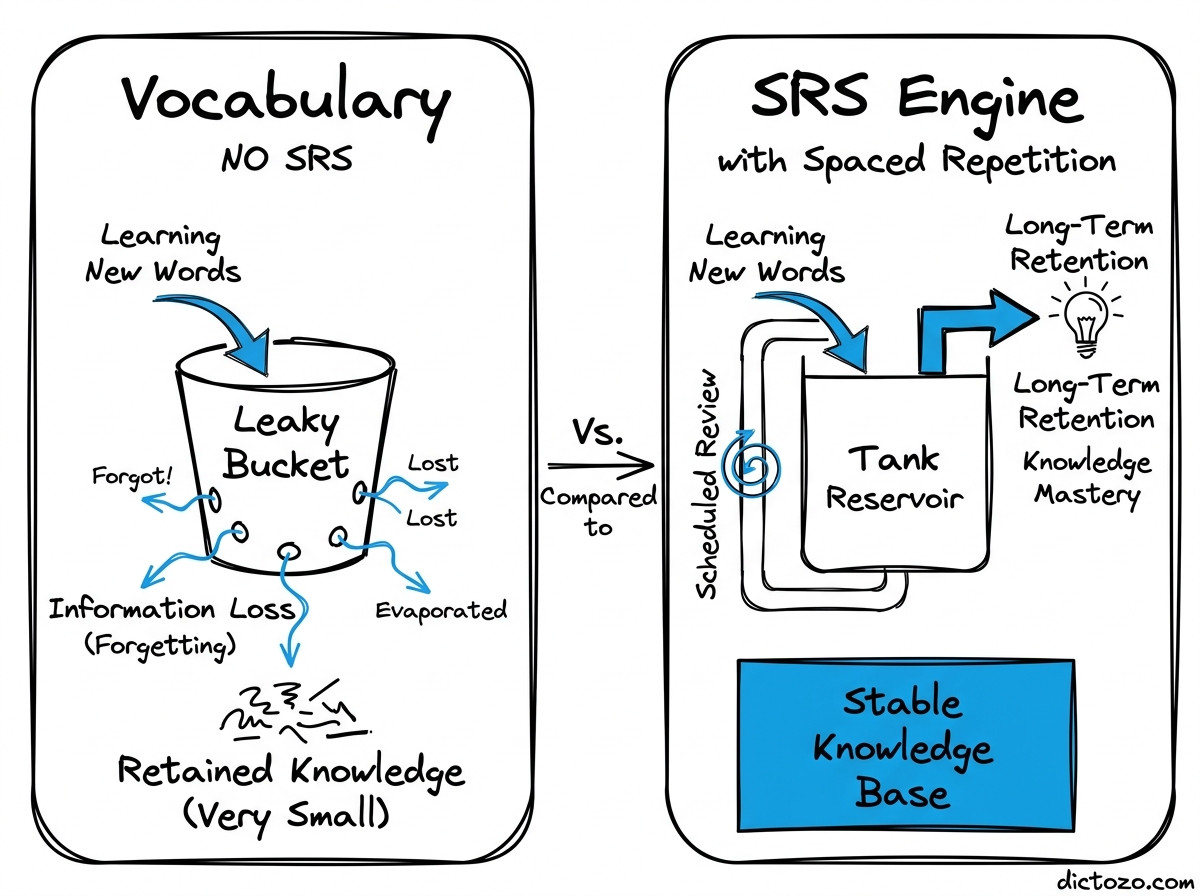
Stop leaking vocabulary. Brute-force memorization is a math problem you will always lose. Here is how to build a custom Spaced Repetition (SRS) engine to fix your forgetting curve forever.
Retention engineering is about modeling the Ebbinghaus curve. Doubling intervals is your baseline. Use 0-5 quality scores for feedback and prune leeches—those cards that suck your time without staying in your head.
Ready to build the future of literacy? Stop settling for basic apps and start building the engineering tools you need to master any language. Follow for more deep dives into complex software architecture.
Stop reading one language at a time. Building a parallel-text reader like Beelinguapp is a masterclass in data synchronization and UX engineering. Here is the technical breakdown of how to build one.
The Parallel Stack Recap: Use UUID-linked schemas, leverage NLP for semantic alignment, implement timestamped audio triggers, and virtualize long lists for high performance UI.
Stop memorizing. Start integrating. High-stakes prep requires a system that bridges the gap between reading and retention. Check out Dictozo to see how we are evolving beyond the flashcard. Visit https://t.co/Oubca4nO43 for more.
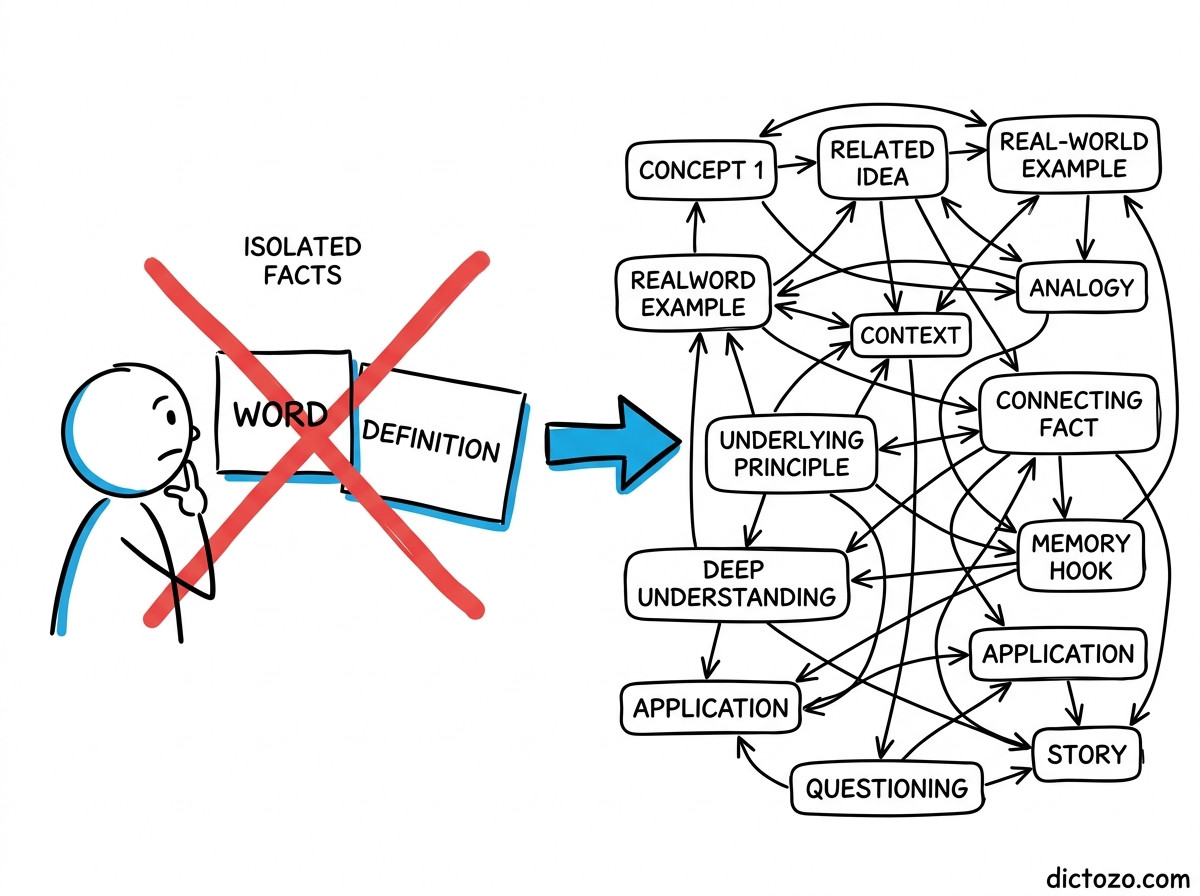
Your flashcards are lying to you. Simple front-and-back cards create a false sense of security that fails in high-stakes exams. Why? Because you are memorizing isolated islands, not language. It is time to move beyond the back of the card.
Stop optimizing for simple recall and start optimizing for recognition during live reading. Manual card creation is technical debt. A custom tool captures the word where it lives, ensuring you recognize it next time you see it on the web.
Stop being a passive reader and start engineering your memory. If you want to dive deeper into language tech and building smarter tools, follow for more.
Stop forgetting everything you read online. You can turn your browser into an automated memory machine by bridging your reading with spaced repetition. Here is how to build a bridge between Chrome and Anki using AnkiConnect.
To build this: Install AnkiConnect, configure your manifest.json with contextMenus permissions, and map extracted text to fields. Always handle API errors if Anki is closed.