Tip Tuesday! Holding down Control or Command when you click a link in your browser opens the link in a new tab 🗂. Holding down Shift when you click a link your browser opens the link in a new window 🪟.
🍳 hot tech tip! Track your end-of-year tasks with "Dropdowns" in Google Docs. Use & edit one of the pre-made templates or create one from scratch so you and your team can prioritize workflow! #edtech#friedfan#googledocs#googleforedu#teachertips
👥 Back in the 90s I replaced the characters on a Guess Who board with my students. It was a fun way to celebrate how much we knew about each other.
💻 Now @SlidesManiaSM has a digital version and you can add your own photos!
https://t.co/2VCmlawK2i
Did you know you can import and edit PDF's in @canva for education?!🤯 This is an incredibe ⏰ saver!!
Check it out! https://t.co/XNOvqYLhrD
#CanvaLOVE#CanvaEDU#edtech#CanvaTip
🌠 Top Tip!🌠
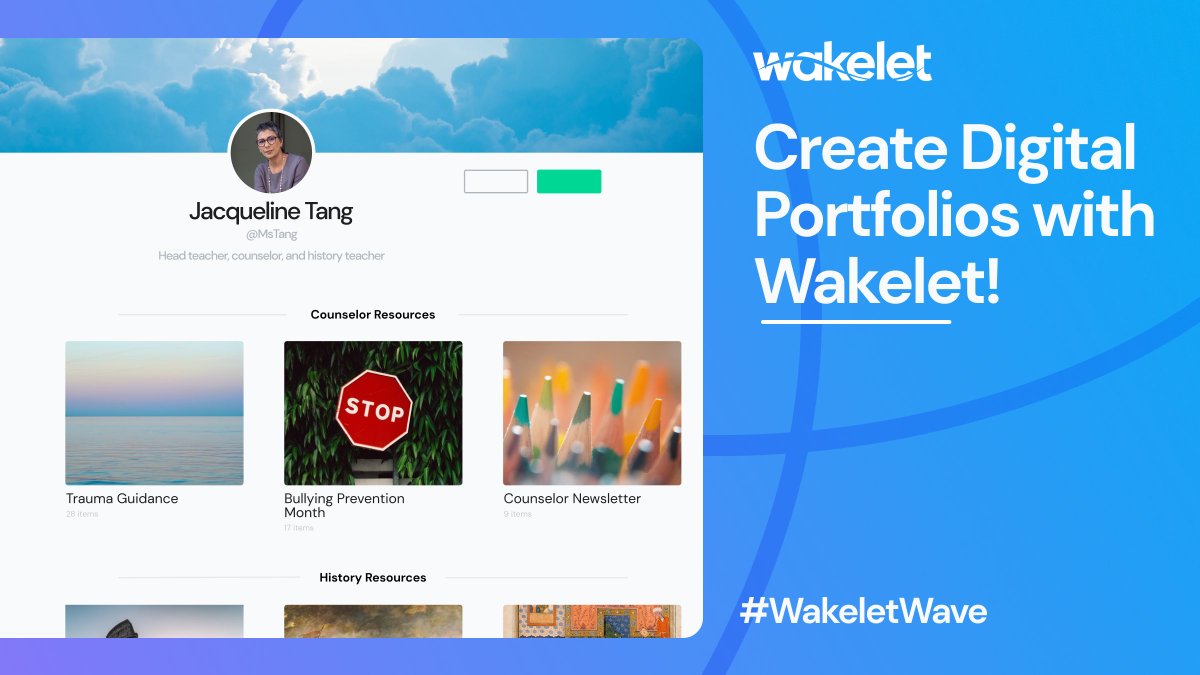
Invite your students to create their portfolios on Wakelet! Everyone in your class can showcase their learning in visual, creative ways!
Read @TxTechChick's blog for inspiration!💙
https://t.co/QVlAeHVNP5
🎅❄️🎄Happy Day 12 of #Techmas! It's the last day, but I will have a Tech-mas wrap-up for you tomorrow. 😊
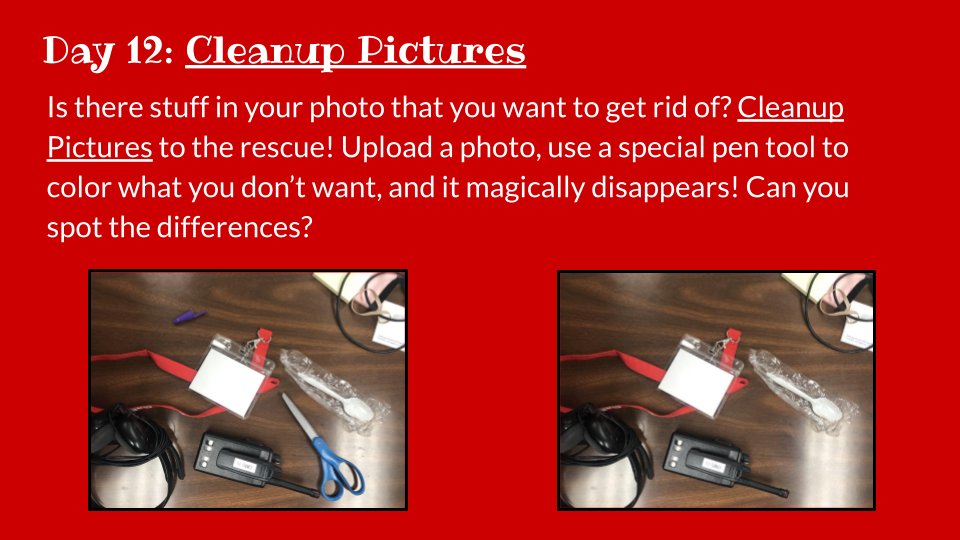
Have you even taken a picture and it's awesome, except there is one annoying thing (or several) in it? https://t.co/XhvecQTbly to the rescue! This tool is seriously 🤯🤯🤯.
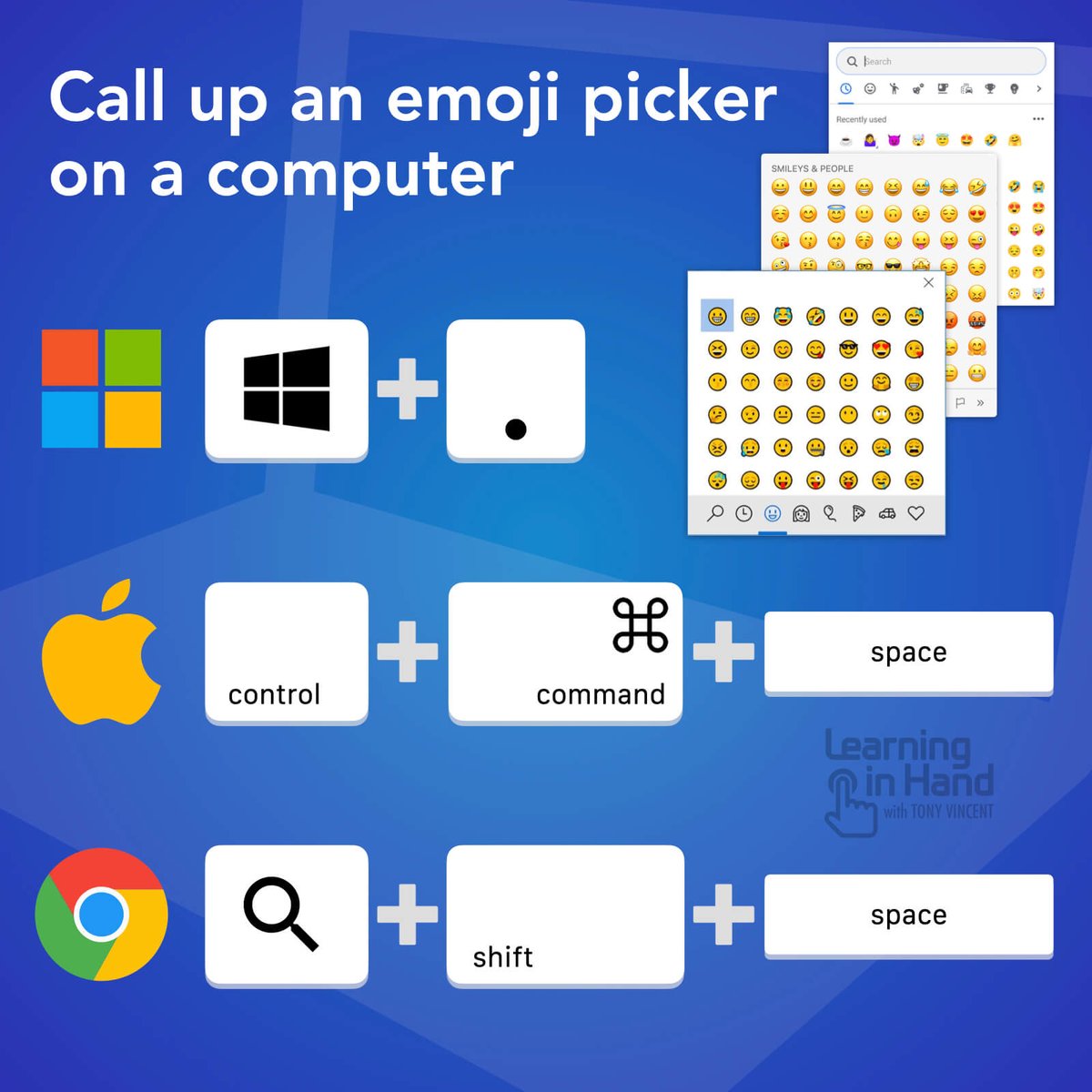
⌨️ You can get quick access to an emoji picker on a Windows, Mac, or Chromebook computer with a keyboard shortcut. Be sure your cursor is placed where you can input text. 💻😁👍
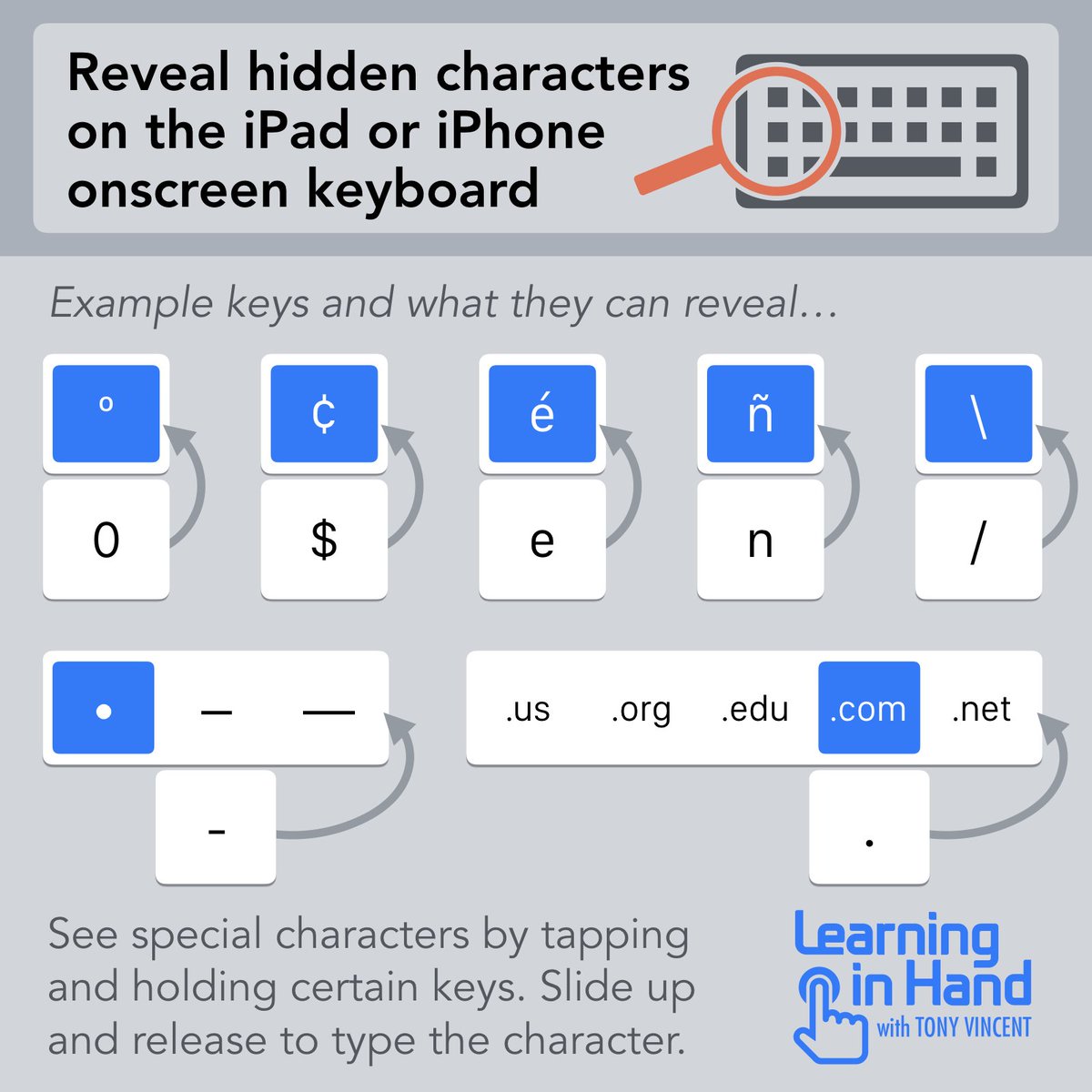
⌨️ Apple has hidden some characters on the iOS keyboard. It's a matter of long pressing certain keys to reveal things like º, ¢, é, •, and —.
When entering a web address, hold down the period and slide up to instantly type .us, .org, .edu, .com, and .net.
Loving how the new Google Docs checklist feature creates an interactive syllabus where students can check off their completed tasks each week to track their own progress! #edtech