Moving structured data between apps is still way too repetitive.
With Sequence Paste, you can collect info from different apps and paste it into a table in one go, or copy a whole spreadsheet column and paste each cell into different fields, one by one.
https://t.co/cnUI2a6ysN
Moving structured data between apps is still way too repetitive.
With Sequence Paste, you can collect info from different apps and paste it into a table in one go, or copy a whole spreadsheet column and paste each cell into different fields, one by one.
https://t.co/cnUI2a6ysN
How To Use Pastea for Research
A simple research workflow with Pastea, collect quotes, links, screenshots, and notes into one place, preview saved sources, jump back to the exact passage you copied, and clean up notes as you go.
Collect. Trace. Use.
https://t.co/U6eK41aTaj
#Research #Researchers #Clipboard #Clipboardmanager #Pastea #Productivity #MacApps
Stop switching back and forth just to fill a table
Copy all the information you need first, then paste each item in sequence using the same shortcut.
Pastea automatically moves to the next item, and you can rearrange the order before you start.
Download https://t.co/U6eK41aTaj
#productivity #macOS #support #table
Finding something in your clipboard history is useful.
But sometimes you need to know where it came from.
With Open Origin in Pastea, you can jump straight back to the original app or webpage, with the copied text highlighted.
Find the clip. Find the context.
Download https://t.co/p3t2jnZnGN
#productivity #macOS #Obsidian #Openorigin
Your best ideas shouldn’t get buried in random notes, screenshots, or clipboard history. 📚
With Pastea, everything I copy while researching—quotes, notes, screenshots—can go straight into one collection automatically.
Less organizing. More reading. ✨
https://t.co/zpCj2aolhR
A faster way to access Pastea
We’ve added a few improvements to make Pastea easier to access while you work, jump back to where a clip came from, open Pastea directly from the edge of your screen, and choose where the panel appears.
Update https://t.co/aLdY6auyc6
#productivity #macOS #Pastea
Reading or researching?
With Pastea, I start a collection and just keep going
Copy a quote, note, or screenshot, it goes straight into the same list automatically
No stopping to organize. Everything’s already there when I’m done
https://t.co/nTMHWiXAof
#macOS#Productivity
Find anything you copied, faster 🔎
With Pastea’s Smart Search, filter your clipboard history by:
• Content type
• App
• Date
• Character count
No more digging through endless clips.
https://t.co/nTMHWiXAof
#Pastea#MacOS#Productivity#ClipboardManager#MacApps
I built a website directly from my clipboard using AI + MCP.
I saved research, images, colors, and links in a Pastea list, then asked an AI coding agent to turn it into a responsive website.
No manual copy-pasting.
https://t.co/zpCj2aoT7p
#MCP#AI#BuildInPublic
I was already using a clipboard manager, but I kept running into the same problem: the more I copied, the harder it became to find anything later.
That’s one of the main reasons we built Pastea
https://t.co/cnUI2a6ysN
Your clipboard can do more.
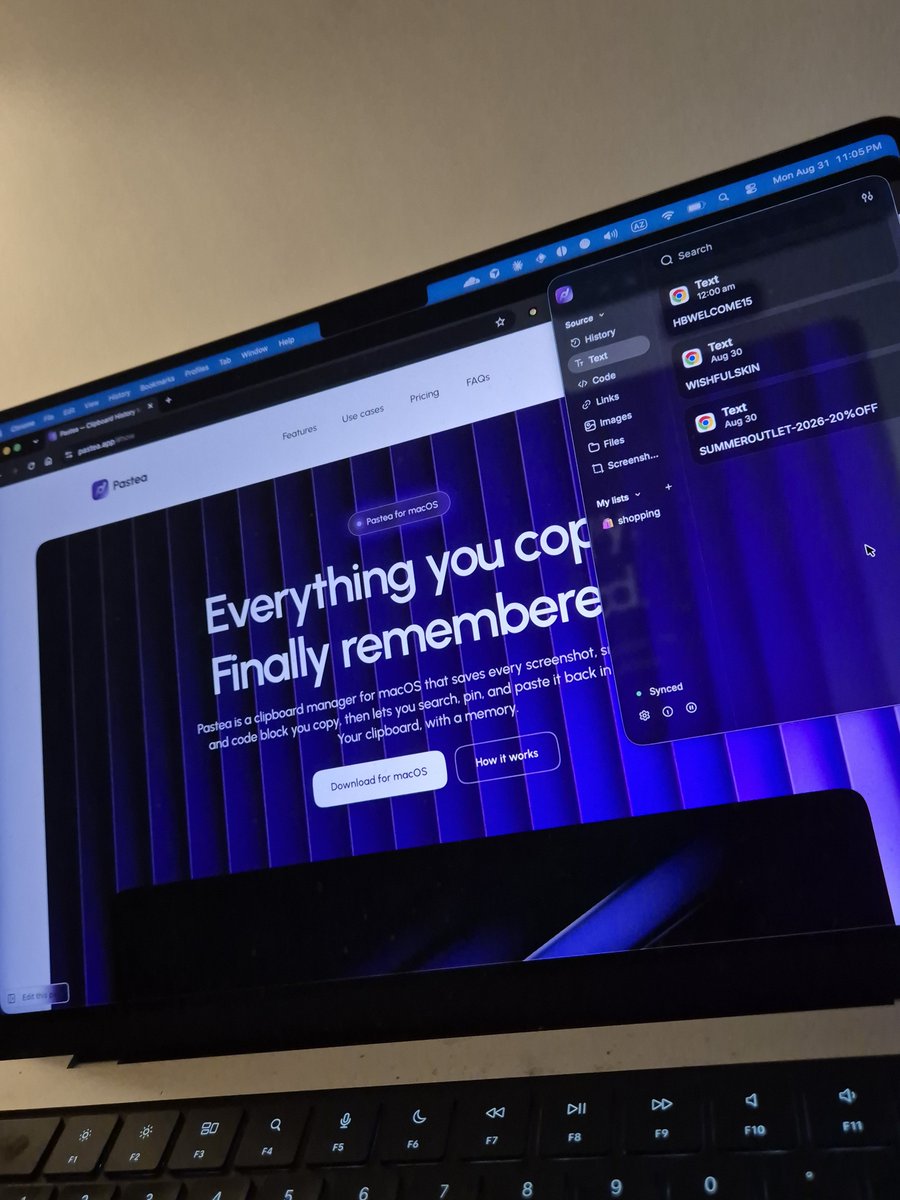
Meet Pastea, a smarter clipboard for macOS that saves everything you copy, helps you find it instantly, and lets you paste it back without breaking your flow.
Now live for macOS → https://t.co/nTMHWiXAof
#Pastea#MacApp#macOS#ProductivityApp
@lightsilver323 https://t.co/cnUI2a6ysN
Your clipboard can do more. 🥤
Pastea saves everything you copy, helps you find it instantly, and lets you paste it back without breaking your flow.
We just launched Pastea 🚀
Pastea saves everything you copy, helps you find it instantly, and lets you paste it back without breaking your flow.
Now live for macOS → https://t.co/3GmoKsDreB