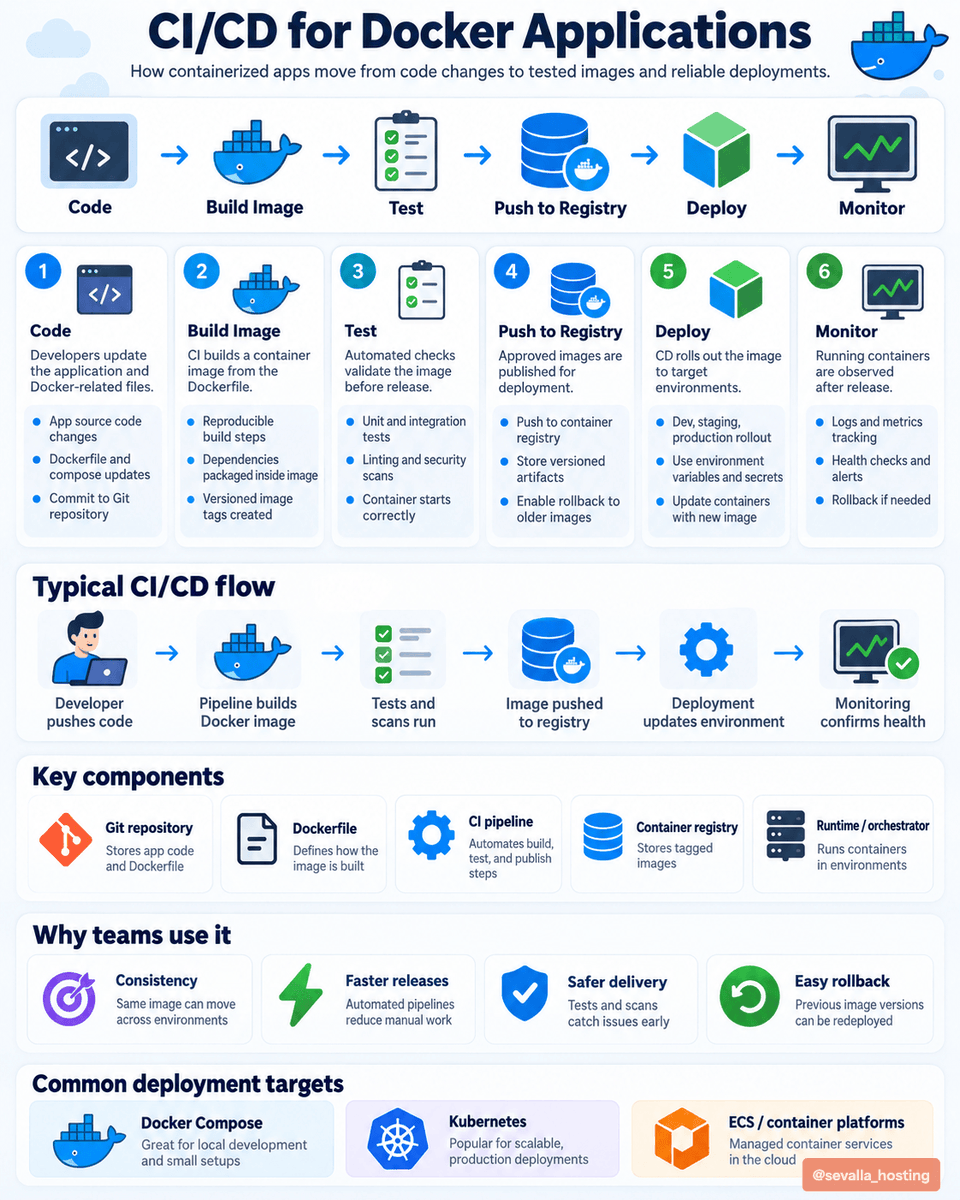
CI/CD for Docker Applications 🐳🚀
Docker makes deployments more consistent, while CI/CD automates the entire delivery process.
Here's how a typical pipeline works 👇
1️⃣ Code - Developers push application code and Dockerfile changes to Git.
2️⃣ Build Image - CI builds a reproducible Docker image containing the app and its dependencies.
3️⃣ Test - Automated tests, linting, and security scans validate the image.
4️⃣ Push to Registry - Approved images are tagged and stored in a container registry.
5️⃣ Deploy - CD rolls out the tested image to staging or production.
6️⃣ Monitor - Track logs, metrics, and container health after deployment.
Popular deployment targets:
🐳 Docker Compose - Simple deployments
☸️ Kubernetes - Container orchestration
☁️ AWS ECS - Managed container deployments
✅ Consistent environments
⚡ Faster releases
🛡️ Safer deployments
🔄 Easier rollbacks
Linux isn’t just one operating system. It has different distributions, each built for different purposes.
🌀 Debian Family
· Debian – Stable & reliable
· Kali Linux – Cybersecurity & pentesting
· Ubuntu – Beginner-friendly & versatile
· Debian Pure – Specialized Debian systems
· Parrot OS – Security & privacy
🎩 Red Hat Family
· RHEL – Enterprise & servers
· Fedora – Modern & cutting-edge
· CentOS – Server-focused
· AlmaLinux – Enterprise & RHEL-compatible
🏹 Arch Family
· Arch Linux – Minimal & customizable
· BlackArch – Security & pentesting
· Manjaro – User-friendly Arch
· EndeavourOS – Simple Arch experience
⚙️ Slackware Family
· Slackware – Traditional & lightweight
· Salix OS – Easier Slackware experience
🧩 Gentoo Family
· Gentoo – Highly customizable
· Funtoo – Gentoo-based & flexible
One kernel. Many choices. Different purposes.🐧
Here are some links to kickstart your Ethical hacking journey
- TryHackMe – Pre Security & Jr Penetration Tester paths
https://t.co/aVaDWBCoqd
- Hack The Box – Starting Point machines
https://t.co/oSVJRyUymA
- PortSwigger Web Security Academy (BEST for web hacking)
https://t.co/CvN1EoNTCZ
- OverTheWire Bandit (Linux + CTF fundamentals)
https://t.co/vX8OjswsFk
- OWASP Top 10 + WebGoat
https://t.co/ZVsZec2kg7
- Nmap Official Nmap Network Scanning Guide
https://t.co/OyyEKY9foW
- Metasploit Unleashed Course (Rapid7)
https://t.co/BOZ7Y2ecgn
- Linux Foundation Intro to Linux
https://t.co/fL6GyIyZms
- Linux natacad
https://t.co/TAbwfJ9NpS
- Cybrary Free PenTesting & Ethical Hacking courses
https://t.co/KJr6G670CF
- Offensive Security Penetration Testing Learning Path
https://t.co/TKASyR1nVo
- Bugcrowd University (Bug bounty basics)
https://t.co/SiGPvXLE7B…
- HackerOne Hacker101 (FREE course + CTF)
https://t.co/ryqYKDEqm8
-Professor Messer (Security+ playlist)
https://t.co/VbuemhD6Ta
You don't need a big budget to get started.
Pick one or two resources, stay consistent for the next 30 days, and document what you learn along the way.
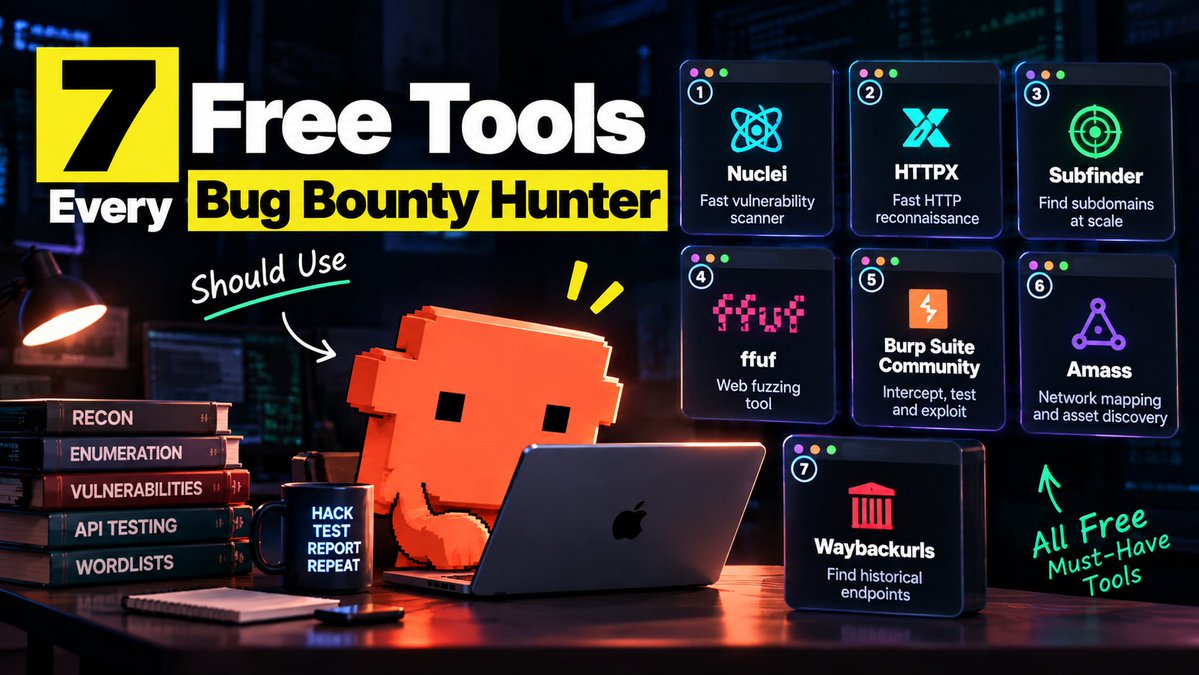
Bug bounty isn’t about finding a critical vulnerability every day.
Some days you find:
0 bugs.
3 duplicates.
5 N/A reports.
1 new technique.
That’s still progress.
Every failed test teaches you something about the target.
Build the habit:
Recon → Understand → Test → Analyze → Document → Repeat.
The goal isn’t to get lucky.
The goal is to become better at finding what others miss.
#BugBounty #CyberSecurity #EthicalHacking #WebSecurity #Pentesting #InfoSec
Want to learn ethical hacking from scratch?
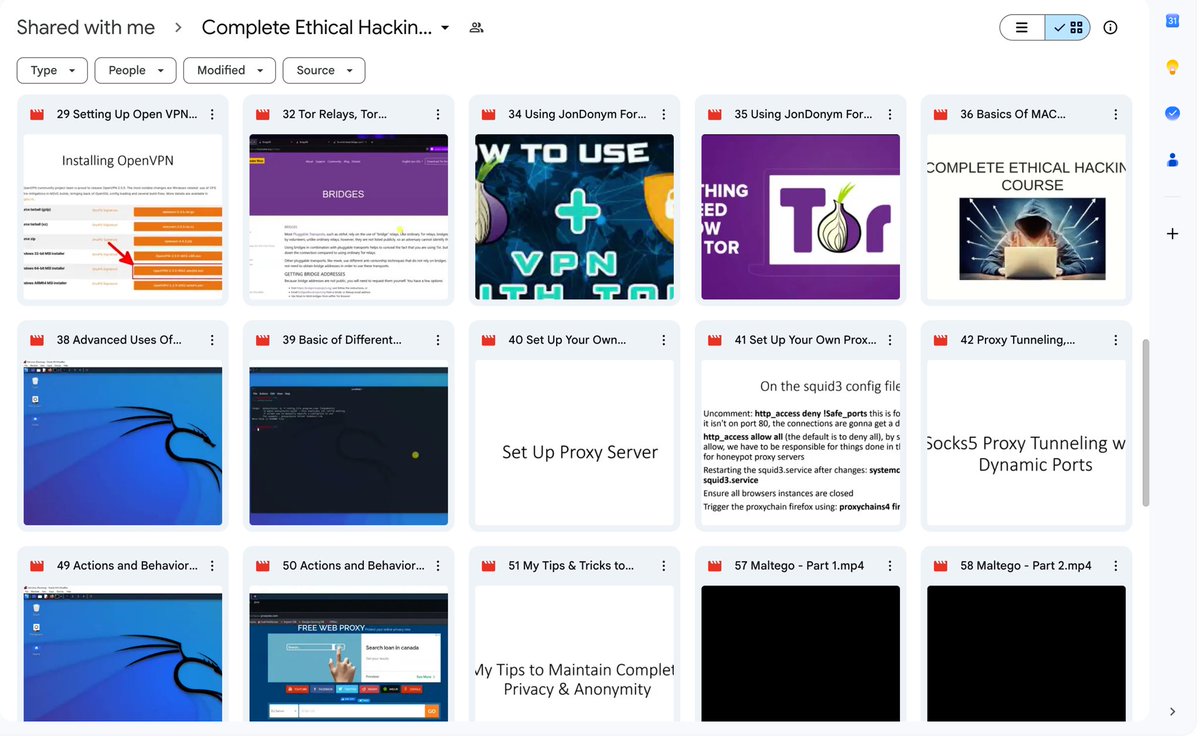
I found this complete video course covering:
Kali Linux
Virtual machines
Networking
VPNs
Proxies
Tunneling
Maltego
Ethical hacking fundamentals
Learn it. Build a lab. Practice legally.
Free resource:
https://t.co/oSvcsGEt9x
10 Networking Concepts You Need Before Learning Cloud
• IP Addressing → identify devices
• Subnets → divide networks
• DNS → map names to IPs
• TCP vs UDP → understand data transfer
• Ports → know where services communicate
• HTTP/HTTPS → understand web traffic
• Routers → move traffic between networks
• Firewalls → control network access
• NAT → connect private networks to the internet
• Load Balancers → distribute traffic
Learn networking first.
Cloud becomes much easier after that.
Nobody can learn Linux from a course.
If I had to learn Linux from scratch, this is exactly how I’d do it:
1️⃣ Start with a virtual machine:
→ Install VirtualBox and create an Ubuntu VM.
→ Learn to install Ubuntu, update it with apt update && apt upgrade, and take snapshots before experimenting.
→ Treat the VM as your Linux playground where breaking things is completely fine.
2️⃣ Learn the Linux filesystem:
→ Explore /home, /etc, /var, /usr, /tmp, /dev, and /proc
→ Practice pwd, ls, cd, mkdir, cp, mv, rm, and find
→ Understand why configuration files live in /etc and logs commonly live in /var/log.
3️⃣ Get comfortable with the terminal:
→ Learn cat, less, head, tail, grep, sort, wc, and pipes.
→ Practice commands like cat file.txt | grep "error"
→ Start doing everyday tasks without opening the GUI.
4️⃣ Understand users and permissions:
→ Learn whoami, id, sudo, useradd, passwd, and groups
→ Experiment with chmod, chown, 755, 644, and file ownership.
→ Create another user and see what they can and cannot access.
5️⃣ Learn how processes work:
→ Use ps, top, and htop to see what's running
→ Learn about PIDs, background processes, signals, and kill
→ Find a process consuming too much CPU and figure out how to deal with it.
6️⃣ Learn package management:
→ Use apt install, apt remove, apt update, and apt upgrade.
→ Install Nginx, find its configuration files, and understand what it changed.
→ Learn how Linux installs, updates, and removes software.
7️⃣ Learn networking:
→ Use ip addr to understand network interfaces and IP addresses.
→ Practice ping, curl, ss, and dig to understand connectivity, ports, and DNS.
→ Connect to your VM with ssh user@ip-address and manage it remotely.
8️⃣ Learn services and systemd:
→ Learn systemctl start, stop, restart, enable, and status
→ Install Nginx, stop it, restart it, and configure it to start automatically.
→ When something breaks, use journalctl and systemctl status to find the problem.
9️⃣ Learn storage:
→ Understand disks, partitions, filesystems, and mount points
→ Practice with lsblk, df -h, du -sh, and mount
→ Create a virtual disk, format it, mount it, and understand where your data actually lives.
🔟 Learn Bash:
→ Start with variables, conditions, loops, functions, and exit codes
→ Learn $?, $1, pipes, redirection, and #!/bin/bash
→ Write scripts that automate things you actually do.
1️⃣1️⃣ Learn troubleshooting:
→ When something breaks, don't immediately search for the error.
→ Check journalctl, /var/log, systemctl status, and application logs.
→ Learn to go from symptom, evidence, cause, and fix
1️⃣2️⃣ Break things on purpose:
→ Stop services, change permissions, modify configurations, and kill processes
→ Figure out why you broke something and recover it yourself.
→ Restore your VM snapshot when you completely destroy it
1️⃣3️⃣ Build something real:
→ Run Nginx, deploy an application, connect a database, and expose it over the network.
→ Manage everything through SSH and the terminal
→ Then learn Docker and understand what containers are actually doing underneath.
1️⃣4️⃣ Delete Windows:
→ Once you're comfortable, install Linux directly on your machine.
→ Make it your daily driver and learn to solve problems without switching back.
→ Expect plenty of man, --help, searching, breaking things, and fixing them
Don't memorize Linux. Use it until you understand what's happening underneath. 🐧