GitHub Copilot in Visual Studio 2026 gains new planning, review, and context management tools.
• Plan agent drafts implementation plans before coding and saves them as markdown files.
https://t.co/BMd682nvZp
〰️ Next up at #MSBuild for Visual Studio Devs 〰️
GitHub Copilot in Visual Studio: Agents That Debug, Profile, and Test
Tune into the livestream ➡️https://t.co/hzvhaV21H5
Claude Opus 4.7 has officially moved into Visual Studio 🎉
It brings stronger reasoning, smoother edits, and a surprising amount of “wow, that actually understood my code” energy — all without leaving the IDE.
Live since March 16, it’s built for big projects, tricky refactors, and developers who love a smart sidekick.
Take it for a spin and see how it handles your toughest code paths.
Start your journey here ➡️ https://t.co/SArr8H2GR2
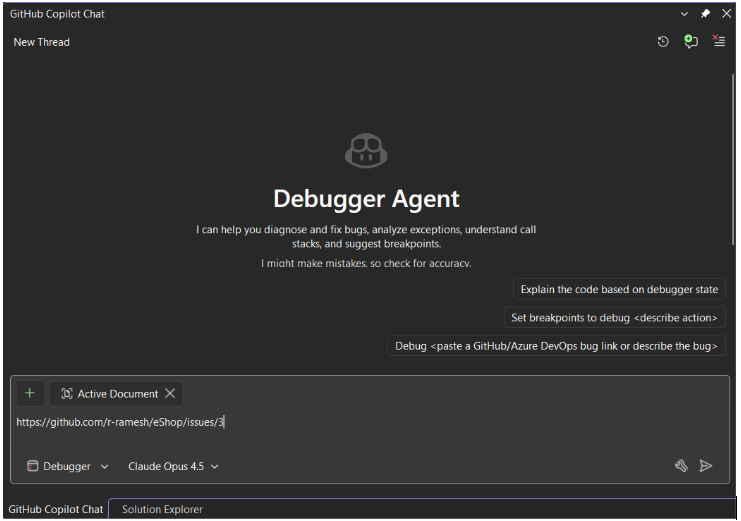
Stop Guessing, Start Fixing!
Meet the new Debugger Agent workflow in Visual Studio. ...not just a chatbot, but a real-time partner that reasons together with you.
https://t.co/MhxBhW3M2D
𝗩𝗶𝘀𝘂𝗮𝗹 𝗦𝘁𝘂𝗱𝗶𝗼 𝟮𝟬𝟮𝟲 𝗶𝘀 𝗴𝗲𝗻𝗲𝗿𝗮𝗹𝗹𝘆 𝗮𝘃𝗮𝗶𝗹𝗮𝗯𝗹𝗲
For years, updating Visual Studio meant updating .NET and C++ toolchains. Same package, same risk. Want new IDE features? You're also getting new compilers, whether you need them or not.
VS 2026 splits them. 𝗧𝗵𝗲 𝗜𝗗𝗘 𝘂𝗽𝗱𝗮𝘁𝗲𝘀 𝗶𝗻𝗱𝗲𝗽𝗲𝗻𝗱𝗲𝗻𝘁𝗹𝘆. You get new features monthly. Your build tools stay exactly where you need them.
Performance improved across the board. 𝗨𝗜 𝗵𝗮𝗻𝗴𝘀 𝗱𝗿𝗼𝗽𝗽𝗲𝗱 𝟱𝟬%. 𝗙𝟱 𝗹𝗮𝘂𝗻𝗰𝗵𝗲𝘀 𝗿𝘂𝗻 𝟯𝟬% 𝗳𝗮𝘀𝘁𝗲𝗿 𝘄𝗶𝘁𝗵 .𝗡𝗘𝗧 𝟭𝟬. Large solution loads feel different, not just measured differently.
𝗖𝗼𝗱𝗲 𝗰𝗼𝘃𝗲𝗿𝗮𝗴𝗲 𝗺𝗼𝘃𝗲𝗱 𝗳𝗿𝗼𝗺 𝗘𝗻𝘁𝗲𝗿𝗽𝗿𝗶𝘀𝗲-𝗼𝗻𝗹𝘆 𝘁𝗼 𝗮𝗹𝗹 𝗲𝗱𝗶𝘁𝗶𝗼𝗻𝘀. Community and Professional developers can now analyze test coverage without upgrading licenses.
The AI integration went deeper. 𝗖𝗼𝗽𝗶𝗹𝗼𝘁 𝗻𝗼𝘄 𝘂𝗻𝗱𝗲𝗿𝘀𝘁𝗮𝗻𝗱𝘀 𝗲𝘅𝘁𝗲𝗿𝗻𝗮𝗹 𝘀𝘆𝗺𝗯𝗼𝗹𝘀 𝗶𝗻 𝗖#, 𝗻𝗼𝘁 𝗷𝘂𝘀𝘁 𝘆𝗼𝘂𝗿 𝗽𝗿𝗼𝗷𝗲𝗰𝘁 𝗰𝗼𝗱𝗲. It can reference URLs for context. The debugger agent automatically fixes failing unit tests, hypothesizes, edits, validates, and iterates until tests pass.
Backward compatibility is complete. 𝗩𝗦 𝟮𝟬𝟮𝟮 𝗽𝗿𝗼𝗷𝗲𝗰𝘁𝘀 𝗼𝗽𝗲𝗻 𝗱𝗶𝗿𝗲𝗰𝘁𝗹𝘆. All 4,000+ extensions work without changes. No migration steps.
The Fluent UI redesign is the most visible change, but it's the least important. What matters: 𝘁𝗵𝗲 𝗜𝗗𝗘 𝗿𝘂𝗻𝘀 𝗳𝗮𝘀𝘁𝗲𝗿, 𝗯𝗿𝗲𝗮𝗸𝘀 𝗹𝗲𝘀𝘀, 𝗮𝗻𝗱 𝘂𝗽𝗱𝗮𝘁𝗲𝘀 𝘄𝗶𝘁𝗵𝗼𝘂𝘁 𝗳𝗼𝗿𝗰𝗶𝗻𝗴 𝘁𝗼𝗼𝗹𝗰𝗵𝗮𝗶𝗻 𝗰𝗵𝗮𝗻𝗴𝗲𝘀.
Three things to try first:
➡️ Load your largest solution and notice the difference
➡️ Use code coverage in Community/Professional
➡️ Let the debugger agent fix a failing test
Available now. VS 2022 projects and extensions migrate automatically.
Image: Profiler agent by Microsoft
@Hunny4711@KarenPayneMVP Migrate to a newer runtime? If the runtime is the same but using the latest .NET SDK (10) is there an issue? Just trying to see if there's issues bought in by the SDK independent of changing the target runtime.
@KarenPayneMVP Installing VS2026 should have installed the .NET 10 SDK from which you should be able to build apps targeting .NET 9 (and 10) without issue. +@jaredpar as the expert here.
SQL Server Management Studio (SSMS) 22 is now Generally Available (GA) - with the same modern look and feel like Visual Studio 2026!
#sqlserver#visualstudio
https://t.co/lq1skF3pWK
Visual Studio 2026 brings deeply integrated AI experiences that work alongside you, no matter where you are in the development lifecycle.
https://t.co/JdekbmlyFk
#VisualStudio#dotnetconf
🚀 Visual Studio 2026 is LIVE!
Faster. Smarter. AI-native.
✅ 4,700 bugs fixed
✅ 300 new features
✅ Blazing-fast performance
Learn more, upgrade now, and experience the future of development 👉 https://t.co/SzbtyO9Kav
#VisualStudio2026#AI
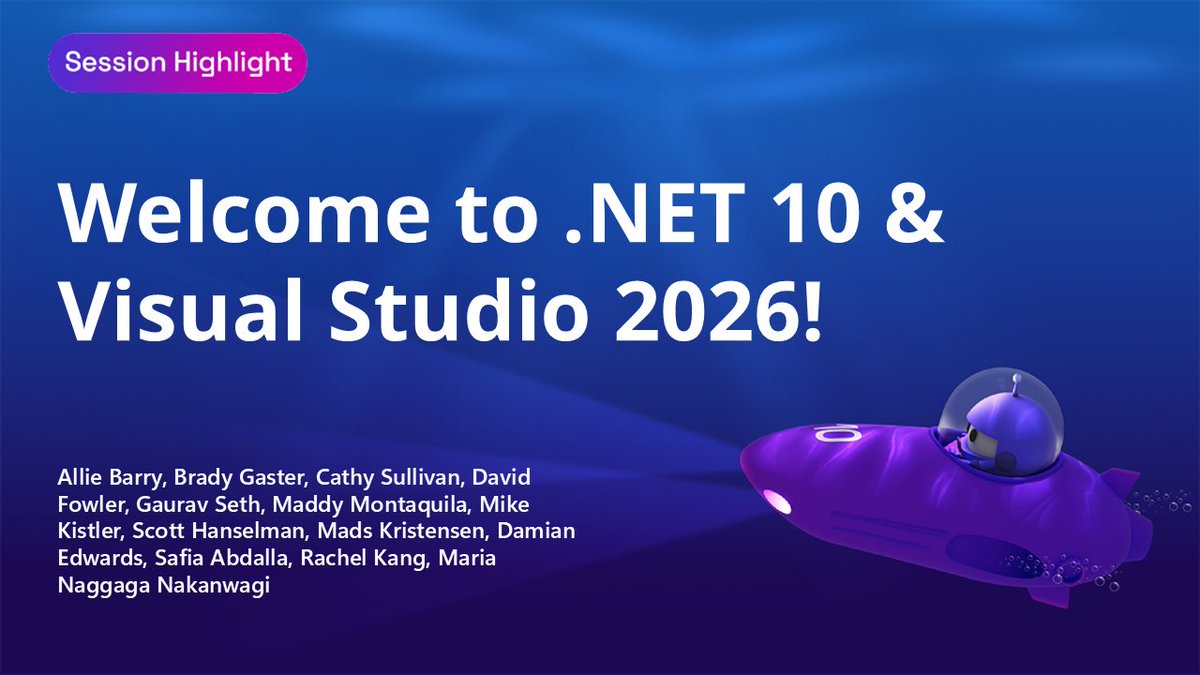
✨ NOW on .NET Conf 2025 ✨
Welcome to .NET 10 & Visual Studio 2026
8:00 AM - 9:30 AM PST
Join us LIVE ➡️ https://t.co/u1BjCtBfgJ
#dotNETConf#CSharp#VisualStudio2026