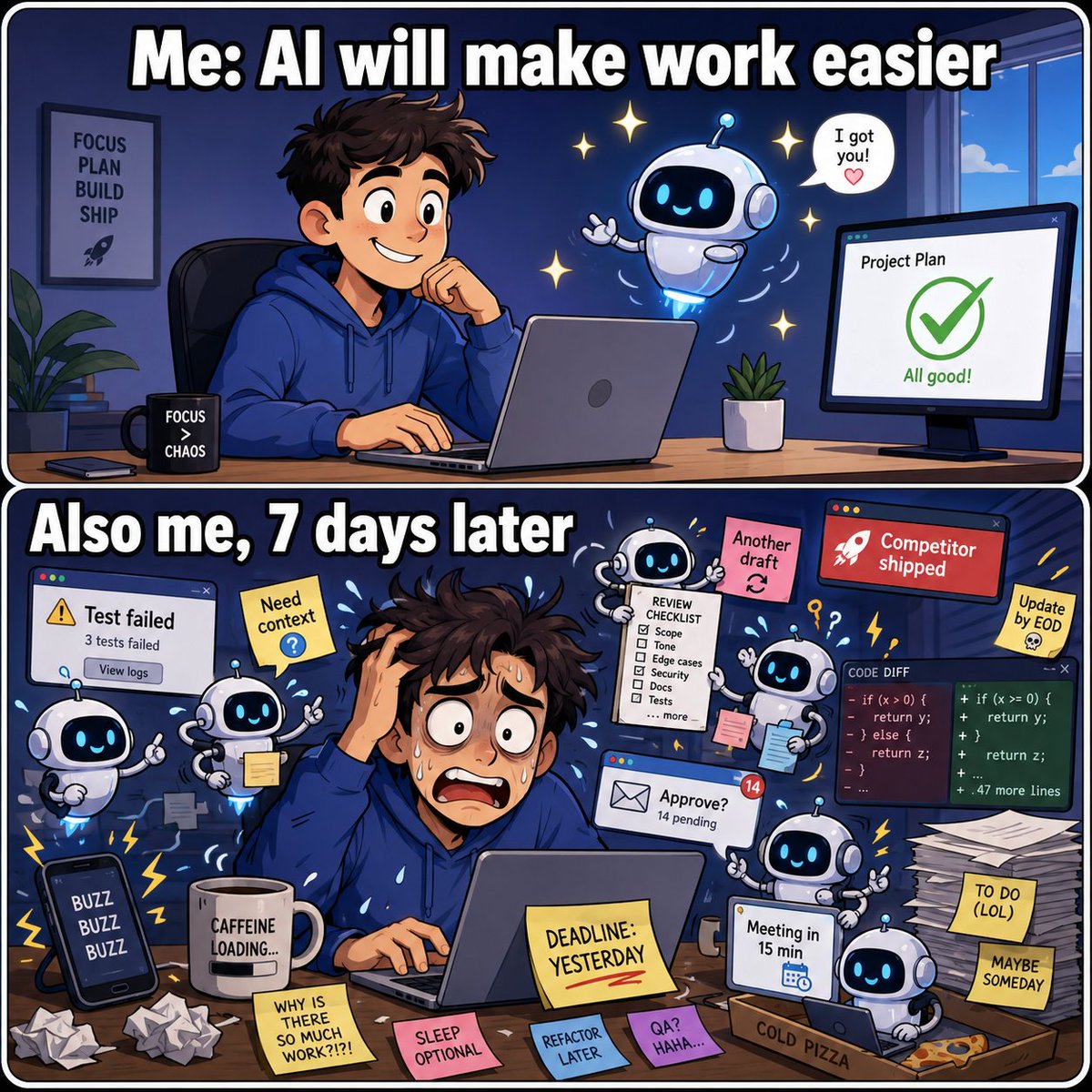
it’s a wild time to be alive. with all these insane AI models at our fingertips, the gap between idea and execution is basically zero.
whether you’re scaling content or building a product, the timing couldn't be better. stop overthinking it.
got a cool project or want to collab? slide into our DMs or drop a comment. let’s build something cool. 🛠️🚀
Introducing Claude Fable 5: a Mythos-class model that we’ve made safe for general use.
Its capabilities exceed those of any model we’ve ever made generally available.
We don't need more wallpaper generators. We need control.
We just stress-tested Alibaba’s new image model - Wan2.7 Image- across 4 brutal, real-world design workflows.
#4 is insanely good👇
1/ Commercial Portraiture (The "Plastic Face" Test)
Test Results:
🅾️Skin Texture: Successfully retained genuine pores and subtle facial micro-textures, completely avoiding the aggressive smoothing that causes a "plastic doll" effect.
🅾️Visual Focus: The eyes possessed precise focal depth and realistic specular highlights; the light-to-shadow transitions accurately complied with physical optics.
🅾️Production Value: Reached high-end magazine cover proofing standards, allowing the asset to feed directly into post-processing pipelines.
2/ High-End Product Ads
Test Results:
🅾️Deformation Control: Product lines and the pedestal's horizon remained perfectly straight—no structural melting or warping common in older generative models.
🅾️Material Rendering: Delivered realistic contrast between the light-absorbing matte black texture and the brushed gold reflection, featuring distinct, clean lighting layers.
🅾️Layout Layout: Precisely executed the "top negative space" instruction, keeping the canvas clean and ready for direct brand copy placement.
3/ Sharp Typography
Test Results:
🅾️Text Accuracy: All lines of text, dates, and symbols were rendered with 100% spelling accuracy—zero character blending, missing letters, or gibberish.
🅾️Layout Logic: Automatically recognized titles/subtitles and applied balanced font weights and letter spacing, creating a natural reading visual flow that is ready for deployment.
4/ 6-Image Moodboard Control
Test Results:
🅾️Variable Control: Successfully isolated and applied all six variables (identity, environment, pose, clothing, lighting, and texture) with zero cross-contamination. The jacket's material did not affect the skin, and the hard lighting adhered to the complex pose.
🅾️Workflow Shift: Replicated a genuine "Art Director to Production Team" brief-driven collaboration, ending the reliance on lucky prompt combinations.
All these tests were made using Anyfast API.
🚀 What AnyFast provides
🌟Unified access to 100+ models: access the best AI models from one single API.
🌟Multi-modal support: Chat completions, image generation, video generation — no need to integrate each provider separately.
🌟OpenAI-compatible interface: Switching to AnyFast requires only a base URL change.
🌟Transparent pricing: No platform fees or markup surprises. Consumption-based pricing, billed based on actual usage.
Wan2.7 Image is Alibaba’s latest multimodal image model available through Anyfast.
🔥Key capabilities
🖼️Text-to-image — Generate images from text prompts
🚪Image editing — Edit an existing image guided by a text prompt (0–9 input images)
🔑Interactive editing — Edit specific regions using bounding boxes (bbox_list)
🔓Group image generation — Generate multiple related images in one request (enable_sequential)
🤔Thinking mode — Enhanced reasoning for better quality in text-to-image
🚀 What AnyFast provides
🌟Unified access to 100+ models: access the best AI models from one single API.
🌟Multi-modal support: Chat completions, image generation, video generation — no need to integrate each provider separately.
🌟OpenAI-compatible interface: Switching to AnyFast requires only a base URL change.
🌟Transparent pricing: No platform fees or markup surprises. Consumption-based pricing, billed based on actual usage.
Hot take:
Qwen3.7-Max looks overpriced.
DeepSeek V4 Pro is incredibly cost-effective.
For chat, summaries, simple coding, and basic RAG, it’s hard to beat.
But once the task moves into complex reasoning, long-context understanding, agentic execution, knowledge reliability, and lower hallucination…
Qwen3.7-Max starts to look a lot less expensive.
Maybe the real question isn’t which model is cheaper.
So a question for you:
Would you still choose the cheaper model when the cost of being wrong is higher than the API bill?
@0x_illuminati Phase 1 of the AI boom was about parameters and compute. Phase 2 is about plumbing and trust. Google winning the watermarking standard via SynthID is the equivalent of not building the car, but successfully patenting the seatbelt. Absolute masterclass in B2B infrastructure.
OpenAI, Kakao, and ElevenLabs adopting Google’s SynthID watermarking technology is the maturity signal the market desperately needed.
As generative content becomes ubiquitous, digital provenance isn’t just a regulatory headache—it’s a prerequisite for enterprise adoption.
In 2026, safety and verifiability are no longer features; they are the baseline infrastructure required to win Fortune 500 contracts.
Multi-layered approach to AI watermarking: Content Credentials + SynthID + a public verifier. The honest read is that no single method survives contact with the real internet — provenance has to be a stack, not a feature. https://t.co/Sgnh16WNrx
Anthropic’s release of "Claude for Small Business"—with native integrations into QuickBooks, PayPal, and HubSpot—is a quiet death knell for micro-SaaS.
SMBs don’t want 5 different AI point solutions. They want their workflows consolidated where their data already lives.
When frontier model providers start acting as the ecosystem plumber, single-feature apps lose all leverage. The unbundling of SaaS is over; the great AI rebundling is here.
Google I/O just wrapped, and everyone is obsessing over Gemini Omni. But here is the real architectural shift: we just entered the native multimodal era.
For years, "multimodal" meant stitching together disparate vision, audio, and text APIs via messy middleware. Omni does it all in a single inference pass.
The brutal truth? Any SaaS whose core value proposition was just acting as a "thin wrapper arbitrage" for disconnected APIs just had its lunch eaten. Native wins.
DeepSeek V4-Pro Just Made Its Price Cut Permanent. What Should Developers Actually Pay Attention To?
For the past couple of years, most AI headlines have sounded the same:
A new model is smarter.
A new model writes better code.
A new model beats another benchmark.
But for teams actually building products, one of the more important shifts is much simpler:
AI APIs are getting cheaper.
DeepSeek says that after the promotion ends on May 31, 2026, deepseek-v4-pro will officially move to 1/4 of its original price.
It is tempting to turn this into a dramatic headline:
“DeepSeek just started another price war.”
Maybe. But for people building real products, that is not the most useful takeaway.
The better question is:
What changes when AI models become cheap enough to use at scale?
The point is not just cheaper models. It is what cheaper models make possible.
If you only look at the number, DeepSeek’s price cut is already a big deal.
But the more interesting signal is this: many AI features that used to be hard to justify on cost may now start making sense in production.
A lot of teams have been in this awkward place before.
The demo works.
The product team likes it.
Early users think it is useful.
Then someone does the math, and suddenly the rollout gets smaller.
Customer support bots, batch content generation, code review, document analysis, agent workflows — once usage grows, token cost stops being a small detail. It becomes a product decision.
That is also why OpenAI’s GPT-4o mini launch was not just about releasing a smaller model. The bigger message was that cheaper intelligence allows developers to build and scale more AI use cases.
DeepSeek’s price cut points in the same direction.
AI is moving from “interesting enough to prototype” to “cheap enough to use more often.”
And when prices drop, developers do not just call the same model a few more times. They start designing different product experiences.
A support assistant can do more than answer FAQs. It can look up orders, summarize customer history, and draft refund replies.
A content tool can do more than generate one paragraph. It can create, rewrite, translate, classify, and review content in bulk.
A developer tool can do more than autocomplete code. It can review pull requests, explain errors, and generate tests.
A SaaS product can do more than add a small “AI” button. AI can become part of the actual workflow.
At that point, the question is no longer “Which model is the cheapest?”
It becomes:
How do we use the right models reliably, without turning our product into a pile of one-off integrations?
A cheaper model does not automatically mean your AI cost is lower.
There is an easy trap here.
A lower API price does not always mean a lower total cost of building with AI.
For a product team, the cost is not just tokens.
It is also the time spent reading different docs.
The time spent wiring up different APIs.
The time spent handling different error formats.
The time spent maintaining different SDKs.
The time spent switching models when one provider gets slower, more expensive, or less reliable.
Anyone who has connected more than one model provider knows this feeling.
The first integration is fine.
The second one is still manageable.
By the third or fourth, small differences start piling up: request formats, response structures, auth, rate limits, model names, image inputs, video jobs, streaming behavior.
None of this is conceptually difficult. It is just the kind of work that quietly eats engineering time.
You wanted to ship a product feature.
Instead, your team is comparing docs, debugging edge cases, and maintaining glue code.
That is why price wars can actually make a unified API layer more important, not less.
The faster models change, and the faster prices move, the less sense it makes to hard-code your product around a single provider.
Should every team switch everything to the cheapest model? Probably not.
After a price cut like this, the first instinct is obvious:
Should we just move everything to DeepSeek?
Maybe for some workloads. But probably not for everything.
Cheaper models are great for high-volume tasks where the output only needs to be good enough: summarization, classification, simple Q&A, rewriting, first-pass support replies, structured extraction.
For these use cases, cost matters a lot. If the quality is good enough, the cheaper model may be the better product choice.
But there are still tasks where teams may want a stronger model.
Complex code generation.
Long agent workflows.
Multi-step reasoning.
High-stakes business logic.
Content where tone and nuance matter.
In practice, most serious AI products will not use only one model.
They will use cheaper models for frequent, lower-risk tasks.
Stronger models for complex tasks.
Vision models for images.
Video models for creative workflows.
Different providers for different regions, latencies, or formats.
And when a new price or model update appears, they will benchmark again.
That is probably the more realistic pattern for AI development in 2026.
Not “pick one model and stay there forever.”
More like:
Keep the product flexible enough to test, switch, and combine models as the market changes.
This is the problem Anyfast is built around.
Anyfast gives developers a unified entry point for AI APIs.
The idea is straightforward: use one consistent interface to access models from multiple providers, including Anthropic, ByteDance, OpenAI, Google, DeepSeek, Alibaba, MiniMax, MoonShot, xAI, and others.
The value is not “yet another model.”
The value is:
You do not have to integrate every model from scratch.
With Anyfast, developers can use one API key to access 100+ models across chat, image generation, and video generation. For chat models, Anyfast follows the OpenAI API specification, so if your team already uses the OpenAI SDK, getting started mainly means changing the base URL.
That may sound like a small thing. In real product work, it is not.
Because most teams are not blocked by the abstract idea of calling an API. They are blocked by the accumulated friction of calling many of them.
What you actually want to know is:
Can this support agent go live?
Can this image workflow improve activation?
Can this video generation feature create usable marketing assets?
Which model works best on our real data?
Can we switch if quality, latency, or price changes next month?
Those are product questions. They are much more important than spending another afternoon learning a new provider’s auth flow.
The next stage of AI APIs is not just more access. It is faster switching.
DeepSeek’s price cut will make people talk about cost in the short term.
But over time, the more important question may be:
Can your product benefit quickly when models get cheaper or better?
If your AI stack is rigid, every major model update becomes a migration project.
If your AI stack is flexible, every model update becomes an optimization opportunity.
A model gets cheaper, so you test it on high-volume tasks.
A new model launches, so you send part of your workload to it.
A provider becomes unstable, so you route around it.
A better multimodal model appears, so you move image or video tasks over.
That is not over-engineering. It is becoming normal product infrastructure for AI teams.
Because the AI market in 2026 is moving too fast for every integration to be a one-off project.
Today it is DeepSeek lowering prices. Tomorrow it might be Google releasing a new model. Next week it might be OpenAI or Anthropic changing pricing. Then another image, video, or voice model shows up and becomes the better option for one specific workflow.
Developers should not have to start from zero every time.
Final thought
DeepSeek making V4-Pro cheaper is good news.
It means more AI features can move from demo to production. It also forces teams to think more seriously about the business side of AI: usage, cost, reliability, and model choice.
But price is only one part of the story.
Cheap models matter.
Being able to test, switch, and ship them quickly may matter even more.
If you are building a SaaS product, an AI tool, a developer tool, a content workflow, or just adding AI features to an existing product, Anyfast can be a lighter way to get started.
You do not need to read docs from a dozen providers before your first experiment.
You do not need to maintain a separate SDK path for every model.
And you do not need to lock your product into one model just because it was the first one you integrated.
Start with the feature.
Test with real users.
Then let the data tell you which model deserves the workload.
That may be the real opportunity behind the AI API price war.
Codex dropped an EPIC update - “Appshots” and “/goal” - insanely practical.
Appshots - simply hold both left and right Command keys, and it instantly screenshots the window under your cursor, auto-pasting the content straight into Codex’s input box.
What stands out is it captures off-screen text too, fully loading all related context automatically.
The brand-new /goal command is now officially live on the Codex App.
This powerful feature keeps running tasks nonstop until your assigned objective gets done, which can take hours or even days.
You can adjust goals and prompts anytime, pause the progress and resume whenever you want.
If the option doesn’t pop up after typing the slash command, enable it manually in the config file.
Just set goals = true under features.goals in config.toml.
The in-app browser also runs far smoother and faster now. The advanced annotation mode lets you comment, tweak and directly edit on-page elements effortlessly.
It’s Codex Thursday, and yes, we have updates for you.
First up: Appshots, a new way to bring the context of what you’re working on into Codex.
On your Mac, press Command-Command to attach your app window to a Codex thread. Codex gets both a screenshot and text from the window, including content beyond what’s visible onscreen.
Appshots are available across plans on Mac, with enterprise access coming soon.
@elonmusk Most AI tools promise instant code or design… but your team is actually losing hours every day untangling context, approvals, and broken handoffs. Are you really ready for AI in production? https://t.co/4jadKOrzW3
【behind the trends】
🚀 A few AI design & coding updates landed recently. Most takeaways focus on flashy “AI can now design UIs” or “Codex on mobile.” But the real story is subtler: from isolated generation → context-aware execution.
1️⃣ Tencent Cloud Ardot (Public Beta)
Not just “generate app screens.” Key facts:
📝 Editable design files
🎨 Imports Figma while preserving structure
🏗 Uses team’s component library
💻 Can hand off to coding tools (e.g., CodeBuddy)
💬 Comments, annotations, version comparison
This is about hitting the handoff layer between product, design, and engineering—where most time is lost.
2️⃣ Codex Mobile (ChatGPT App)
Codex still runs on connected Mac host
Mobile interface for: approve actions, review diffs, inspect terminal output, steer task direction
Human role = decision & steering, not typing every line
📌 Key point: AI can run long tasks, but human latency in approvals remains the bottleneck.
3️⃣ Environment Boundaries
Agents still rely on: repo, terminal, tests, credentials, app/browser state, CI output.
Chatbot in a blank box ≠ agent in a real project
Value comes from project context + safe execution
4️⃣ Adoption vs Trust (Stack Overflow 2025)
84% using/planning AI tools
51% daily use
46% do not trust AI output
33% trust AI output
66% frustrated with “almost correct”
45% say debugging AI code takes more time
⚡ Insight: Opportunity is not “AI writes more code,” but auditability, verifiability, rollback, review clarity.
5️⃣ Research on AI PRs (2026)
33k agent-authored PRs on GitHub
Best: docs, CI updates, build tasks
Worst: bug fixes, performance, big structural changes
Failures due to CI, duplication, reviewer mismatch
💡 Pattern: bounded, verifiable tasks → higher success
6️⃣ Mobile Dev Study (Android vs iOS)
Android: 2× AI PRs than iOS
Acceptance: Android 71%, iOS 63%
Feature/fix/UI PRs → higher success
Refactor/build → slower & harder
✅ Lesson: AI succeeds where task boundary is clear + validation path obvious
7️⃣ Enterprise Reality (Gartner 2025)
15% IT leaders piloting fully autonomous AI agents
Only 14% have alignment on AI problem definition
📌 Takeaway: “Autonomous AI employee” = weak argument; clear metric-driven use case = strong argument
8️⃣ Shared Pattern Across Tools
Ardot → design context: Figma, components, versions
Codex mobile → engineering context: repo, diffs, tests, approvals
Design-to-code tools → translation layer
🗝 Value = context, not prompts.
Without context → generation
With context → execution
9️⃣ Practical Product Opportunity
Start with painful handoffs:
Figma → production-ready frontend
PRD → dev tasks
API docs → working demo
Failed tests → root cause suggestion
Design system rules → automated UI check
💡 Smaller, measurable wins > flashy autonomous demos
🔟 Evaluation Checklist for Teams
Can it:
Read the real repo?
Run tests & produce clean diffs?
Explain file changes?
Follow component & design rules?
Preserve review history?
Connect with IDE/Figma/CI/issues?
Rollback safely?
Make reviewers faster, not slower?
✅ If yes → fits workflow, real value
❌ If no → still useful, but mostly a generator
✨ Bottom line: The next phase of AI tooling isn’t about cool demos.
It’s about fitting into the workflow: faster, safer, more verifiable, and less context lost.
【behind the trends】
🚀 A few AI design & coding updates landed recently. Most takeaways focus on flashy “AI can now design UIs” or “Codex on mobile.” But the real story is subtler: from isolated generation → context-aware execution.
1️⃣ Tencent Cloud Ardot (Public Beta)
Not just “generate app screens.” Key facts:
📝 Editable design files
🎨 Imports Figma while preserving structure
🏗 Uses team’s component library
💻 Can hand off to coding tools (e.g., CodeBuddy)
💬 Comments, annotations, version comparison
This is about hitting the handoff layer between product, design, and engineering—where most time is lost.
2️⃣ Codex Mobile (ChatGPT App)
Codex still runs on connected Mac host
Mobile interface for: approve actions, review diffs, inspect terminal output, steer task direction
Human role = decision & steering, not typing every line
📌 Key point: AI can run long tasks, but human latency in approvals remains the bottleneck.
3️⃣ Environment Boundaries
Agents still rely on: repo, terminal, tests, credentials, app/browser state, CI output.
Chatbot in a blank box ≠ agent in a real project
Value comes from project context + safe execution
4️⃣ Adoption vs Trust (Stack Overflow 2025)
84% using/planning AI tools
51% daily use
46% do not trust AI output
33% trust AI output
66% frustrated with “almost correct”
45% say debugging AI code takes more time
⚡ Insight: Opportunity is not “AI writes more code,” but auditability, verifiability, rollback, review clarity.
5️⃣ Research on AI PRs (2026)
33k agent-authored PRs on GitHub
Best: docs, CI updates, build tasks
Worst: bug fixes, performance, big structural changes
Failures due to CI, duplication, reviewer mismatch
💡 Pattern: bounded, verifiable tasks → higher success
6️⃣ Mobile Dev Study (Android vs iOS)
Android: 2× AI PRs than iOS
Acceptance: Android 71%, iOS 63%
Feature/fix/UI PRs → higher success
Refactor/build → slower & harder
✅ Lesson: AI succeeds where task boundary is clear + validation path obvious
7️⃣ Enterprise Reality (Gartner 2025)
15% IT leaders piloting fully autonomous AI agents
Only 14% have alignment on AI problem definition
📌 Takeaway: “Autonomous AI employee” = weak argument; clear metric-driven use case = strong argument
8️⃣ Shared Pattern Across Tools
Ardot → design context: Figma, components, versions
Codex mobile → engineering context: repo, diffs, tests, approvals
Design-to-code tools → translation layer
🗝 Value = context, not prompts.
Without context → generation
With context → execution
9️⃣ Practical Product Opportunity
Start with painful handoffs:
Figma → production-ready frontend
PRD → dev tasks
API docs → working demo
Failed tests → root cause suggestion
Design system rules → automated UI check
💡 Smaller, measurable wins > flashy autonomous demos
🔟 Evaluation Checklist for Teams
Can it:
Read the real repo?
Run tests & produce clean diffs?
Explain file changes?
Follow component & design rules?
Preserve review history?
Connect with IDE/Figma/CI/issues?
Rollback safely?
Make reviewers faster, not slower?
✅ If yes → fits workflow, real value
❌ If no → still useful, but mostly a generator
✨ Bottom line: The next phase of AI tooling isn’t about cool demos.
It’s about fitting into the workflow: faster, safer, more verifiable, and less context lost.