"Even after a brief 30-minute firsthand experience under the eagle eye of Apple’s hall monitors, I can only say that it is severely underhyped" - Om Malik on Apple Vision Pro https://t.co/okymULDfu1
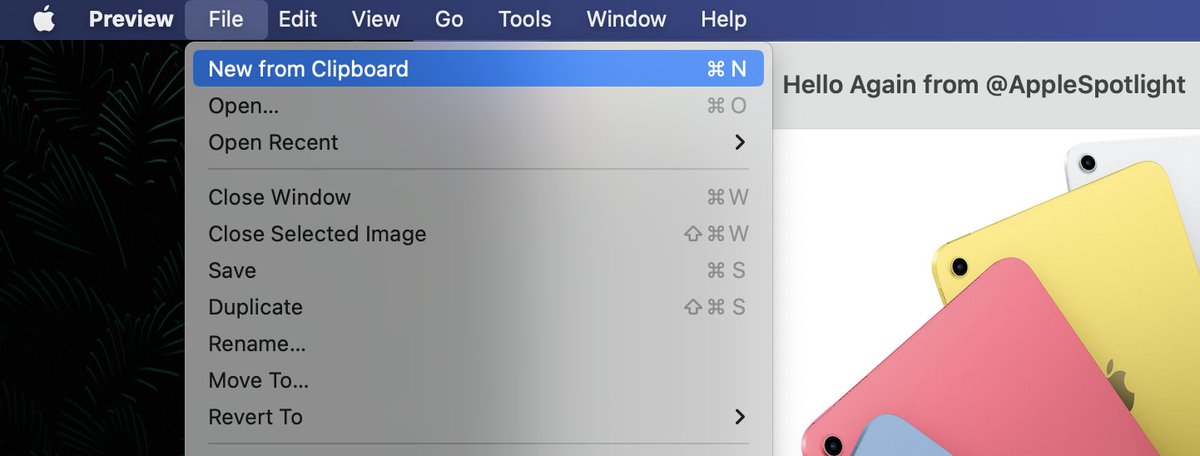
Mac Tip: Copy an image from any app. Then launch Preview, click the File menu, and select New From Clipboard. Now you and use Preview to edit the image and save it in various file formats
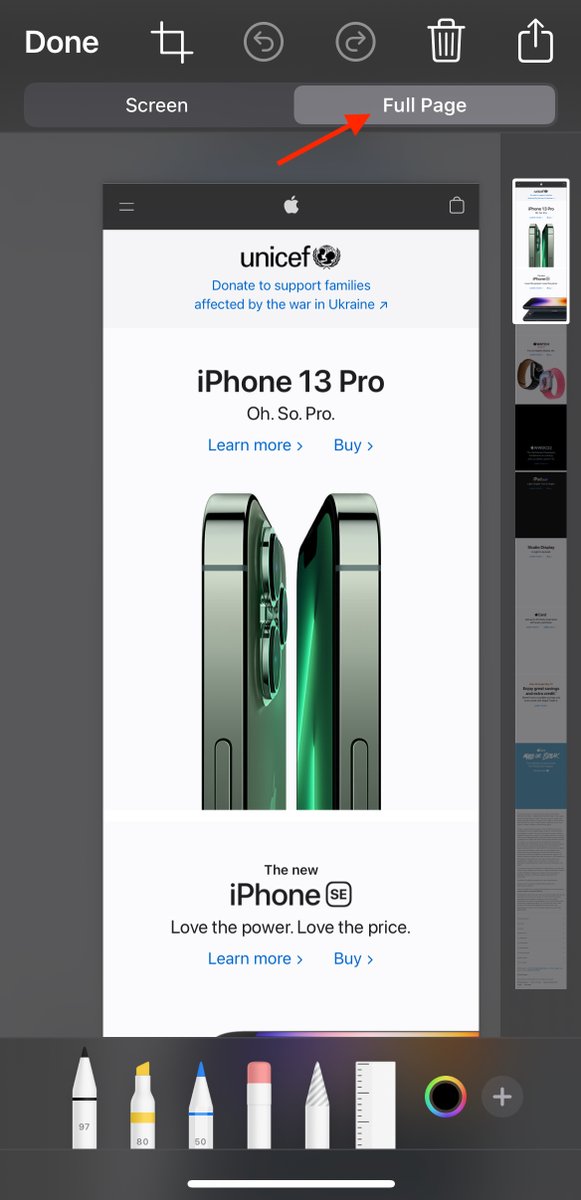
@willieseconpr 1) Take the screenshot (see https://t.co/EwaZUdQtvv) 2) tap on the screenshot that appears in the lower left of your screen 3) then tap “Full Page” at top right
Useful iOS Tip: Want to capture a screenshot of something that extends beyond your screen (like a long webpage)? After taking the screenshot, tap "Full Page"
On your Mac, control-click for the option to scan or photograph something using your iPhone or iPad and have it inserted into an email, message, note, etc.