We understand that you don't always need this data, so we have kept this section hidden by default to keep the interface clean. This way, you can focus on what's important. And when you do need it, summon it with ease and dive into the details of your workspace.
Explore Workspace information with Just One Click.
This new feature is not just informative. For example, if you need the unique identifier of your workspace, you can effortlessly copy this essential piece of information with just a click.
Welcome to 2024! We're kicking off with a series of improvements to our platform.
Working with AskAnna should now provide a better experience. You can see how it used to be on the left side. On the right, how it is now. Can you spot the differences? 👀
We take immense pride in our achievements and are already working hard on the next release. In the upcoming version, we are excited to introduce our very own file storage app.
Thank you for your support, and we look forward to embarking on this open source journey with you.
⚡️ First Open Source release of the AskAnna Backend
We are excited to share that all the tools needed to run AskAnna are now open source available. A major milestone for our team and we are proud to share this news.
https://t.co/Nr5xTVeDAl
The open source ecosystem not only makes development more accessible and cost-effective, but it also lets us learn, gain insights and share knowledge. We invite you to explore our source code and maybe learn something. Also, we encourage and welcome you to collaborate with us.
Data science starts with #Data. Even if you want to train fancy machine learning models.
The Moby Bike project demo's #howto:
• get data from a REST API
• create a summary report
• use a scheduler to update data
And that you can share the work done:https://t.co/wlEkvFzQk3
Running multiple models and comparing performance doesn't have to be hard. Check out this "how to" to see an example: https://t.co/j8yTtGG6R9
Of course, there is also an example run in AskAnna: https://t.co/KJwZ7vKAfZ
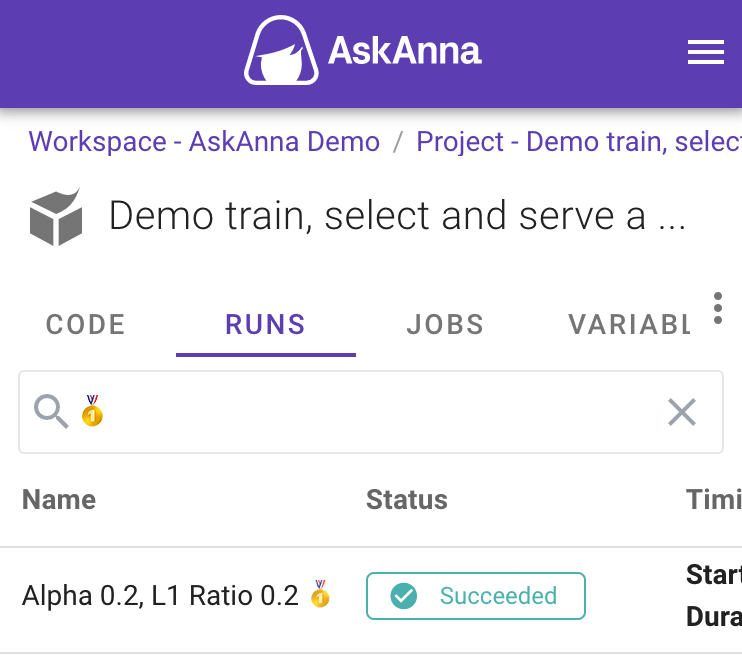
🎉 We've added an easy way to filter and search runs in AskAnna 🕵️♀️
🔍 With the multifunctional search and filter field, you can query your data in a breeze. Adding filters can be done with your keyboard or by clicking them together.
#DataScience#AI#MLOps#DataEngineering
💾 Filters are also "saved" in the URL, so if you want to share the filtered runs, you can share the link!
We've added an initial set of filter options to get you started, but we're always looking to improve. So, if there are any filters you'd like to see, please send us a DM!
Trace back what you did is at the core of AskAnna. For example, to trace a run where you trained a model.
Because runs are such an essential part of AskAnna, we made it faster to get to them. The AskAnna project page now has a RUNS section where you can find the project runs.
Bonus: we also provide a hands-on step-by-step guide to getting a Google service account file for authentication. Our proposed setup allows you to authenticate locally and from remote systems such as AskAnna.
Google Cloud Storage is a powerful tool that lets you store and access large amounts of data. But how do you access this data from your Python project?
Our new post shows how to read from and upload objects to a bucket on Google Cloud Storage: https://t.co/Shp2RVhbJz
How to use Google BigQuery with Python? You can find the answer here.
With code snippets we demonstrate how to read data from a BigQuery table to a Pandas DataFrame, and vice versa. You can also read about authentication.
#google#bigquery#python
https://t.co/ddpXmfd3TD