Live link: https://t.co/ieY5UD5rB0
Built to showcase what's possible with real-time WebGPU rendering using #threejs. Just a 6.3 MB download, yet the lighting looks baked—until you grab the sun and watch everything update in real time.
I hope you like it 🤗
A solo physicist named Roy Medina built the open source version of the tool the BBC called a privacy nightmare.
He gave it away for free.
It is called Observer AI.
Microsoft Recall takes a screenshot of your screen every few seconds. It reads the text off each image with OCR. It saves everything in a searchable database on your PC.
The BBC called it a privacy nightmare. Wired covered a proof-of-concept tool that pulled the entire database in seconds. Microsoft turned it off by default after the 2024 backlash.
Rewind AI does the same thing on Mac. They charge $19 a month for Pro.
Microsoft watches you. Rewind charges you. Observer watches for you.
Here is how it works.
You open Observer in your browser. You write a prompt in plain English. You pick a sensor. The agent runs in a loop until your rule fires.
"If my calendar shows a meeting starting in 5 minutes, send me a Telegram."
"Watch my camera. If someone appears at my front door, send me a push notification with a screenshot."
"Monitor this browser tab. If the price drops below $500, email me."
"Text me on WhatsApp when my render is done."
Sensors: screen, camera, microphone, screen audio, meeting audio.
Actions: email, Discord, Telegram, WhatsApp, SMS, push, phone call, memory.
Works with Ollama, llama.cpp, vLLM, and LMStudio. Fully local. Zero cloud. Zero API key.
Roy's GitHub bio: "Physicist by day, programmer by night." He open sourced Observer in February 2025 under AGPL-3.0. He wrote 1,517 of the 1,523 commits himself. Version 2.4.5 shipped four days ago.
Microsoft can't shut this down. The license does not permit that. Rewind can't shut this down. They employ zero of its maintainers.
Microsoft built a tool to watch you.
Rewind built a subscription to watch you.
Roy Medina built a tool that watches for you.
(Link in the comments)
A guy named Eswar built a free tool that generates and visualizes 3D particle simulation by typing plain text prompt.
It's called AI Particle Simulator.
The tool ships with a huge pre-tuned prompt template. You can paste it into Claude or Gemini, add one line describing what you want ("a spiral galaxy collapsing into a black hole", "a hyper-dimensional tesseract breathing in 4D space", whatever) and the model writes the physics.
You paste the generated code back into the simulator and 20,000 particles start moving.
Every export is production-ready code you can read, edit and drop straight into a project.
You get the creative range of an LLM.
The simulator also handles gesture controls, image and video imports, 3D model uploads, and a community cloud where people publish their formations.
100% Free.
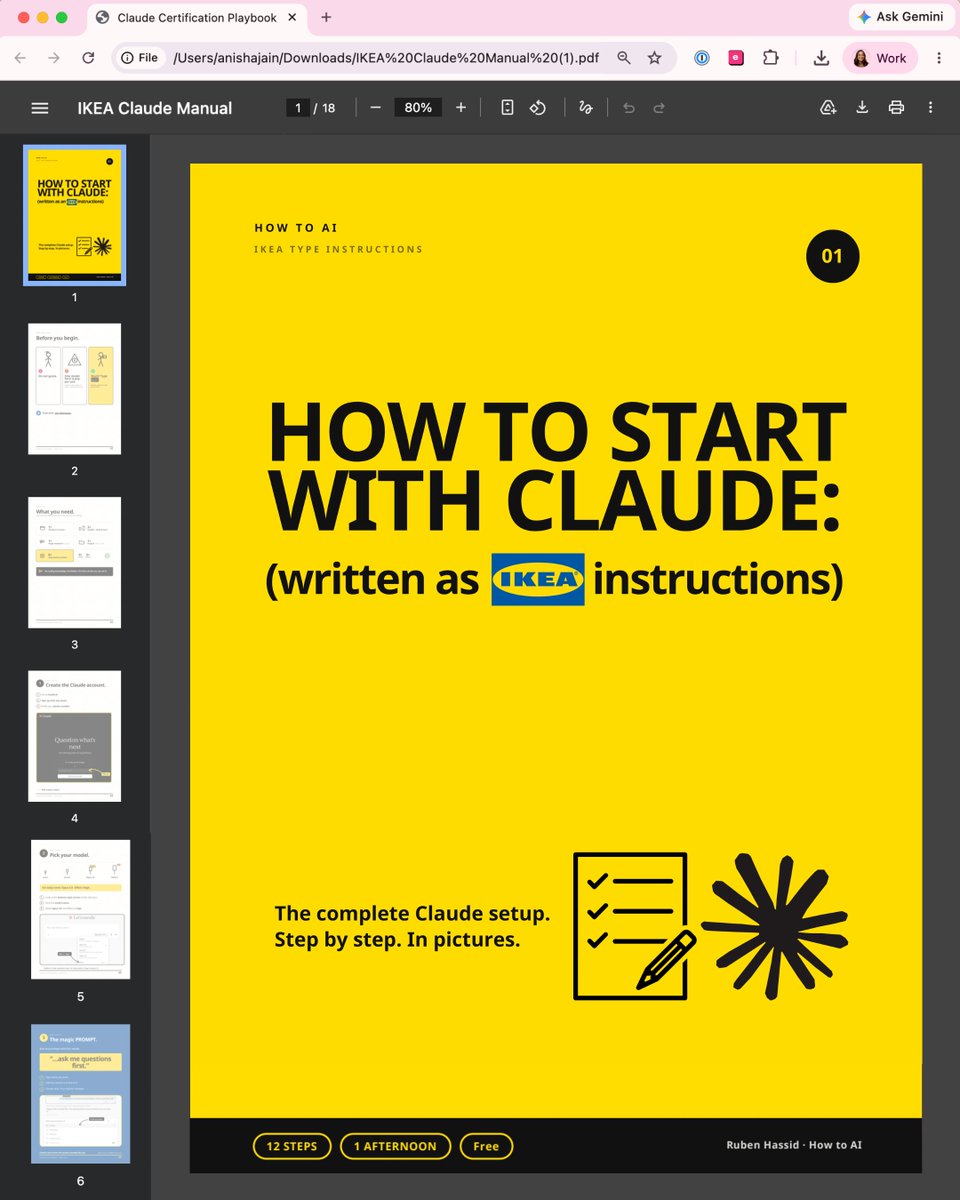
Claude doesn't come with a manual.
So I wrote a simple guide (like IKEA instructions):
Most people open Claude, type a question, get a bad answer & decide it's "just another chatbot."
The problem is nobody handed you the instructions. So I wrote one, like flat-pack furniture.
Here's the whole thing:
1. Get the entire manual (for free)
Go to https://t.co/psB7XxAv8w. Subscribe for free.
Open the received email in your inbox.
Go to the link, download "Ikea Claude manual"
Keep it open in a second tab while you follow along.
2. The one sentence to end every prompt with - it makes you better at Claude than 99% of people
3. Goals vs. tasks: why "write me an email" gets a worse result than telling Claude what you want
4. The Claude rule that stops your chats getting slow, dumb, and expensive
5. How to give Claude a memory, so every chat already knows who you are
6. The expensive model nobody warns you about and when to use it
7. Connecting your Gmail and calendar, and the skills you build once and never rebuild
No coding. No folders. No jargon.
If you can build a bookshelf, you can do this.
Keep it open in a second tab while you follow along:
→ https://t.co/psB7XxAv8w
I removed every word that wasn't necessary and drew the rest.
If your team is still typing one-line questions into a Ferrari, send them this.
(If you share it, mention the newsletter. Be nice.)
Someone is quietly making money while they sleep.
Their secret?
Open-source GitHub repos.
Here are 10 GitHub repos that can help you automate work, build AI products, and create new income streams.
Bookmark this:
1. AutoHedge
AI-powered autonomous trading framework with multi-agent automation.
https://t.co/6XzgV9ykeG
2. Vibe-Trading
An AI trading assistant for market research, backtesting, and portfolio analysis.
https://t.co/f3vWfJorhS
3. OpenHands
An open-source AI software engineer that writes code, fixes bugs, and automates development.
https://t.co/neTNrNWXGq
4. Agentic Inbox
Turn your inbox into an AI-powered assistant that reads, organizes, and replies to emails.
https://t.co/cICP6JwMLQ
5. Fincept Terminal
A modern financial research terminal packed with market analysis tools.
https://t.co/GEEA0tKZaW
6. Camofox
A stealth browser built for reliable web automation and data collection.
https://t.co/zhOtBUG614
7. Toprank
An AI-powered SEO toolkit to help websites rank higher and grow organic traffic.
https://t.co/CzuDVfhAQf
8. Hyperframes
Create personalized AI videos at scale for marketing and outreach.
https://t.co/FgQLeJ9kJ4
9. AutoAgent
Build powerful AI agents using simple natural language instructions.
https://t.co/JYyeCgr2Ke
10. Flowise
Design AI apps and chatbots visually with drag-and-drop workflows.
https://t.co/ZaWA5j71tm
The best part?
Every repo is open source.
Save this for later.
Bruh... Stop copy-pasting entire web pages into ChatGPT. 🤦♂️
Use the "Markdown Printer" Chrome extension to convert any web page into a clean Markdown file in one click.
Then upload it to ChatGPT, Claude, Gemini, or any other LLM for cleaner context and easier processing.
Markdown strips away most of the clutter, making long articles and documentation much easier for AI models to work with :)
Follow me for more amazing AI, Coding & Web Dev insights 💎
Some of you asked for the link (it's in the comments). I've added depth of field, proper holo texture and a bump map for more realism.
Looks crazy good for a browser! Play with it, upload your own images, export transparent PNGs. Slap stickers! Link in the comments.
🤯 AI Visual Systems Vol.17.1: Motion & Pause!
Made with ChatGPT-Image2
Strong foreground perspective pulls each subject through the letters!
1. ROLL SIGNAL — roller skating in motion
2. BLUE CURRENT — swimming through oversized type
3. CITY LOOP — cycling across the city
4. BREW PAUSE — slowing down with coffee
This round pushes Human Fragments through speed, water, city rhythm, and a quiet pause.
Prompt in the comments 👇
CREARON UN CAPCUT GRATIS Y SIN MARCAS DE AGUA, Y YA TIENE 76K STARS EN GITHUB
CapCut te mete marca de agua, te bloquea funciones y encima te cobra suscripcion
Un grupo de devs se canso y construyo la alternativa open source y gratuita
Se llama OpenCut
Y es un editor de video open source con arquitectura basada en plugins
Su objetivo principal es ser la alternativa real a CapCut, pero abierta
Sin marcas de agua, sin paywalls, sin suscripciones
→ Editor completo con linea de tiempo y multipista
→ Plugins nativos para expandir lo que puede hacer
→ Una sola app para web, escritorio y movil
→ MCP Server, automatizaciones y soporte para agentes de IA
→ Licencia MIT: puedes hacer lo que quieras con el
Instalarlo es muy facil:
→ Clona el repo desde GitHub
→ Instala las dependencias
→ Ejecuta la version clasica (disponible ya)
→ Sigue la nueva version en https://t.co/xRP2BWGyTF
Es exactamente lo que CapCut deberia haber sido desde el principio
Te dejo el repo en comentarios 👇
Prompt share: Layered paper-cut
💬Prompt:
Layered paper-cut illustration of [subject], built with overlapping shapes in soft [color1] and [color2], handcrafted textures, subtle shadows between layers, clean vector edges, centered on a matte cream background, whimsical and modern visual storytelling.
Try it and share yours 🔥
10 AI GitHub repositories that exploded this week 👇
1. Graphify
Turn your entire codebase, docs, and images into a searchable knowledge graph. Navigate relationships across your project instead of searching file by file.
https://t.co/dBjgreRLIg
2. hallmark
Eliminates the "AI-generated" design look in apps built with Claude Code, Cursor, and Codex by improving layouts, spacing, typography, and colors.
https://t.co/2w8ZH5EtIB
3. awesome-llm-apps
100+ production-ready AI agents and RAG apps you can clone, run, and customize for your own projects.
https://t.co/sH58DVT8aq
4. Vibe-Trading
Build, backtest, and analyze trading strategies using natural language with built-in safety controls.
https://t.co/f3vWfJorhS
5. orca
Run multiple coding agents like Claude Code and Codex in parallel while managing everything from desktop or mobile.
https://t.co/2LoeRdNKpH
6. OfficeCLI
AI agents can read, write, and edit Word, Excel, and PowerPoint files directly from the terminal.
https://t.co/q2D8nVPj9u
7. OmniRoute
One endpoint for 231+ AI providers with token compression that can cut usage by up to 95%.
https://t.co/DyQkj165aY
8. pi
A unified LLM API with agent loops, multi-provider support, and a built-in TUI for creating your own coding agent.
https://t.co/EGQxBJEvVQ
9. claude-video
Pass a video URL to Claude and automatically extract frames, transcribe audio, and analyze long videos.
https://t.co/m4a2ZTIFM7
10. DesktopCommanderMCP
Give Claude full terminal and filesystem access through MCP to edit files and execute commands without an IDE.
https://t.co/JCo8cf3fjG
Which one are you going to use this week?
Turn a simple portrait into a premium birthday-style AI animation with realistic foil balloons, cinematic lighting, and natural motion.
GPT IMAGE 2 on CHAT GPT:
Prompt:
A stylish young woman standing against a clean studio wall, holding oversized silver foil number balloons "1" and "9", wearing a tailored black blazer and high-waisted trousers. Soft studio lighting, luxury editorial photography, subtle hair movement, realistic balloon physics, premium fashion campaign aesthetic, ultra-photorealistic 8K.
GPT Image 2 on ChatGPT
Prompt:
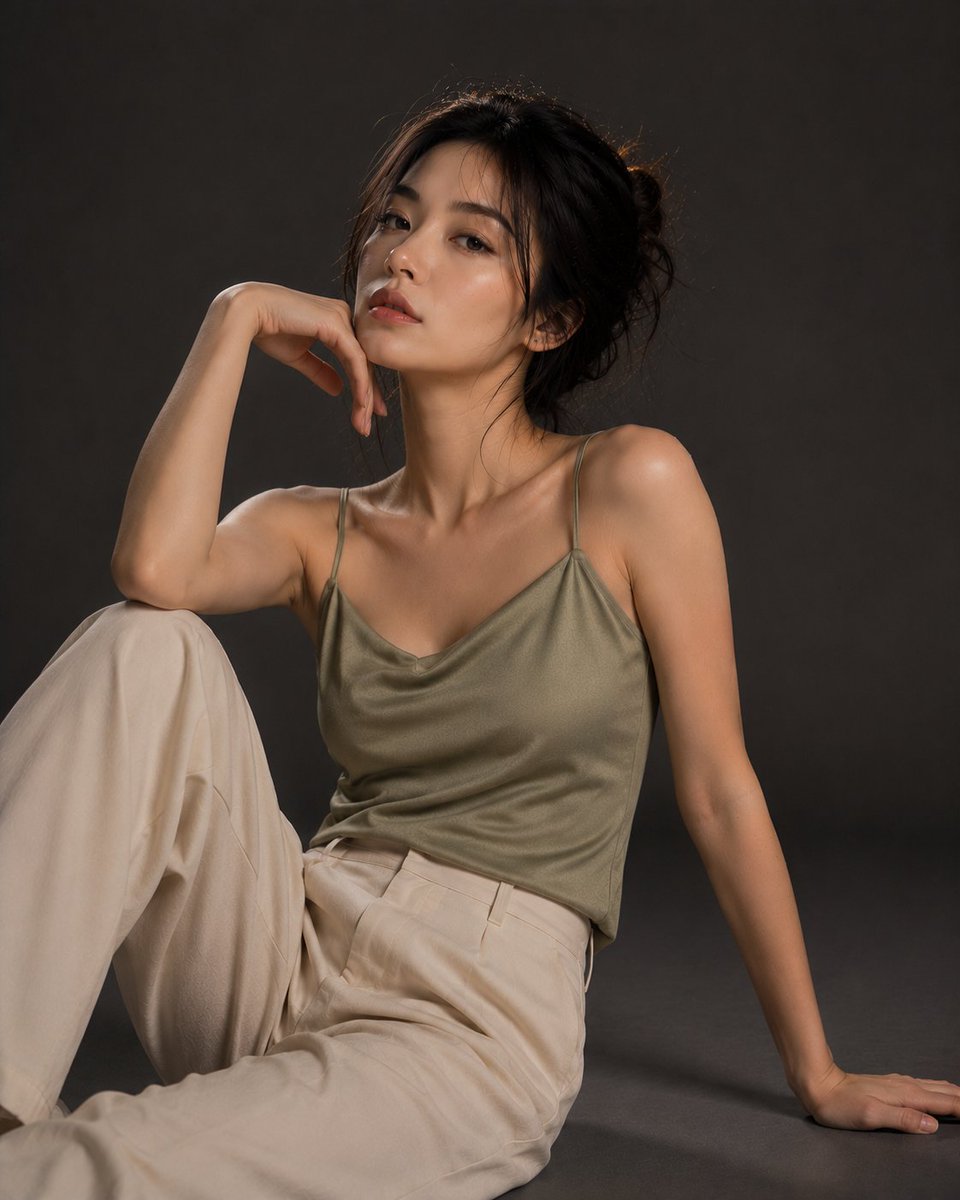
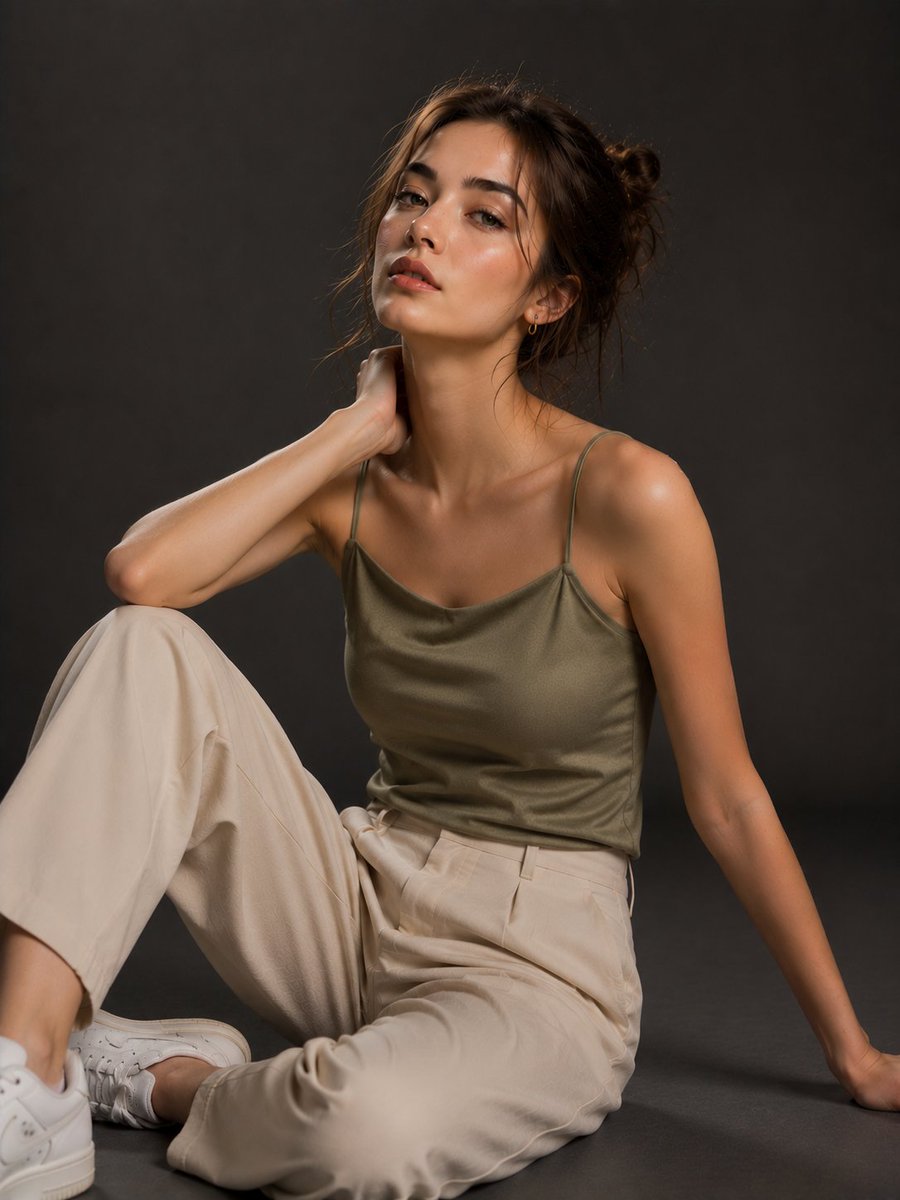
Ultra-photorealistic editorial fashion portrait in a minimalist photography studio with a seamless charcoal-gray backdrop. Soft cinematic low-key lighting using a single large softbox, premium magazine-quality aesthetic, clean composition with no props, Sony A7R V, 85mm f/1.4 lens, shallow depth of field, ultra-realistic skin texture with visible pores, natural makeup, true-to-life colors, 8K. Outfit: elegant olive satin camisole with a modest slightly lowered neckline, cream high-waisted wide-leg trousers, no glasses, minimal accessories.
1. European Girl
A naturally beautiful European woman with soft brown eyes and dark brown hair in a loose messy bun with face-framing strands. Seated on the floor with one knee raised, one hand resting behind her for support and the other gently touching the side of her neck. Calm, confident expression looking slightly above the camera.
2. Japanese Girl
A young Japanese woman with fair skin and long black hair tied into a soft low bun with loose strands. Sitting cross-legged with both hands resting naturally on her knees, shoulders relaxed, head slightly tilted, serene expression looking directly at the camera.
3. Korean Girl
A young Korean woman with luminous skin and dark hair in a relaxed updo. Sitting with one leg folded and the other bent, one arm supporting her from behind while the other rests lightly under her chin. Soft confident expression with eyes directed toward the camera.
4. Chinese Girl
A beautiful Chinese woman with smooth fair skin and long dark hair in a loose bun. Sitting sideways with both legs folded to one side, one hand resting on the floor for balance while the other rests gently on her raised knee. Elegant posture with a composed expression and gaze slightly off-camera.


![Goodmanprotocol's tweet photo. GPT Image 2 on ChatGPT
Prompt:
TITLE:
LUXURY PRODUCT EDITORIAL CAMPAIGN
TOPIC:
Premium advertising poster for [PRODUCT].
STYLE & ART DIRECTION:
High-end luxury fashion advertising, premium editorial design, luxury boutique campaign, minimalist luxury branding, sophisticated magazine-cover aesthetic, elegant commercial product marketing, Vogue-inspired visual direction.
MAIN SUBJECT:
A beautifully photographed [PRODUCT] positioned as the sole hero element. The product occupies the center of the composition with flawless presentation, premium craftsmanship details, luxury textures, and refined materials clearly visible.
LAYOUT & COMPOSITION:
Maintain the exact structure of the reference design. Small luxury tagline at top center, oversized serif headline behind and above the product, centered hero product image occupying the middle section, small product annotation positioned beside the product, color selection indicators near the product, luxury brand logo centered below, and contact/social information aligned at the bottom. Preserve identical spacing, hierarchy, symmetry, and negative-space balance.
TYPOGRAPHY:
Large elegant serif typography, luxury editorial font treatment, high-fashion magazine styling, refined tracking, subtle background text overlays, premium branding hierarchy.
DEPTH & LIGHTING:
Professional luxury studio lighting, soft diffused highlights, realistic shadows beneath product, premium reflections, high-end catalog photography quality, refined depth and realism.
EXTRA DESIGN DETAILS:
Minimal luxury accents, subtle background typography texture, premium material rendering, elegant color indicators, boutique branding system, editorial sophistication, luxury retail presentation.
COLOR PALETTE:
[PRIMARY PRODUCT COLOR], pearl white background, soft gray accents, refined neutral tones, luxury contrast balance.
QUALITY:
Ultra realistic product photography, 8K resolution, luxury commercial campaign quality, Vogue editorial standard, Behance featured design, premium branding execution, professional advertising presentation.](https://pbs.twimg.com/media/HNsA8I2asAESFUZ.jpg)
![Goodmanprotocol's tweet photo. GPT Image 2 on ChatGPT
Prompt:
TITLE:
LUXURY PRODUCT EDITORIAL CAMPAIGN
TOPIC:
Premium advertising poster for [PRODUCT].
STYLE & ART DIRECTION:
High-end luxury fashion advertising, premium editorial design, luxury boutique campaign, minimalist luxury branding, sophisticated magazine-cover aesthetic, elegant commercial product marketing, Vogue-inspired visual direction.
MAIN SUBJECT:
A beautifully photographed [PRODUCT] positioned as the sole hero element. The product occupies the center of the composition with flawless presentation, premium craftsmanship details, luxury textures, and refined materials clearly visible.
LAYOUT & COMPOSITION:
Maintain the exact structure of the reference design. Small luxury tagline at top center, oversized serif headline behind and above the product, centered hero product image occupying the middle section, small product annotation positioned beside the product, color selection indicators near the product, luxury brand logo centered below, and contact/social information aligned at the bottom. Preserve identical spacing, hierarchy, symmetry, and negative-space balance.
TYPOGRAPHY:
Large elegant serif typography, luxury editorial font treatment, high-fashion magazine styling, refined tracking, subtle background text overlays, premium branding hierarchy.
DEPTH & LIGHTING:
Professional luxury studio lighting, soft diffused highlights, realistic shadows beneath product, premium reflections, high-end catalog photography quality, refined depth and realism.
EXTRA DESIGN DETAILS:
Minimal luxury accents, subtle background typography texture, premium material rendering, elegant color indicators, boutique branding system, editorial sophistication, luxury retail presentation.
COLOR PALETTE:
[PRIMARY PRODUCT COLOR], pearl white background, soft gray accents, refined neutral tones, luxury contrast balance.
QUALITY:
Ultra realistic product photography, 8K resolution, luxury commercial campaign quality, Vogue editorial standard, Behance featured design, premium branding execution, professional advertising presentation.](https://pbs.twimg.com/media/HNsA7gNaYAEyiHR.jpg)

![azed_ai's tweet photo. Prompt share: Layered paper-cut
💬Prompt:
Layered paper-cut illustration of [subject], built with overlapping shapes in soft [color1] and [color2], handcrafted textures, subtle shadows between layers, clean vector edges, centered on a matte cream background, whimsical and modern visual storytelling.
Try it and share yours 🔥](https://pbs.twimg.com/media/HNqn_gxaIAAhoDL.jpg)
![azed_ai's tweet photo. Prompt share: Layered paper-cut
💬Prompt:
Layered paper-cut illustration of [subject], built with overlapping shapes in soft [color1] and [color2], handcrafted textures, subtle shadows between layers, clean vector edges, centered on a matte cream background, whimsical and modern visual storytelling.
Try it and share yours 🔥](https://pbs.twimg.com/media/HNqn_V6aUAAJHJ4.jpg)
![azed_ai's tweet photo. Prompt share: Layered paper-cut
💬Prompt:
Layered paper-cut illustration of [subject], built with overlapping shapes in soft [color1] and [color2], handcrafted textures, subtle shadows between layers, clean vector edges, centered on a matte cream background, whimsical and modern visual storytelling.
Try it and share yours 🔥](https://pbs.twimg.com/media/HNqn_LSa0AAvK60.jpg)












![Goodmanprotocol's tweet photo. GPT Image 2 on ChatGPT
Prompt:
TITLE:
LUXURY PRODUCT EDITORIAL CAMPAIGN
TOPIC:
Premium advertising poster for [PRODUCT].
STYLE & ART DIRECTION:
High-end luxury fashion advertising, premium editorial design, luxury boutique campaign, minimalist luxury branding, sophisticated magazine-cover aesthetic, elegant commercial product marketing, Vogue-inspired visual direction.
MAIN SUBJECT:
A beautifully photographed [PRODUCT] positioned as the sole hero element. The product occupies the center of the composition with flawless presentation, premium craftsmanship details, luxury textures, and refined materials clearly visible.
LAYOUT & COMPOSITION:
Maintain the exact structure of the reference design. Small luxury tagline at top center, oversized serif headline behind and above the product, centered hero product image occupying the middle section, small product annotation positioned beside the product, color selection indicators near the product, luxury brand logo centered below, and contact/social information aligned at the bottom. Preserve identical spacing, hierarchy, symmetry, and negative-space balance.
TYPOGRAPHY:
Large elegant serif typography, luxury editorial font treatment, high-fashion magazine styling, refined tracking, subtle background text overlays, premium branding hierarchy.
DEPTH & LIGHTING:
Professional luxury studio lighting, soft diffused highlights, realistic shadows beneath product, premium reflections, high-end catalog photography quality, refined depth and realism.
EXTRA DESIGN DETAILS:
Minimal luxury accents, subtle background typography texture, premium material rendering, elegant color indicators, boutique branding system, editorial sophistication, luxury retail presentation.
COLOR PALETTE:
[PRIMARY PRODUCT COLOR], pearl white background, soft gray accents, refined neutral tones, luxury contrast balance.
QUALITY:
Ultra realistic product photography, 8K resolution, luxury commercial campaign quality, Vogue editorial standard, Behance featured design, premium branding execution, professional advertising presentation.](https://pbs.twimg.com/media/HNsA81AbYAA35qT.jpg)
![azed_ai's tweet photo. Prompt share: Layered paper-cut
💬Prompt:
Layered paper-cut illustration of [subject], built with overlapping shapes in soft [color1] and [color2], handcrafted textures, subtle shadows between layers, clean vector edges, centered on a matte cream background, whimsical and modern visual storytelling.
Try it and share yours 🔥](https://pbs.twimg.com/media/HNqn_qha0AAXRWQ.jpg)