INSTEAD OF WATCHING NETFLIX TONIGHT.
Spend 1 hour with this.
Claude AI FULL COURSE that teaches you how to BUILD and AUTOMATE anything.
The people who watch this tonight will wake up tomorrow with a new skill.
Watch it and Bookmark it now.
🚨 Check this RIGHT NOW 🚨
Open Task Manager → Startup tab
Count how many apps say Enabled
If it's more than 10, every single one of those loads at boot and stays in memory while you game.
Right click → Disable everything except your antivirus and GPU driver software.
Windows 11 is sending your gameplay data to Microsoft in real time.
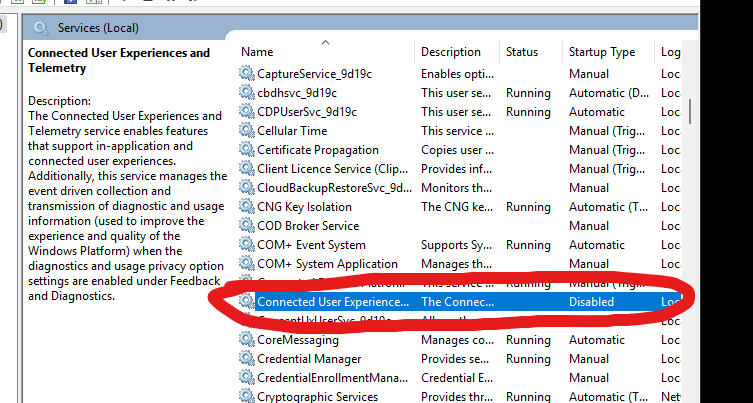
It's called "Connected User Experiences and Telemetry" and it uses your CPU WHILE you game stealing FPS and resources from your game.
Services.msc → find "Connected User Experiences and Telemetry" → Disable
If you have an NVIDIA GPU, then do this:
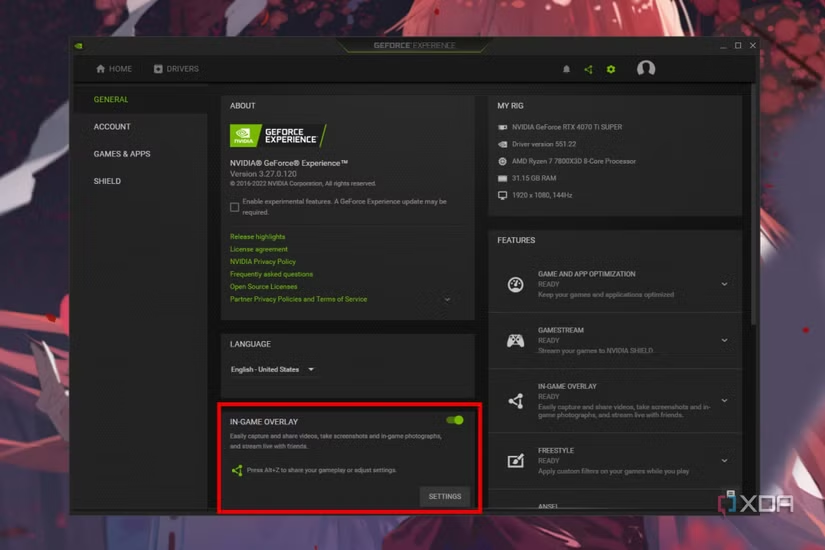
Open the NVIDIA App → Settings → Features tab → toggle "NVIDIA Overlay" OFF.
The overlay constantly hooks into your game's renderer. Turning it off gives you a free FPS bump in every game. Use OBS for clips instead.
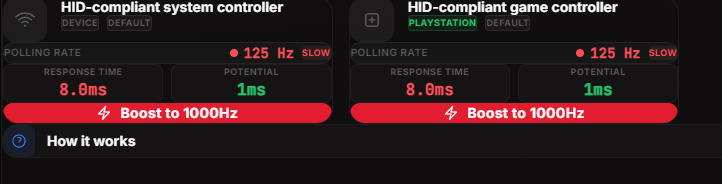
🚨OPTIMIZE DEVICES SIGNALING & INTERRUPTS IN LESS THAN 20 SECONDS🚨
(Boost FPS, Lower Input Lag & More Consistent FPS)
📂Files available in my discord server
♥️+♻️
he trynna hide what he doing by giving you flowers today.. go thru his phone luv.. make sure u type in key words at the top & check his recently deleted too! Happy Valentine’s Day ❤️ just looking out for all the beautiful women out there! - ddg
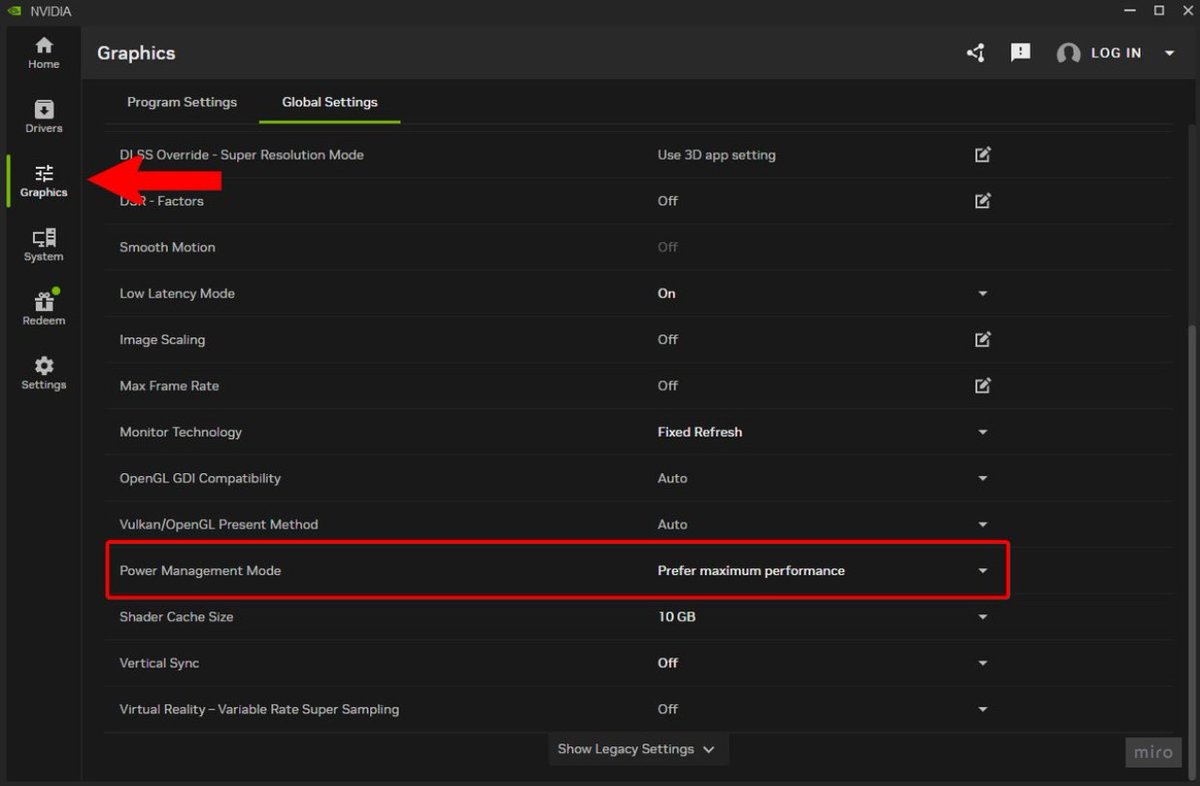
🚨 INSTANT FPS BOOST 🚨
Open the NVIDIA App and go to "Graphics" then "Global Settings", next find "Power Management Mode" and set this to "Prefer Maximum Performance" 🙌
Improve System Performance on Windows 10/11‼️
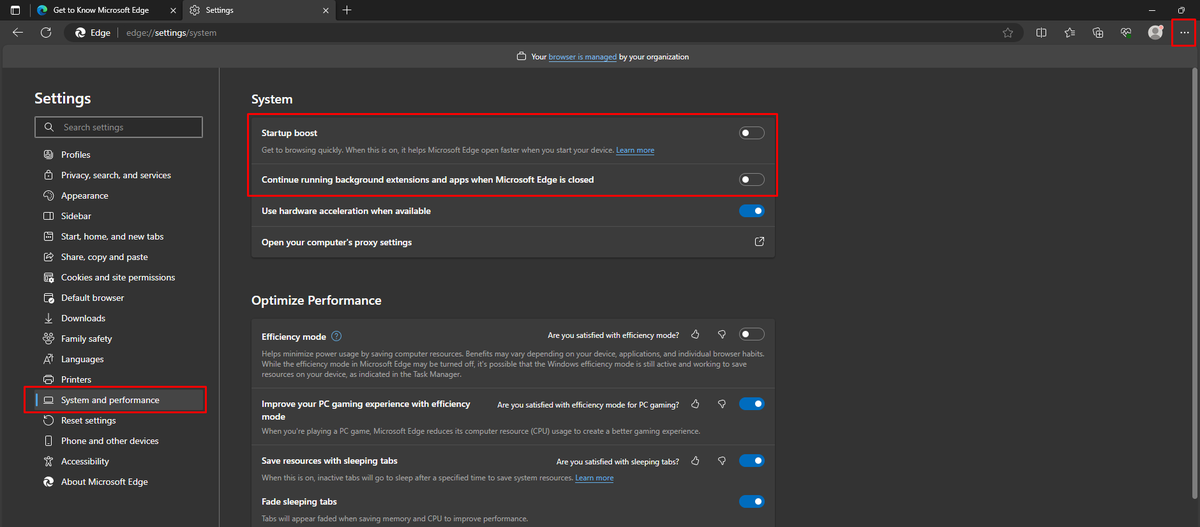
Edge is installed by Default + Utilizes Memory/CPU Resources even if it's not your Main Browser
Go to the Dots top Right and Disable the Spotlighted settings in System and Performance regardless if Edge is your Main Browser
♥️+♻️
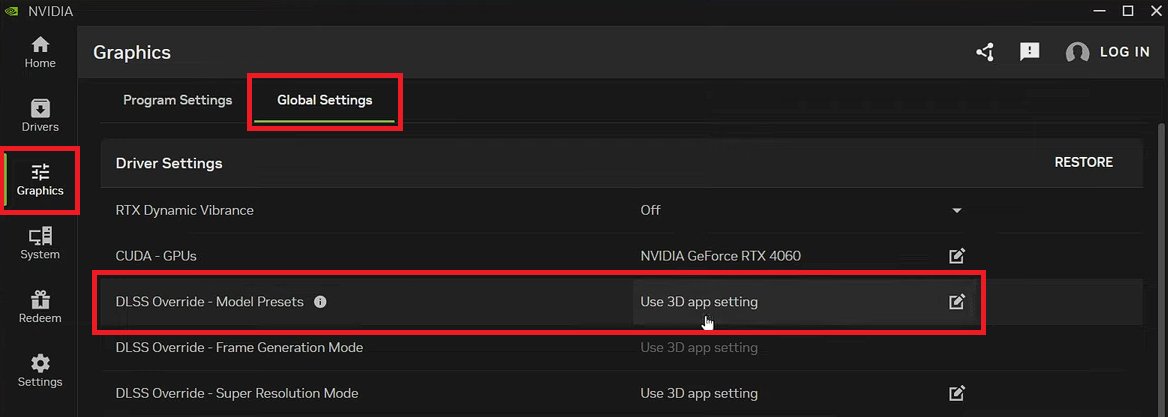
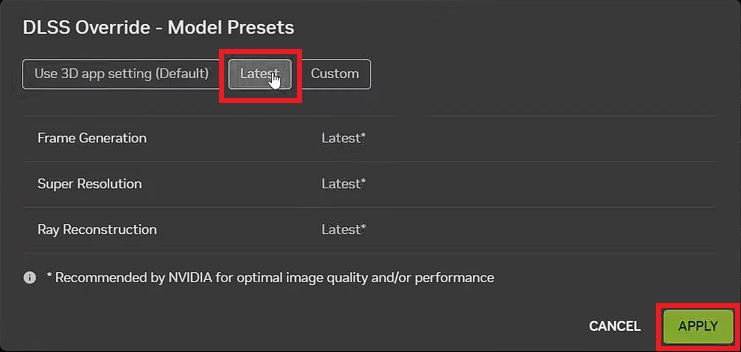
🚨HOW TO ENABLE DLSS 4.5 - NVIDIA APP🚨
1. Open NVIDIA App and go to "Drivers" tab.
2. Update your drivers to 591.74 or newer.
3. Go to "Settings", then "About" tab, check if your NVIDIA App is updated to 11.0.6.374 or newer. If not, enable experimental slider in about section to update it.
4. If everything is correctly updated, go to "Graphics", then "Global Settings".
5. At "DLSS Override - Model Presets", choose "Latest" and hit Apply.
6. Done, just enable DLSS in your game (it will work for ANY game that supports DLSS).