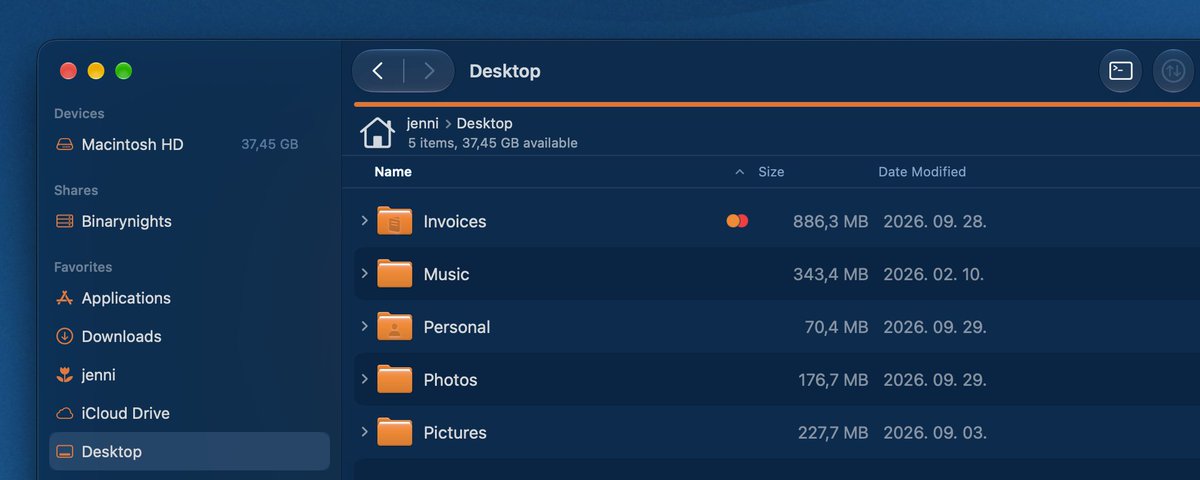
ForkLift 4.7.8 is available. We have completely revamped App Deleter to make finding and removing leftover app files more accurate than ever. Plus, enjoy a new Sidebar scroll bar, Log improvements, and various bug fixes. https://t.co/h5AIfghy51
@albertkinng The colorful line is there for marking the selection of the pane and not to show the progress of an activity. We don't want to combine the two things.
ForkLift 4.7.7 is here! You can now use your mouse’s 4th and 5th buttons to navigate Back and Forward, see folder item counts in the Info Window, and access remote locations directly from the path bar. Plus, macOS compatibility fixes and UI improvements. https://t.co/huSYSVbtQN
Do you use ForkLift’s Tools feature to create your own custom tools? We would love to see what you have built and how you use it!
Email us your script and a short description at support [at] binarynights [dot] com. We may feature it in our documentation or blog.
ForkLift 4.7.6 brings improvements to navigation, path bars, Column View and Icon View, along with several small UI refinements. We have also fixed issues on the upcoming macOS 27 Golden Gate and improved compatibility with some SFTP servers. https://t.co/iuR8YjGr2g
One ForkLift 3 user compared ForkLift 4 with several other file managers to find the one that suited him best.
He wrote us: “I spent 2 days searching for the best (for me) file manager. You won.”
Read more in his blog post. https://t.co/XfACSnoN4m
ForkLift 4.7.5 is available! Brazilian Portuguese localization, improved Sync Window filtering, and safer handling of conflicting files to prevent unintended overwrites.
Read more about the update in our blog post: https://t.co/O5DrBt5YRc
@MeatyAlb ForkLift has progress bars for file transfers. They are visible in the Activities pop-up from the toolbar or in the Activities pane (View > Show Activities)
ForkLift 4.7.4 is available with fixes for file transfers, archive search, and duplicate tags, including a potential data loss issue. We also reported a Preview API issue to Apple, which has now been fixed in the latest macOS 27 Golden Gate beta. https://t.co/RRX5JaK6Os
ForkLift 4.7.3 is here! This update focuses on improving Icon View with smoother keyboard navigation, range selection across multiple rows, better drag selection, and enhanced stability.
Read more about the new version in our blog post: https://t.co/SKRH1HXIHZ
@albertkinng Unfortunately, that is not possible, because the new preview API of Apple that we use in ForkLiftdoesn't support this. We hope that they will fix it.
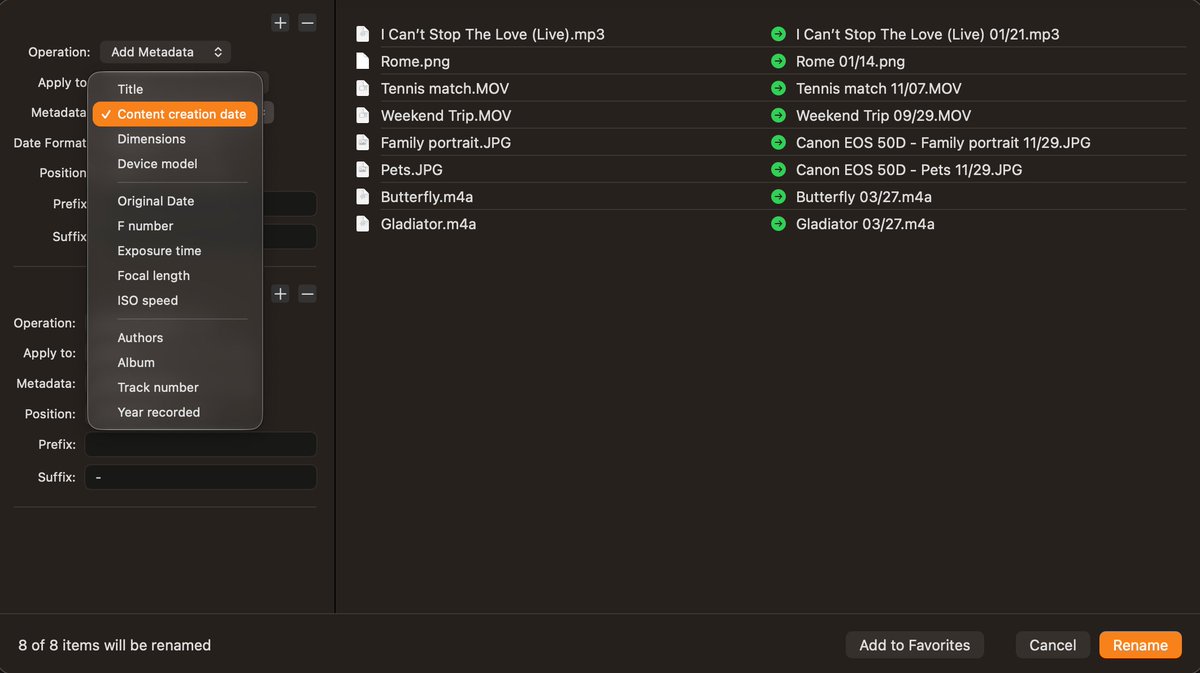
ForkLift 4.7.2 is now available! This update fixes issues with the Multi-Rename feature, restores support for previously saved rename favorites, adds custom date formats from metadata and introduces Traditional Chinese localization. https://t.co/JgxjY1vH9O
ForkLift 4.7.1 is available. The highlight of this release is metadata-powered batch renaming. You can now rename photos, videos, audio files, and documents using metadata such as capture date, camera model, artist, album, track number, and more. https://t.co/9e91lvxSsy
ForkLift 4.6.4 is available. Quick Select now supports accented letters, Go to Folder finds aliases & symlinks, plus a few fixes and improvements. You can update from the the menu ForkLift > Check for Updates - Read more in our blog post. https://t.co/mAqzbiIhib
A new ForkLift version is available, you can update from the ForkLift menu. This version adds item info in icon view and enhancement to the Go to Folder navigation. Two new placeholders are available for power users to create tools. Read more in our post https://t.co/Oo8cwJ41a9