ICYMI: Hytale’s Update 5 is out!
We want to shine a spotlight on our new Trigger Volume Tool which allows you to place persistent 3D volumes that trigger configurable effects when conditions are met.
Think of these 3D volumes as tripwires that are completely invisible to the player. However, when something happens inside of it (a player walks into it, a creature walks out, a block is placed, an arrow is shot, etc.) it will react by running a desired effect.
Here’s a compilation from our Level Designers demonstrating what's possible with this tool.
Not a single line of code was written to do this. 100% UI based scripting! 🤯
📢 Hytale’s Update 5 is now LIVE! 📢
Headlining the release is the new Trigger Volume Tool for scripting encounters in-game without code, alongside controller support, Server Discovery for browsing community servers, a new Social Sidebar with a friends list and Discord integration!
▶️ Read it here: https://t.co/PdBZINPaok
FEATURES & HEADLINE UPDATES
- Trigger Volume Tool
- Controller Support
- Social Sidebar & Discord Integration
- Server Discovery
- 1 hour of new music
- 9 New Emotes + Updated Emote Wheel
- Prefab 3D Previewer
- Simplified Chinese is now in-game
- Launcher now supports older versions of the game
Thank you for all your continued support and feedback! 💚 #Hytale
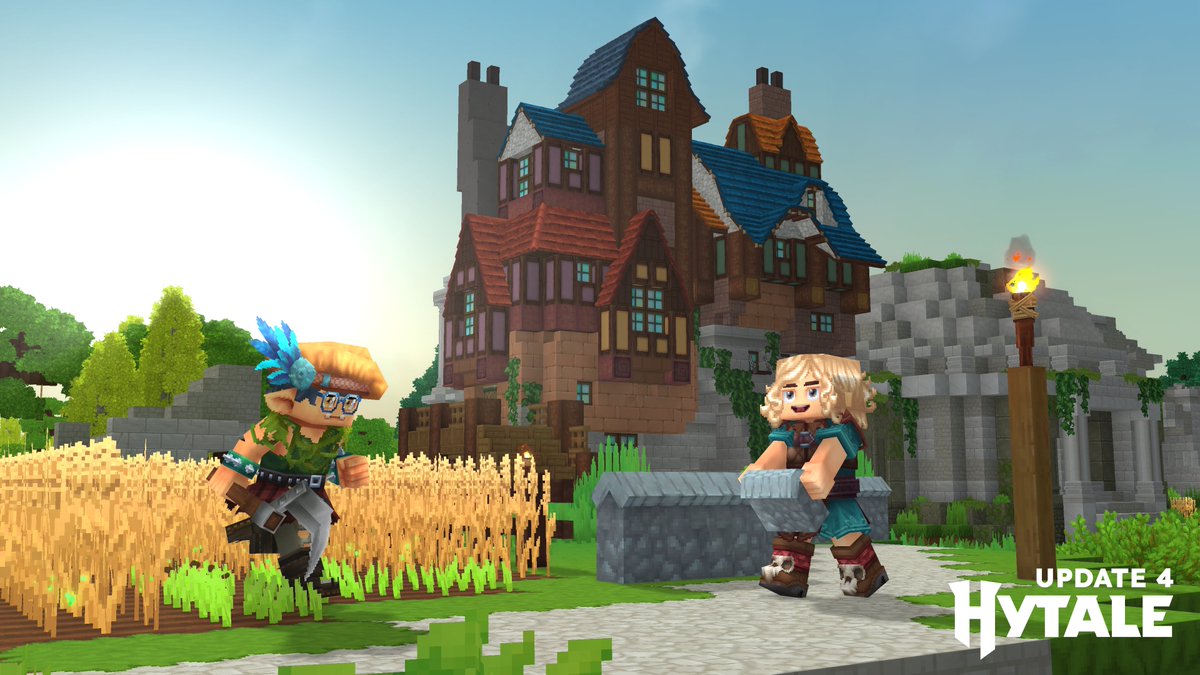
📢 Hytale’s Update 4 is now LIVE! 📢
Today’s blog post dives deep into our headline updates with tons of new screenshots/videos + Full Patch Notes.
▶️ Read it here: https://t.co/1t7O1w0PZg
FEATURES & HEADLINE UPDATES
- 500+ New Blocks
- Proximity Voice Chat
- Emote Wheel + New Emotes
- 7 New Hairstyles
- New Creative Tool: Revolve
- New Sickles Added
- And so much more!
Thank you for all your continued support and feedback! 💚 #Hytale #HytaleUpdate4
Pre-Release Patch Notes (Mar 12, 2026)
Update 4 (Part 4 of 5)
Enable via Launcher → Settings → Pre-Release
Remember to report bugs and give feedback via the in-game feature! The final and bigger part of Update 4 is next week, lots of new blocks coming!
𝗜𝗧𝗘𝗠𝗦 & 𝗘𝗤𝗨𝗜𝗣𝗠𝗘𝗡𝗧
- Projectiles launched by the LaunchProjectile interactions now use the FlyIdle animation instead of the Idle animation.
- New sword impact visual effects.
- New Harvest Trophy visual effects.
𝗪𝗢𝗥𝗟𝗗 & 𝗘𝗡𝗖𝗢𝗨𝗡𝗧𝗘𝗥𝗦
- Adjusted the dirt fragment spawner color to match neutral soil.
- Reduced allocation in various areas for spawn positions.
- Improved performance of various world-gen features.
- Added new conditions and a filter to allow NPCs to act or use attacks based on being buffed or debuffed.
- Goat and Goat Kid animation updates.
- Added a new separation mode to NPCs, which is less random and easier to control.
- Backwards compatibility with existing NPC configurations.
𝗔𝗨𝗗𝗜𝗢
- Push To Talk adjustment:
- PTT will now be blocked while the player is typing in chat.
- Headphones (Stereo) setting adjustment:
- Introduced spatial blending.
- Sound will blend between both ears rather than being either left or right, which can cause disorientation, especially with voice.
- Improved voice chat audio quality on the capture side, as well as added resilience against packet loss on the playback side.
- Updated reverb functionality for Caves, Forest, Mountain & Savanna.
- Updated proximity voice chat to correctly bind the dry filter.
- Increased the max number of sound event layers from 4 to 8.
- Added a new "Toggle Voice Chat" keybind, which is unbound by default. It allows the player to enable/disable voice chat via the keybind once set.
- Added a new "Push to Talk (Toggle)" input mode. Rather than holding in the PTT keybind, players can now toggle between emitting voice or not.
𝗨𝗜 & 𝗤𝗨𝗔𝗟𝗜𝗧𝗬 𝗢𝗙 𝗟𝗜𝗙𝗘
- Emote wheel displays an icon indicating looping emotes.
- Updated the default styling to use a design system for select controls.
- Tooltips now use explicit text styling.
- Added the ability to write complex strings in commands.
- Examples being "/say", or "/ban <reason>" commands with potentially multiple apostrophes.
- Increased font quality for Simplified and Traditional Chinese.
- Added Ukrainian language option.
- Added the ability to replace characters typed with other characters.
- For example, various languages use different apostrophes; They will now be replaced with a unified one to allow players seamless item searching regardless of the apostrophe used.
- Instance teleportation is now added to the teleport undo history.
- Added client & server log shortcuts to Creative Tools Help Menu.
- Updated the audio debug window to match the F7 profiling window. It now adds:
- Data about currently playing music.
- Upcoming music playlist.
- Filtering to only show certain panels at a given time.
- Option to show less detailed info about individual sounds.
- Reverted the behaviours of the "C" camera.
- Holding down C will once again allow 360-degree rotation.
- Removed the head rotation looking at the camera.
- Added a warning tooltip in the Processing Bench when world time is stopped.
- Reorganised Creative Mode quick settings.
- Reorganized the settings into more appropriate categories and removed redundant settings.
- Simplified wording for complex-looking quick settings.
- Added a new Quick Replace setting.
- New HUD voice icons in the bottom left:
- Speaker Icon
- Shows unmuted when voice chat is enabled.
- Shows muted when voice chat is disabled.
- Microphone Icon
- Shows unmuted when voice input is enabled.
- Shows muted when voice input is disabled by settings, PTT or TTT.
- Local players no longer appear in the speaking player list.
- Speaker UI portrait within the speaking player list has had a polish pass.
- Bumped portrait resolution from 32x32 to 96x96 for sharper head portraits.
- Child accounts will not be able to use the Voice Chat feature.
- Voice Chat is disabled by default in singleplayer mode.
𝗠𝗢𝗗𝗗𝗜𝗡𝗚 & 𝗧𝗢𝗢𝗟𝗦
- Builder tool inputs (arguments) have been made optional and non-alphabetically sorted.
- Builder tools can now have their inputs sorted based on how they are placed in the item's JSON.
- Removed check-boxes for enabling the "Empty" filter in mask settings.
- Validation for duplicate property keys while editing JSON source in Asset Editor to prevent a crash.
- Improved the /rotate and /flip command reliability.
- Added shape and size inputs back to builder tools that had them missing.
- Added a legend to the Tint brush.
- Players can now blend colours and pick colour existing tints using Shift + LMB.
- Migration from polling to events within builder tools and machinima.
- Prefabs loaded from asset packs now override internal ones.
- Significant improvements for preview rendering of the paste tool and selection tool.
- Added commands for server admins to bootstrap the auto-update layout from a bare JAR file.
- Implemented the ability to trigger sounds in a Noesis UI.
- Implemented CommandInteraction.
- It adds the ability to run a command from an interaction.
- Undo shortcut can now be used when not holding any creative tools in Creative mode.
𝗕𝗨𝗚 𝗙𝗜𝗫𝗘𝗦
𝗖𝗢𝗠𝗕𝗔𝗧, 𝗡𝗣𝗖 & 𝗜𝗧𝗘𝗠 𝗙𝗜𝗫𝗘𝗦
- Projectiles, such as Trork Hatchets, have been adjusted to use movement states to prevent them from spinning forever.
- Fix client-predicted arrows getting stuck in ladders.
- Added new interaction hints for the Harvest Trophy.
- Fixed an issue where mount movement settings were reverted as soon as they were applied.
𝗪𝗢𝗥𝗟𝗗 & 𝗕𝗟𝗢𝗖𝗞 𝗙𝗜𝗫𝗘𝗦
- Performance improvements for chunk reference storage.
- Fixed Zone 4 tree masks and city mask edge cases.
- Sewer dungeon spawns are now 100% guaranteed in every city.
- Trees should no longer spawn on top of monument areas, such as encounters, cities, temples or dungeons.
- Fixed some trees being able to break blocks around them when growing.
- Fixed SeedOverride for Spawn Positions.
- Fixed the wrong music or ambience playing for a few seconds upon entering a world.
- Fixed an issue where background music could resume from the middle of the track when returning to an area.
- Fixed NPE in WorldSpawningSystem caused by wrongly asserted chunk components.
- Fixed V2 Worldgen from using too much memory when loading many prefabs.
- Also increases the asset reload speed which results in faster viewport refresh & world creation.
𝗖𝗥𝗘𝗔𝗧𝗜𝗩𝗘 𝗧𝗢𝗢𝗟, 𝗠𝗢𝗗𝗗𝗜𝗡𝗚 & 𝗣𝗟𝗨𝗚𝗜𝗡 𝗙𝗜𝗫𝗘𝗦
- Fixed mask blocks in brush settings being removed upon re-opening the mask setting UI.
- Fixed log spam during voice chat usage.
- Fixed the Replace command ignoring empty blocks.
- Fixed logger warnings for missing animation keys.
- Fixed crash when scrolling quickly between brushes with large previews.
- Fixed multiple tool bugs with entities, liquids, offsets, rotation, duplication and previews.
- The Node Editor now handles renaming node types better.
- Fixed Line Brush notifications, it no longer includes unnecessary decimal places for diagonal lines.
𝗚𝗘𝗡𝗘𝗥𝗔𝗟 𝗙𝗜𝗫𝗘𝗦
- Fixed voice transmission stopping when menus are open.
- Added detection on game start if the user needs to load an extra font (CJK) when they use "Use System Language" as a setting.
- Fixed low mouse sensitivity from charged mace swings getting stuck sometimes.
- Fixed mouse sensitivity changes from status effects getting cancelled out by charging attacks.
- Fixed eating food resetting your mouse sensitivity.
- Cleaned up a number of minor issues within the audio module.
- Fixed filters not being bound to sound effects early enough.
- While underwater, players would hear sounds without the underwater filter.
- Fixed an issue where the mouse input is sometimes locked/stuck.
- Fixed "Reset To Defaults" button losing events.
- Fixed PTT issues with voice chat, now handling mouse buttons.
- Fixed a delayed doubling effect when using spatial blending in headphones stereo mode.
We're launching our first official Hytale modding contest with $100,000 in total prizes!
But this isn't just a contest. This is the start of something much bigger.
My vision for Hytale has always been that modders should be celebrated, not sidelined. The people who pour their creativity into pushing the boundaries of what's possible in the game deserve to be front and center. They deserve to be rewarded. Think of it like esports, but for modders. We want to build an ecosystem where talent rises to the top, where the community recognizes and elevates the people making incredible things. This contest is the first step. There will be many more.
For this first contest, we chose World Gen V2 and NPC as two of our three categories very intentionally. These are areas where we know extraordinary talent exists, and honestly, we're scouting. If you blow us away, don't be surprised if we reach out. We want the best modders in the world working alongside us.
And looking ahead: over the coming months, we'll be rolling out more modding tools, an in-game mod browser, and a lot more. We're also thinking deeply about how players can directly reward the modders they love, without turning the game into a shopping mall. It should be fair for players and meaningful for creators.
This is just the beginning.
Emotes are coming to Hytale with this week's pre-release update, including easy mod support!
Here's the mod structure to add emotes to the game:
- Place your emote animation (.blockyanim) in Common\Characters\Animations\Emote\
- Place your emote icon (.png) in Common\Icons\Emotes\
- Create your emote config (.json) in Server\Emote\ (replace "MyEmoteName" with the name of your new emote)
An emote config looks like the following:
{
"Animation": "Characters/Animations/Emote/MyEmoteName.blockyanim",
"Name": "My Emote Name",
"Icon": "Icons/Emotes/MyEmoteName.png",
"IsLooping": true
}
With that done, you'll now be able to see your emotes in-game!
In the future, we'll improve the emote wheel so you can customize it.
Hytale Update 3 releases Tuesday, February 17 at 10 am EST.
We are also planning a pre-release for Update 4 (part 1) on Thursday of the same week.
Have a great weekend!
Pre-Release Patch Notes - Feb 5, 2026
Update 3 (Part 2 of 3)
Enable via Launcher -> Settings -> Pre-Release
HEADLINE FEATURES
- Added Avatar Presets
- Edit, save, and swap between up to 10 Avatar customizations
- Added new fire spread system (fluid ticker) and Goblin Flamethrower
- Can be used to unleash flames upon nearby foes
- Creative mode only for now
- Added Bed sleeping notifications
- Notifications and SFX now play when other players attempt to sleep
- Expanded Avatar customization options:
- 2 additional Eye Shapes
- 2 new Makeup Variations (Blush and Eyeliner)
- 5 new Haircuts:
- Spikey Mohawk
- Magical Pigtails
- Double Braided Ponytail
- Long Braided Ponytail
- Puffy Bubble Braids
- 4 new Facial Hair Styles:
- Split Moustache
- Pinstripe Moustache
- Anchor Beard
- Viking Beard
- Spiked Bracelets
- Hairband
- 2 new Skirts (Plaid and Punk)
- Shaped Sneakers
- Added Black and Red Iron color variation for metals
- Added Font Fallback Support
- Client now fetches glyphs from fallback fonts when missing
- Enables support for non-Latin languages
- Improved World Configuration Reliability
- Atomic file saving
- Updated backup handling
- Corrupted worlds now display warnings and modal dialogs
CONTENT
- Added complex spawn locations in the Taiga region, especially near rivers
- Added Lime block variants:
- Lime Gravel
- Lime Rock
- Lime Rubble
- Medium Lime Rubble
- Lime Stalactite (Large and Small)
- Improved weather VFX for Zone 1
- Standardized spawn marker deactivation range to 150
- Added T2 Furnace
- New model, textures, and animations
- Updated visuals for T1 Furnaces
- Increased max instance limit for Furnace opening sounds
- Refactored Rhino Toad attacks
- Improved Fluid, Mounts, and Crafting systems
- Improved multiple modules:
- Teleporter
- NPCReputation
- NPCObjectives
- Farming
- Memories
- Camera
- Bed
- Optimized client asset sizes
- Updated ranged weapon aiming ballistics
- Improved accuracy
- Added randomized hitbox offsets
- Added VisAiming debug flag
- Ophidiophobia mode now replaces Hatworm with Larva_Silk model
- Dough now produced using refillable Tankard
- Tankard now crafted via Farming Bench
- Klops Merchant no longer trades signs
- Integrated new Outlander village environment
- Refactored encounters across all zones
- Added new encounter environments:
- Zone 3 Trork
- Zone 4 Village and Forest
- Zone 4 non-Forest and non-Swamp biomes
MODDING AND TOOLS
- Added mod enable and disable support from UserData/Saves/<save>/mods
- Added server version checks for plugins and asset packs
- Added 3D audio source visualization for debugging
- Added NPC sensor and view debugging visualization
- Newly created asset packs are now enabled by default
- Added parameter to toggle replacing empty block materials
- Added option to skip mod validation in single player
- Mod validation issues now block server startup unless flagged
- MapEditor and ListEditor now use correct models
- Added Test NPC for showcasing multi-interaction setups
WORLDGEN V2
- Added exact rotation support for Materials
- Added Bound PositionProvider for Spawn Meshes
- Added YSampled Density node
- Performance optimization for WorldGen V2
- Added configurable spawn positions for portal biomes
UI AND UX
- Added Window Size option in video settings
- Updated feedback interface
- Bug reports separated from other feedback
- Warps are now sorted alphabetically in Teleporter UI
- Added /layer command
- Applies layering to selected areas
- Updated Paste tool:
- Hold-down key support
- Undo and redo
- Smoother multi-directional movement
- Reduced context menu background opacity
- Updated Player, Spawn, and Home icons
- Improved World Map marker text clarity
- Cleaned up text and fixed death messages
- Implemented HideFromTooltip in EntityStatType
BUGFIXES AND OTHER IMPROVEMENTS
- Fixed sharp biome interpolation
- Fixed localization issue with maximize window setting
- Fixed tooltip name wrapping issues
- Fixed spawn seeds initializing to zero
- Fixed multiple Null Pointer Exceptions
- Fixed crash when overriding read-only asset packs
- Fixed Volcanic Cobble incorrect spawning
- Fixed upside-down stair connections
- Fixed Slothian gradient mapping
- Fixed dropped item IDs for BottleTree and Crystal Trunk
- Fixed pickup items missing components
- Fixed WorldStructure spawn Y constraints
- Fixed cosmetic ordering issues
- Fixed EntityTrackerSystems validation gaps
- Fixed crop hitboxes and produce resource types
- Fixed incorrect mod list display
- Fixed Ocean Clay Brick typo
- Fixed interactions without entities
- Removed hardcoded keybindings
- Fixed manual spawn beacon command
- Fixed missing biomes on biome map
- Fixed Darkwood Decorative Block drops
- Fixed MaterialCache prefab loading
- Fixed V2 WorldGen environment saving
- Added duplicate plugin detection warnings
- Fixed plugin-related world crash handling
- Added startup exception handling for plugins
- Fixed Outlander house anchor offsets
- Fixed extreme audio panning with HTRF
- Fixed ambient and bench sound origins
- Fixed Teleporter name overrides and SFX
- Improved null and data-flow handling
- Fixed Machinima player teleport behavior
- Fixed Camera Translation Gizmo mode
- Fixed performance metrics affected by FPS cap and VSync
- Fixed advanced workbench model display
- Fixed directory traversal vulnerabilities in worlds and prefabs
LAST WEEK
Pre-Release Patch Notes - January 29, 2026
Update 3 (Part 1 of 3)
MAP & NAVIGATION
- User-placed Map Markers have been added!
- Create custom markers anywhere on your map with customizable names, icons, and colors
- Share markers with other players in multiplayer
- New gameplay settings to toggle marker visibility on map and compass
- Delete markers via the map context menu
- Updated map marker icons and improved their display resolution
- Player names are now always rendered on the map and are more readable when zoomed in
- Compass now shows different icons based on vertical distance (above/below you)
- Teleport option is now hidden for map markers when in Adventure gamemode
COSMETICS & CUSTOMIZATION
- New Avatar customization options:
- New Hat: Tweed Hat
- New Overtop: Mage Shirt
- New Shoes: Styled Flats, Wedge Shoes
- New color variations for Fashionable Shoes
- New haircut added
- Updated visuals for the Morning haircut
- Added Construction Hard Hat
COMBAT & ITEMS
- Weapon Adjustments & Fixes:
- Adjusted damage value inconsistencies and upgrade differences across some weapon tiers
- Adjusted the guarding stamina costs that were previously misconfigured for certain drop-only weapons
- All spear types should now consistently stack up to 5 and be throwable
- Necromancy Grimoire Improvements:
- Summons no longer take damage from their summoner (and vice versa)
- Summons now respond when the player is attacked, not just when attacking
- Summons are faster and more aggressive
- Added variety to the types of skeletal minions that are raised, including a ranged variant
- Misc:
- Improved in-hand positioning for Ingots and Sticks
GAMEPLAY
- Doors no longer close when blocked by entities or players
- Teleporters now require you to clear a short distance before re-use
- Sort keybind now works in the player's inventory
- Added "Take All" functionality for processing bench output items
- Shift-dragging now quickly transfers items between inventories
- Minecarts no longer move when stuck
- Reduced farming bench tier requirement for Chicken Coop from 5 to 3
- Large Kweebec Chests now support placing blocks on top
- Fixed NPCs in a Coop transforming into other NPCs
- Fixed being able to capture a dead NPC with the Capture Crate
- Reworked utility wheel quick swap to include the inactive slot
BLOCKS & WORLD
- Re-added Incandescent Volcanic Rock
- New block textures and variants:
- Thorium Cracks
- Basalt Cracks
- Magma Cracks
- Mud Dry Cracks
- Updated crack variants for 4 Ore blocks
- Updated Cobalt texture
- Fixed Magma Adamantite block tiling
- Added Default_Flat and Default_Void weather configurations for their respective world instances
AUDIO
- Fixed water emitter radius so audio plays properly in stereo instead of just the left ear
- Fixed audio emitter entities not playing correctly
- Fixed fluid ambient effects not triggering properly
- Updated sword swing and impact sounds
UI & QUALITY OF LIFE
- Moved container action keybind indicators to a better position
- Fixed chest/bench keybind tooltips when keybinds are unassigned
- Updated workbench chest connection radius text to be clearer
SECURITY
- Fixed a permissions bypass in the Asset Editor that allowed unauthorized JSON asset modifications to non-standard asset packs (already patched in release builds)
STABILITY & BUG FIXES
- Improved world generation performance
- Fixed filler blocks not breaking in some cases (e.g. large doors)
- Fixed block placement mis-predictions
- Fixed issues when changing worlds while mounted:
- Fixed minecart mount state not being removed correctly
- Fixed horse mount state not clearing correctly
- Fixed screen fade issues that could occur during world transfers
- Fixed an issue that could cause chunk saving to deadlock when removing a world
To speed up production, here’s how Hytale updates will work going forward!
TL;DR
• Pre-release updates go out weekly
• Pre-release to get features earlier for feedback & bug reports
• Releases ship when pre-release is in a good state (every ~2–6 weeks)
• More time for modders and servers to adapt
• Our developers spend more time building, less time shipping
• Hotfixes can still ship at any time to both pre and release
Going forward, we’ll use the pre-release patchline to be a bit more adventurous. It will be updated weekly and may be unstable by design; this is where new features, larger changes, and iterations happen.
FYI, we might skip a week from time to time for holidays, PTO, or other reasons.
Pre-release instability will be clearly communicated in-game. As you might have noticed, we have automated world backups, but always back up your own data if you plan to keep using the same worlds in pre-release patchline!
Once we’re comfortable with the pre-release state (can be a result of one or several updates), we’ll schedule it to release and communicate to everyone.
As for this week, don't expect anything major for pre-release, we are getting into the rhythm of things and need to off-set the cadence.
To clarify, if we update the pre-release with like 5 updates, the release will contain those 5 updates.
If we are aiming for a release week, we will make the call publicly and tell people to prepare their mods/servers a few days beforehand.
So many changes coming that writing patch notes is become a chokepoint 😂
Wasted collectively a few hours just doing the first one, pain.
Our notes in the near future will be missing info, will adjust over time no worries. There is so much to do!
We already have few updates lined up for the coming days!
Avatar save/load presets
Hide Helm (server configurable)
Weapon Tooltips (DMG etc)
and much more!
After a tumultuous 7 years, Hytale has 'officially secured the next two years of development costs' a day before launch: 'Thank you all for the support. Hytale is saved. We are almost home' https://t.co/6aNJW5qgg7
Pleased to announce that we have officially secured the next two years of development costs through pre-purchases. Combined with my personal commitment of ten years, we are looking very strong for the future ❤️
Thank you all for the support.
Hytale is saved.
We are almost home.