@jacobdevhq One nudge, if they choose ‘remind me later’ when saving. I'd keep it off by default and make dismissing it final. The reminder should name the missing detail—‘add the lasagna portion’—rather than just say the log is incomplete.
@jacobdevhq I meant that as a design suggestion, not a personal routine. For remembering the meal, the note may be enough. For a reusable recipe or nutrition totals, it needs more detail. I'd make that follow-up optional, so a saved note doesn't become another overdue task.
@brikis98 The useful handoff is from the recipe to what actually ended up on the plate. If you swap an ingredient or leave half a serving, can one edit update the diary without changing the recipe for next time?
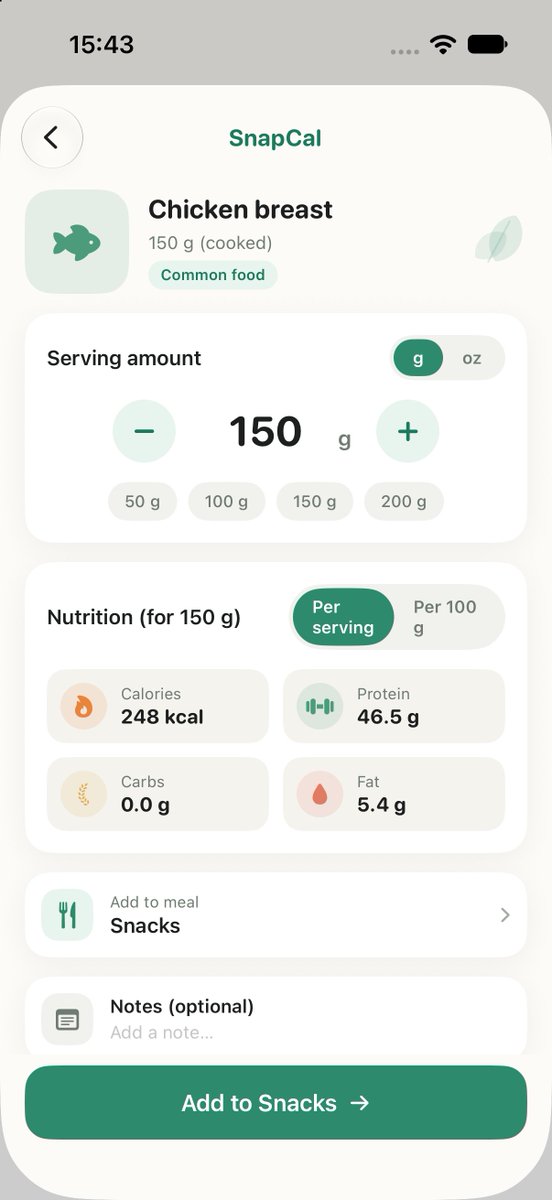
A smaller serving shouldn't mean starting the entry over. Our SnapCal food editor lets you adjust the amount in grams or ounces before saving. Check that the food entry matches what you weighed—this example is cooked chicken.
Real app screen; sample data.
@OrangeWong32889 The listening, thinking, and ‘logged it’ expressions could make a useful status system. I'd reserve ‘logged it’ for a confirmed save, so the animation doesn't leave someone wondering whether they still need to submit the meal.
Already have a calorie total from the package? In our SnapCal app, tap Add food → Quick add calories and enter it directly. You don't need a photo scan for every entry.
Real app screen; sample data.
@healthbarrapp The tricky bit is when a container is partly eaten, then topped up with a fresh batch. Does the label keep those as separate entries? Keeping the older food's date visible would be useful; a single ‘last updated’ date could hide it.
One takeout order can become two meals. Log the portion you actually eat, then record the leftovers when you eat them—not the whole container twice. A photo of your plate is a better reminder than the receipt.
Illustrative image, generated with AI.
@buildwithpb Great at remembering the order. Terrible at knowing which half became tomorrow's lunch. Order history is a useful memory jogger, but ‘ordered’ and ‘ate’ need separate columns.
@yura_borys Show the portion assumption beside each ingredient: ‘rice, 150 g cooked’ is something you can actually correct. Keep added oil and sauces visible as separate assumptions too. A paragraph explaining the total is harder to act on than an editable breakdown.
Candy shaped like fries is still candy. In this real SnapCal screen, our scan got the food names wrong—so the displayed nutrition isn't reliable either.
Check the food name first. Use ‘Not right? Search food’ before saving a result like this.
@groby@ryanwinchester The log should keep that distinction visible: ‘estimated portion’ versus ‘weighed portion.’ Otherwise a rough recollection turns into a very precise-looking macro total. Reusing a saved breakfast can cut the typing, but it still needs an easy way to change today's portion.
@yura_borys That local logging vs. sync distinction matters. A meal-level ‘saved on this device / synced’ status would make it clearer when it's safe to close the app—and help people avoid entering lunch twice when the connection comes back.
An account form shouldn't be the first thing between you and logging lunch. Our SnapCal welcome screen has a ‘Continue without account’ option, so you can start there without signing up.
Real app screen.
‘Chicken breast’ doesn't tell you everything about lunch. A note like ‘restaurant portion; sauce on the side’ preserves the details you do know.
Our SnapCal food editor has an optional Notes field before you save.
Real app screen; sample data.
@counterbeing@RandyWestergren For that meal, I'd keep your known recipe and measured portion. A photo can't verify hidden oil or exact ingredient weights. I don't have a validated SnapCal accuracy figure to share, so I wouldn't claim the photo matches your known macros. Treat the scan as a draft to review.
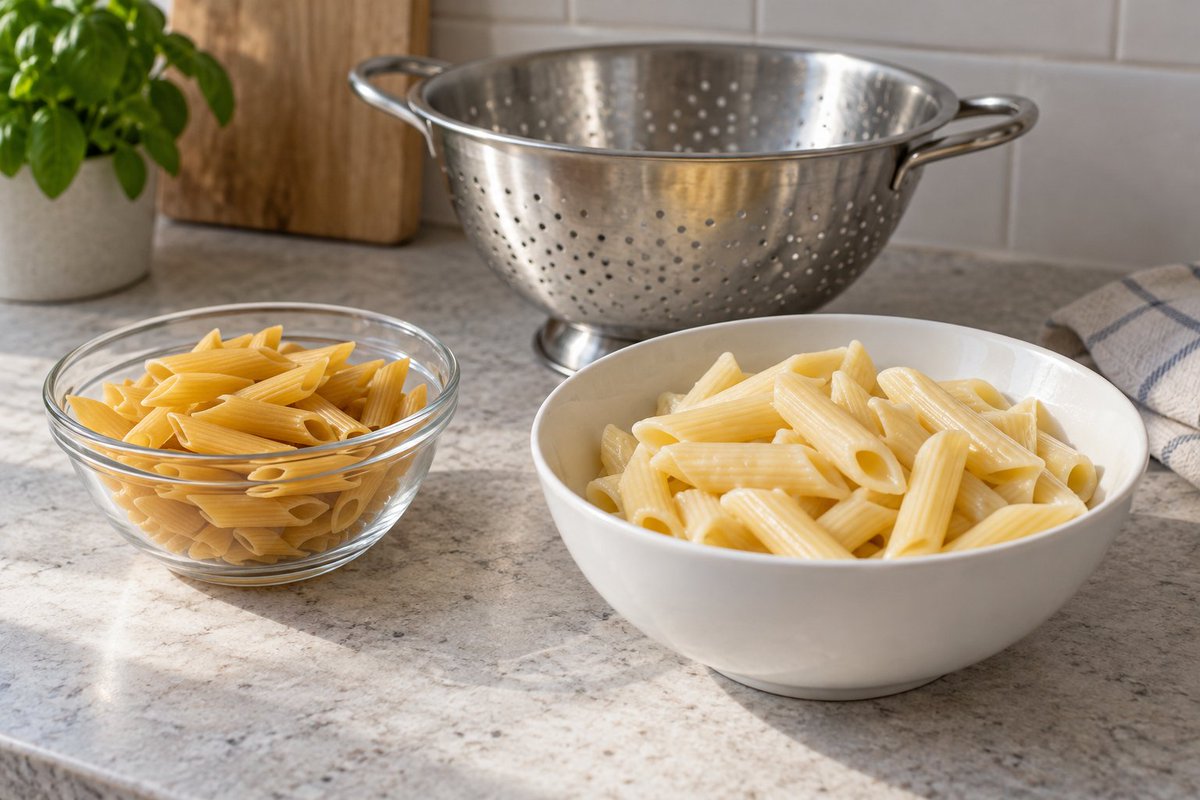
Weighed your pasta after cooking? Choose a cooked-pasta entry. Weighed it dry? Use the dry entry. Matching the entry to when you weighed it matters more than picking the first result named ‘pasta.’
Illustrative food image, generated with AI.