I rarely use docs in Canva because I like the greater flexibility of the presentations with images and text, but I really like the possibilities this presents!
A Canva tool that you may not be aware of? Teachers - you'll love this one. Close activities, interactive feedback, check for understanding or even prototyping UI designs. Anything else? Let me introduce you to 'The dropdown'. @Usingtechbetter@CanvaEdu@canva
📚📖Do you use chapter books or novels in your classroom?!?
The latest from @diffitapp helps you create standards-aligned activities in minutes for chapters of the books your already use in class!
Try it now at https://t.co/cntkkWl2xm
@JakeMillerEdu My district has Teams for EDU. We also have Canvas LMS, which I use and use Flip through its Canvas integration. Based on the announcement, I’ll have to use Teams for EDU to use Flip. This will not simplify my workflow or that of my students. Very disappointed ☹️
📦UNBOXING VIDEOS📦to show what they know
Add some FUN to your video activities!
📦Example unboxing videos to watch
📦Downloadable student planning guide
📦20 video activity ideas
📦Flipgrid tips
https://t.co/idm5hZSYjK #ditchbook
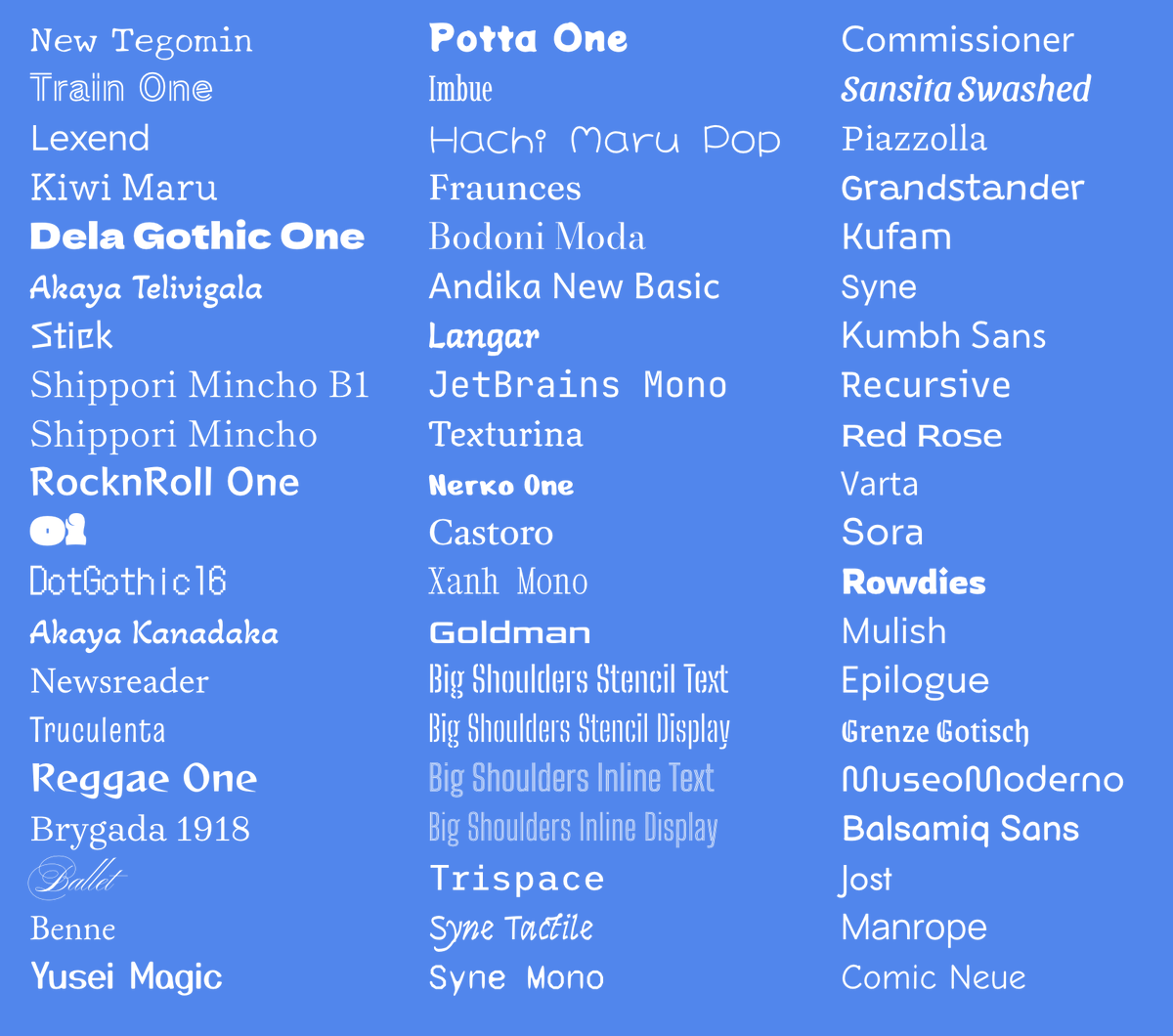
🔠 60 new fonts in Google Workspace!
Click the Font menu in Docs, Slides, Sheets, or Drawings and click More Fonts. Then search for a font's name so you can add it to your font menu.
https://t.co/5VlWbSdZDD
Would you like to create your own icons?
If you are like me and drawing is not one of your strengths, check out this new How To! Video included!
https://t.co/1dhJQmNga8
😱 You can now build with TEMPLATES in Book Creator!
⭐️ 18 beautifully designed templates
⭐️ Links to academic themes
⭐️ Build pages as you go
LIVE now, login to https://t.co/py7eajvyR7
Learn more at https://t.co/vAN7yk5TzO
#BringCreativity#edtech#BookCreator