Bad UVs? No problem.
With Send with Triplanar in Cargo, you can send your materials using triplanar projection instead of worrying about the model’s UVs.
No complicated node setups. No extra material prep. Just choose triplanar when you send your material and get back to the render.
Chad walks through how it works in this quick demo.
I had a Redshift ID manager planned but then the MCP came out. If you can tell the MCP to set up and tweak your RS IDs just by talking to it, or ask it to build you a bespoke ID manager, not sure there's a need for a polished tool. 🤔❓
@MotionViking@GSG3D@nickvegas Agree on the semantics. I think that craft travels with you to any app: modeling, lighting, building setups. Knowing every quirky workaround in one app doesn't. That part is tool knowledge, not craft.
@mirrormaxstudio Ya I would definitely not use that feature but I would 100% use a sanity checker to make sure my render is optimised, and I didn’t forget to turn on motion blur or something 😆
This is wild. V-Ray and Corona now have an AI assistant with a "Render Critique" mode that gives feedback on your renders.
Honest question: would you actually use something like this? I think I’d still recommend sending screenshots to trusted friends.😆
I’ve now seen two people vibe code complete 3D packages (similar to C4D) from their couch! The speed at which things can be built has never been faster. I’m really curious how this all plays out.
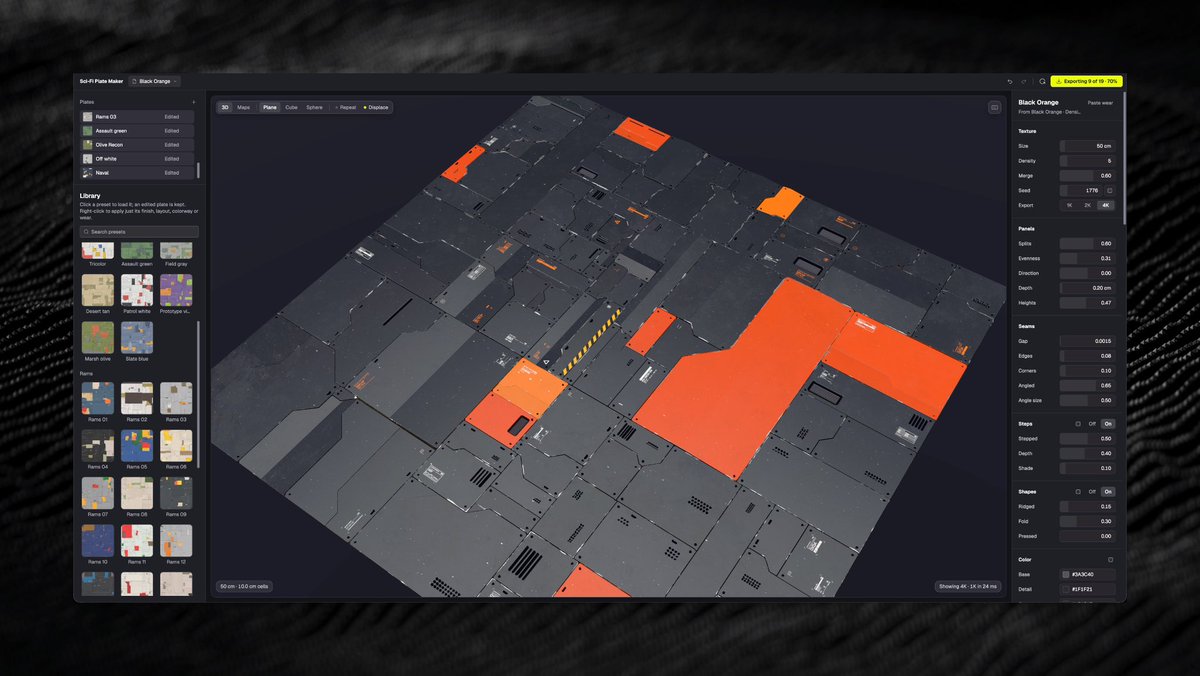
Here’s a little UI sneak peek of this sci-Fi panel app which could run in Cargo or as a stand-alone thing (haven’t decided yet). No release date yet, still messing around with it. Added some camo paint options this week (will post some examples later)