@iOS_Spotlight No button changes in this update! Just tap back and your changes are saved. When you are typing, you’ll see a button to dismiss the keyboard (which was a checkmark icon in a previous version). And if you use the sharing extension you’ll see “Save” and “Cancel” buttons.
@iOS_Spotlight There have always been “Pro” limits but that looks like a bug. Please give this a try:
1. Go into Cheatsheet's settings.
2. Scroll down and tap "Reset Local Cache".
3. Wait for that to finish, then try your widgets again.
@awill_me Thanks for the feedback! After 10 years in the App Store, I got to the point where ongoing revenue became necessary to maintain the quality my customers expect. I may consider a sale in the future, but for now I’d recommend the $6.99 annual subscription.
@Orcanator Thanks for the feedback! Are you referring to a complication on your Watch face or the app’s icon? For complications, please try opening the Watch app and allowing iCloud sync to complete. It may take a few minutes. If there are any errors, please let me know. Hope that helps!
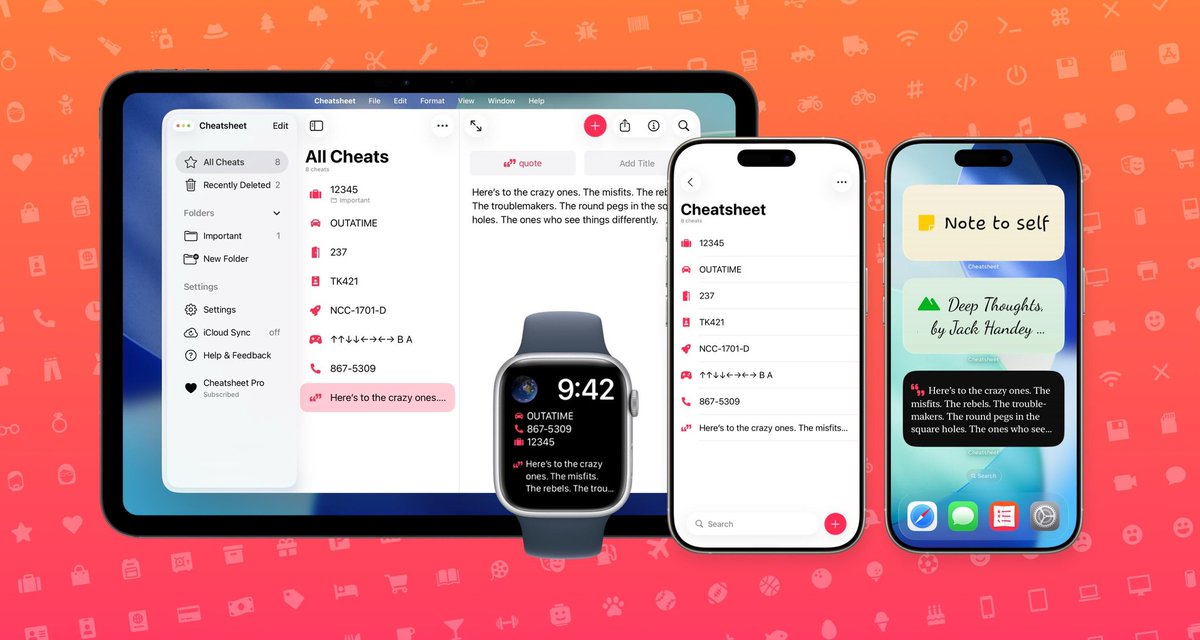
Cheatsheet, a handy sticky note app that's great for widgets & Apple Watch, has a new Liquid Glass design for iOS 26: https://t.co/qFJRXA3lNT https://t.co/VXzbZZQJJV
Available now: huge update for Cheatsheet, the original sticky notes widgets and Watch app, with fun new fonts, pretty pastel colors, and an updated design for iOS 26.
#iOSDev#AppleEvent#iOS26#macOS26
Cheatsheet Notes — the original sticky notes app for iOS — is better than ever!
Interactive widgets let you copy text, open links, and delete notes right from your Home Screen.
@dylanahofmann@CraigGrannell Of course! Please open the sync page in the app and tap Sync Troubleshooting. Once the troubleshooter finishes, scroll to the bottom and tap Send Feedback and that’ll let you email the error details to me. Thanks!
Today is the 10th anniversary of Cheatsheet 1.0! It was released on September 17, 2014, alongside iOS 8.
Learn more about Cheatsheet’s history and see some very old screenshots in this awesome article by @CraigGrannell from last month: https://t.co/HKAQL7JPdo
@katehepburns Thanks for reaching out! Have you tried restarting your iPhone? There is a longstanding iOS bug where app updates break widgets but a restart should fix it.