Added the ability to watch the rays in my path tracer bounce around as an animation. I'm excited about this more from an education POV, I think it helps explain how path tracing works far more easily than I could describe in words
Iterating on my ray visualizer. Added arrow caps to see ray directionality and UI to tune the ray thickness. I removed the cap on ray count in the bathroom scene and it gets a little crazy.
Green = first bounce
Yellow = all other bounces
Blue = Next event estimation shadow rays
First prototype of visualizing rays. Fairly simple implementaton: store rays in UAV, then do ray-cylinder intersections in a CS.
First bounce is green, second yellow, red for the rest. Shows how dumb my tracer is with very little importance sampling, but it's fun to watch!
@ohnoweknow I used a ray-cylinder intersection from https://t.co/pjlKvzs9jP. Basically I save off all the rays into an array, and then trace against them in a for-loop treating the rays as cylinders with a fixed radius size. It's brute force but good enough for a prototype
@Jiayin_Cao What is Mano? I'm aware there's ways you could write out strings to a UAV though I worry if stuff like that will either ruin occupancy or drastically extend shader compiler times. I guess I could only light up prints only when I need it for debugging thouvh
Put this off for too long, hot reload of shaders. Super useful for debugging, using it here to shut off albedo to see indirect lighting in isolation and then preview UVs. Easy to support since everything is done through a single shader and takes less than a second to recompile.
@vkoskiv@yiningkarlli Yeah I've considered this before, it would be super useful. How big of an effort is something like this? How much do you have to mold your project to fit around Blenders' API?
I've avoided making my path tracer an editor for simplicity sake but recently realized how much easier debugging would be with some limited functionality. So here we go, first prototype of material editing
@yiningkarlli Curious to hear what you land on! Retrofitting an editor onto my code is not great, materials are "easy" but just being able to translate a single mesh around in the scene is going to be a PITA..
Been having a lot of fun playing this with my son. The mechanics remind me a lot of the hang glider missions in Pilot Wings but mashed with Kiki's Delivery service
@ThierryCantenot Yeah I do see the CoD and Moana scene having objects being 3-4k units away. I'm not sure I'd establish a unit conversion but I could see scaling a scene so that it always fits within some unit range though. Hasn't been a huge issue...yet anyways
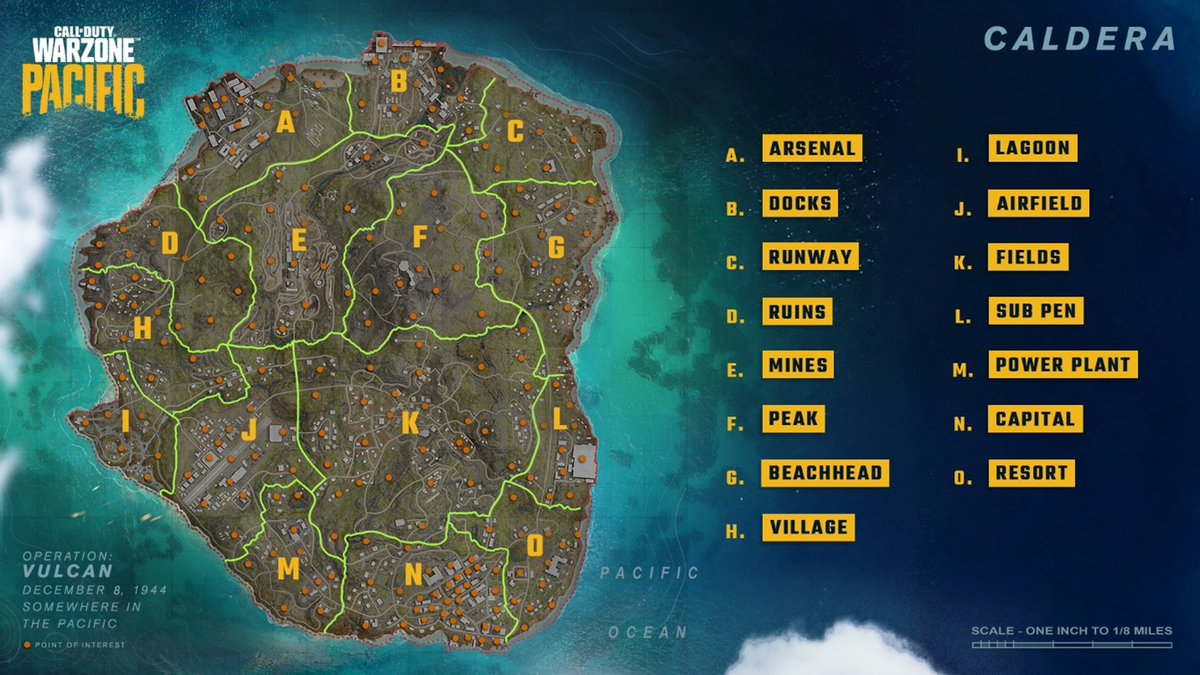
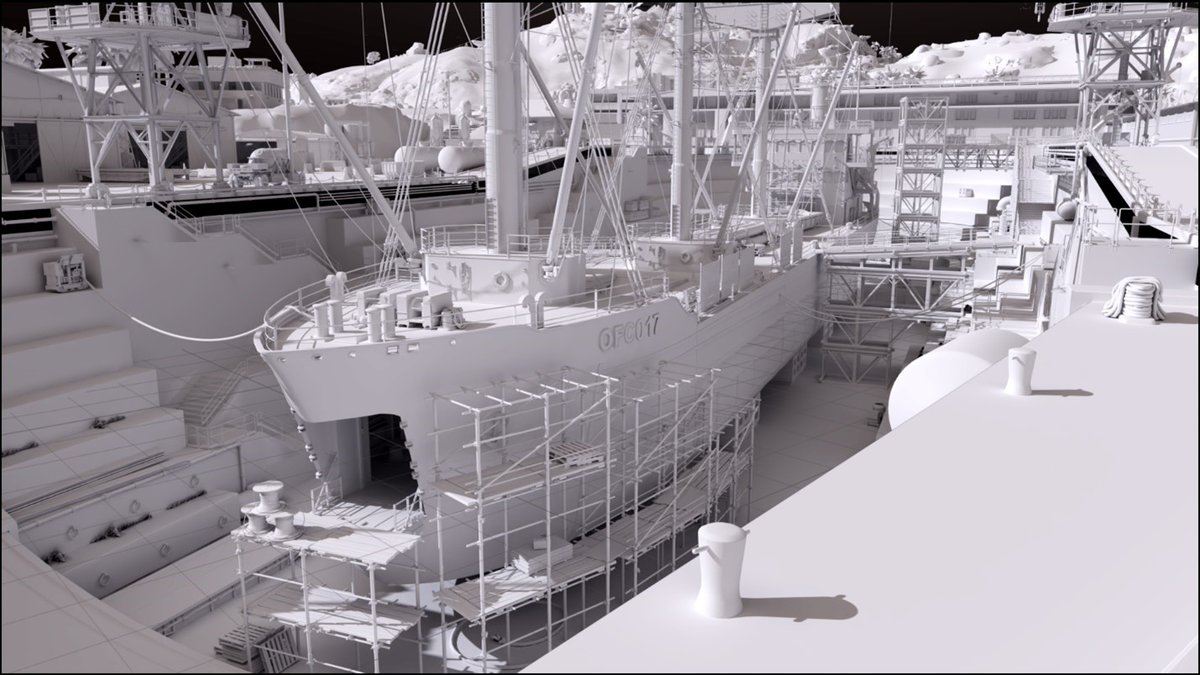
I love seeing studios share real content like this, had to of course drop these into my path tracer and take a few renders.
Exposed a few bugs in my code like the banding that I realize only happens with extreme unit scaling
The release of a new open-source data set, features the map Caldera from Call of Duty: Warzone for non-commercial use. This data set release contains near-complete geometry of Caldera and in-game character pathing. Read more 👇
https://t.co/xFxNDAhKk9
@ThierryCantenot No conversion, my renderer doesnt care about what units the scene is using.
My offset is a lot less intelligent, it's just offset by 0.001. I should use that article though!
FYI Unreal Engine does use that same trick of shifting the world to camera space for raytracing
@createthematrix Nope I'm using their pbrt variant using https://t.co/LH8jAQ4kS9 which is fantastic. PBRTParser can convert to a "pbf" (binary rather than text based) which takes the load time from 30 minutes to seconds
For the Call of Duty USD scene I use Blender to open it and export to gltf
Every few months I try and see if I can get the Moana island scene to fit in my path tracer only to give up a few weeks later because it's too damn big.
Let's see how far we get this time..