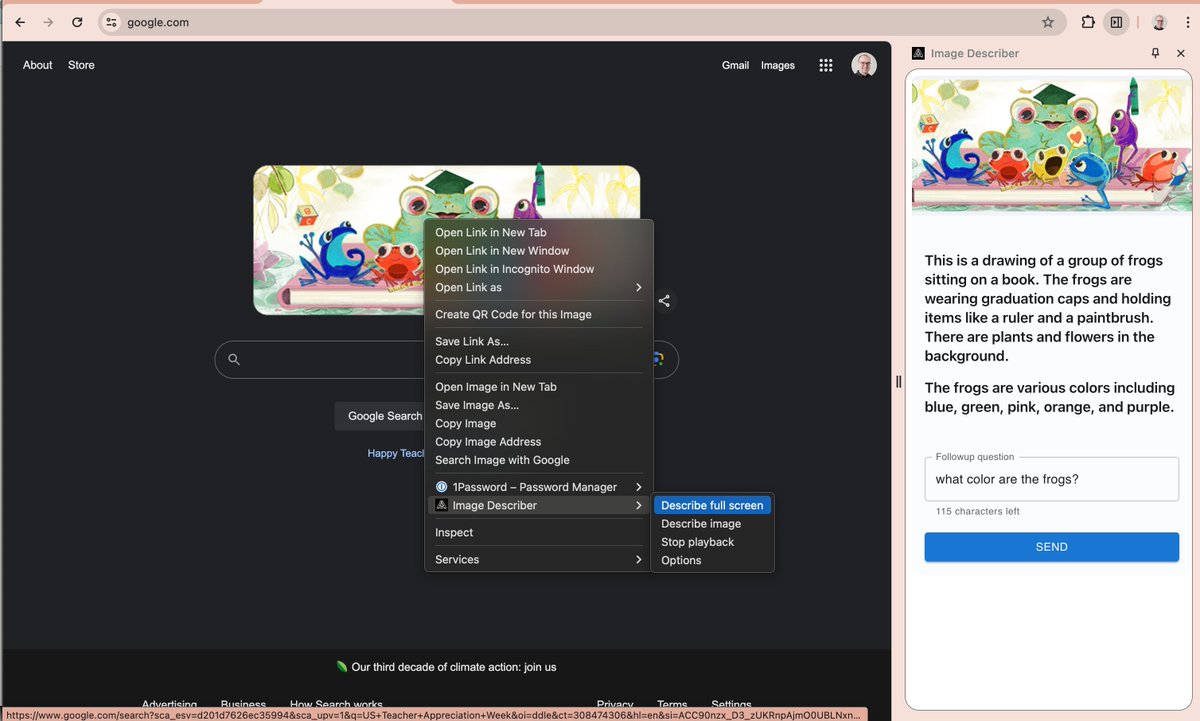
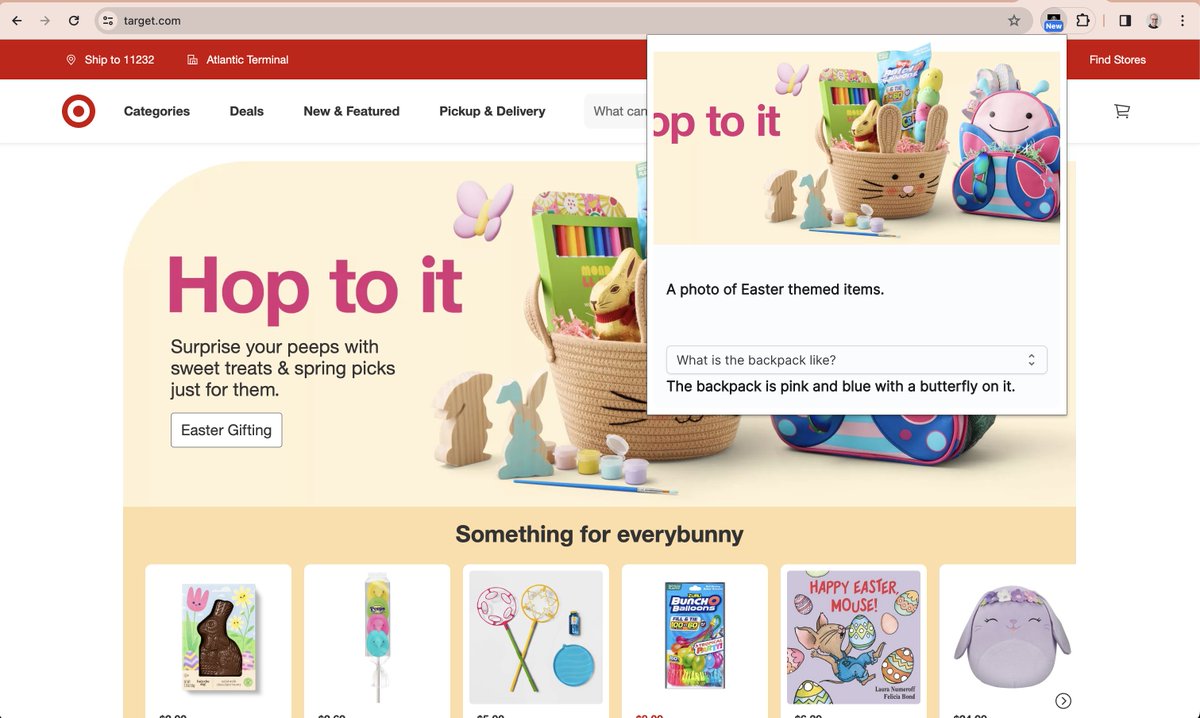
I built Image Describer to describe images for blind people browsing the web, but noticed an unexpected use case. A lot of people were using the AI to create product descriptions on Etsy, Ebay, Depop, etc, sometimes clicking the extension dozens of times to generate variations. I decided to run with it and build something to make it easier.
Today I'm launching a tailored version just for them: upload a product photo and get AI-generated titles, descriptions, and tags customized to each platform's actual ranking rules. Hope you find it useful!
https://t.co/nZRLhiSkWK
@MeAndTruthVsYou@karpathy kind of like a combination of a shareable showcase (for friends or for reference). I think of it a bit like a codepen with social features, and obviously the LLM layer. I've used the example I linked to to explain some opensource accessibility work I'm doing to folks.
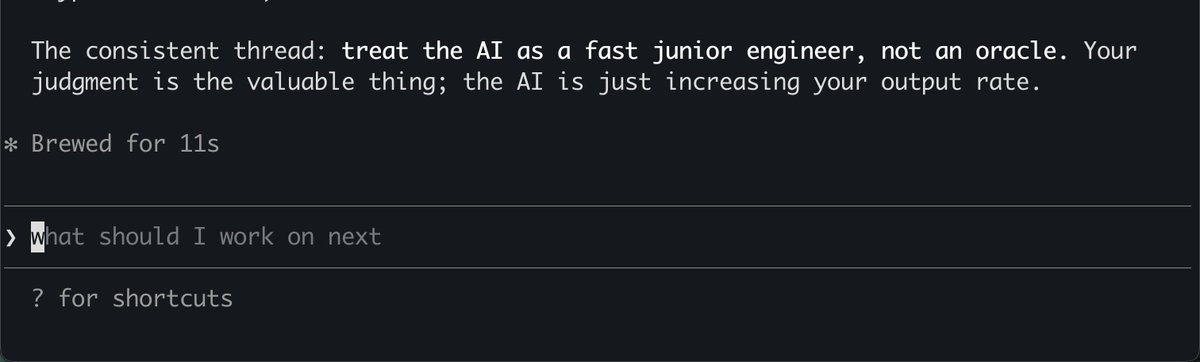
Fun experiment: ask Claude to evaluate a bunch of historical session transcripts and ask it to succinctly describe how you can be a better AI engineer:
This works really well btw, at the end of your query ask your LLM to "structure your response as HTML", then view the generated file in your browser. I've also had some success asking the LLM to present its output as slideshows, etc.
More generally, imo audio is the human-preferred input to AIs but vision (images/animations/video) is the preferred output from them. Around a ~third of our brains are a massively parallel processor dedicated to vision, it is the 10-lane superhighway of information into brain. As AI improves, I think we'll see a progression that takes advantage:
1) raw text (hard/effortful to read)
2) markdown (bold, italic, headings, tables, a bit easier on the eyes) <-- current default
3) HTML (still procedural with underlying code, but a lot more flexibility on the graphics, layout, even interactivity) <-- early but forming new good default
...4,5,6,...
n) interactive neural videos/simulations
Imo the extrapolation (though the technology doesn't exist just yet) ends in some kind of interactive videos generated directly by a diffusion neural net. Many open questions as to how exact/procedural "Software 1.0" artifacts (e.g. interactive simulations) may be woven together with neural artifacts (diffusion grids), but generally something in the direction of the recently viral https://t.co/z21CP5iQfu
There are also improvements necessary and pending at the input. Audio nor text nor video alone are not enough, e.g. I feel a need to point/gesture to things on the screen, similar to all the things you would do with a person physically next to you and your computer screen.
TLDR The input/output mind meld between humans and AIs is ongoing and there is a lot of work to do and significant progress to be made, way before jumping all the way into neuralink-esque BCIs and all that. For what's worth exploring at the current stage, hot tip try ask for HTML.
I built accesslint/mcp to help coding agents build accessible web content; just released sourcemap support and Chrome CDP usage for DOM scans; fast, deterministic a11y fixes with less token consumption. Check it out on npm or use the Claude Code plugin:
https://t.co/tMQcAFOsWB
@MengTo Very cool! If you haven't already, consider also extracting the accessibility tree from chrome to annotate accessible names and roles, possibly helpful for adding more robust component semantics to the design!
I just shipped React sourcemap lookups for accesslint/core, so now browser audits against React dev envs have actual file paths attached. That way the agent doesn't so _any_ extra work on looking for the violation, just works on a fix 😎 https://t.co/RjnIJAotEm
I've made the mistake of burning tokens on agentic a11y audits with code scans, now I'm running automated audits in the browser using chrome-devtools-mcp and accesslint/mcp and let Claude Code figure out the files to fix using stable selectors. https://t.co/74nXiY27Va
@jason_haugh I'm also working on pulling actual sourcemaps with the injected script when available, making the mapping unambiguous. Thanks for the question!
@jason_haugh Still kicking the tires, but I smoke tested this against https://t.co/vIywpKlpqf and its public github repo: across the violations, the skill found three correct source files out of 4,250 possible just grepping DOM-derived values with no file reads beyond the matched files.
Using Claude Cowork as assistive tech!
I put together a skill to check and boost color contrast directly in the browser. Claude's ability to do real-time modding like this is a great example of AI benefiting disability use cases. #a11y
🚀 Image Describer supports free form questions now! I added support to ask followup questions for described images, and it feels good!
ICYMI, Image Describer is a Chrome extension that uses AI to describe images for blind people. Check it out!
https://t.co/3nmGuM0Bhp
Latest Image Describer extension includes followup questions to discover details about an image.
https://t.co/3nmGuM0Bhp
#Accessibility#Blind#BuildWithGemini
Image Describer describes images and web content for blind people in the browser, using AI. I'm soo excited about the latest updates! Check it out 👉https://t.co/3nmGuM0Bhp
#BuildWithGemini#A11y
@stubbornella with regards to accessibility, my instinct, a partially the message of the book, was that if i could understand it, a screen reader could too.
@stubbornella at the time I didn't really frameworks for organizing frontend code in a way that i could maintain and update. inlining CSS and JS made this especially hard because the verbosity made things inscrutable.