On-Premise Password Manager used by more than 29K Customers and 370K Security & IT Professionals globally to securely store, share and reset sensitive passwords
Not sure if your #passwordstate configuration files are encrypted or not? What files require encryption and how do you go about it? Upgrade to any build post 9960 and follow the details in our blog https://t.co/yot2vsoDcO
Ever wondered what a passkey was? Not sure how to add passkey's to #passwordstate? Look no further. Our latest blog post fills in all the details with a real-world example. Go to https://t.co/CW7lASwO2f
Click Studios is pleased to announce #passwordstate Build 9960 has been released. Further details can be found in our Change Log and you can download the Common Software Installation Process here https://t.co/Y8tWKEwWDT
Click Studios would like to wish all our customers a happy holidays, a fantastic festive season and a great start to the new year! We'll be working through the festive season as normal if you need us 😀
Click Studios wishes to announce #passwordstate Build 9835 has been released. Containing general updates, security improvements and is the last planned release for 2023. Details can be found in our Change Log and you can download the update here https://t.co/Y8tWKExutr
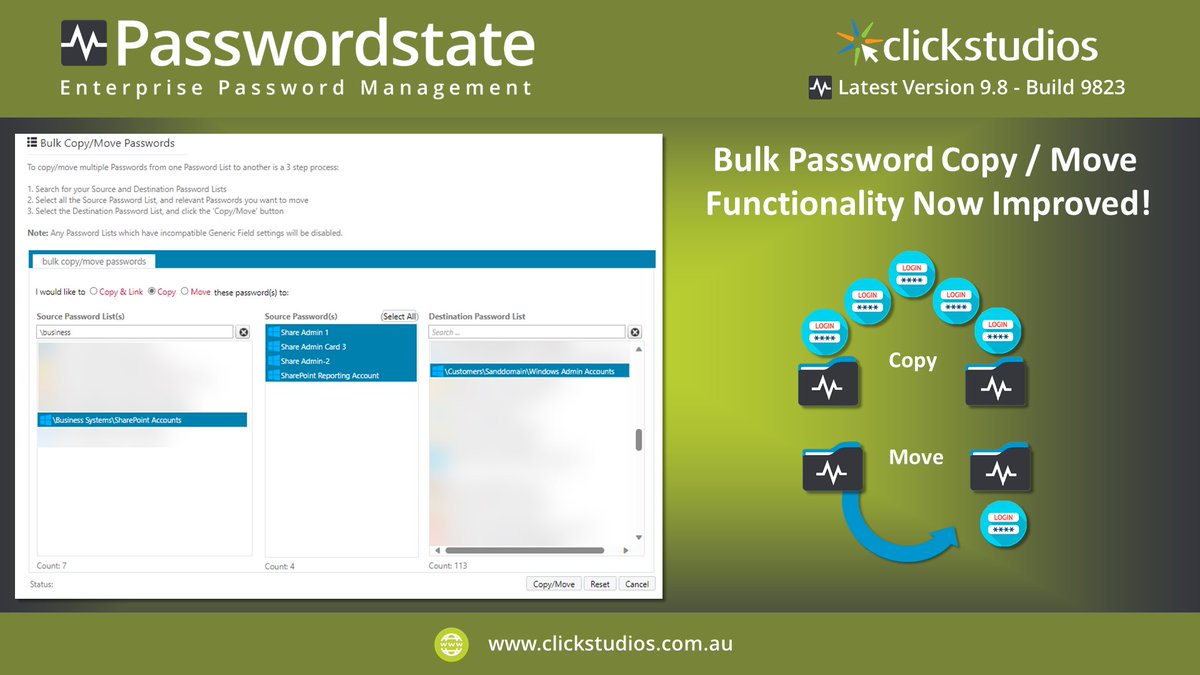
Introduced in #passwordstate Build 9795, the Bulk Password Copy/Move functionality in the Administration area has been updated. You must now search for & specify both Source and Destination Password Lists before selecting what you want to copy or move. See https://t.co/MC04QpDMbf
Click Studios has announced #passwordstate Build 9823 has been released. This build contains 12 changes, including 5 updates and 7 bug fixes. Further details can be found in our Change Log and you can download the Common Software Installation Process here https://t.co/GHXAjrx2bP
Click Studios wishes to announce #passwordstate Build 9811 has been released. Containing 16 changes, updates & bug fixes including retrieval of QR code details via the API & the optional use of the PowerShell Usessl parameter. Download the update here https://t.co/Y8tWKExutr
The #passwordstate Browser Extension Session Timeout is based on sliding tokens and the configured Timeout setting. Set between 30 Minutes to 30 Days. Users simply unlock the Browser Extension using their Master Password until the Timeout occurs. See https://t.co/mqbNytCfrp
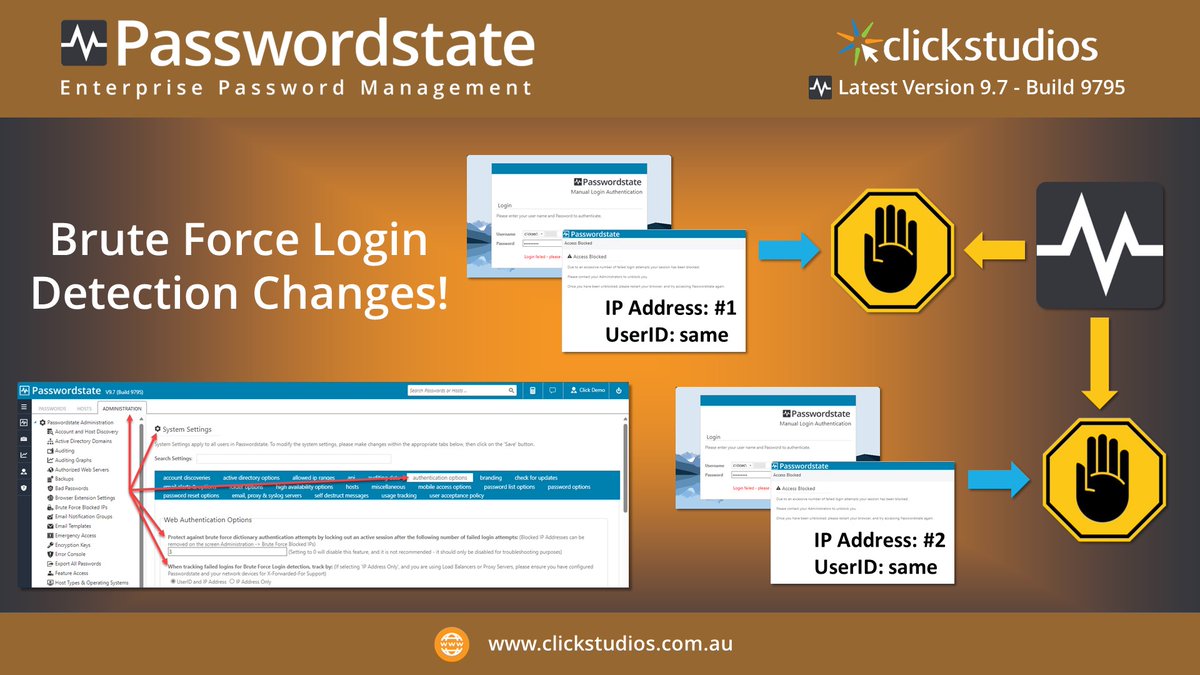
In #passwordstate Build 9795 the Brute Force Login detection is improved. Users are blocked from logging in from an IP address when exceeding the number of failed attempts. Now they're unable to login from another IP address until the block is cleared. See https://t.co/MC04QpDMbf
Click Studios wishes to announce that #passwordstate Build 9795 has been released. Containing 9 changes, including security updates and bug fixes, with all the details outlined in our Change Log. Download the Common Software Installation Process here https://t.co/Y8tWKExutr
Our #passwordstate Browser Extensions for Chrome, Edge, Firefox and Brave are changing. After upgrading Passwordstate to Build 9785 (or higher) the authentication method and ability to unlock your extension requires a Master Password. See this week's Blog https://t.co/mqbNytCfrp
Click Studios #passwordstate Build 9785 has been released. This all-singing, all-dancing build contains a total of 32 updates, including changes to Browser Extensions & when importing Bitwarden records. Refer to our Change Log & download the update here https://t.co/Y8tWKExutr
Need to find the #passwordstate system requirements? Our website details the versions of Operating Systems, Databases, Web Browsers, Mobile Clients as well as the minimum hardware specifications and example storage requirements. Go to https://t.co/qNYjR4y9aG for more information.
Have Password Records that no longer form-fill on a website? This can happen when organizations update their design. You may simply need to Map field IDs for the username & password or even change the URL associated with the Password Record. See our blog https://t.co/oExA2jlcWT
The core functionality in #passwordstate offers secure storing, management & sharing of credentials. It also offers Privileged Account Management, Mobile Apps, self-destruct messaging, the ability to connect to remote hosts and more. Refer to our blog here https://t.co/2fn5kRRHUk
Using a policy driven approach, #passwordstate propagates settings to users easily. Set Password Generator and Strength Policies based on Password List type and manage lists via templates. Control UI & Authentication settings via User Account Policies, see https://t.co/n5PotAnBNc
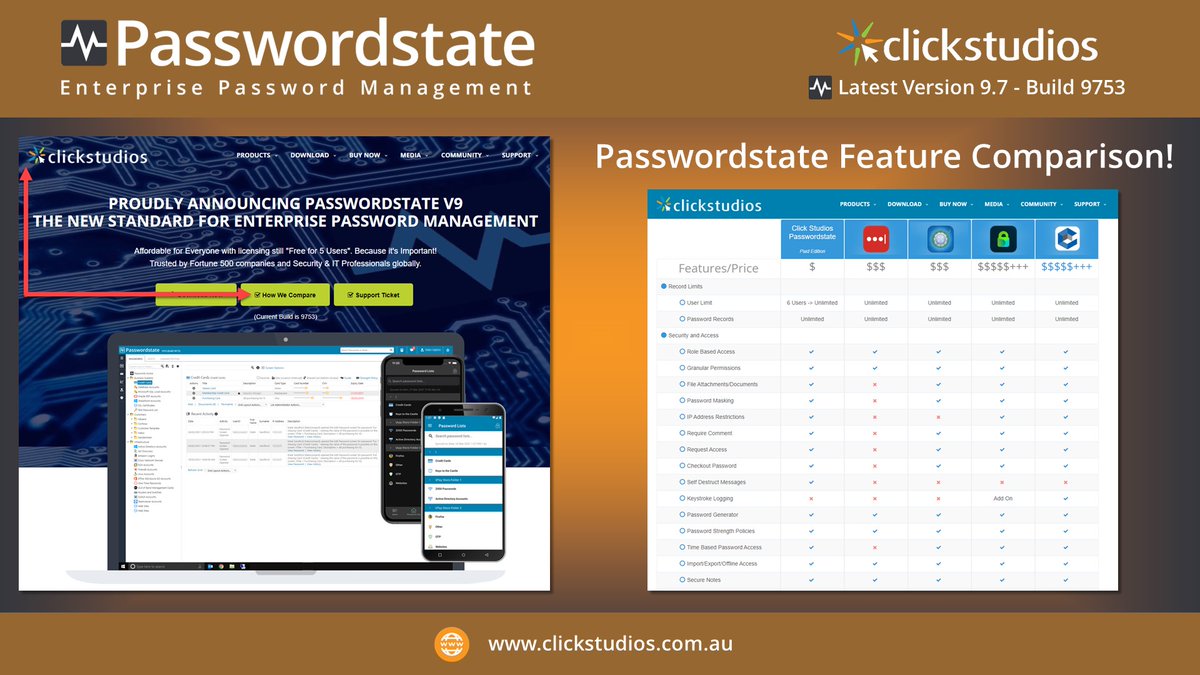
Our software #passwordstate is flexible, rich in functionality & affordable. It doesn't just store passwords for your web pages. It offers Privileged Account Management & the ability to access credentials offline using Mobile Apps. See how we compare here https://t.co/GhGTtH29I4
The #passwordstate Password Reset Portal allows users to unlock & reset the password for their AD account. It can be used with trusted & non-trusted Domains, honors Domain or Fine-Grained Password Policies & uses LDAPS for secure Domain communication. See https://t.co/dErb5Gp3Ce
In #passwordstate on the Hosts tab you'll find options to add Hosts manually, or via 3 different methods. Learn how to import via Discovery Jobs, through CSV Templates & our API. Our blog shows you the options so you can choose the one that suits you best https://t.co/OoAEv7maUS