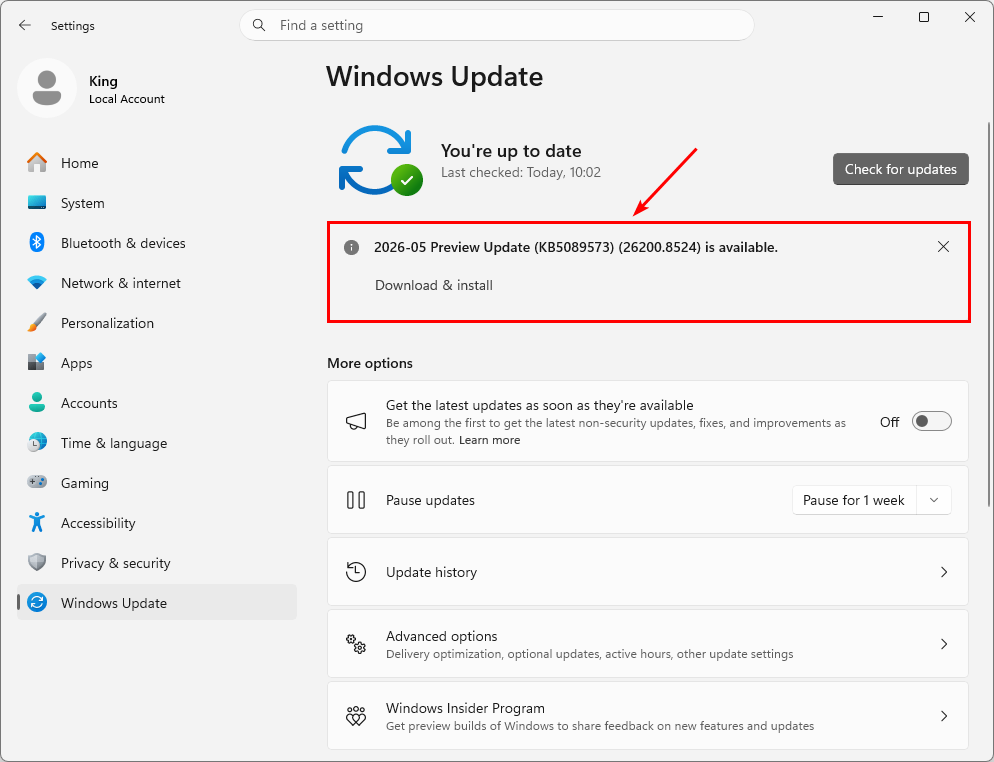
Microsoft FINALLY releases the update that makes Windows 11 faster!
This is the first update under the K2 program to make Windows faster and ensure greater user satisfaction.
𝐓𝐡𝐞 𝐮𝐩𝐝𝐚𝐭𝐞 𝐢𝐧𝐜𝐥𝐮𝐝𝐞𝐬:
- Faster Start menu and Search performance
- Reduced latency when opening apps
- Improved File Explorer responsiveness
- Better touch and input handling
- Faster clipboard history and system flyouts
- Improved Microsoft Store download efficiency
𝐀𝐝𝐝𝐢𝐭𝐢𝐨𝐧𝐚𝐥 𝐟𝐞𝐚𝐭𝐮𝐫𝐞𝐬:
- Shared Bluetooth LE Audio support
- Multi-app camera access
- Expanded NPU monitoring in Task Manager
- Accessibility improvements
𝐀𝐯𝐚𝐢𝐥𝐚𝐛𝐥𝐞 𝐟𝐨𝐫:
- Windows 11 24H2
- Windows 11 25H2
Note that KB5089573 is currently an optional preview update available via Windows Update. A wider rollout is expected in the next Patch Tuesday cycle.
#Windows #Microsoft
The NEW Microsoft 365 admin center dashboard is rolling out!
You can now manage Microsoft 365, Copilot, and AI agents all in one place.
If you're not a fan of the new experience, Microsoft still lets you switch back to the classic dashboard.
#Microsoft365#Copilot#AI
A breach claim against Report URI turned out to be false - but the passwords were real.
In his latest post, our founder @Scott_Helme explains how info-stealer malware changes the threat model, why strong password storage alone isn’t enough, and how we’ve improved account protection when compromised credentials appear in the wild.
Read more: https://t.co/FawDKg8cgH
🚀 Platform SSO during Automated Device Enrollment (ADE) is now GA for @Apple macOS device in @MSIntune!
Users sign in with Microsoft Entra during Setup Assistant and land on the desktop ready to work.
🤿 Dive in: https://t.co/UdSjSdJto1
#MSIntune#macadmin#macadmins
What's new in Microsoft Intune this April?
Faster app insights for Windows, phishing-resistant MFA for Linux, and expanded Apple device enrollment.
Read the update: https://t.co/Y8BpFF5dnU
Take control over Win32 app installs. PowerShell script installer is now generally available in Intune. Upload a .ps1 then preview pre- and post-install commands. See how it works. https://t.co/Eik6Ucmgw2 Take command of your full app layer in Microsoft Intune. Audit every managed and unmanaged app per device with full metadata — publisher, architecture, disk size, install location, uninstall command — to expose shadow IT before it spreads. Pull curated Win32 apps straight from the Enterprise App Catalog or upload PowerShell .ps1 scripts to control exactly how each app installs. *Intune Deployments is currently in private preview. Capabilities shown are subject to change and not yet generally available. #AppManagement #microsoftintune #microsoft365 #intune #microsoft #windows11
Microsoft rolls out Password Protection in Microsoft Defender!
The Password protection page in Microsoft Defender shows password-related risks across your identity sources in one place.
Use it to find leaked credentials, exposed passwords, weak password policies, and configuration issues, and then take action directly from the page.
It supports on-premises Active Directory, cloud identity providers like Microsoft Entra ID, and non-Microsoft providers like Okta.
The Password Protection page shows four tabs:
- Password Hygiene
- Password Policies
- Leaked Credentials
- Exposed Passwords
You need a Microsoft Defender for Identity license, or another license that includes Defender for Identity (such as E5), and a Microsoft Entra ID Protection license.
Learn more:
https://t.co/BY6rUevpCv
#Microsoft365 #Defender #Cybersecurity
IMPORTANT: Block Soft and Hard Match in Microsoft Entra ID!
When on-premises users are synced to existing Entra accounts, things can go really wrong. If the system matches the wrong users, it can mix up account data or give someone access to data they should not have.
Microsoft recommends that all customers disable hard matching and soft matching in Microsoft Entra ID unless they need it to take over cloud-only accounts.
By default, both settings are not blocked in the Microsoft tenant, so it's important to set it yourself!
Learn more:
https://t.co/hmX5bs7v7o
#Microsoft365 #EntraID #Cybersecurity
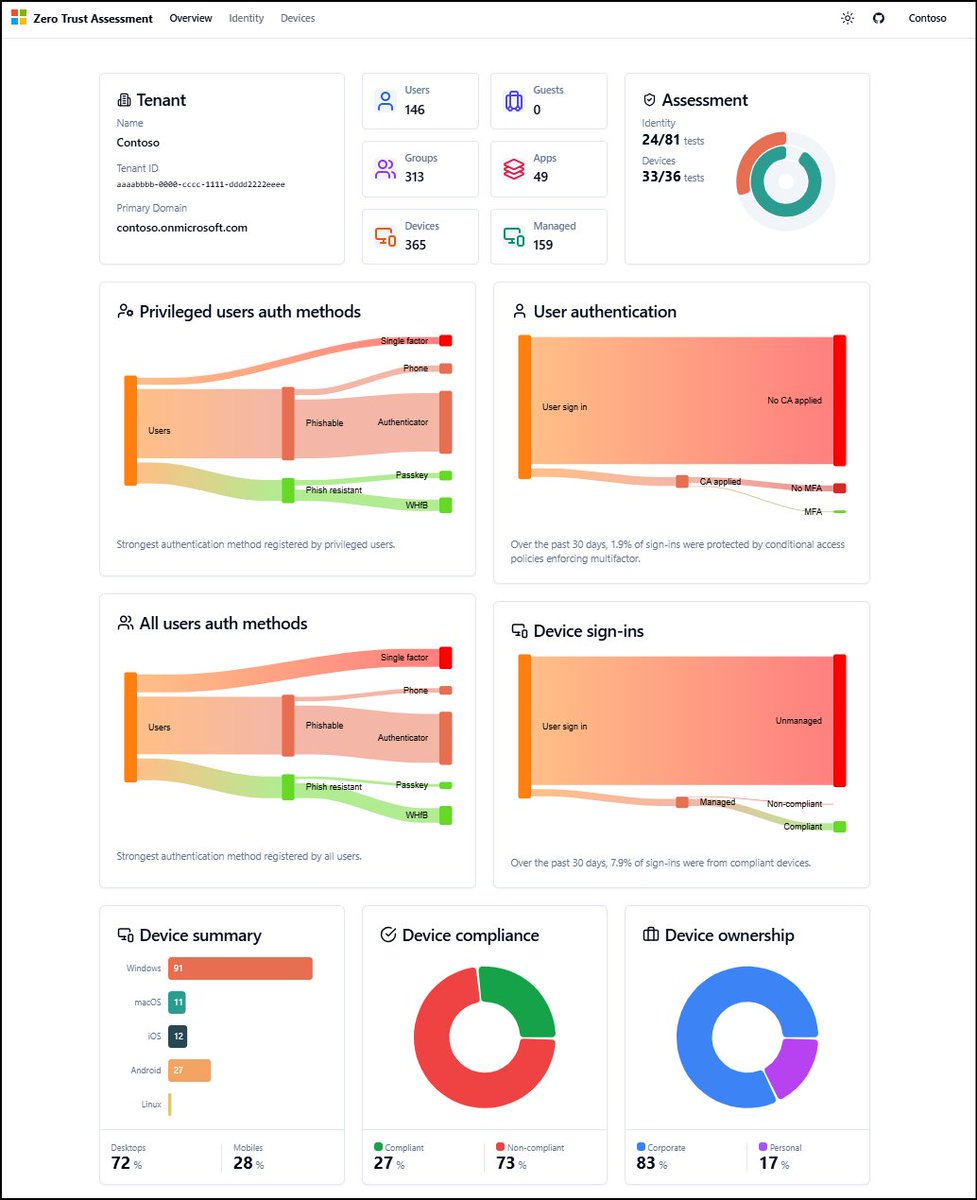
Microsoft’s Zero Trust Assessment is an automated way to evaluate a tenant’s security configuration across Entra, Intune, Azure networking, and Purview. Instead of manually checking settings, the tool runs hundreds of tests aligned with the Secure Future Initiative, Zero Trust pillars, industry standards (NIST, CISA, CIS), Microsoft’s internal baselines, and real‑world customer insights. https://t.co/AVF4l28FPe
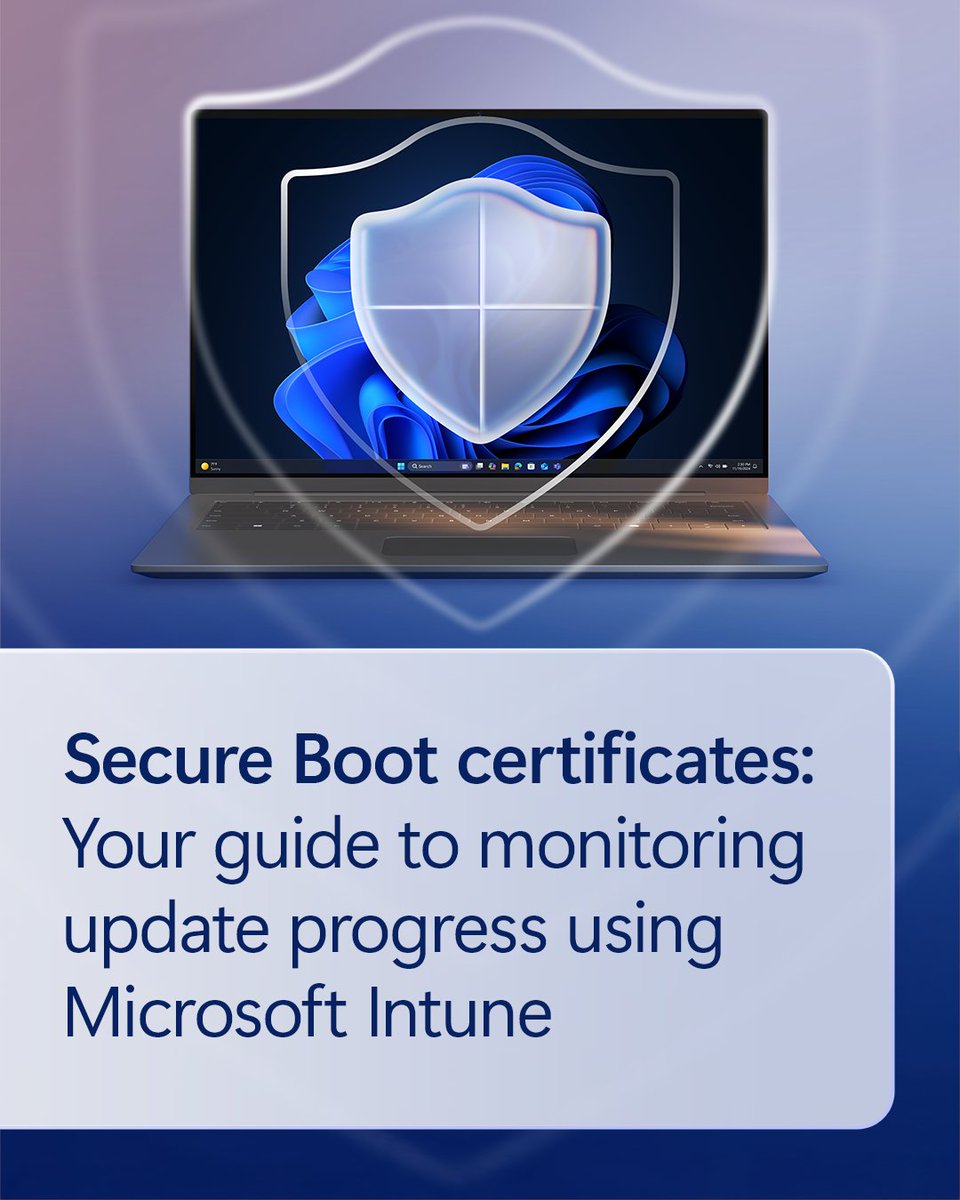
Secure Boot certificate updates are manageable with early action. Reviewing certificate states now--ahead of when they start expiring in June--helps protect against boot-level vulnerabilities. Learn how to monitor your Secure Boot status: https://t.co/GAWG0LRa76
New updates for Microsoft Intune help deliver more clarity and control for your IT team:
→ More timely Windows device notifications
→ Windows Autopatch update readiness, now GA
→ Recovery Lock support for Apple Macs
And more—explore all the updates: https://t.co/RMW8nePhc5
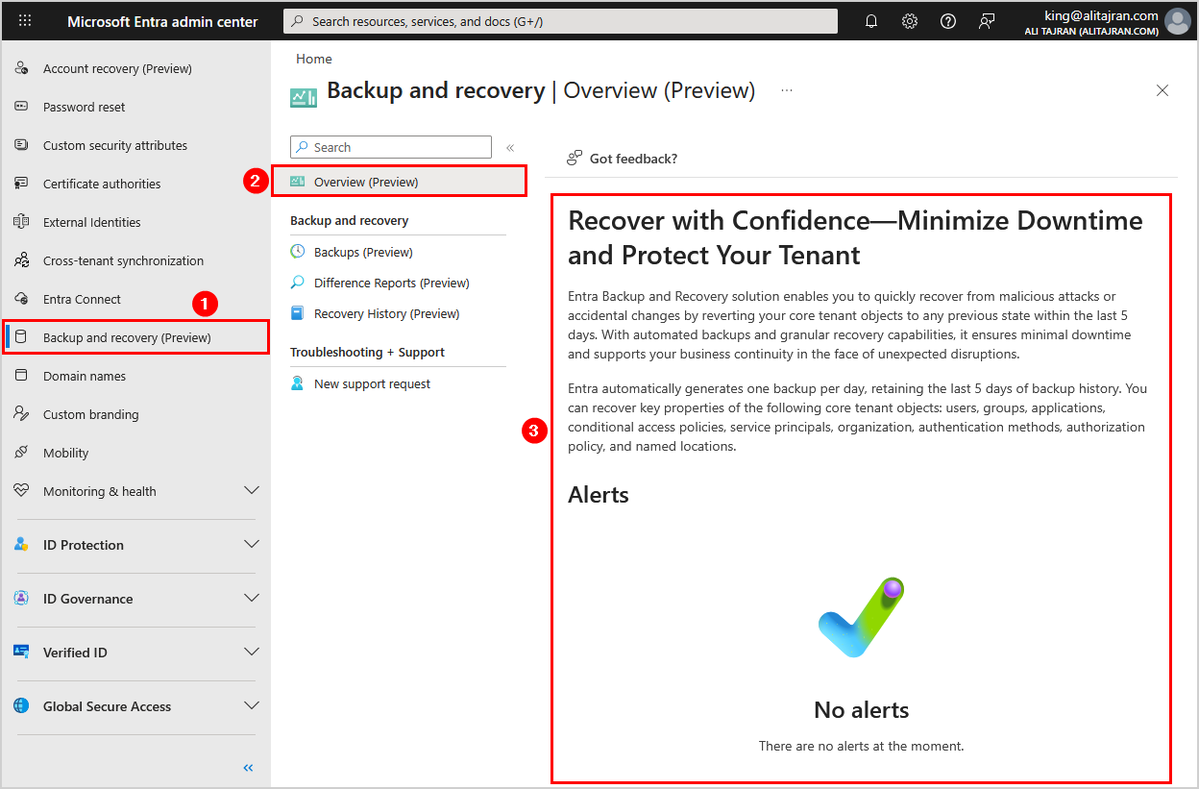
Microsoft introduces Backup and Recovery for Microsoft Entra ID!
Entra Backup and Recovery solution enables you to quickly recover from malicious attacks or accidental changes by reverting your core tenant objects to any previous state within the last 5 days.
With automated backups and granular recovery capabilities, it ensures minimal downtime and supports your business continuity in the face of unexpected disruptions.
Entra automatically generates one backup per day, retaining the last 5 days of backup history.
You can recover key properties of the following core tenant objects:
- Users
- Groups
- Applications
- Conditional access policies
- Service principals
- Organization
- Authentication methods
- Authorization policy
- Named locations
#EntraID #Microsoft365 #Microsoft
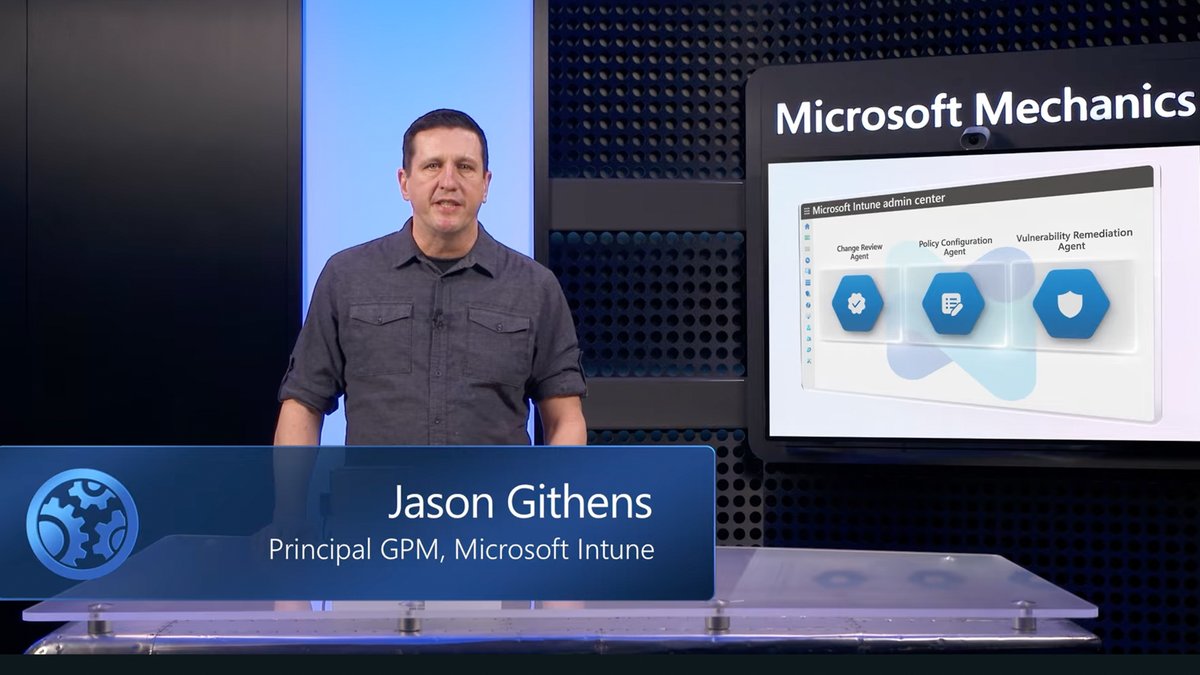
Want a more proactive approach to your security work? Jason Githens, Microsoft Intune Principal GPM, shares how to:
- Help automate device and security policy management
- Use natural language to deploy configuration profiles
- Help reduce risk and effort
Learn how: https://t.co/uqGq948gic