We're doing our first ever Craft Community meetup!
San Francisco, WWDC week, June 10.
Food, drinks, the team, you (and a couple of surprises)
RSVP: https://t.co/iFhpUk2boC
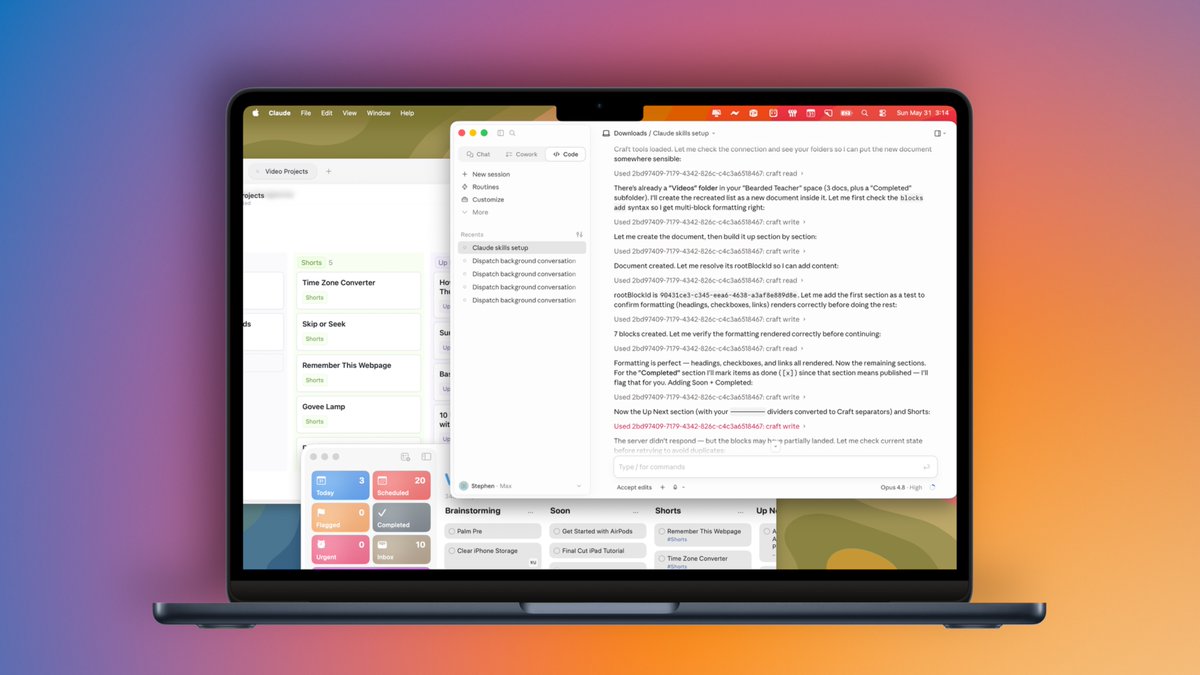
Oh man...someone asked me to customize my Capture Shortcut for Craft. I jumped in and discovered Craft's design is incredible, added Kanban boards, AND with @viticci's RemCTL I was able to have Claude move my entire Video list in mins
Falling down the Craft rabbit hole now...
Big Craft quality update is live
Two main areas:
- Collections got much better
- Web & Windows get a major under-the-hood rework
Plus 2 days left on the Spring Sale (40% off with SPRING26).
Details: https://t.co/GGeXWwoTPJ
Sneak peek at what's next for Collections @craftdocs
No new features this time, instead we focused on improving the overall experience, especially on mobile.
It's already live for beta users, ping me if you want early access!
https://t.co/Ccz9hzQYyV
We've been working hard to significantly improve @craftdocs on the Web and Windows. This release is the first step in a broader push to raise the overall quality of Craft across every platform, expect more to follow.
It brings personalization, performance, and polish: new tabs open faster, memory usage is smarter, a new in-app update banner keeps you current, and we've fixed a long list of keyboard, sync, and editor issues, including a major fix for Dvorak, QWERTZ, and AZERTY layouts.
Highlights
- Faster, smoother app: New tabs open noticeably quicker thanks to a pre-warmed view. Idle background tabs are auto-released after 10 minutes to keep memory in check.
- In-app updates: A new update banner appears when an update is ready, plus a manual Check for updates button in the About section.
- Daily-note date navigator: A new pill control lets you jump between days quickly.
- Quicker navigation: "Open in new tab" is now available in folder and shared-with-me menus, and every document card has a handy Copy link action.
- Cross-tab sync: Language, theme, and "What's New" dismissal now stay in sync across all your open tabs.
- Big keyboard fix: Letter shortcuts and Cmd+. / Cmd+/ now work correctly on Dvorak, QWERTZ, AZERTY, and other non-US keyboard layouts.
- Personalize your accent color: Pick any accent color and watch it flow through the editor: links, selection, drag highlights, the daily-note "Today" header, and icon badges all adapt automatically. Dark mode keeps everything readable, even on bright accents.
Editor improvements
- Pasting into a table cell now lands inside the cell instead of below the table
- Single-click no longer toggles edit/select on empty table cells
- Improved formula editing in tables
- New visible-section indicator in the Table of Contents sidebar
- Smoother sidebar animations and tighter row spacing
- Fixed cover image clashing with content in wide page layout
- Select block on right-click
Collections
- Fixed SUM aggregation precision and grouped-calculation scope
- Kanban: fixed infinite render loop in group toggles and card insertion with duplicated column names
- Faster gallery card opening on fast double-click
- Better theming in popups and menus
Sync & stability
- More reliable cross-tab logout and restored Windows context menu
- Fixed clipping on maximized windows
- Folder move-to-root sync and root folder ordering fixed
- Tab state survives disk errors gracefully, no more crashes on low disk space
- Fewer memory leaks and render loops throughout the editor
If you want to join to our Beta Program, receive the latest versions earlier and have direct contact to the Team, please ping me for access!
Thanks for using Craft!
This week's drop for @craftdocs:
Web & Windows: big update tomorrow (May 12) - performance, tab fixes, keyboard improvements
iOS/macOS: Collections updates heading to beta this week, with an improved mobile experience we're really excited about
Want early beta access? Ping me!
Let me share what we've been working on these past few weeks, and what's coming in the next few months for @craftdocs. We're doubling down on some of the core aspects of Craft to make them better: Task Management, Collections, Reminders, Search, and Performance.
We've always been proud of our engaged community that helps us make Craft better alongside the team. We read all the posts and feedback, and they directly shape our plans. In the coming months we'll address many of the points you've raised.
I do hope in the coming months we will address many of the valid points that you shared with us.
Here's a quick glance at what we are planning to ship in the next 6–8 weeks:
Today: better sidebar customization, Reminders improvements, and some smaller fixes
2–3 weeks: Collections improvements (especially on iPhone), and wrapping up our Craft Assistant push: BYOK (bring your own key), better Apple Foundation Models support, and additional QoL improvements (with usage improvements if we can fit them in)
~4 weeks: first version of the All Tasks View shared with the beta community
in 5-6 weeks: first set of performance related improvements (app open, doc opens, tab switching, etc.)
We'll also share more about what we're planning for the rest of the year in about a month.
One last thing, your feedback is genuinely important and always welcome; it's a key input into how we shape the roadmap. At the same time, we won't be able to ship everything in the next release, so if you don't see your suggestion yet, it doesn't mean we're not listening.
Thanks for being on this journey with us!
Craft v3.4 is here - our biggest release of 2026 so far!
- Kanban boards
- On-device folders (out of beta)
- Mermaid diagrams
- Improved math formulas
- Performance improvements
- and more!
Celebrating with our recurring 40% Spring deal.
We're planning to host our first ever @craftdocs community meetup in San Francisco during WWDC week!
Meet the team, hear about what's next for Craft, and connect with other users.
Interested? Reply below or DM me!
There's a lot of noise around how "Ai generates buggy software". The truth is writing the code was always 20% of the time. Testing and refining was always 80%. But now as that 20% compresses 10x, we want to compress the 80% as well... That's the mistake.
90% of my time is now spent in https://t.co/TqSyVGjksT. Do the plan, screenshots come back (via built-in browser) of the implemented feature, and when needed fully built HTML artifacts for multiple edge cases, light/dark mode etc. Feels so nice...
We taught Craft Assistant some new tricks.
It can now build collections, style your docs, and organize your notes for you. Just tell it what you need.
See it in action:
One of the biggest area I’m working on right now is trying to bridge the gap between linear chat interfaces and the non-linear nature of human thinking. @benjitaylor’s Agentation already shows that markup and annotation resonate strongly with visual feedback, and I’ve found they feel more natural in text-based environments as well. One tiny step, but in the right direction. Coming tonight to https://t.co/jPPGfb3eBb
Craft just got a whole lot smarter
AI assistant now edits docs, creates pages, and organizes your space
Also, what’s new:
- Easier Import from Evernote, Notion, Google Docs & Apple Notes
- Collections: new sorting, filtering & cover images
- Full offline editing on Web & Windows
A big release - https://t.co/jPPGfb3MqJ got a whole lot more powerful today.
- It has its own browser. No more 3rd party MCP/Browser extensions locking your primary browser. Runs both in the background and foreground.
- Multiple panels
- Branching
- Built-in PDF, Word, Excel tools - puts Cowork to shame...
Oh, and still open source!