Most RAG systems fail the moment real users touch them.
Because real-world retrieval is not:
embed → retrieve → generate
That works in demos.
Production RAG breaks when:
→ the answer is scattered across 12 documents
→ embeddings miss industry-specific terminology
→ bad chunks quietly poison the response
→ relationships matter more than raw text
→ PDFs contain tables, charts, and screenshots your pipeline cannot even read
This is why serious AI teams are moving beyond “Naive RAG”.
The real shift happening in 2026 is not bigger models.
It’s smarter retrieval architectures.
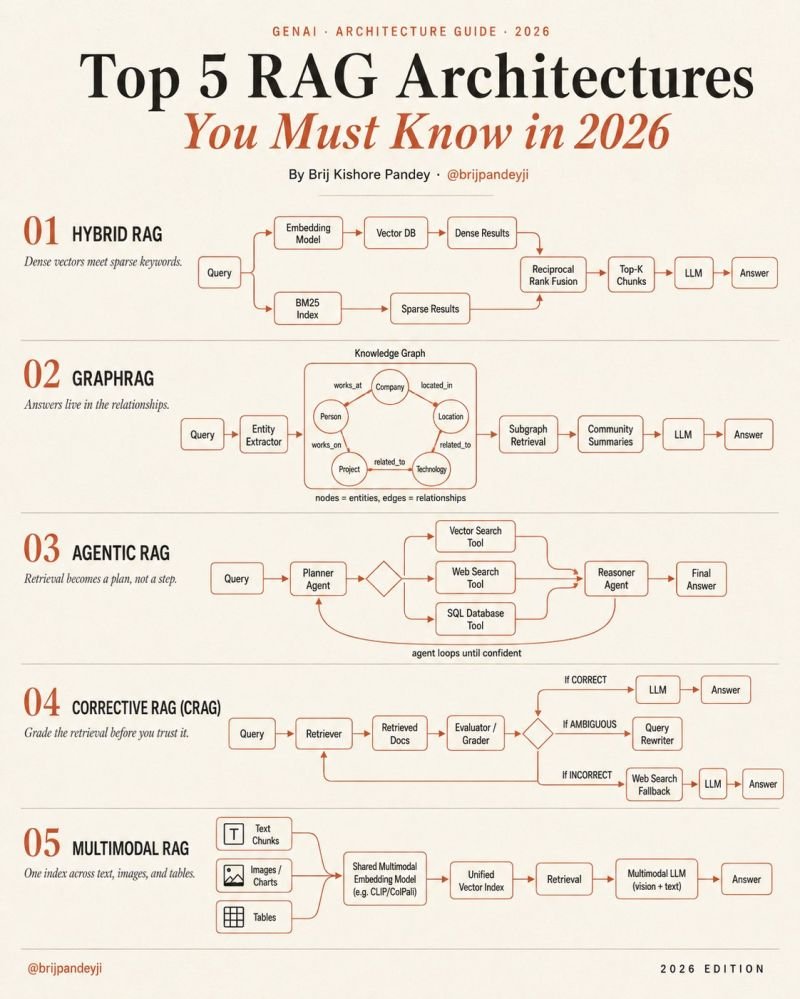
Here are the 5 RAG patterns quietly becoming the foundation of enterprise AI systems:
━━━━━━━━━━━━━━━━━━━
1. 𝗛𝘆𝗯𝗿𝗶𝗱 𝗥𝗔𝗚
Dense vectors understand meaning.
BM25 understands exact keywords.
The magic happens when both rankings merge together.
→ semantic retrieval + lexical retrieval
→ Reciprocal Rank Fusion (RRF) combines results
→ dramatically better recall in production
This is becoming the default baseline for serious teams.
━━━━━━━━━━━━━━━━━━━
2. 𝗚𝗿𝗮𝗽𝗵𝗥𝗔𝗚
Chunks are not enough when knowledge is relational.
GraphRAG extracts:
→ entities
→ relationships
→ communities
→ connected concepts
Instead of retrieving isolated chunks…
the system retrieves subgraphs.
This is how AI systems start answering:
“how are these things connected?”
rather than:
“which paragraph contains the keyword?”
Perfect for:
research, finance, healthcare, compliance, enterprise knowledge systems.
━━━━━━━━━━━━━━━━━━━
3. 𝗔𝗴𝗲𝗻𝘁𝗶𝗰 𝗥𝗔𝗚
Retrieval stops being a single step.
It becomes a reasoning loop.
One agent plans:
→ vector DB?
→ SQL?
→ web search?
→ internal docs?
Another agent verifies:
→ is the answer complete?
→ should we retry retrieval?
→ do we need another source?
The important shift:
RAG becomes orchestration.
Not just search.
━━━━━━━━━━━━━━━━━━━
4. 𝗖𝗼𝗿𝗿𝗲𝗰𝘁𝗶𝘃𝗲 𝗥𝗔𝗚 (CRAG)
Most pipelines trust retrieval blindly.
Production systems cannot afford that.
CRAG introduces retrieval grading.
→ good retrieval → answer
→ weak retrieval → rewrite query
→ failed retrieval → fallback to web/tool search
This is the architecture pattern most demos skip…
but real enterprise systems desperately need.
Because retrieval quality is the real bottleneck.
━━━━━━━━━━━━━━━━━━━
5. 𝗠𝘂𝗹𝘁𝗶𝗺𝗼𝗱𝗮𝗹 𝗥𝗔𝗚
The future of enterprise knowledge is not text-only.
Real documents contain:
→ charts
→ diagrams
→ scanned PDFs
→ screenshots
→ tables
→ UI images
Multimodal RAG indexes all of it together.
One embedding space.
One retrieval system.
One multimodal model.
No more broken “OCR + text-only” hacks.
━━━━━━━━━━━━━━━━━━━
The most advanced AI stacks in 2026 will not choose ONE of these.
They will combine them.
Think about the architecture direction:
→ Hybrid retrieval for accuracy
→ Agentic orchestration for reasoning
→ Corrective grading for reliability
→ Multimodal indexing for real-world data
→ Graph retrieval for connected knowledge
That combination is where the industry is heading.
Naive RAG is not the finish line anymore.
It’s the “hello world” tutorial.
And honestly…
this is why most enterprise GenAI projects stall after the demo phase.
The problem was never just the model.
The problem was retrieval architecture.
THE HIGHEST FORM OF INTELLIGENCE ISN'T IQ.
It's METACOGNITION: Thinking about your thinking, this is one of the powerful forms of intelligence your brain can develop.
- THREAD 🧵
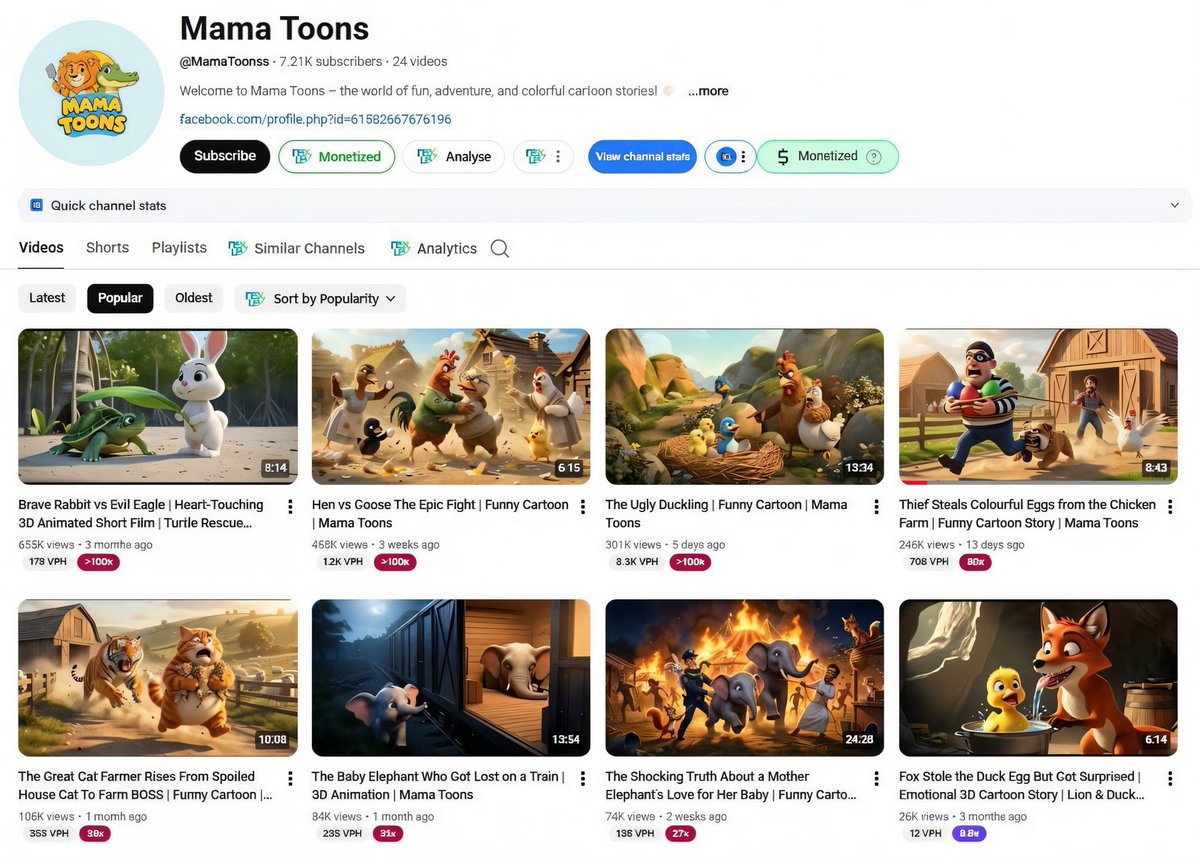
Kids animation is the most underrated money niche on YouTube 💸
No face.
No voice needed.
No trends.
Just stories + consistency.
One channel:
721K subs
24 videos
This is not luck.
It’s niche selection.
Want the blueprint?
Comment “KIDS” 👇
Follow me🙏
Instead of watching an hour of Netflix, watch this 2 hour hour Stanford lecture will teach you more about how LLMs like ChatGPT and Claude are built than most people working at top AI companies learn in their entire careers.
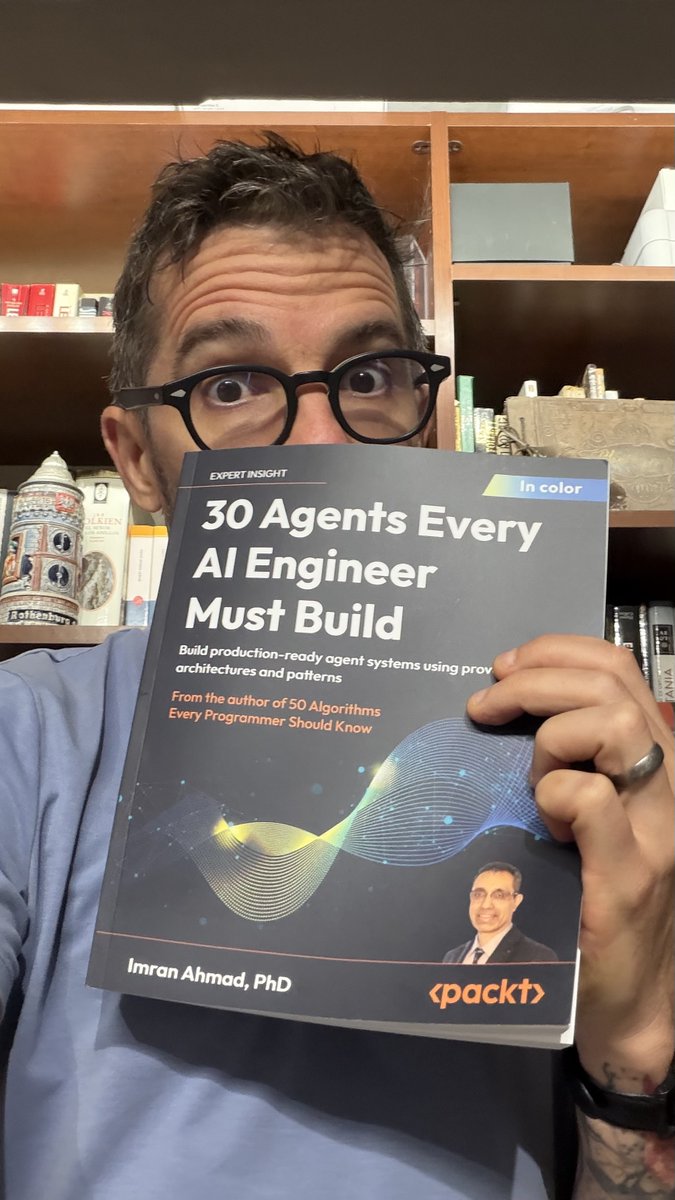
30 agents every AI Engineer must build.
This is the most comprehensive and practical book on AI Engineering that I've ever seen.
I can't think of a single use case that they didn't cover here:
1. The autonomous decision-making agent
2. The planning agent
3. The memory-augmented agent
4. The knowledge retrieval agent
5. The document intelligence agent
6. The scientific research agent
7. The tool-using agent
8. The agentic workflow system
9. The data analysis agent
10. The verification and validation agent
11. The general problem solver agent
12. The code generation agent
13. The security-hardened agent
14. The self-improving agent
15. The conversational agent
16. The content creation agent
17. The recommendation agent
18. The vision language agent
19. The audio processing agent
20. The physical world sensing agent
21. The ethical reasoning agent
22. The explainable agent
23. The healthcare intelligence agent
24. The scientific discovery agent
25. The financial advisory agent
26. The legal intelligence agent
27. The education intelligence agent
28. The collective intelligence agent
29. The embodied intelligence agent
30. The domain-transforming integration agent
I also read 50 Algorithms Every Programmer Should Know by Imran. Same vibe.
Here is the Amazon link: https://t.co/buLPqjToiu
Deleting your internet history from your browser is never enough.
Every click, every search, is still saved.
Here's how to completely delete your internet history and turn yourself into a digital ghost:
This 60-minute MIT lecture from Steve Jobs after getting fired from Apple will teach you more about building companies than most startup books ever will.
Bookmark this & give it an hour. It’ll be one of the best business lessons you consume this year.
Instead of watching Netflix tonight, watch this 2-hour Stanford lecture.
You’ll learn more about how ChatGPT, Claude, and other LLMs are built than most people at top AI companies learn in years.
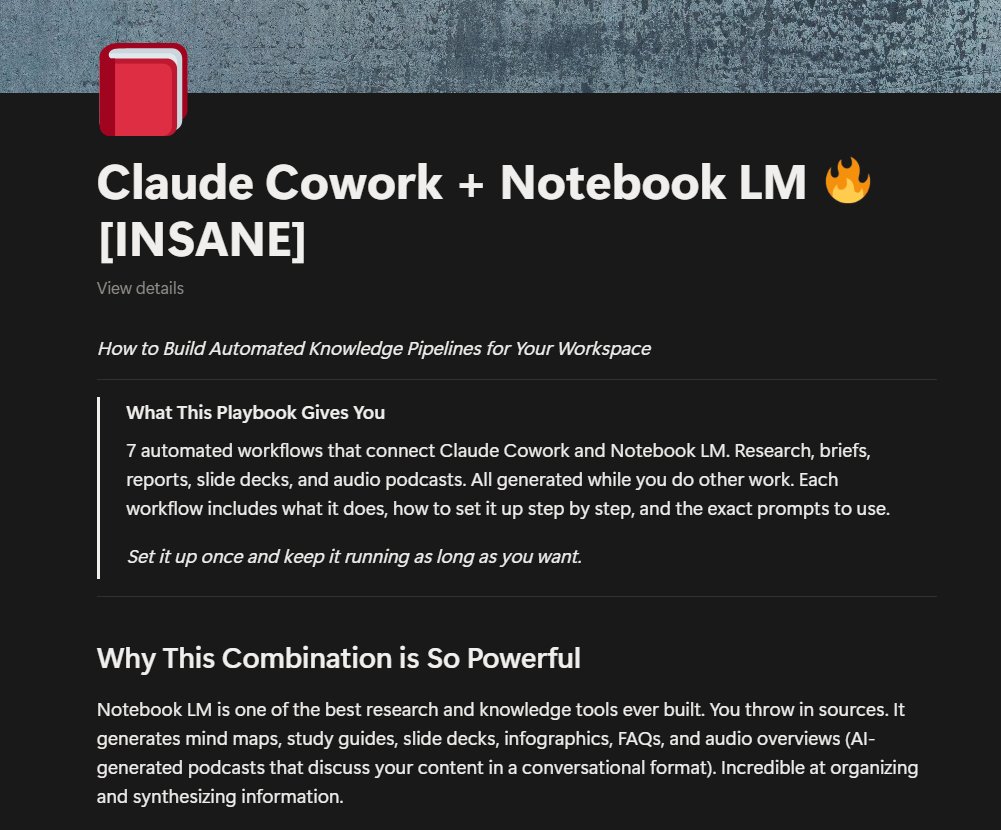
I've created a full guide on how to build automated knowledge pipelines for your workspace with Claude Cowork and Notebook LM
This covers 7 workflows that turn your emails, docs, and research into
meeting prep briefs, slide decks, weekly research & other work materials
It's yours for FREE
Like + Comment "WORKSPACE" and I'll DM you the full guide
No opt-in, no BS
I've created a full guide on how to build automated knowledge pipelines for your workspace with Claude Cowork and Notebook LM
This covers 7 workflows that turn your emails, docs, and research into
meeting prep briefs, slide decks, weekly research & other work materials
It's yours for FREE
Like + Comment "WORKSPACE" and I'll DM you the full guide
No opt-in, no BS
You don’t need another Claude Code setup.
Just this one.
Everyone kept asking:
→ Where do Skills go?
→ How do Hooks work?
→ How do you connect MCP servers?
So here’s the definitive Claude Code structure👇
Core layout
• CLAUDE.md → your project’s memory layer
• .claude/ → extensions hub
• commands/ → reusable slash commands
• skills/ → auto-triggered workflows (SKILL.md)
• agents/ → sub-agents (.yml)
• plugins/ → packaged setups
• .mcp.json → external tool connections
What most people miss
This isn’t just folders.
It’s a system:
• 6 extension types (how everything plugs in)
• Hook events → when + how automation runs
• Skill structure → scripts, refs, assets
• MCP servers → real tool integrations
• Context limits → when Claude starts dropping info
• Setup flow → from zero → production
Most people use Claude Code like a chatbot.
That’s why it breaks at scale.
This setup turns it into a real engineering system.
Share it.
Bookmark it.
Use it.
This is the only structure you’ll need.
#AI #Claude #AIAgents #LLM #GenAI #DevTools