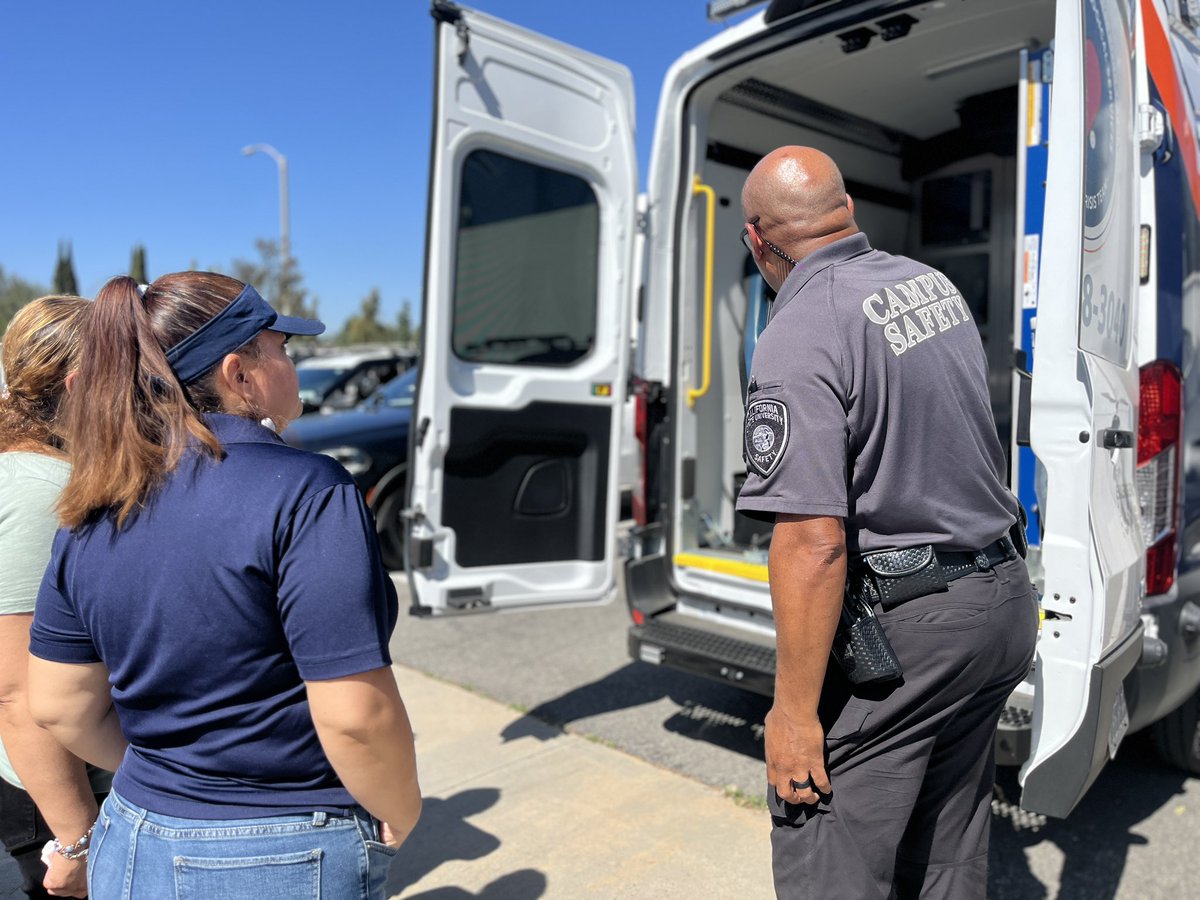
We are hiring a public affairs student community service officer (CSO)!
If you are a CSUF student who's interested in joining our team, click on the link below to apply:
https://t.co/irfpFH7Qci
It's Titan Safety Tuesday!
Have you ever walked across campus alone at night and felt uneasy? You can use the TitanSafety app to ease your fears on your walk. Use the Virtual Safety Escort feature to stay protected 24/7 when walking.
#TitanSafetyApp#CSUFPD#SafetyFirst #CommunityPolicing #CSUF
Descriptive Transcript:
00:00 - 00:03 An app logo appears centered on the screen, set against a daytime scene of the Cal State Fullerton campus. The logo reads "CSUF TitanSafety". In the background, students are walking along a campus path, sitting on benches, and checking their phones. Trees, greenery, and academic buildings frame the background.
00:03 - 00:10 A smartphone screen appears, showing white title text reading "Virtual Safety Escort" and more text below describing the instructions and functions of the Virtual Safety Escort feature. At the bottom of the screen is a button that reads "Start Virtual Safety Escort."
00:10 - 00:15 The screen transitions to a map with an icon, with title text reading "Confirm Location Send", and text below that instructs you to indicate your destination location. Below the text is an empty box for "Enter Destination", and a map of CSUF with a circular location indicator in the middle. Below the map is a green button that reads "Start Trip."
00:15 - 00:20 The screen cuts to a similar screen, but the map and indicator are slightly different, focusing on the Titan Dining Hall. The text above displays the destination address, and the text below provides an estimated arrival time of 5 minutes.
00:20 - 00:35 The screen transitions to the same map, with a centered text prompt in a white box that reads "The trip has started." The text above the prompt shows the time elapsed, and the red text below reads "Trip is Ending Soon". At the bottom of the screen, two buttons read "Finish Trip" and "Emergency Call".
00:29 - 00:35 "Emergency Call" is highlighted.
00:35 - 00:40 The screen cuts to the same map, but the centered text prompt reads "Are you sure you would like to end the trip?" with two buttons below reading "Cancel" and "Finish Trip. "Finish Trip" is highlighted.
00:40 - 00:50 Transition to a blurry background of students walking along a campus path, the TitanSafety app logo appears beside screenshots of the home screen. Text reads "Download Today" with black App Store and Google Play logos.
Getting campus keys just became faster, easier, and more efficient for Titan employees.
Starting today, we've launched a new electronic key control process through ServiceNow that simplifies the entire experience, from requesting and approving keys to pickup and return.
Once your request is approved, you’ll receive an email letting you know your key is ready for pickup at our main station located at the corner of State College Blvd. and Gymnasium Dr.
Request. Approve. Pick up. It’s that simple.
Descriptive Transcript
00:00–00:05
CSUF Police Department badge logo appears on screen against a light background.
Caption: “Introducing a new electronic key control process…”
00:05–00:11
Exterior footage of a campus building.
Caption: “This video explains how campus keys are requested, approved, issued, and returned.”
00:11–00:20
Campus walkways and buildings are shown.
Caption: “The updated process helps reduce manual processing, provides real-time inventory visibility, and automates notifications throughout the process.”
00:20–00:28
A ServiceNow portal appears on screen.
Caption: “Beginning June 1st, key requests will be processed through ServiceNow.”
00:28–00:33
The video shows the CSUF PD webpage with links and forms.
Caption: “Navigate to the Forms, Community Outreach Programs, and Services page.”
00:33–00:39
A ServiceNow request form is displayed.
Caption: “Review the employee and department information listed on the form.”
00:39–00:44
The video highlights form fields.
Caption: “Verify that the key recipient and the authorizer are correct.”
00:44–00:49
Additional form fields appear.
Caption: “If you are submitting on behalf of another employee, select the appropriate option.”
00:49–00:55
Search fields and dropdown menus are shown.
Caption: “You can search by building and room, or search by key number.”
00:55–01:01
The video shows a search field.
Caption: “Choose the appropriate option and enter the key number, building, or room information.”
01:01–01:08
The video shows how to enter additional request information.
Caption: “Enter the building name and complete the required location details.”
01:08–01:15
The form moves to more fields and dropdown menus.
Visual: Additional text-entry fields and request details appear.
01:15–01:22
Authorization and business-purpose fields are displayed.
Caption: “Select the appropriate business reason…”
01:22–01:27
An acknowledgment section appears.
Caption: “If you select a lost or stolen key option, you must acknowledge…”
01:27–01:31
One of the final parts of the form is shown.
Caption: “…the minimum $100 replacement fee statement and click Add.”
01:31–01:36
The video transitions from the form to a simplified workflow summary.
On-screen text: “Request.”
Visual: The first step of the key control process is highlighted.
01:36–01:41
The next workflow step appears.
On-screen text: “Approve.”
Visual: The approval step is highlighted to show that the request must be reviewed and approved.
01:41–01:46
The final workflow step appears.
On-screen text: “Pick Up.”
Visual: The pick-up step is highlighted, showing the end of the electronic key control process.
It's TitanSafety Tuesday.
Did you know that you can use the Campus Maps feature in TitanSafety to look at five different maps? If you are looking for the correct parking lot, a building, evacuation routes, AEDs or evacuation chairs, or the crime map, it's all at your fingertips.
Descriptive Transcript:
00:00-00:03 Intro footage of the central quad. Short transition fade into app logo on screen that reads "CSUF TITANSAFETY"
00:04-00:07 Short transition fade to home screen that reads "TitanSafety", displaying one row of three orange buttons, and three rows of nine white buttons. The button labeled "Campus Maps" is highlighted.
00:08-00:012 Short transition to "Campus Maps" page that has 5 buttons. "Campus Map" page highlighted with short transition to the phone having a virtual map of the campus, with instructional and descriptive text.
00:14-00:18 Short transition fade back to "Campus Maps" options. The second button is highlighted labeled "Crime Maps". Fade transitions to map of campus with a search bar open, with instructional and descriptive text"
00:19-00:23 Short transition fade back to "Campus Maps" options. The third button is highlighted labeled "Evacuation Maps". Fade Transitions to a detailed map of campus showing all the accessible evacuation routes, with instructional and descriptive text.
00:24-00:30 Short transition fade back to "Campus Maps" options. The fourth and fifth button are highlighted titled "AED Program and Map", and "Evacuation Chairs and Locations". Short fade to "AED Program and Map" option showing a white screen that reads "AED Locations". Short transition to "Evacuation Chairs and Locations" option showing a white screen that reads "Evacuation Chair Locations". Phone fades out.
00:30-00:40 The TitanSafety app Logo appears beside screenshots of three phones using the "TitanSafety" app. Text reads "Download Today!" with black App Store and Google Play Logos.
We’re closely monitoring the hazardous materials incident in Garden Grove approximately nine miles away. At this time, there is no threat to CSUF.
Should that change, notifications will be sent to the campus community.
***Incident Update***
Incident Commander Chief Covey provides an update on the hazardous materials incident in Garden Grove. Our next update will be provided tomorrow morning unless there is a change in incident status.
Cal State Fullerton is closely monitoring the hazardous materials incident impacting parts of Garden Grove and surrounding communities.
We recognize some students, faculty, and staff live within or near evacuation zones and urge everyone in affected areas to follow guidance from local public safety officials and @OCFireAuthority. @csufpd
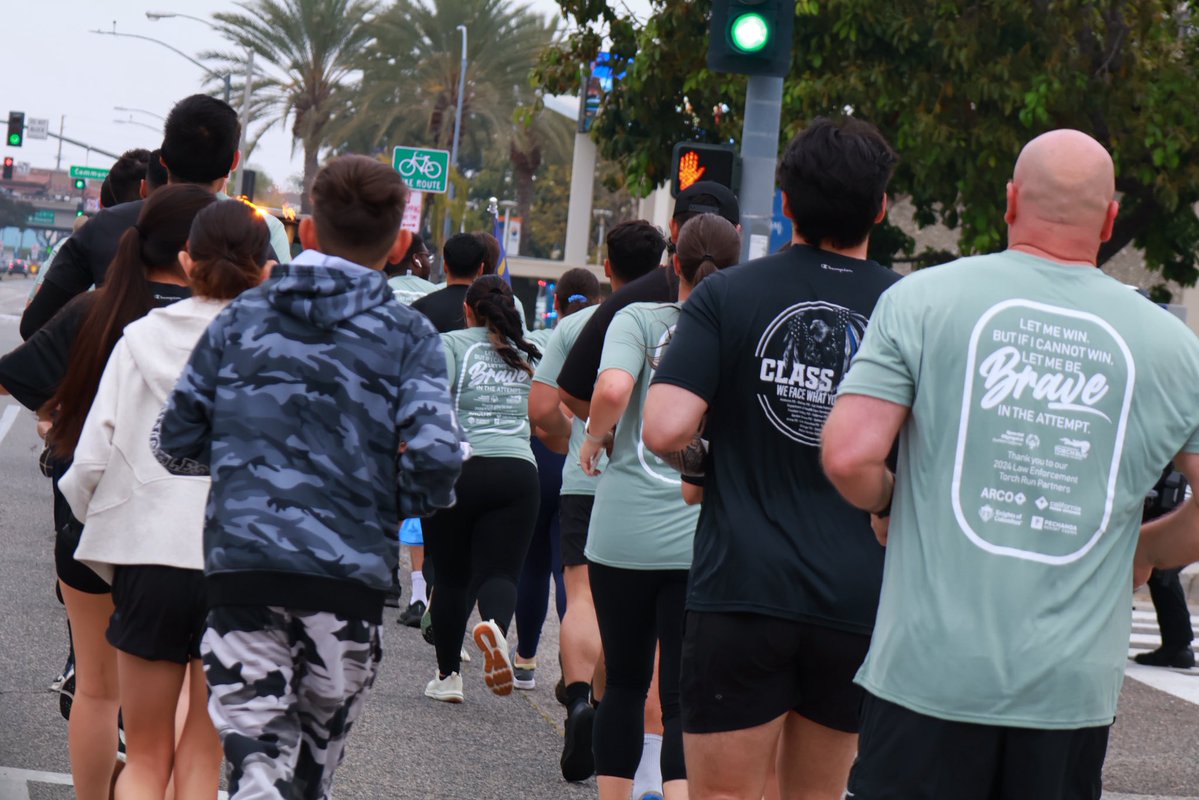
In support of Special Olympics Southern California, we are taking part in the Law Enforcement Torch Run. This fundraising event has raised more than $1 billion, and Southern California leads the fundraising efforts.
This year, our goal is to raise $7,500. Each donation helps create new opportunities, build confidence, and foster an inclusive environment for incredible athletes.
Come out and line up along Nutwood Ave. to support our runners.
Please use the link below to donate.
https://t.co/7YJsMJkRUL
It's TitanSafety Tuesday!
Have a question or concern? Chat directly with our dispatch center through the TitanSafety app.
Descriptive Transcript:
00:00-00:03 Intro footage of the central quad. Short transition fade into app logo on screen that reads "CSUF TITANSAFETY"
00:03-00:06 Short transition fade from the logo to a phone, displaying one row of three orange buttons, and three rows of nine white buttons
00:06-00:11 Short transition fade into tab labeled "Chat with CSUF Police", with a blue background, instructional and descriptive text, and a white button at the bottom labeled "Chat Now"
00:12-00:25 Short transition fade into the "Chat Now" option, with a white background, instructional text, and the option to start a chat with an operator. The phone fades out.
00:25-00:36 The TitanSafety app Logo appears beside screenshots of three phones using the "TitanSafety" app. Text reads "Download Today!" with black App Store and Google Play Logos
Pedestrians can blend into the dark at night, making them hard to see while driving. In 2022, 78% of pedestrian fatalities happened after dark.
Drive slowly and remain aware of your surroundings.
Video Description: Horizontal footage of a high-angle shot of the 57 freeway at night. White text appears on screen "In 2022, 78% of pedestrian fatalities occurred at night" "To avoid this, drive slowly and remain aware of your surroundings at all times"
During Law Enforcement Appreciation Month, we would like to honor the unwavering courage, sacrifice, and dedication of the men and women who protect our communities every day.
Thank you for your service.
May is Mental Health Awareness Month.
With finals wrapping up and commencement underway next week, there is a lot that can overwhelm you. Thankfully, CAPS offers on-campus counseling and psychological services for students.
Be sure to check in on yourself and others during this month.
We are proud to partner with CAPS to offer the Mobile Crisis Team, which consists of a crisis response clinician and a campus safety specialist.
Happy National Police Week.
We are grateful for the hard work and dedication of our department and departments across the nation. We take time this week to recognize those who have given their lives to serve their communities with honor, integrity, and courage.
If you have any friends or family in law enforcement, be sure to thank them.
We appreciate the support from our Titan community, and we look forward to continuing to connect and serve you all.
The three-point check is a quick, essential routine to help keep your vehicle secure and reduce the risk of theft.
Before leaving your car, take your valuables with you, make sure all windows are fully closed, and lock every door. These simple steps are crucial for protecting your vehicle.
It's Titan Safety Tuesday!
You can review emergency plans on the TitanSafety app. This resource is available offline, ensuring accessible preparation regardless of network connection.
Descriptive transcript:
00:00 - 00:03 An app logo appears centered on the screen, set against a daytime scene of the Cal State Fullerton campus. The logo reads "CSUF TitanSafety". In the background, students are walking along a campus path, sitting on benches, and checking their phones. Trees, greenery, and academic buildings frame the background.
00:03 - 00:07 A smartphone screen appears, showing one row of orange buttons and three rows of white buttons, each listed as a separate feature of the TitanSafety app home screen. The orange buttons read "Emergency Contacts", "Emergency Blue Phone", and "Mental Health (MCT)". The white buttons read "Friend Walk", "Virtual Safety Escort", "Chat with CSUF Police", "Report a Tip", "Emergency Plans", "Support Resources", "Campus Maps", "Safety Toolbox", "About/Preferences".
00:07 - 00:13 The screen transitions. The smartphone screen shows white title text reading "Emergency Plans", with more white text below describing the availability of offline plans to students, staff, and faculty. Below the text are three rows of white buttons, each labeled "Active Shooter", "Bomb Threat", "Earthquake", "Structure Fire", "Suspicious Package", "Wildfire", "Severe Weather", "Haz Mat", "General First Aid". The phone is displayed over an outdoor campus scene with trees, walkways, benches, and students walking.
00:13 - 00:16 The screen transitions to the "Active Shooter" instructions interface, including a video, a 911 call option, and instructional text.
00:16 - 00:19 The screen transitions to the "Bomb Threat" instructions interface, including a checklist option and instructional text.
00:19 - 00:22 The screen transitions to the "Earthquake" instructions interface, including a link to a "Drop and Cover" video and instructional text.
00:22 - 00:24 The screen transitions to the "Structure Fire/Fire Safety" instructions interface, including a link to "How to use a Fire Extinguisher" and instructional text.
00:24 - 0:27 The screen transitions to the "Suspicious Package" instructions interface, which includes instructional text on handling suspicious packages.
00:27 - 00:30 The screen transitions to the "Wildfire" instructions interface, which includes a link to "Watch Duty: Wildfire Alerts" and instructional text.
00:30 - 00:32 The screen transitions to the "Severe Weather" instructions interface, including instructional text.
00:32 - 00:35 The screen transitions to the "Haz Mat" instructions interface, including instructional text.
00:35 - 00:39 The screen transitions to the "General First Aid/Medical Assistance" instructions interface, including instructional text.
00:39 - 00:53 The screen transitions back to the main Emergency Plans screen.
00:53 - 01:04 Transition to a blurry background of students walking along a campus path, the TitanSafety app logo appears beside screenshots of the home screen. Text reads "Download Today" with black App Store and Google Play logos.
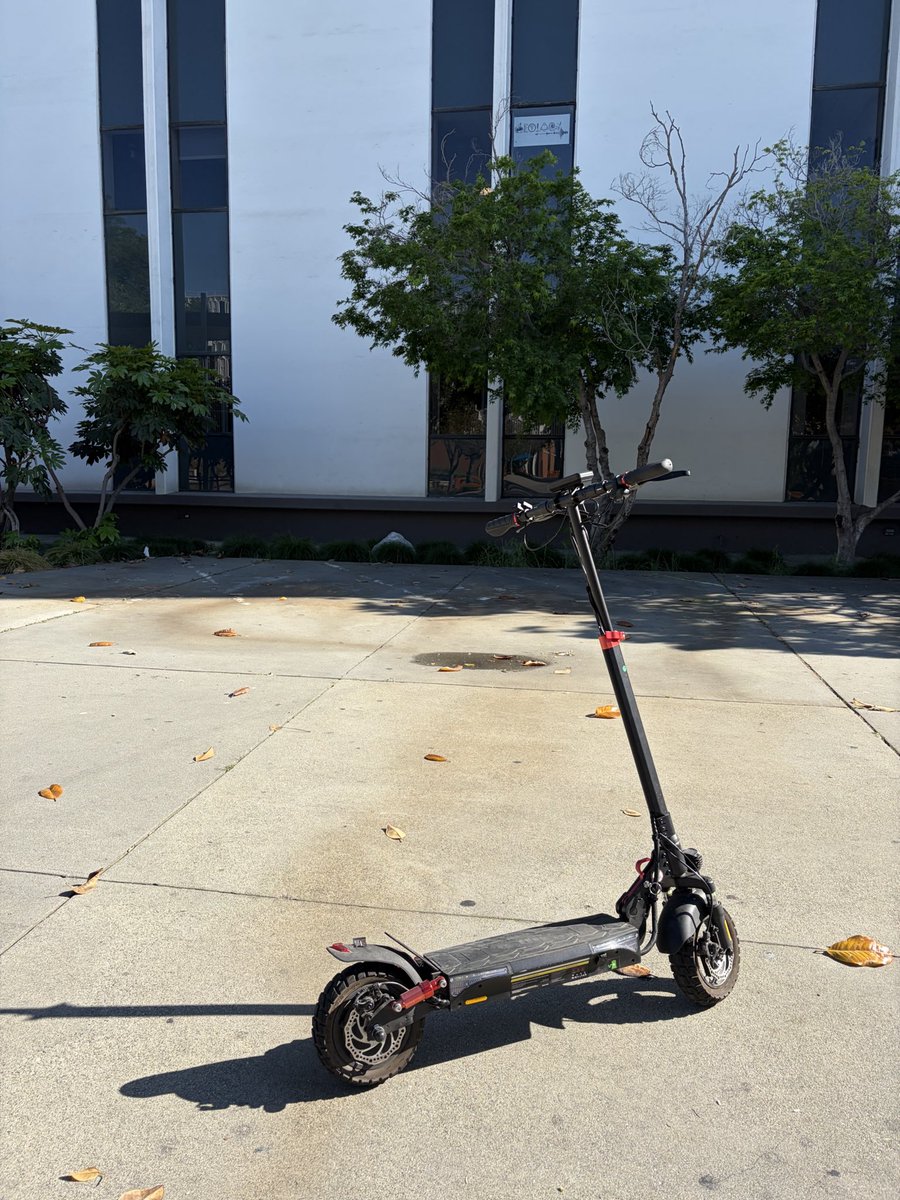
Come join us for our Titan E-Scooter Safety Lab.
Learn to ride safely with a hands-on obstacle course and tips on rules, zones & gear in partnership with Hiboy and Lumos.
When: April 29
Time:11 a.m. to 1 p.m.
Where: Central Quad
Raffle at 1 p.m. (win scooters, helmets & more. Must be present!)
Descriptive text:
Black electric scooter parked on a concrete walkway in front of a modern white building with tall dark windows and small trees. There are dry leaves that are scattered across the sunlit pavement.
TitanHEALTH will conduct a scheduled evacuation drill today beginning at 8:18 a.m.
The drill is scheduled to conclude at 10 a.m.
There is no threat to the campus or surrounding community.
The phone lines will be open between 10 a.m. and 12 p.m. today so you can share your thoughts about our department with our IACLEA assessors.
Phone #: 657-278-5533
@csuf
When driving, keep your eyes up and be mindful of pedestrians crossing your path, especially when driving through campus. You never know when a student is late for class and may accidentally run across the street.
Stay alert, and keep the roadways safe for all.