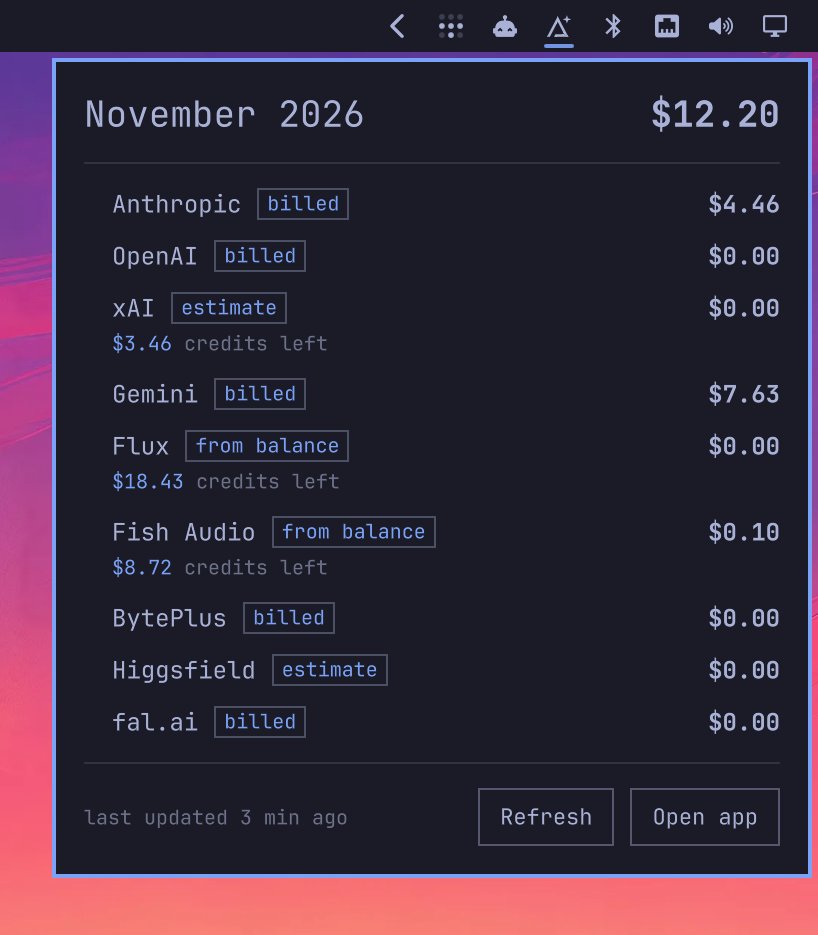
built a small plugin called omadai for myself to keep track of ai api spend right in the top bar. still a work in progress but loving how hackable omarchy is. so good! @dhh
@AdobeCare Yes, i did exactly that. Also, it resets default workspaces that you try to change like EDITING, PRODUCTION, COLOR etc. The workspace layout is only stored until you quit Premiere. Afterwards, everything is reset all over again. Super annoying.
@Adobe premiere pro 23.6 update keeps reseting all the workspaces. Tried reseting prefs, reinstaling premiere, and it keeps happening. What’s going on?
@Adobe i honestly can’t believe the amount of bugs shipped with every new update of premiere and after effects. 23.4 is horrendous. Does this pass QC?!I’ve used alpha versions of blender more stable than this 🤯
@AdobeCare after update to premiere 23.4 custom keys from ~ to 0 (entire row has been wiped). Tried reassigning. Reset preferences. Plugins. Even reinstalled premiere and deleted old preferences. Still cant assign custom keys to that row. Once premiere quits the keys are lost 🤷🏻♂️
Stopped by Blender HQ the other day. Met Ton and got a proper tour of the studio. Just amazing! Honestly one of the coolest founders I’ve ever meet. Everyone in the studio was super friendly as well. Also, this was done in and thanks to #blender#blenderart ❤️
@Adobe@AdobeCare Where is the option to add a watchfolder in Premiere in a production workflow and be able to sync all the media once it’s copied? Doing this manually on a cloud collaborative workflow is extremely redundant.
@AdobeCare after updating to 2023, mercury transmit feed to 2nd monitor is choppy, while main screen playback is fine. Running decent specs: RTX 3090 w most recent studio drivers. Fresh install of windows 11 and all adobe software. 128gb ram. Intel 12900KS cpu. Why?
@AdobeCare the last premiere update to 22.4 has messed up fonts. I’m using large font size and the letters are clipping at the end. Same in production panel when you enlarge the font. Definitely buggy
@AdobeCare Tech support doesn’t offer any real solution aside from “Have you tried restarting your machine?” or “Have you tried reseting your preferences and disabling plugins?”. A finger pointing game to avoid responsibility for badly written software.
@AdobeCare So much life wasted on the phone and chats and threads with @Adobecare tech support only to be given trite replies over the years. The bottom line is this, @Adobe software is so unstable it’s become unusable. I speak of Premiere and AE.
@AdobeCare And on top of everything and for no reason, the 2nd mask has no option to add, substract or anything…this software is ridiculously unusable. @Adobe should earn the right to remove the word Beta from its new releases. At it’s highest aspiration, this version is alpha at best #VFX
@AdobeCare project path. This makes zero sense and is not integrated.
- Scrubbing the timeline still sucks
- Switching between panels like Editing to Lumetri is so janky it looks like Premiere is having a stroke
- Premiere and AE still make little to no use of dedicated GPUs and the CPU
@AdobeCare - Adobe buys https://t.co/XAUwLJJZFn and “integrates” it into premiere in a panel called “Review”. You open up a clip with comments that says the color is off. So you go in Lumetri to make the adjustment. You go back to Review and the video you were last in is reset to the root