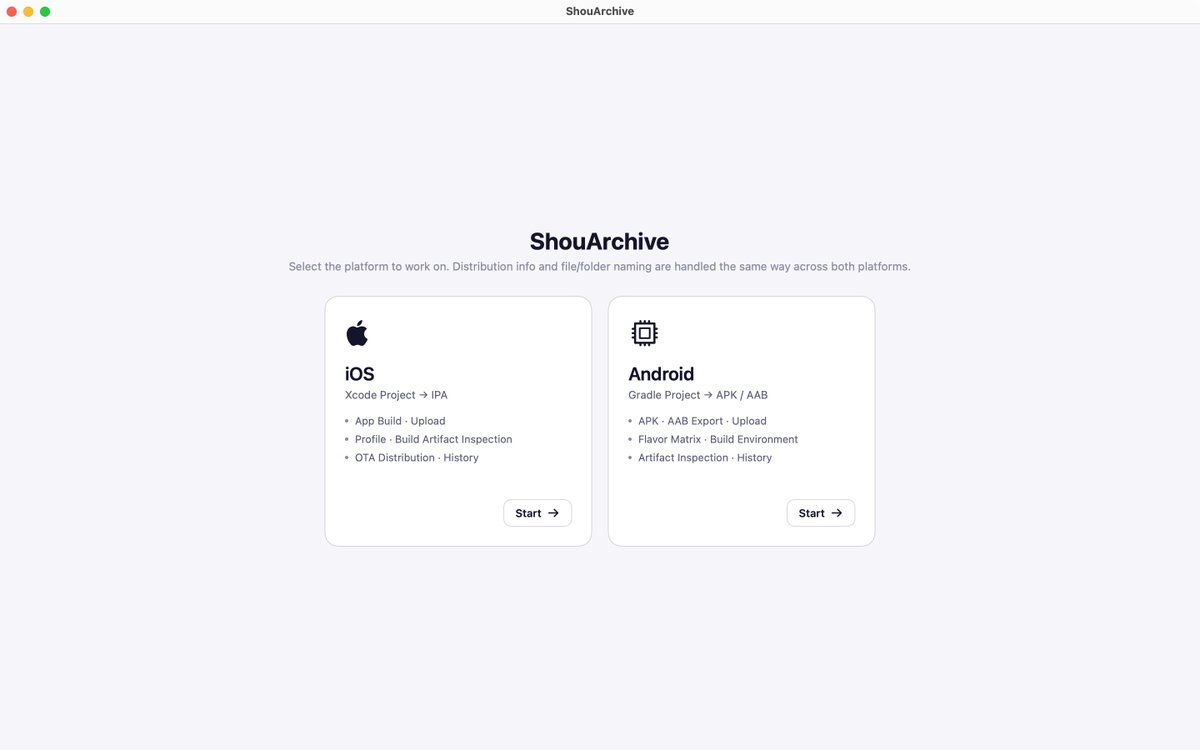
ShouArchive: a Mac app for the chores of shipping iOS and Android apps. Profiles, pre-upload checks, builds, store releases. All free until Dec 31, 2026.
ShouArchive is now on sale 🎉
A Mac app I built for the chores of shipping iOS and Android apps: profiles, pre-upload checks, builds, store releases.
Early bird: 30% off your first purchase until Dec 31.
Not buying yet? It's all free until Dec 31.
#indiedev#iOSDev#macOS
Before every release I'd dig through Xcode and Terminal, so I built a Mac app.
Drop an IPA:
- signing & entitlements
- empty UsageDescription warnings
- privacy manifest
- device count in the profile
Read-only, nothing uploaded.
https://t.co/PRclxXH7zy
#iOSDev#Xcode#indiedev
@PocoOscar That Slack-thread .p8 life is too real. Treating it like a production secret (and rotating when you can) is the only sane move — curious how you store yours now?
Shipping an iOS app means you're also:
- App Store Connect admin
- cert & profile janitor
- .p8 key keeper
- privacy manifest writer
- App Review rejection translator
- tester UDID collector
Some weeks it beats the code. Which one eats your time?
#iOSDev#indiedev#AppStore
ShouArchive guía #2 — Perfiles del equipo
1. «Clave de API»: añade la de App Store Connect
2. Descargar perfil → Cargar → «Instalar N elementos faltantes»
3. Registra el dispositivo («Dispositivo») → «Volver a crear (agregar o quitar dispositivos)»
#iOSDev#desarrolloiOS
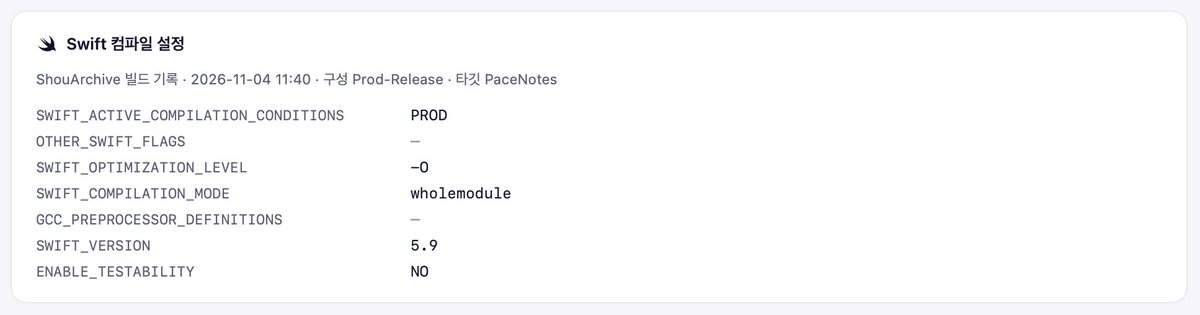
SWIFT_ACTIVE_COMPILATION_CONDITIONS and OTHER_SWIFT_FLAGS aren't stored inside an IPA. So ShouArchive reads them when it builds, and shows them when you inspect that IPA.
https://t.co/6l3LMTC3a6
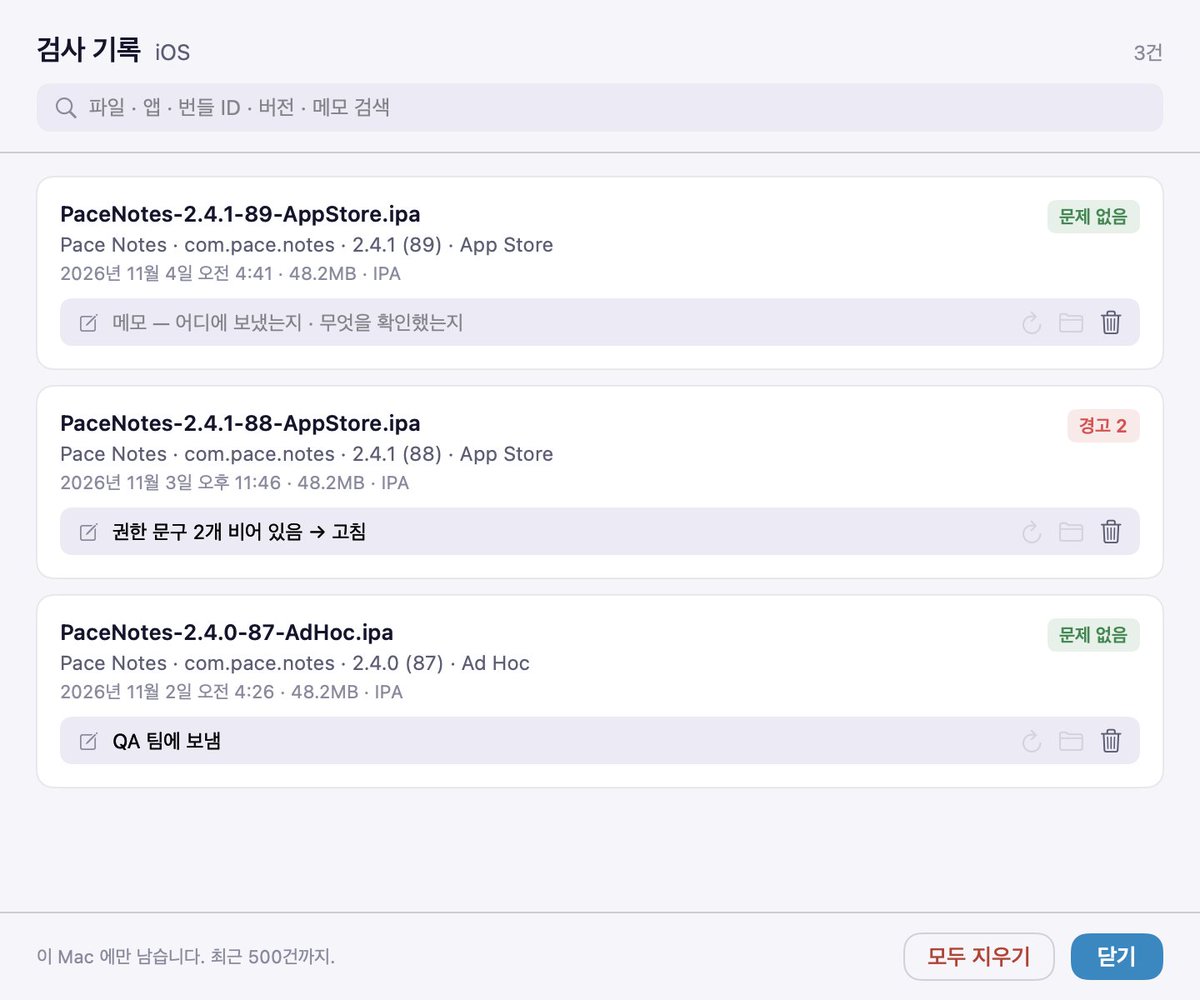
ShouArchive 1.1.1 is out. Artifact Inspection now has an Inspection History: every IPA, APK and AAB you inspect is listed with its app name, version and result, and you can add a note to each.
On Android, Artifact Inspection now sits inside Build, same as iOS.
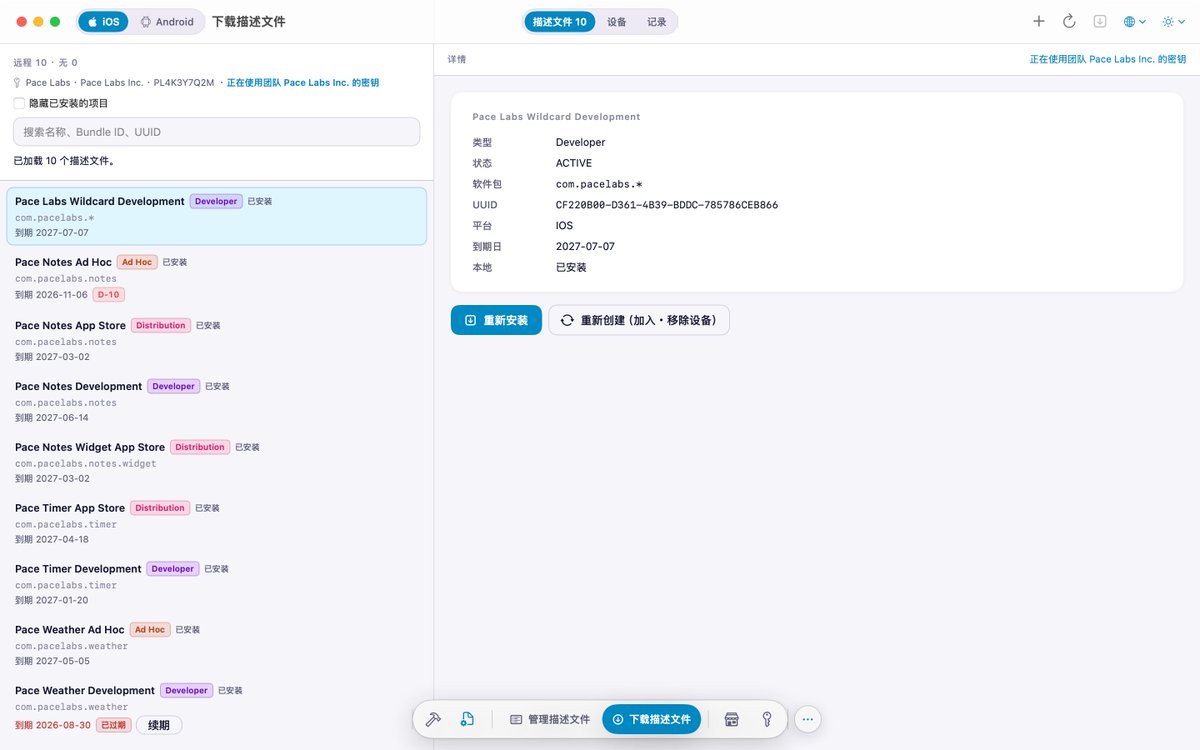
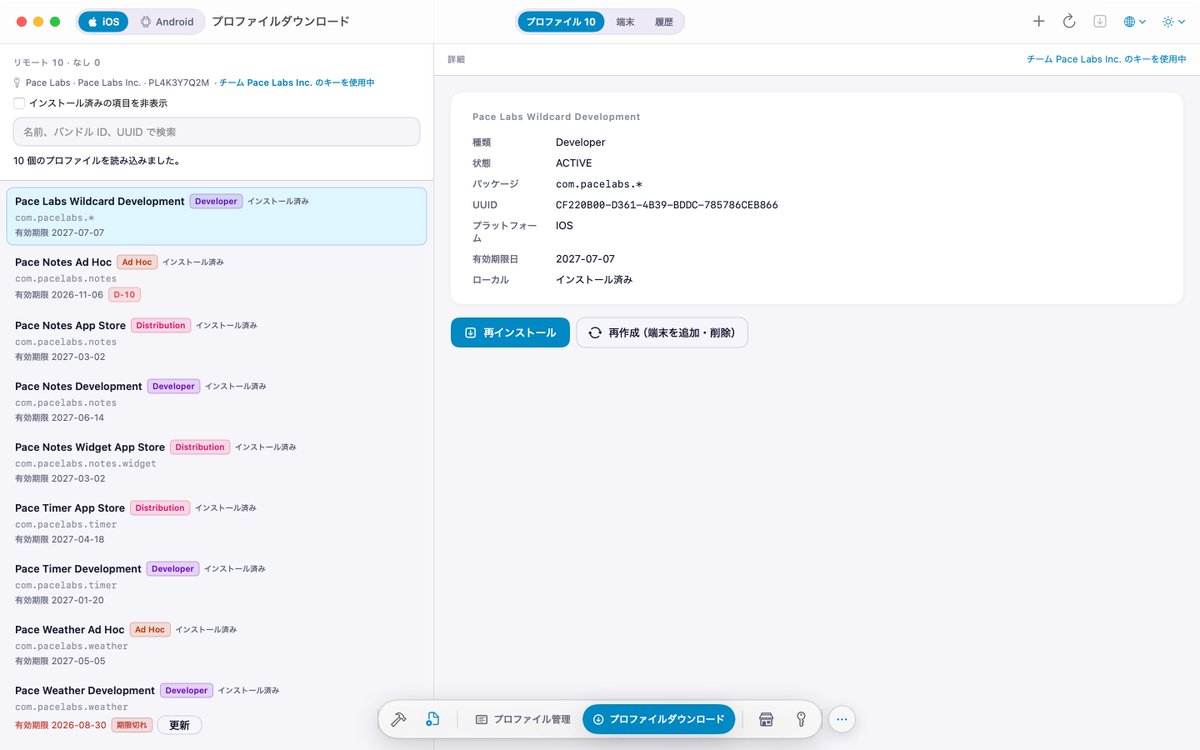
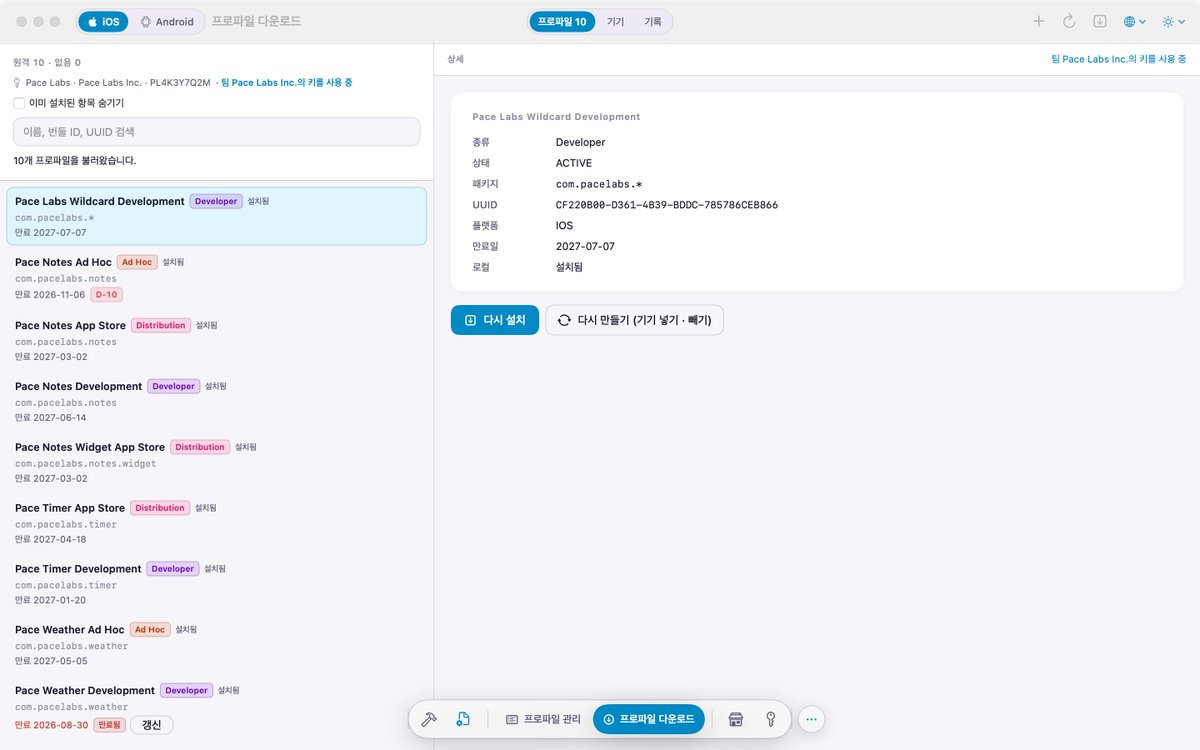
ShouArchive How-to #2 — Team profiles
1. Add an App Store Connect key under "API Key"
2. Download Profile → Load → "Install N missing items": everything this Mac is missing, at once
3. New device: register in "Device" → "Recreate (Add · Remove Devices)"
#iOSDev#indiedev
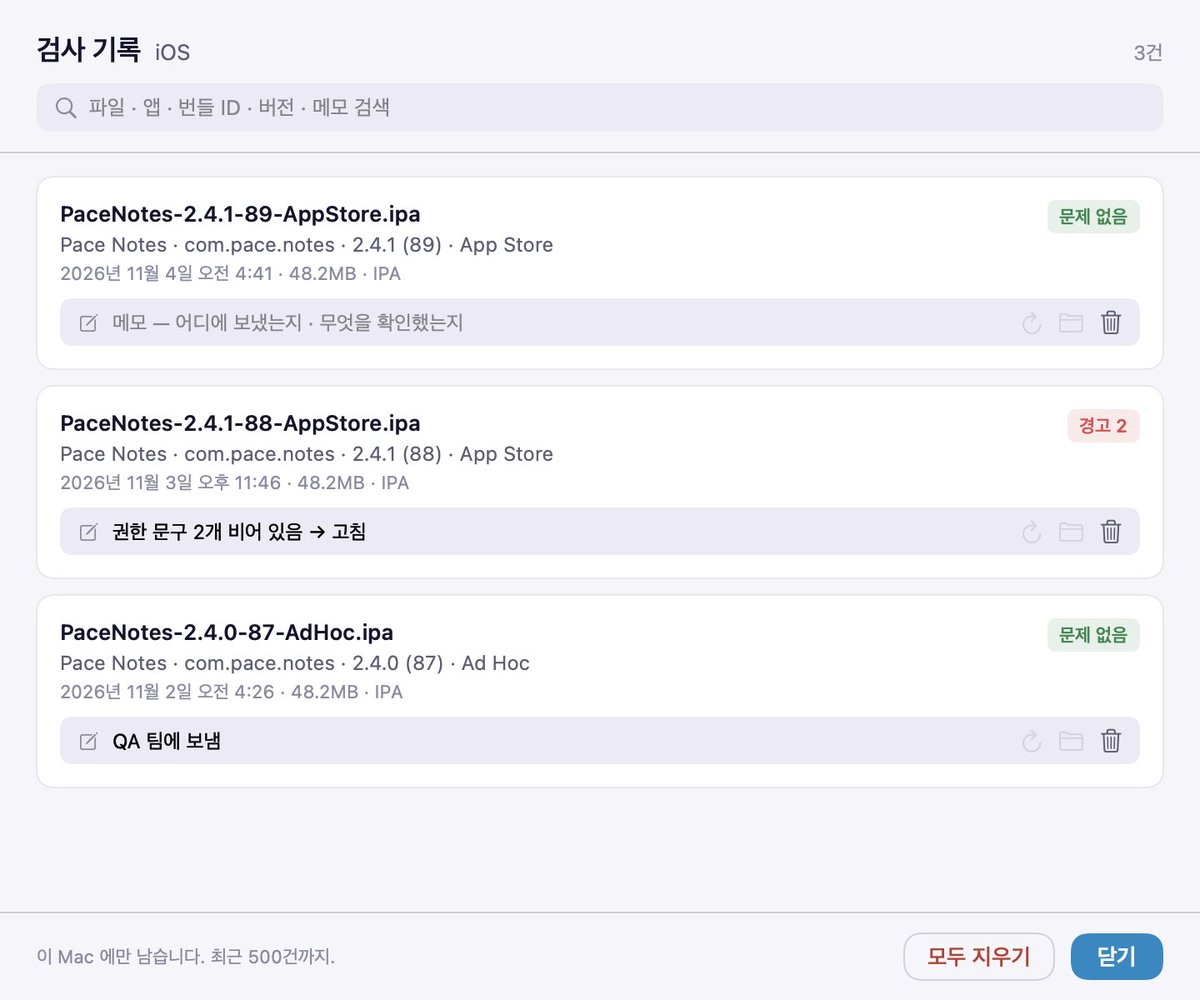
ShouArchive 1.1.1 이 나왔어요. 산출물 검사에 「검사 기록」 이 생겼어요. 검사한 IPA · APK · AAB 가 앱 이름 · 버전 · 결과와 함께 쌓이고, 줄마다 메모를 남길 수 있어요.
Android 메뉴도 iOS 와 같게, 산출물 검사를 「빌드」 안으로 옮겼어요.
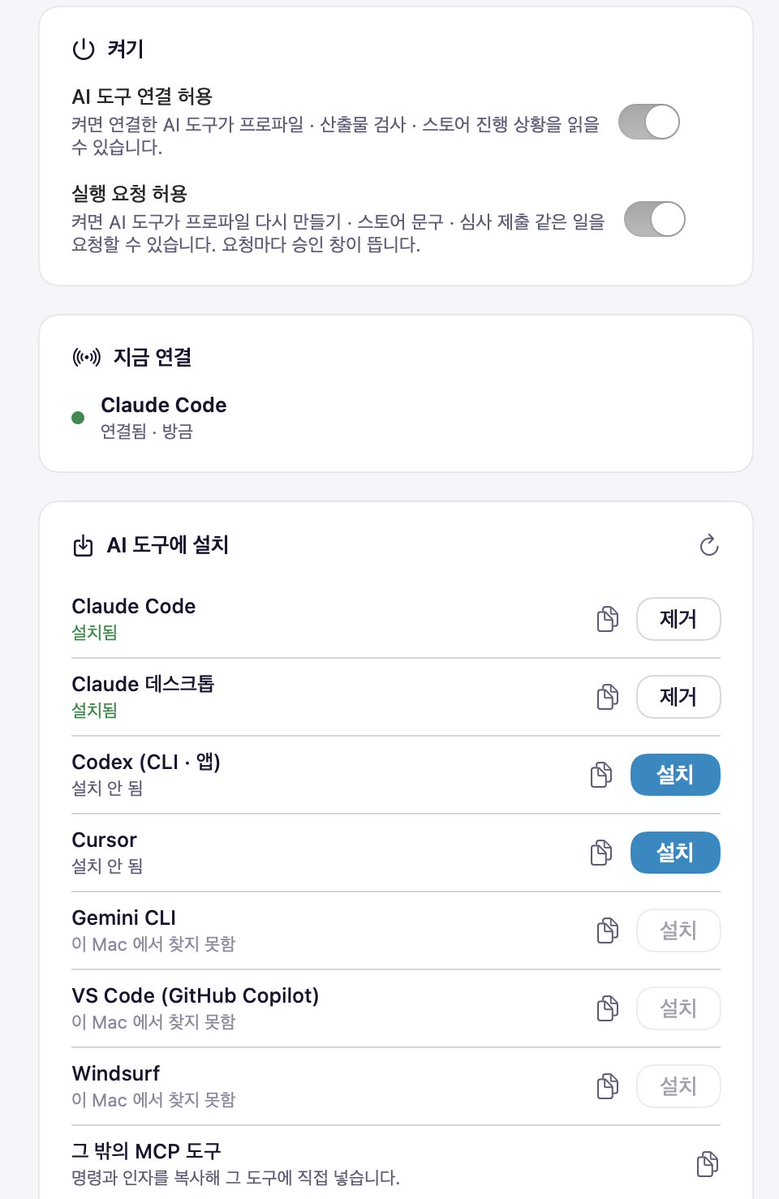
ShouArchive 1.1.0 이 나왔어요. Claude Code · Cursor 같은 AI 도구에서 프로파일 · 산출물 검사 · App Store Connect · Google Play 일을 말로 맡길 수 있어요.
바꾸는 일은 기본으로 요청마다 Mac 에 뜨는 승인 창에서 직접 누른 것만 실행해요. 거부하거나 5분이 지나면 실행하지 않아요.
왼쪽 위 「AI」 화면에서 Claude Code · Claude 데스크톱 · Codex · Cursor · Gemini CLI · VS Code · Windsurf 에 버튼 하나로 설치해요.
API 키는 Mac 밖으로 나가지 않아요. AI 도구에는 부른 기능의 결과만 건네요.
앱 올릴 때마다 키 해시 때문에 keytool을 다시 검색했어요.
그래서 Mac 앱을 만들었어요. APK/AAB를 끌어다 놓으면 검사 탭 하나에서 이걸 보여 줘요.
- 16 KB 페이지 정렬 여부
- 인증서 SHA-256 / SHA-1 / MD5
- 카카오·페이스북 키 해시
- 매니페스트 보안 항목
#AndroidDev#앱개발#1인개발
ShouArchive 사용법 #2 — 팀 프로파일 받기 · 다시 만들기
1. 「API 키」에 App Store Connect 키 추가
2. 「프로파일 다운로드」 › 「불러오기」 → 「없는 항목 N개 설치」: 없는 것만 한 번에
3. 새 기기는 「기기」에서 등록 → 「다시 만들기 (기기 넣기 · 빼기)」
#iOS개발#인디개발