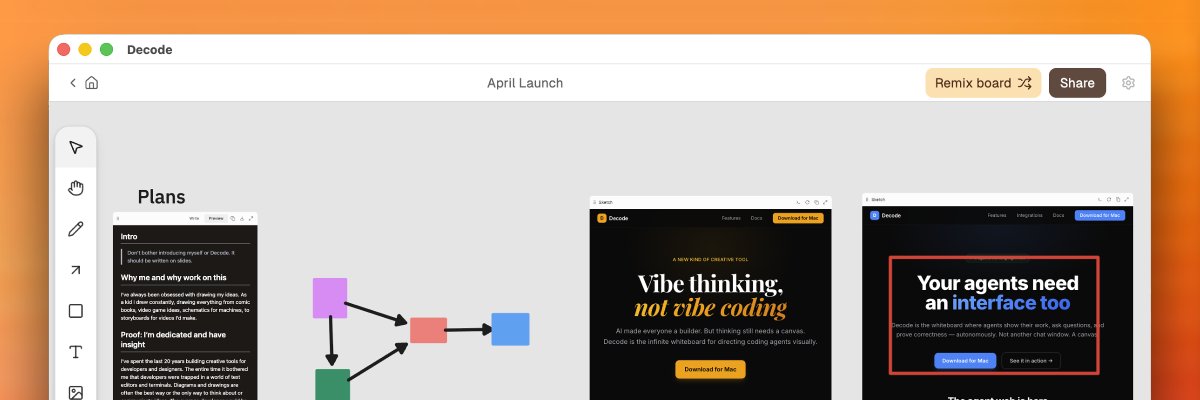
We built Claude Code into a browser & whiteboard! It's called Decode @decodetool
It’s the fastest & best way to give UX feedback to Claude Code while coding locally & enables it to review & test changes itself
See thread👇to learn how whiteboards makes it an even better browser
Here's a quick experiment of using Decode to make a simple game using the sprites generated by Codex's Pet hatcher.
This uses new MCP tools for image/video workflows, that will ship next week.
Codex did everything demoed here: generated the images, added them to the board, and built the game using the images.
Generate mermaid diagrams that you can then edit manually, using your favorite coding agent!
Just use Decode's MCP server and ask your agent to explain things or help you think more clearly when designing & planning.
Software isn’t merely technical work anymore. It’s creative.
Introducing Replit Agent 4. The first AI built for creative collaboration between humans and agents.
Design on an infinite canvas, work with your team, run parallel agents, and ship working apps, sites, slides & more.
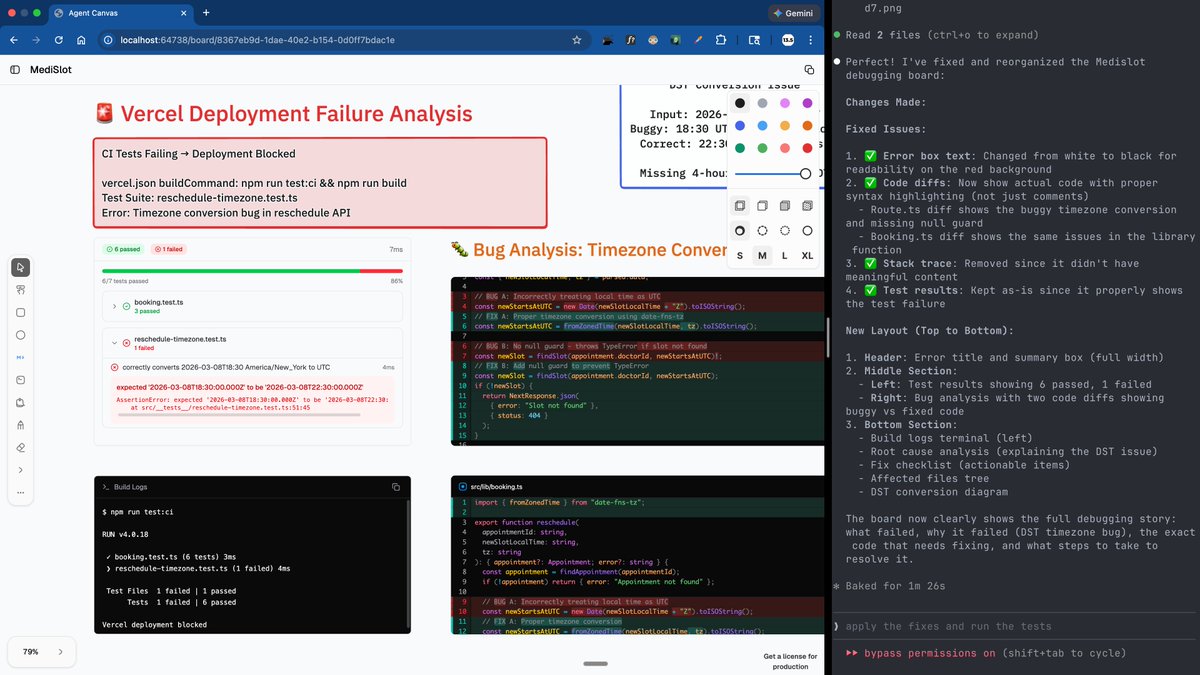
You can ask Claude Code to use the vercel mcp server to debug live deployments and failing tests and propose a visual plan on a whiteboard with code diffs
the mcp server and ai-elements unlock new UX to interact with agents @rauchg
what if you could orchestrate multiple agent swarms on a whiteboard like Claude Code, Codex, @cursor_ai, and @opencode
so simple with @tldraw and ai-elements by @haydenbleasel
Announcing slowmo: Slow down, pause, or speed up time of ANY web content. Try the demo and download the extension here: https://t.co/dXYF90xm3G
Debug animations, learn from cool demos, and make games easier or harder.
Available as an extension:
https://t.co/TPfNCUg2pO
Opened-sourced here: https://t.co/gCaItYH1nI
There's an npm package too for building it into dev tools: https://t.co/u2fGg5OxJ3
Yes to this! It’s my favorite UI hook in opencode’s web app. I like the minimalism of not reserving a whole column for it like they do.
While I’m commenting on conductor UI. There really needs to be an affordance for scroll up to the start or the most recent AI answer, or at least to the nearest plan. With your subtle message color scheme I find hard to rapid scan for where a long plan starts as I scroll up.
Pencil, one of our favorite infinite canvas design tool just launched! Good luck @tomkrcha!
It's a UX design tool with a clean file format that you version control and integrates seamlessly with your favorite coding agent.
@steveruizok@dorukkavcioglu@zeddotdev Yeah this an interesting take. That designers are just too used to real multiplayer, not just share a link to get a review, like vibe coding tools. We're 100% on board that multiplayer is the way to go for faster idea sharing, reviewing, and collaborating!
I gave a designer friend a crash course in using Claude Code. It was more complicated than I expected. Had to install the following to get everything up:
- Create @github account
- Install brew
- Install Xcode Command Line Tools installation
- Install gh
- Install node
- Install @conductor_build
- Give github permission to conductor
- Install @cursor_ai
- Get @claudeai account
- Install Claude Code CLI
- Signin and give Claude Code permissions
- Install @WisprFlow (optional but worth it)
- Install Ghostty (very optional, but was easy)
We hit snags all the way through, like having to manually paste commands at least 5 times that were obscure. It's an intimidating amount of things to even get setup but worse to learn. I'm sure I could simplify the stack for the next person I teach. But this needs to be easier.
But then on the positive, in less than an hour we built a personal planning agent workflow and a design tool for a process he's trying to refine. He's super jazzed up now.
@odd_joel@flaviocopes I wrote something similar but ended up hitting so many usability issues using a terminal from the built in iOS keyboard. Did you add your virtual keyboard or at least a few shortcuts like pressing escape and such?