Good spot and investigation, thank you.
My thoughts: during this window (which has now mostly been closed) —
• Users should not be overly concerned about credit card skimming because most sites use third-party payment portals and their credit card details are not visible to the site or scripts (first-party or third-party).
• Users should not be too worried about account takeover because most sites do sensitive auth in HTTP-only cookies so their session tokens cannot be exfiltrated.
• Users who are on the latest iOS version are unaffected by the iOS exploit in this attack; and most web users don't use cryptocurrencies so are unaffected by crypto address swapping.
• Good security-focused sites use a strong CSP policy that restricts network requests to unknown domains.
My biggest concern would be users who change their password or update sensitive security information during this window, which has now mostly passed. This is because password resets are hosted on a first-party screen, usually on the same site as the main site. Good sites host their auth and login pages on a restricted subdomain of their main site, like account•example•com or login•example•com or auth•example•com. In this case, the account management microsite limits the use of external scripts and third parties.
--
In detail:
First, a good CSP in place would block the malicious network requests for script loading and data exfiltration.
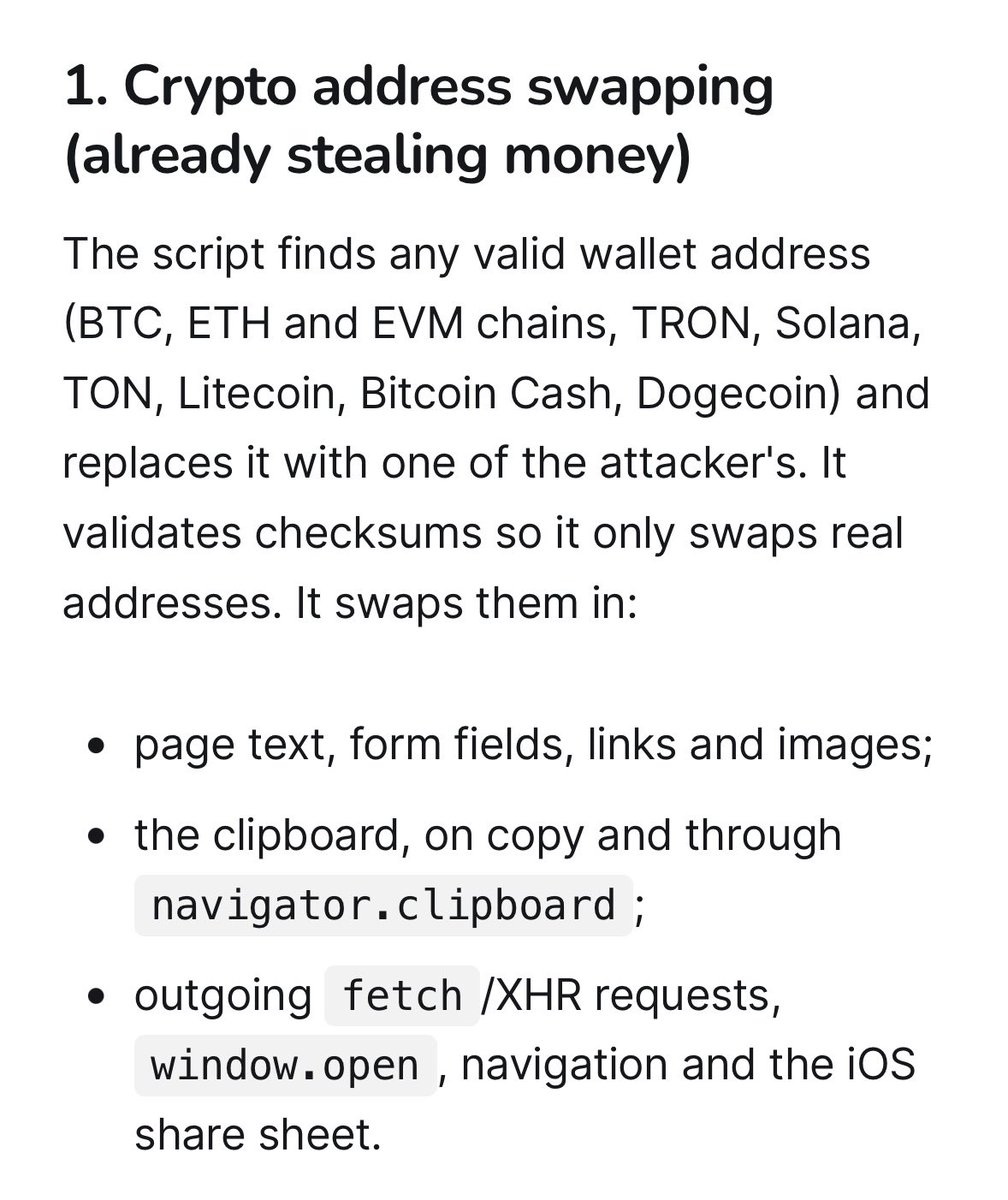
The crypto attack isn't accessing browser extensions (client-side scripts can't, unless it's a 0-day attack). Crypto address swapping by changing instances of the address on the page is really interesting. Good idea for users to check the crypto address in another page and outside the browser.
Card skimming is bad but there are many modern browser countermeasures that defeat this in practice. The vast majority of sites do not host their own payment page; they use third-party payment processors with an embedded iframe or top-level redirect. Client-side scripts at the top (page) context cannot access iframe HTML, JS and DOM context across domains (cross-site violation), meaning they cannot see your credit card details.
Cookie theft is bad but most sites use HTTP-only cookies for auth and session state, rendering them unavailable on the client side.
If you store an auth JWT in local storage or page memory (common for SPAs and OAuth), a malicious script may be able to access the token, but if you have a good CSP that whitelists domains for form actions, fetches and network requests, the session token theft is normally stunted and prevented.
Overall, my strong recommendation is for sites to adopt a good CSP, whitelist domains in the CSP, and limit the excessive and extraneous use of third parties in their supply chain, especially in client-side scripts.
This is a big one.
We found malicious JavaScript being served through Optimizely to some of the world's largest websites.
178 organisations affected, with everything from crypto theft and card skimming to iOS exploits.
Zoom, BBC, CNN, HSBC, Salesforce, GitLab, KLM, IKEA, Equifax, Ledger. The list goes on... Full list in the post.
https://t.co/f8iiN3nrZ7
A malicious JavaScript attack delivered through the Optimizely Web platform affected visitors to 178 organizations, including Zoom, the BBC, CNN, Salesforce, GitLab, IKEA, HSBC, Equifax, Air France-KLM, Ledger and Peacock, according to security firm Report URI.
The malware hijacked cryptocurrency transactions, skimmed payment card details, stole cookies and screenshots, and delivered the Coruna and DarkSword iOS exploit kits to iPhone and iPad users. Researchers confirmed that cryptocurrency had already been stolen.
Most of the malicious code has since been removed.
Microsoft has a new tool to help you figure out what’s actually eating your GPU memory.
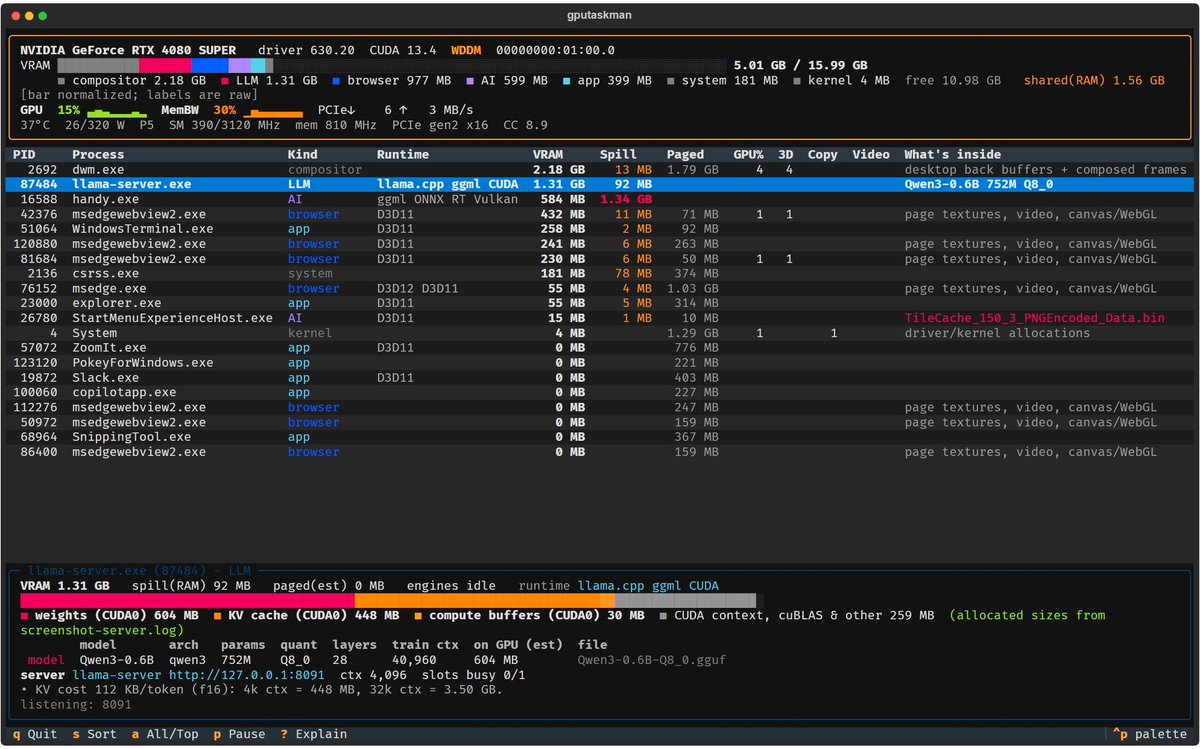
Called gputaskman, it’s a free, open-source project created by Microsoft VP Scott Hanselman. It works like an advanced Task Manager, but runs in your terminal with an htop-style interface.
It shows which processes are using your GPU, how much VRAM they’re consuming, GPU activity, temperature, clock speeds and power usage.
It also has some interesting features for AI users. It can identify loaded LLMs, their quantization, model weights and estimated KV cache usage, with support for Ollama and LM Studio.
https://t.co/m8J3e5orvl
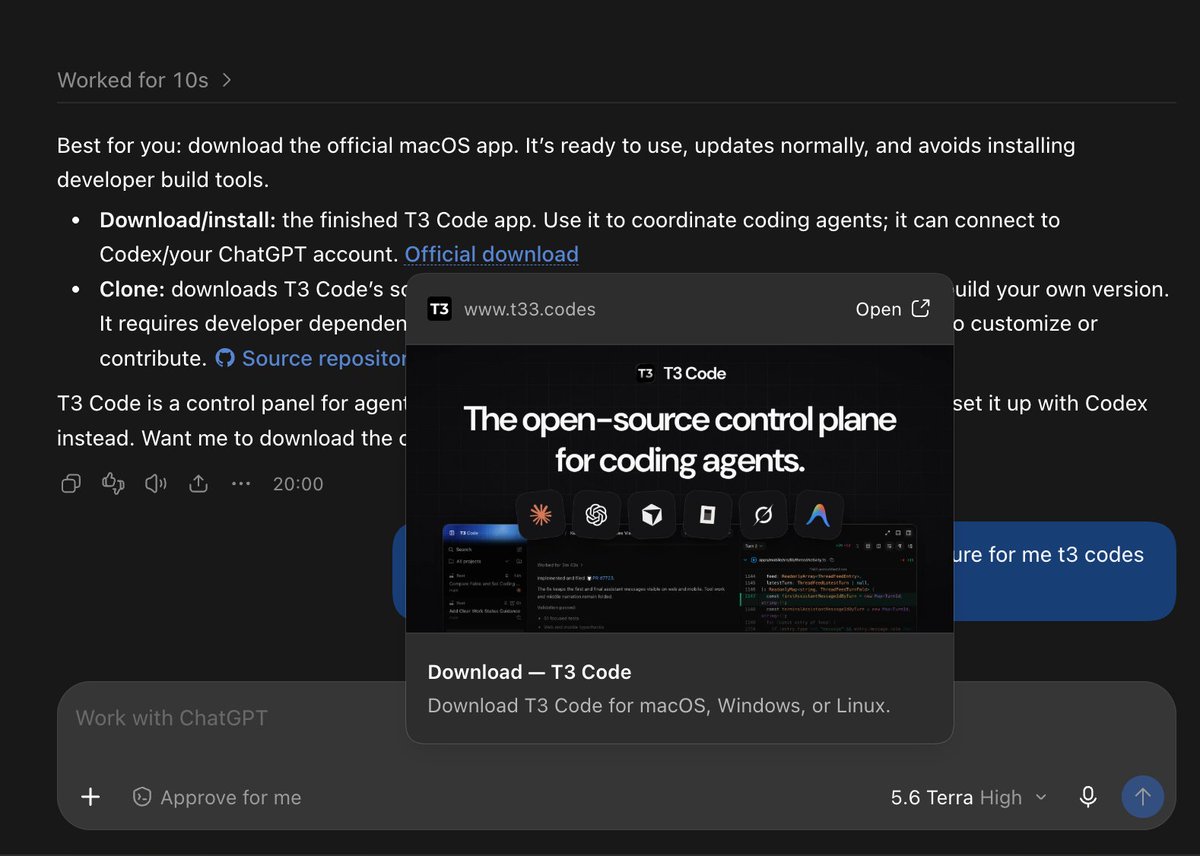
ChatGPT just tried to get my wife to download malware or something 💀
asked for the T3 Code download → got https://t.co/07oJHAdy96
almost pixel-perfect clone, registered 2 weeks ago
real one is https://t.co/rbsSUGZNJt
AI search is the new phishing vector @theo
We had a Linux server that showed two successful SSH logins from an external IP overnight.
The strange part was that there were no failed password attempts before them.
The attacker got in cleanly.
So I checked the SSH logs properly.
Both sessions said:
Accepted publickey
That meant we were not dealing with a guessed password.
I pulled the fingerprint from the logs and compared it with the keys in:
/home/deploy/.ssh/authorized_keys
There was only one key there.
And it matched.
The comment on the key was:
deploy@old-build
That name sounded familiar, so we checked our records.
The build server it belonged to had been retired months ago.
But nobody had removed its SSH key from this production server.
I checked the timestamp on authorized_keys.
The key had been sitting there since November 2025.
So this was not some new persistence the attacker had just created.
It was an old trust relationship we had forgotten about.
That was actually worse in a different way.
I checked the login history and confirmed both sessions came from the same external IP.
Then I looked for files touched during those sessions.
A backup copy of the application’s .env file had been created under /opt/api/.
That immediately raised another concern because environment files often contain things like database credentials, API keys and application secrets.
At that point we disabled the deployment account, removed the stale key, rotated the application secrets and started checking every other server that might still trust the same old build key.
The lesson from this one was simple.
Not every compromise starts with malware.
Sometimes the attacker just finds a credential or key that your own environment forgot existed.
Passwords expire.
Employees leave.
Servers get retired.
But SSH keys can quietly sit in authorized_keys for years if nobody is actually reviewing them.
That is why key rotation and access reviews matter.
The attacker did not need to break SSH.
We had already left the door open.
Exploring a new storyboard format: Depth Map Storyboards.
Instead of letting Seedance 2.0 inherit the storyboard's visual style, I used a reference image to define the tone and look, while the depth-map storyboard defines the composition and camera framing.
workflow + system prompt below 🧵
NIGHTBORNE is the first full test AI film I have made. It was made using Seedance 2.0.
I've been experimenting with AI for a couple of years, and it's now at the point where I want to tackle a full feature in this format. This is a 13-minute test start.
It was made with real concept artists, and features the faces and voices of 32 real people.
Barley Studios will be my new AI studio for creating my own films, the way Oats Studios was for traditional film and VFX. @Barleystudiosai
Full film in the reply.
Codex has been eating your SSD
For weeks. Through a logger nobody opted into.
The bug: TRACE-level SQLite writes hammering ~/.codex/logs_2.sqlite around the clock. One dev measured 37 TB written in 21 days.
Annualized - 640 TB/year.
A typical 1 TB SSD is rated for 600 TBW. That's your entire warranted lifespan burned in under 12 months.
OpenAI shipped fixes in 0.142.x on June 22 - cut writes by ~85%. But the third PR only landed in 0.143.0 alpha, and r/codex is still filling up with the same reports weeks later.
One user: Samsung 990 Pro, rated 600 TBW, dead at 60.
Another: SSD failed at 3% of expected lifespan. Another: 0.5 TB written every single day.
If you run Codex 24/7:
- Update now
- Check SMART (smartctl or CrystalDiskInfo)
- Any wear already logged is permanent
Hardware consequences from software bugs won't be rare anymore.
🚨 A severe issue is currently happening with Codex.
The Codex app on Mac is overloading, causing permanent damage to SSDs and overall device lifespan.
Multiple users have already reported that their SSDs completely fried, forcing them to get repairs.
This issue was raised weeks ago, and OpenAI claimed they fixed it.
Yet, a massive number of users are still reporting the exact same problem right now.
Source: Reddit ⬇️
Here's what Fable is telling me. So when you set up your @Blender MCP environment, make sure to also have other integrations set up as well for potentially better results. Otherwise, it might still look like shit in most examples I have seen.
---------
Short answer: it's mostly Blender plus asset libraries doing the visual heavy lifting, with the LLM acting as a competent orchestrator. The LLM is genuinely good at one layer (scene composition, lighting, iteration logic) and genuinely bad at another (modeling geometry from scratch), and whether a demo looks great depends almost entirely on which layer it leans on.
Breaking down the stack:
What Blender contributes: Cycles/Eevee rendering, physically-based materials, and a mature scene graph. Any scene that gets decent lighting, an HDRI environment, and PBR materials will look "really good" almost regardless of who assembled it. The renderer is doing the aesthetic work.
What the MCP harness contributes: The popular blender-mcp (ahujasid's) is more than a raw bpy code executor — it has built-in integrations for PolyHaven (HDRIs, PBR textures, models), Sketchfab, and Hyper3D/Rodin for AI mesh generation. This is the load-bearing part most people miss. The stunning demos are usually asset retrieval and composition: the LLM pulls a professionally-made HDRI and photoscanned models, then arranges them. The harness also enables viewport screenshots back to the model, which turns a blind agent into one with a feedback loop.
What the LLM contributes: Scene layout, camera placement, lighting decisions, material parameter tuning, and knowing which assets to pull and how to iterate. That's real skill — it's basically the job of a technical set dresser — but it's not the same as creating the visual quality.
What the LLM is bad at: Writing raw bpy to model meshes from scratch. You get programmer art — extruded cubes, boolean soup, bad topology. It's also spatially blind without the screenshot loop; it can't tell that the chair is intersecting the table unless it renders and looks.
So why most people fail to reproduce the results:
1. They ask for from-scratch modeling ("make me a castle") instead of asset-driven composition, which is the failure mode by construction.
2. They don't have the asset integrations set up (no PolyHaven API path, no Hyper3D key), so the LLM falls back to primitives.
3. No render-and-look iteration loop — one-shot generation, no screenshots fed back.
4. Selection bias: people post their best result out of twenty attempts.
You've actually already proven this thesis in your own open source work — your headless WebGPU screenshot verification loop exists precisely because an LLM manipulating a 3D scene without visual feedback drifts into garbage. The Blender MCP demos that work are doing the same thing: curated assets + a strong renderer + a see-render-adjust loop, with the LLM as the loop driver rather than the artist.
If you're evaluating this for the mini-game pipeline: the transferable lesson is that "LLM generates content" works when the LLM is composing high-quality parametric or library assets with render feedback, not when it's authoring geometry directly.