AI coding tools, tips & news for terminal-dwellers. Building DevFob: answer Claude Code from phone & watch, monitor Codex & Grok. fully local, no cloud.
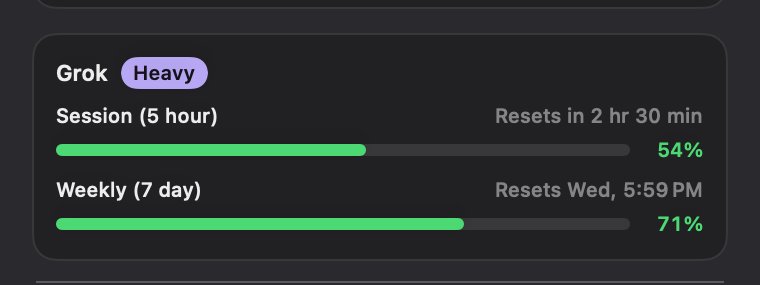
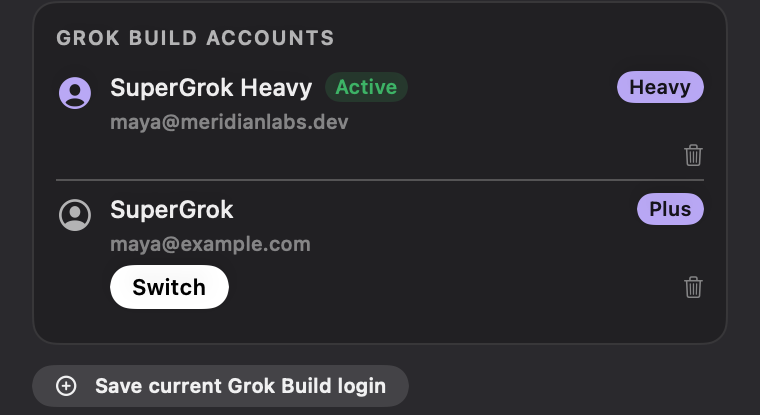
day 2 is brutal. and it gets worse tomorrow when the 50% bonus ends, todays meter is basically double whats real. i keep two logins and let devfob hop to whichever has headroom. no extra tokens, just no surprise https://t.co/ug087O0xjs
i maxed out my claude weekly limit on the 2nd day, so now i'm trying codex and idk whether i'm doing something wrong, but the ui that it creates is so ugly
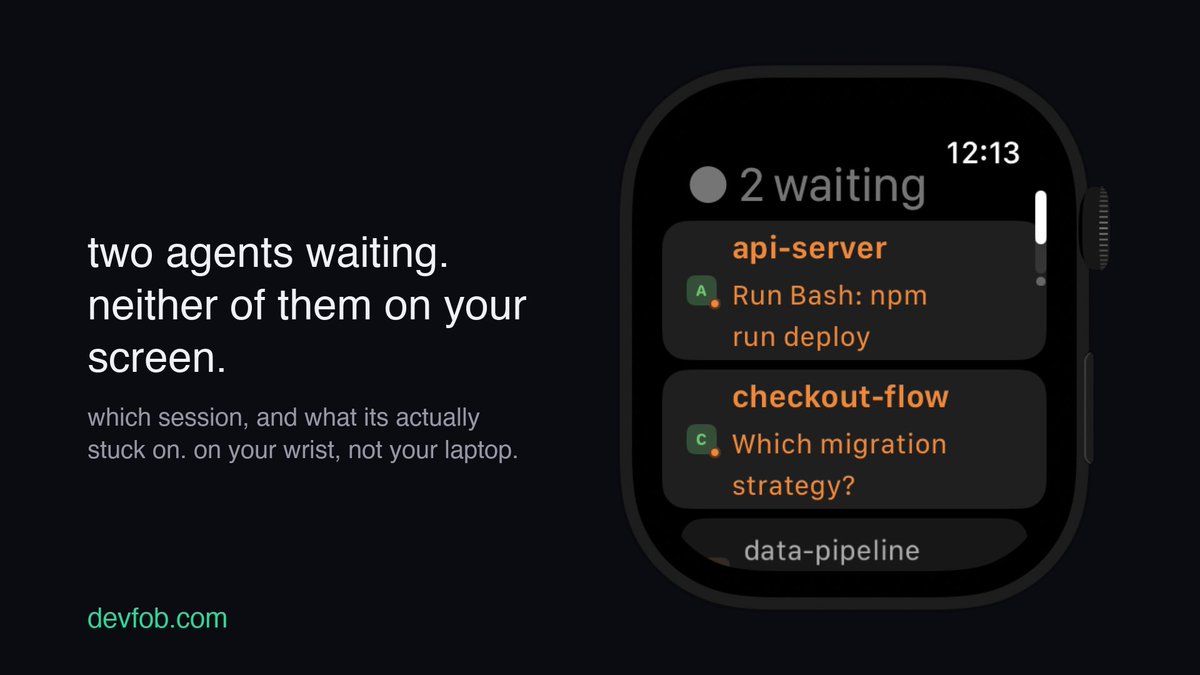
this is the good version. the bad one is coming back after the whole film and finding it sat on a permission prompt since the opening credits. thats what made me put the sessions on my watch, i can see somethings waiting without going back to the desk
stacking free tiers is one way. i went the boring route, just keep my own claude logins in one place and let devfob swap to whichever has headroom before the run stalls. no proxy sitting in the middle of my code
🚨 YOUR AGENT WILL NEVER HIT A RATE LIMIT AGAIN
someone open-sourced a repo that stacks the free allowances of 90+ AI providers into one endpoint
OmniRoute. 290+ providers in total, 500+ models, built by 500+ contributors. 36,493 stars
install it - and your agent gets:
- one endpoint that speaks OpenAI, so Claude Code, Cursor, Codex, Cline and Copilot just work
- Claude, GPT, Gemini, Kimi, DeepSeek, GLM, MiniMax - switch by name
- quota dies mid-task → it moves on instead of stopping
- the order it tries: your subscription, then your keys, then cheap, then free
- ~1.53B free tokens a month across 516 models
no signup. model "auto" answers on a fresh install with zero keys.
important: it's all local. your keys sit encrypted on your machine, your prompts never route through anyone's cloud
you've been paying to wait.
save this before the next time your agent quits on you mid-task ↓
@stevenmarkryan the between sets sprint to check if grok build is still cooking or waiting on you is a whole cardio program lol. built devfob so i glance at my phone or watch mid set, see the session and how much window is left, and only walk over when it actually needs me. rest days saved
@SpaceXAI grok build getting more capable every day just means i walk away from longer runs and notice even later when its waiting on me lol. built devfob so i watch my grok build sessions + usage window from my phone and wrist instead of babysitting the terminal. more power, less hovering
@clement_thiriet@AnthropicAI the once or twice a month ones are the sneakiest, its rare enough that you never build the habit of checking. i keep the 5h and weekly windows in my menu bar with devfob so the token heavy days announce themselves before the wall does
grok 4.5 on all platforms is great until you realize youre juggling a supergrok account per platform and none of them agree on how much you have left. built devfob so i see every account window and swap logins in one tap on the mac. everywhere, one place to keep track
@signtheverse grok 4.5 high seems to be the fastest weekly drain people are reporting right now, the quality makes you keep going and the meter pays for it. i keep the grok build window in my menu bar with devfob so almost used up never becomes a surprise full stop
devfob is live on product hunt today. the mac menu bar app that answers claude code from your phone and watch, keeps every usage window visible, and auto switches accounts before the wall. if youve been following along, a review or upvote there genuinely helps. link in reply