It’s incredible that my skills have been installed more than 160,000 times.
I originally built them for myself. I had a pretty good idea of how I wanted to do certain things, but whenever I hopped between projects, I had to explain them over and over again.
Skills often get a bad rap, and it’s understandable because there are a lot that are complete slop.
But there are also some that are genuinely useful, help you do things better and let you learn from them.
That’s the kind I try to build.
Stop hand-coding data tables.
We've refactored the code base to make it easier. Including a shadcn registry and an agent SKILL[.]md.
→ https://t.co/22Uus3dYNT
It's not a library. It's a playbook.
i think a lot of sf subscription based software companies who’ve gotten too comfortable charging insane amounts monthly to teams are about to get vampire attacked by autists literally just vibing
You've been using Linux for years. But you're still doing things the hard way.
Here are 7 commands that'll save you hours:
1. Forgot to add sudo?
- Type `sudo !!`
- It repeats your last command with sudo. No retyping.
2. Just created a file?
- Use `vim !$` to open it.
- The !$ grabs the last thing you typed.
3. Can't remember that command?
- Press Ctrl + R and start typing.
- It searches your entire command history.
4. Made a typo in a long command?
- Type `fc`
- It opens your last command in an editor. Fix it and save. Done.
5. Jumping between folders?
- Use pushd /some/path to save a location.
- Use popd to go back.
- No more typing long paths over and over.
6. Want to see your folder structure?
- Type `tree -L 2`
- Shows everything like an actual tree. Much cleaner than ls.
7. Need to go back to your last folder?
- Just type cd -
- Takes you right back. Simple.
Bonus:
Stop writing `cat file | grep something`
- Just write `grep something file`
- Does the same thing. Way cleaner.
I've used Linux for years. These small commands save me time every single day.
Bookmark this. Your future self will thank you.
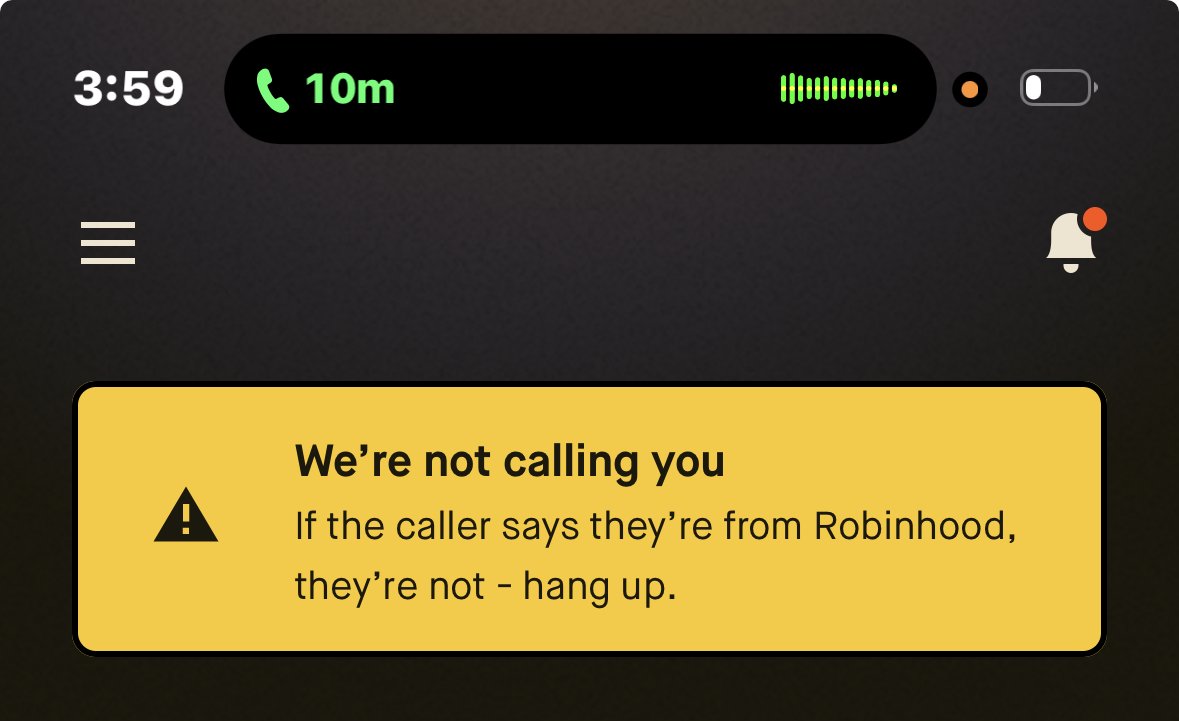
This is one of the best security features I've ever seen a bank or card offer its users.
@RobinhoodApp recognizes when I'm on a phone call and proactively warns me that it isn't them (in case a scammer is calling). Just another reason why I'm bullish on $HOOD and the gold card.
The Vercel Web Interface Guidelines.
We’re distilling the hard-earned lessons of building for the web, from our colleagues.
For humans and for agents.
https://t.co/jLZ2sGks9n
A small tip on making back and forward screen transitions feel a bit snappier and more natural.
Use a shorter movement trajectory and apply the movement animation only to the upcoming screen, not the one that is leaving.
@devongovett Re preserving git history: I remember I read a long time ago that Microsoft had the same issue when they moved the Windows codebase to git.
A quick google revealed this post https://t.co/hBUsDOdo4C
Looks like a legit option, haven't tried it, I thought I'd share.
We recently hired Zoltán Hosszú for the design team at @37signals. It was an opening we received hundreds of applicants for, but Zoltán's application really stood out. Just have a look: https://t.co/i2q2nN4ZEt
Ideal date/timestamp UX:
• <1s: Just now
• 1-59s: “N”s ago
• 1-59min: “N”m ago
• 1-23h: ��N”h ago
• >24h: “May 30” for current year dates, “Dec 12, 2024” for all non current year dates
Bonus: Add a hover tooltip to show the exact timestamps in UTC and local timezone 👇