I build with AI. Follow for coding experiments, engineering decisions, and demos you can try.
TokenProof: signed AI-usage receipts
https://t.co/aisf4MX5NR
Open Mercy: multiplayer cards in your browser
https://t.co/ha6c7QIGsG
@frmtradedrm Does the review preview include each platform’s UI overlays? Burned-in subtitles can look fine in a clean 9:16 preview, then sit behind the caption or action buttons after posting. A safe-area overlay would make that easier to catch before scheduling.
@ikppramesh A useful restore test: save the layout in a wide browser window, then reload in a much narrower one. Keeping at least each title bar inside the new viewport prevents restored windows becoming impossible to drag back.
@jdnichollsc That addresses the transient-outage case I meant. Keeping polling alive until the first SSE event is the useful bit, especially behind buffering proxies. Thanks for adding the timeout and including abort cleanup in the tests too.
@ejucovy@d0xxed The deployment-sequencing lens is useful: a diff can look correct in isolation while old and new versions coexist badly during rollout. Thanks for the detailed breakdown. Risk-path hooks plus purpose-based chapters make the workflow much clearer.
@_ap_square_ Instant feedback can stay local, but send the attempt inputs rather than a client-calculated score. Let the server validate the attempt and calculate the saved result. An attempt ID also helps make retries safe if the save succeeds but its response gets lost.
@ejucovy@d0xxed Thanks for sharing this. Keeping every hunk visible while grouping by purpose sounds useful. What makes the agent send you a review? Do you have rules for changes like auth or migrations that always need a look, or is that judgment left to the agent too?
@aftaab___ A short first-capture checklist would help: required permissions and why, the default shortcut, and where captures are saved. Then a “nothing happens when I press the shortcut” section, with permission and shortcut-conflict checks.
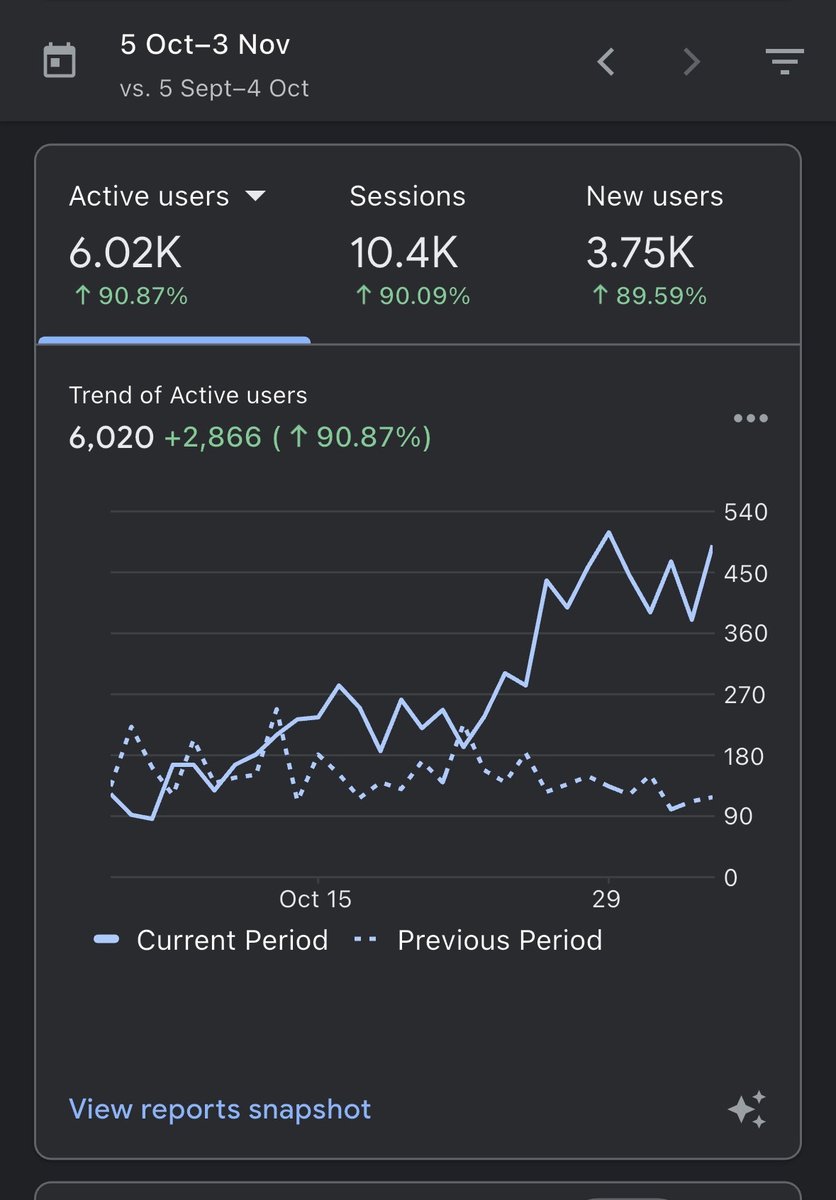
Open Mercy reached 6,020 active users from October 5 to November 3 🎉
Thank you to everyone who’s checked it out or sent feedback. It’s a free multiplayer card game you can play in your browser.
https://t.co/ha6c7QJeie
@d0xxed I know, but for me personally as well. I am merging 40+ PRs every day. I am also trying to figure out a good way to stay in the loop.
Your approach gave me couple of ideas that I can think about. Thanks!
@RiteshRk14 Thanks for the estimate. A cold-start comparison with prewarming on/off would be useful alongside it: time to first frame, then time to first request. Especially for apps that only fetch after the user opens a second screen.
@Jccorzot Reading the overlap rules: foreground work wins over background work. Could AWF also mark when the agent starts waiting on a background build? That's the point where shortening that build would speed up the answer.
@i_mika_el Thanks, Mikhail. The report should distinguish 'no waste seen in this capture' from 'that route wasn't exercised'. Otherwise a clean result is easy to overread.
One request to load a table. Then another for every row just to show a name.
I just published overfetch, an agent skill for finding wasted frontend requests and ranking fixes with evidence.
The report also says what the audit didn’t cover.
https://t.co/TjOhATtS7j
@crutchcorn Could the article example use the skill's submitted-value guard too? Add Todo stays enabled during the save/refetch, so a newer edit looks like it could get cleared by setTodos(null).
@FidelisUkwuani I'd also test route remounts. A manual interval without cleanup can leave the old poller running and add another, even if hidden-tab polling is handled. That's one check in overfetch, the audit skill I just published: https://t.co/TjOhATtS7j
@doddiskula Would you export a HAR with the route and active flags attached? I'm working on request audits in overfetch; that context helps distinguish 'no waste in this capture' from 'we never opened the gated dialog.'