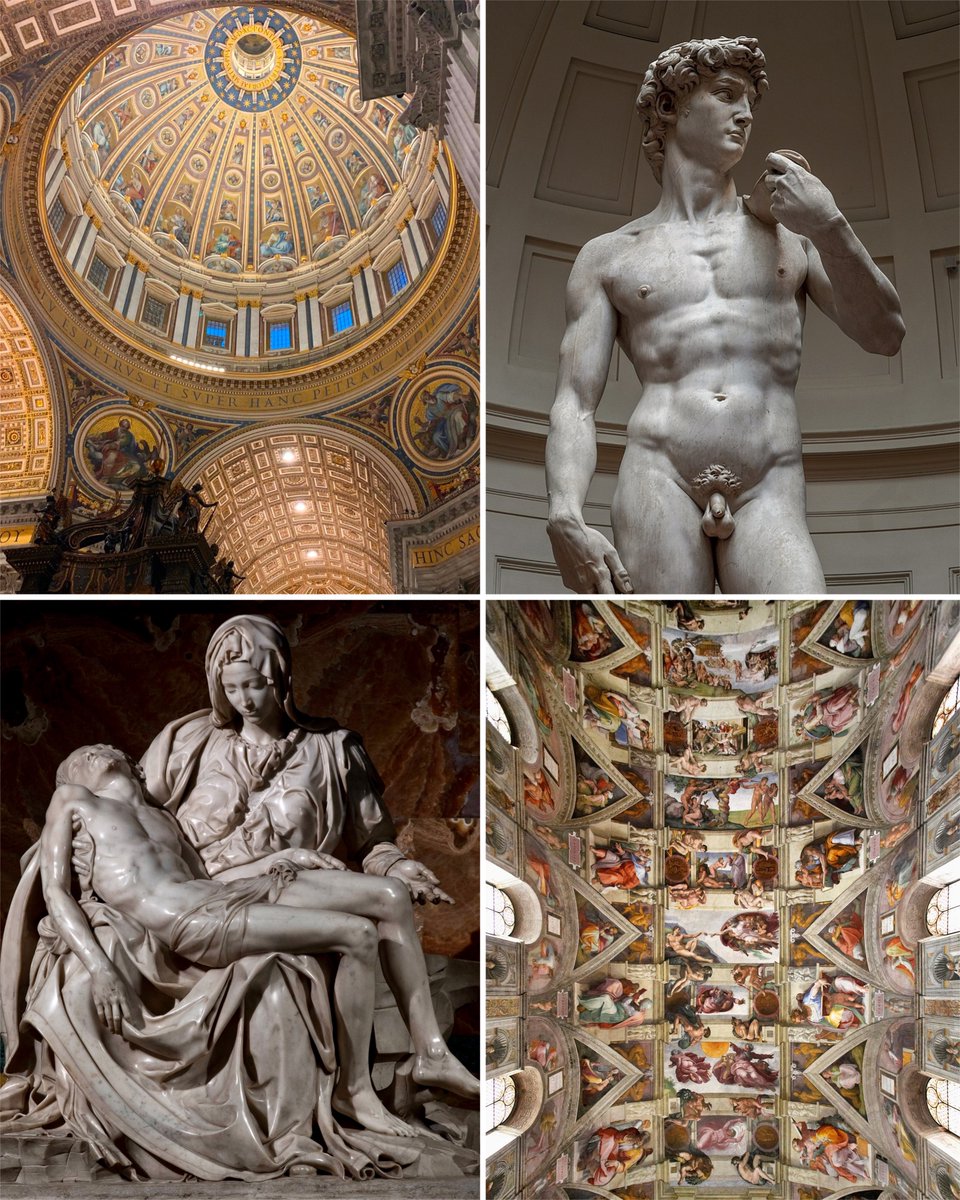
How is it that one person can produce all of this?
That person lived 500 years ago — so why hasn't humanity produced another talent like him in all the time since? 🧵
🎓
Learn how to create a Cherry Wood Material in a matter of seconds in my latest video series (AAA) Pro Tips!
____________________________________________________
In this video, the steps are as follows:
1. Create a slightly red-colored fill layer with high gloss to act as the woods base material.
2. Add a second fill layer with a black mask, and inside that mask add a stripes greyscale set to planar projection. These stripes will act as the wood rings and should be projected onto your mesh in a natural way. The stripes should also be set to max softness, and followed by a Directional Noise 3 with a blend mode set to Difference.
3. Add a levels to tweak the mask and add an anchor point to the mask as well.
4. Create another fill layer with a dark brown diffuse, and store the information from the anchor point into its mask. Apply a levels to increase its intensity, and then add a fill layer up top with the anchorpoint information applied again, but set its blending mode to Subtract.
5. Create an additional fill layer with a very dark diffuse channel. Add a mask to the fill layer and inside its mask add a fill layer containing the anchorpoint information, from the Wood Rings. This fill layer can now be used to add some dark contrast to the center of the wood rings
6. A warp filter should also be used to apply some subtle imperfections to the wood rings and grain.
Now we are left with a very nice result of Cherry wood!
____________________________________________________
More AAA Game Dev Tips can be found on my YouTube channel here:
https://t.co/JFZqEZfZW3
Stay tuned for more weekly Tips.
Let me know below what you would like to learn in future videos! 👇
Happy Texturing! 💚
#gameart #texturing
Don't use box select to select a half of your mesh. Instead select any middle vert and use "side of active" option.✨.... no more hide and seek with tiny polygons on the central loop.
#b3d