Your site changes all day. Now, your backups can keep up.
Duplicator Pro now creates incremental backups. After one full backup of your site, new backups only include what changed.
They're small enough to run every hour, so today's work is always protected.
Here's how 🧵
Hourly backups protect your website. But 24 full backups a day consume a lot of storage.
Incremental backups are supposed to fix that. So we tested them on 3 real WordPress sites and measured every backup.
Here's what we found 🧵
Hourly backups used to mean copying your whole site 24 times a day.
Incremental backups copy it once. After that, each run only uploads what changed (13 MB on average on our 540 MB test site).
Here's how to set them up in WordPress 👇
https://t.co/F7KHVfuFFy
Full WordPress backups copy your whole site every time.
Duplicator Pro incremental backups save only what changed: about 1 min per backup instead of 11 on a typical site, stored on Duplicator Cloud.
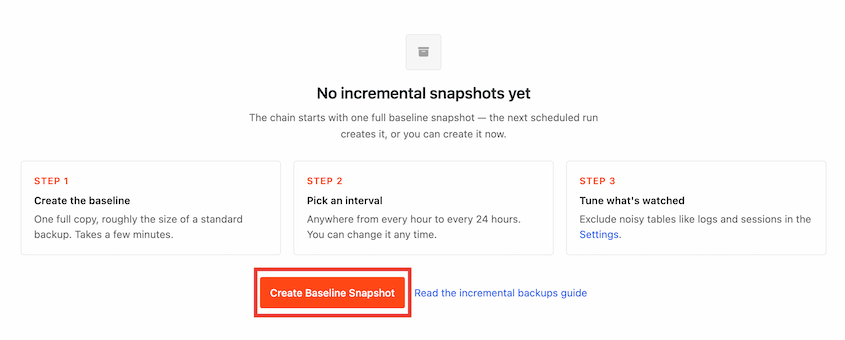
Setup in 3 steps 👇
https://t.co/x105CyYb1B
#WordPress#Duplicator
Your site changes all day. Now, your backups can keep up.
Duplicator Pro now creates incremental backups. After one full backup of your site, new backups only include what changed.
They're small enough to run every hour, so today's work is always protected.
Here's how 🧵
Incremental backups are included with Duplicator Pro and Elite. Every snapshot is stored in Duplicator Cloud.
Already on Pro? Update to 5.1.0 and open Duplicator Pro » Incremental Backups to create your first baseline.
AutoTune is in Duplicator 5.0 (free and Pro), and it saves the winning settings for you automatically.
Run AutoTune on your WordPress site to instantly make backups faster and more efficient!
There's no best backup setting for WordPress.
AutoTune, the settings tester built into Duplicator, runs real test backups on a site’s server until one finishes. We looked at where 2,000+ sites ended up.
Here are our results and what they mean for your backup settings 🧵