🟢 Keynote principal de Jensen Huang
Y por supuesto cubriremos en directo en mi canal de Youtube la keynote principal de Jensen, donde posiblemente veamos novedades interesantes por parte de NVIDIA :)
Apúntate la fecha! 👇
📆 Día Marzo 18 - 19:00h España
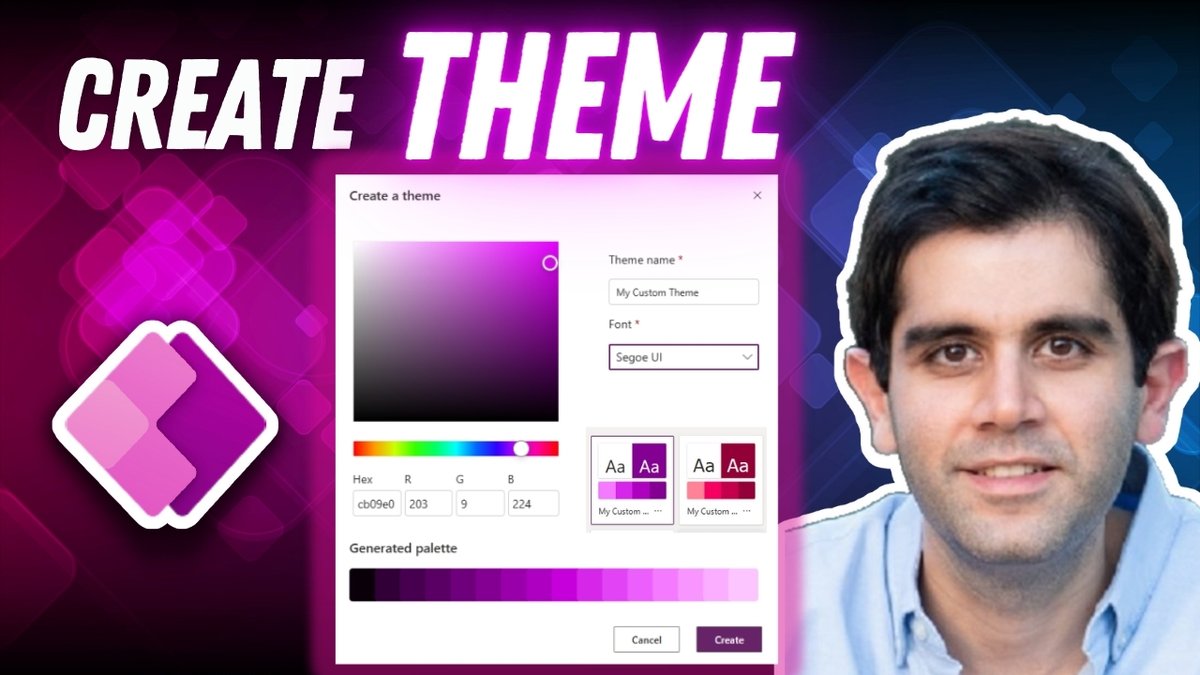
📢 Create your own Custom THEME 🎨 in Power Apps for MODERN controls
Watch it in action🎥: https://t.co/D8rplzWpnv
Select your theme font & primary color and it will automatically generate a palette based on the primary color.
#powerapps#canvasapps#powerplatform
⭐ New Microsoft Lists FORMS Experience
Watch tutorial 🎥: https://t.co/AwQZXXsmTm
🔵 New Forms Designer with themes
🔵 Build multiple forms per list
🔵 Share forms via a link to anyone within your organization
#MicrosoftLists#SharePoint#microsoft365
Do you know what normalization is? How about the difference between Many-to-One and Many-to-Many?
This video explores all of those database concepts you need to know to build better apps!
https://t.co/U1VbKrVWTU
⭐ Power Apps MODERN Gallery Design | Step-by-Step Tutorial
Watch here 🎥: https://t.co/Ln9QXOCaZw
🔵 Design Gallery as List style
🔵 Use Modern Controls
🔵 Explore style properties
#PowerApps#PowerPlatform
New Blog Post 😃
In this #PowerAutomate article I compare all of the ways to embed an image in email and their compatibility with different email clients 📫
I’ll also reveal how to hide an image as an inline attachment and show it in an email 👀
🔗
https://t.co/brsICLfDXi
📢 New #PowerApps functions "ColumnNames" & "Column"
✅ Allows dynamic access of columns in Untyped records
📝 Available in Studio Released version 24021
🔗 Learn more: https://t.co/FbLJGNMHmD
Windows Terminal Preview 1.20 is here! We now defer package updates while Windows Terminal is running, support underline styles, improved search result highlighting, and have LOTS of bug fixes!
Check out what else is new in the latest blog post! https://t.co/qEDnqQFILT
🎓 Learn How to Efficiently Select MULTIPLE Items in a Power Apps Gallery & Implement PATCH Operations
Watch the tutorial 🎥: https://t.co/XUjYflzID9
✔️ Select or Check ALL Items
🔄 Easily Update Data
🚀 Boost Performance by using PATCH on Collection
#PowerApps#PowerPlatform
⭐ Build a Responsive Navigation Menu in Power Apps
Watch here 🎥: https://t.co/vkGzGM9rr5
✅ Responsive Screen Design
✅ Responsive Containers
✅ Dynamic (Top & Left) Navigation
#PowerApps#PowerPlatform
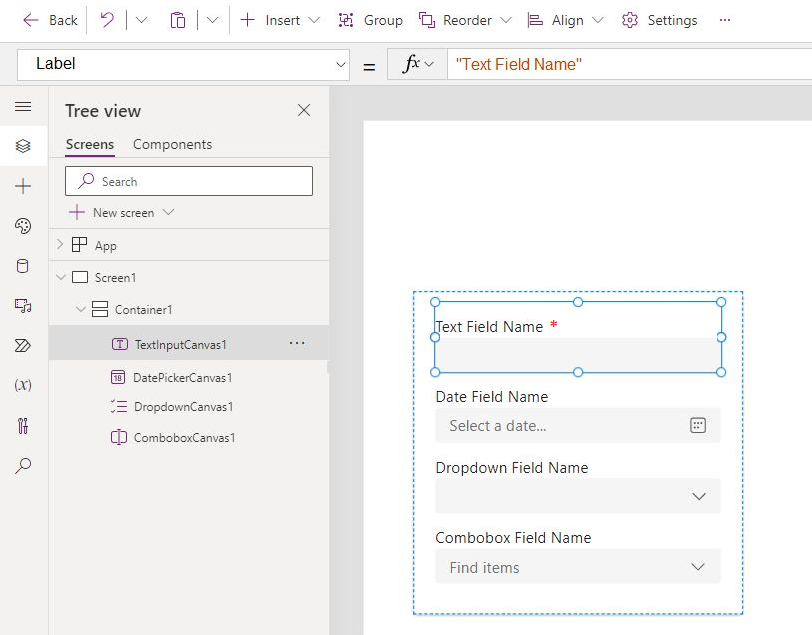
New #PowerApps Feature (Coming Early 2024) 💡
Simple controls will now include a Title & Required property built in 😲
This capability will only be found in the Modern Controls 🕹
I can't wait. It will save me so much time and help declutter my app screens. ⏰
(Mockup below)
#PowerAppsTip 🔥🔥
You can make a time-picker⏰
with only 1 line of code😲
Get the code here 👇
Items property of a dropdown:
👉 ForAll(Sequence(96), Time(0,Value*15-15,0))
I get emails, tweets, and comments all of the time asking performance questions for Power Apps. So this week I decided to tackle some of the most common ones in a video. 😎 https://t.co/St5AryK28e
💡 Get ready for a Copilot deep dive! 🛠️
Join @aprildunnam as she unveils how to boost your Power Platform experience using Community Hits & Copilot Tips.
Watch now → https://t.co/vfnFaen1fr
#PowerPlatform#Microsoft365Dev#CoPilot