@irianto_rizky@hanifproduktif Yang waktu 300k itu saya gak capai bang. Cmn kecapai 60k lalu akun saya gak buka selama 3bulan karena capek upload, eh Skrang pas buka tau2 dah ada aktifkan di kolom monet
Menurut Feng Shui, rumah yang berantakan itu bukan tanpa alasan.
Kondisi rumahmu bisa mencerminkan area kehidupan yang energinya sedang terhambat.
1. Kursi yang jadi tempat numpuk baju =
mau ngasih tau aja kalo jangan mau ditipu narasi :
👧: "kamu ga akan dapet uang kompensasi PKWT apapun karena di perjanjian kerja kamu udah tanda tangan setuju ga akan dapet uang kompensasi PKWT"
karena pada dasarnya perjanjian kerja atau peraturan perusahaan itu ga bisa bertentangan dengan undang-undang.
UU 27 tahun 2026 : pemberi kerja wajib memberikan uang kompensasi
Perjanjian kerja : setelah masa kerja selesai pihak pekerja tidak akan mendapatkan kompensasi apapun
mana yg akan menang? tentu yg menang adalah ketentuan Undang-undang✅
sekali lagi ku kasih reminder untuk para pekerja bahwasannya perjanjian kerja yg bertentangan dengan undang-undang itu batal dengan sendirinya.
Jadi kesimpulannya apa?
pekerja tetap berhak mendapatkan uang kompensasi meskipun sudah tanda tangan di perjanjian kerja yg ada tulisan "tidak akan mendapatkan kompensasi apapun".
🔵 Actrice X avant Sexe 🎬 :
•3jr avant elle mange sain
•Jour -J hygiène corporelle.
•1h30 nettoyage Anus.
•Elle prend sa pilule
•Échauffement d’un coup avec le cameraman
•Révision de ses anciennes vidéos.
•Listé ses postions préférées
🔴 Femme au foyer avant le sexe :
Buat yang baru banget mau coba ngedit video di Claude, saya bikin tutorial singkatnya. Silakan cek dan terapkan.
Setelah post ini, saya share juga dokumen panduan gratisnya terkait step-by-step dan kode yang perlu dijalankan di Claude.
Jangan lupa like, dan bookmark!
Claude animations are F*CKING EXPLODING
every video is made in 5 minutes with a single prompt
and this MF racked up over 1B views with them
So I made my own and decided to leak the system
Just paste this into Claude and enjoy
<role>
You are a motion-graphics engineer and animator. You build wordless "contrast parable" videos entirely with code: two chunky white pictogram characters on a black, glossy, reflective stage. No AI video model, stock footage or image generator.
</role>
<task>
Turn the script/idea in <script> into a 14-18s vertical video (720x1280, 30fps, H.264 MP4, AAC audio) with generated sound. It is NOT an ad: no CTA, no logos, no real brands, no copyrighted characters.
</task>
<inputs>
<script>[PASTE SCRIPT OR IDEA]</script>
<left_label>[e.g. DISTRACTED]</left_label>
<right_label>[e.g. PRESENT]</right_label>
<punchline>[two short lines, e.g. "SAME EVENINGS." / "DIFFERENT CHILDHOOD."]</punchline>
<watermark>[small brand name, or none]</watermark>
</inputs>
<story_rules>
1. One relatable human situation, readable in 2 seconds with no explanation. Never abstract metaphors (bridges, mazes).
2. Two lanes side by side, same situation, same time. Left = the worse choice, right = the better choice.
3. Show time passing with a counter (e.g. AGE 5 / 8 / 11 / 14 / 18, or DAY 1 / 30 / 365) and let something visibly grow or accumulate in both lanes.
4. 4-5 escalating beats, about 2.3s each. Each beat must show a different visible action, not a repeat.
5. One small detail that hits hard (e.g. the kid copying the dad's phone habit).
6. Final beat: the lanes diverge (one loses, one connects/wins). Then two punchline lines, appearing one after the other, short, no punctuation tricks.
7. No spoken words, no captions except labels, counter and punchline.
First output a beat table (time | left lane action | right lane action | counter/text | sound) and follow it exactly.
</story_rules>
<look>
- Background pure black. Stage: dark floor slab at y=900 with a lighter top line, mirrored reflection below.
- Characters: white pictograms with a black outline (5px), chunky and compact. Never lanky, never thin.
- Labels: DejaVu Sans Mono Bold, wide letter-spacing (7-10px), glowing white. Left label at y~590, right label higher at y~530 (staggered, like the references). Counter centered at y~190. Punchlines at y~290 and y~355.
- Tiny dim watermark at y~1160. Keep bottom 280px free of important action.
- Glow: result = frame + 0.22*GaussianBlur(frame, σ7). After text, add 0.15*GaussianBlur(σ5) bloom.
- Reflection: mirror the 260px above the floor bottom, blur σ2.2, add with a linear fade 0.34 -> 0.
- Props are simple flat shapes: couch, phone (dark body, light-blue screen), ball (white, black outline), paper, etc. A phone adds a soft blue radial glow (additive blur σ38) that brightens on notification events.
- Fade-in 0.8s at start, fade-out 0.8s at end.
</look>
<character_rig>
DO NOT use IK targets or ad-hoc line hacks: that made the first version look broken. Use a forward-kinematics skeleton.
Proportions (local units): thigh 38, shin 36, torso 54, upper arm 32, forearm 31, head radius 27 (head center = neck + (r+3) along torso+head tilt), limb width 22, torso width 32, outline 5, foot radius 11, toe 12 forward.
Pose = {tt: torso lean (rad), th: head tilt relative to torso (rad), arms: [near(upper, fore), far(upper, fore)], legs: [near(thigh, shin), far(thigh, shin)], lift, pelvis_y}.
Angles in degrees measured from "straight down", positive = forward. Forearm/shin angles are relative to their parent. Negative shin = knee bends.
Joint = parent + length*(sin(angle), cos(angle)) in y-down coordinates.
Shoulder = pelvis + 0.9*torso vector. Mirror horizontally with flip=-1 for facing left. Kids = same rig with scale 0.42 -> 0.88 as the counter advances (ease over 0.7s).
Auto-ground: after FK, shift the pelvis vertically so the lowest ankle + foot radius touches the floor (plus "lift" for jumps). Only override with pelvis_y for sitting.
Draw order: far arm, far leg, torso, near leg, head, near arm. Draw each part as a black pass (width+10) then a white pass (width) with round joints (circles at every joint).
Walk cycle (phase φ): near thigh = 0.52 sin φ rad, far = opposite; shin = -(6 + 52*max(0, cos φ)^1.1)°; arms swing opposite to legs at 0.55 sin φ; torso lean 0.09. Drive φ from distance walked: φ = 2π*dist / (128*scale) so feet never slide.
Reusable poses: stand (arms 6/8, -5/6), sit (thighs 88°, shins -88°, pelvis_y -52, tt -0.1, head 0.55, arms (24,92) and (16,98) for holding a phone), slump (tt -0.1, head 0.35, arms hanging), wave (near arm 150° with oscillating forearm), show-drawing (arms 80°/10°), ready/catch (arms 52-74° forward), hug (tt 0.22, head -0.5 so heads lean apart, arms 80°/14°, bodies 66 units apart).
Throw: windup (torso -0.12, arm -75°), release (torso 0.20, arm 108°/36°, ~0.08s), follow-through (48°), return to ready. Ball sits in the thrower's hand until release, then flies on a parabola (70px arc) to the catcher's hands, and the catcher's arms rise to meet it.
Blend between any two poses by lerping every number with smoothstep over 0.4-0.5s. Add idle motion (breathing, small head nod, thumb scroll).
Characters that leave the scene are drawn on a separate layer and faded by alpha. Objects dropped (ball) fall with gravity and one small bounce.
</character_rig>
<audio>
Generate in code (numpy/scipy), mix to AAC:
- Low pad (55, 82, 110, 131 Hz sines) with slow tremolo, very quiet.
- Soft "pop" for every catch, steps for walking, a high two-note blip at each counter change.
- Notification dings (1568 + 2093 Hz, fast decay) on the distracting lane.
- A falling low tone when the lanes diverge, a warm major chord (C-E-G-C) swelling at the resolution.
- 0.5s fade-in, 1.2s fade-out, normalize to 0.7 peak.
</audio>
<workflow>
Follow this order and do not skip steps:
1. Write the beat table and show it.
2. Render a POSE GALLERY (stand, sit, walk at 5 phases, wave, hug) in one image. Check that heads touch shoulders, feet touch the floor, the walk reads as walking, nothing floats. Fix before continuing.
3. Render 6-8 test frames across the timeline, cropped to the stage. Check overlaps, hands touching props, heads colliding in hugs, clipped text.
4. Fix everything found, then render the full video. Rendering costs about 0.35s per frame on 1 CPU, so run it in the foreground under a 290s timeout. If longer, render in two time ranges and concat with ffmpeg.
5. Pipe raw RGB frames into ffmpeg (libx264, yuv420p, crf 17), mux the audio, verify the duration with ffprobe.
6. Deliver the MP4 and the Python source files.
</workflow>
<rules>
- Frame function must be pure f(t). Never hardcode frame numbers.
- Keep 40px side margins. Labels never overlap characters.
- No text other than labels, counter, punchline and watermark.
- If the script needs more than 18 seconds or more than two lanes, tell me and propose a split.
- After delivering, summarize the beat table in one short table and name anything that is a compromise.
</rules>
SUMPAHH, CLAUDE ARTIFACTS MANTEP BANGEET!!!! 🤯
Beneran dehh, kalau lu masih bingung mau pake Claude buat apa, coba pelajarin Claude Artifact plss
Bisa bikin banyak bangeet:
- Design aplikasi
- Aplikasi web sederhana
- Slide PPT
- Analisis Excel
Dan banyak lagii
Ayoo cobaiin
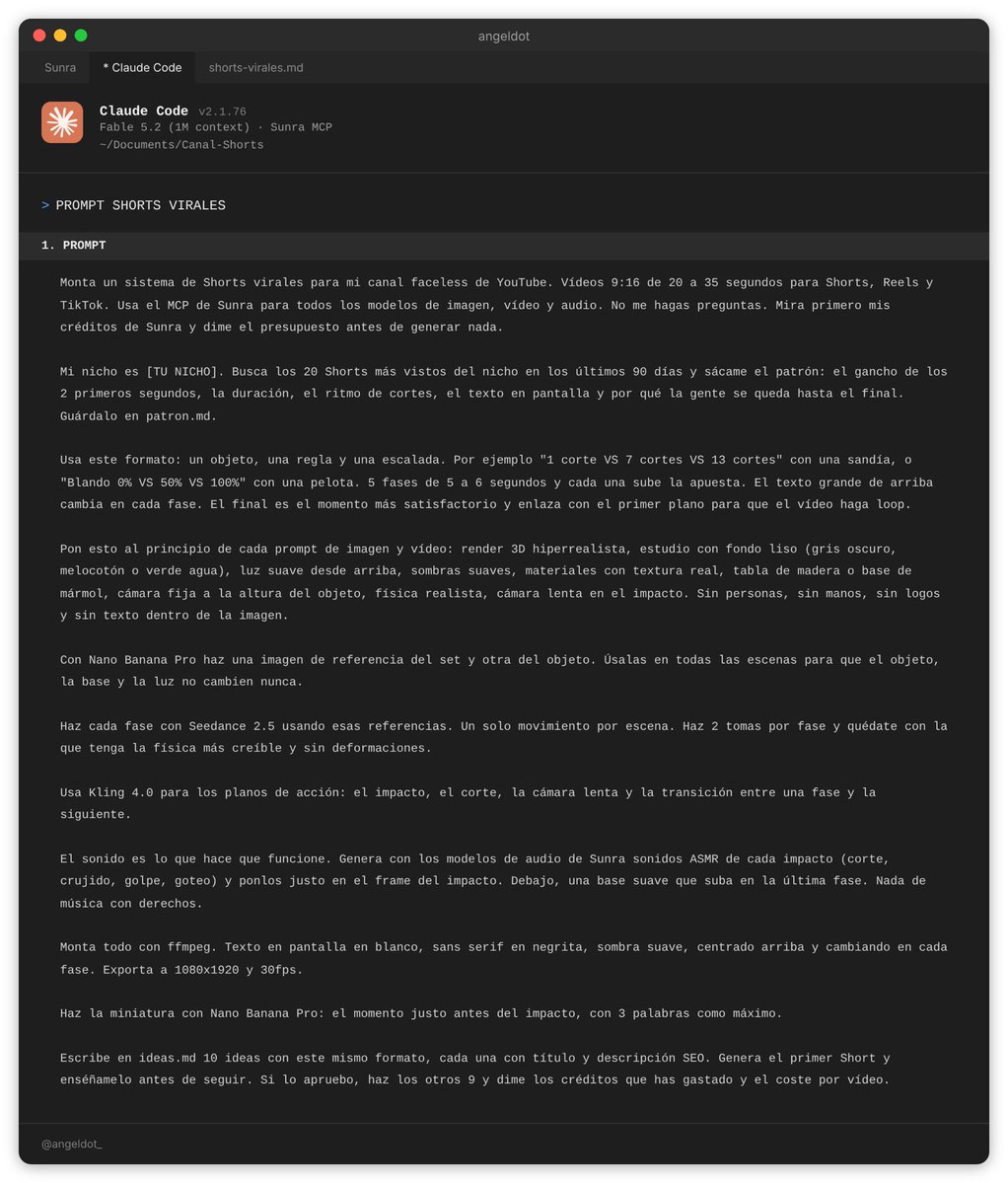
Claude Fable 5.2 + Sunra puede crear estos vídeos y generar 16.1M de visitas
Hay canales faceless de Youtube Shorts generando +12K$/mes con este sistema
Conectas Sunra MCP a Claude Fable 5.2 y él se encarga de todo:
→ Analiza los virales de tu nicho y saca el patrón
→ Escribe el guion y lo divide en escenas
→ Genera las escenas, la voz en off y la miniatura con los modelos de Sunra
→ Te entrega el vídeo listo para subir
Fable se ocupa de todo con una sola API.
Y ahora Sunra Enterprise sale hasta un 56% más barato.
Es el mejor momento para montar tu propio sistema de canales así
Enlace abajo👇
Setelah bersemedi beberapa minggu, gue nyoba hal baru: bikin video animasi sains.
modalnya 0 rupiah. cuma pakai HP. tanpa aplikasi editing.
Video?? Dari claude
Voice over?? Create tts dari gemini canvas dan gapake elevenlabs
episode pertama: magic com kok bisa tahu nasinya udah mateng?
kalau ga sibuk, nanti gue bikinin tutornya 👇
ESTO ES UNA PASADA
Han subido a GitHub un repo que te deja usar Claude Code GRATIS y PARA SIEMPRE
Redirige todas tus peticiones a 49 proveedores gratuitos, como DeepSeek o Kimi
1.300 millones de tokens gratis cada mes
Lo tienes configurado en 5 minutos
Ya supera las 46.000 estrellas y miles de devs lo están usando ahora mismo
🚨ESTO ES UNA LOCURA
Un desarrollador chino acaba de lanzar una herramienta GRATUITA capaz de crear vídeos automáticamente para TikTok, Reels y YouTube Shorts.
Se llama MoneyPrinterTurbo.
Y ya ha superado las 100.000 estrellas en GitHub.
Así funciona:
1. Introduces un tema o una palabra clave
2. La IA genera el guion, la narración y los subtítulos
3. Busca el material visual, edita el vídeo y te entrega el resultado final
Todo ocurre en un único flujo de trabajo.
Guárdate esta herramienta.
Estoy seguro de que puedes sacarle muchísimo partido.
Enlace abajo👇
Gw bikin animasi di Claude cuma pake HP, nggak perlu laptop atau PC, cukup pakai HP dan browser.
Gini caranya:
Langkah 1: Buka Claude Browser
• Buka Claude lewat browser HP: https://t.co/OnBrP8xOgP
• Login pakai akun Claude lu.
Tips: Kalau lu pakai browser HP dan menu yang dibutuhkan belum muncul, aktifkan mode Situs Desktop (Desktop Site).
Langkah 2: Buka Menu Claude
• Ketuk ikon menu (☰) di pojok kiri atas.
• Setelah menu terbuka, cari pilihan Customize.
• Ketuk Customize buat masuk ke pengaturan kustomisasi Claude.
Langkah 3: Masuk ke Menu Skills
Setelah halaman Customize terbuka:
• Pilih tab Yours buat melihat skill yang udah lu punya.
• Kalau mau mencari skill siap pakai, pilih tab Discover.
• Buat menambahkan skill baru, ketuk tombol + di pojok kanan atas.
Langkah 4: Pilih Cara Menambahkan Skill
Nanti bakal muncul tiga pilihan:
1. Upload skill — Buat lu yang udah punya file skill dan tinggal mengunggahnya.
2. Create a skill — Buat lu yang pengin bikin skill sendiri dengan menulis instruksinya secara manual.
3. Create with Claude — Lu tinggal ngobrol sama Claude dan menjelaskan skill yang pengin dibuat. Nanti Claude bakal bantu menyusunnya.
Kalau lu udah punya file skill, pilih Upload skill.
Langkah 5: Upload File Skill dari HP
Setelah memilih Upload skill, lu bakal masuk ke halaman pengunggahan file.
Ikuti langkah berikut:
1. Ketuk kotak Skill file yang memiliki garis putus-putus.
2. HP lu bakal membuka menu pemilihan file.
3. Pilih File, Browse, atau Jelajahi, tergantung perangkat yang lu gunakan.
4. Cari file skill di folder Download atau lokasi penyimpanan lainnya.
5. Ketuk file yang mau lu unggah.
Format file yang didukung:
• ".md" — File Markdown yang harus memiliki nama dan deskripsi skill dalam format YAML di bagian atas.
• ".zip" — File ZIP yang di dalamnya wajib terdapat file "SKILL.md".
• ".skill" — File skill yang juga wajib menyertakan "SKILL.md".
Lu juga bisa memilih beberapa file sekaligus jika diperlukan.
Langkah 6: Tunggu Security Scan
Setelah file dipilih:
1. Claude bakal menjalankan pemeriksaan keamanan (Security Scan) secara otomatis.
2. Tunggu sampai proses pemeriksaan selesai.
3. Pastikan file berhasil melewati pemeriksaan keamanan.
Langkah 7: Selesaikan Upload
Sekarang tinggal menyelesaikan proses upload.
Perhatikan tombol di bagian bawah halaman:
• Upload — Ketuk tombol ini buat mengunggah skill ke workspace Claude.
• Cancel — Ketuk kalau lu mau membatalkan proses.
Sebelum memilih file, tombol Upload biasanya masih berwarna abu-abu dengan keterangan Choose a file to continue.
Setelah berhasil diunggah, cek kembali daftar skill di tab Yours buat memastikan skill lu sudah masuk.
Kalo skill udah di upload, lu bisa pakai Claude app buat bikin videonya. Jadi fungsi browser cuma buat upload skill.
Semoga membantu.