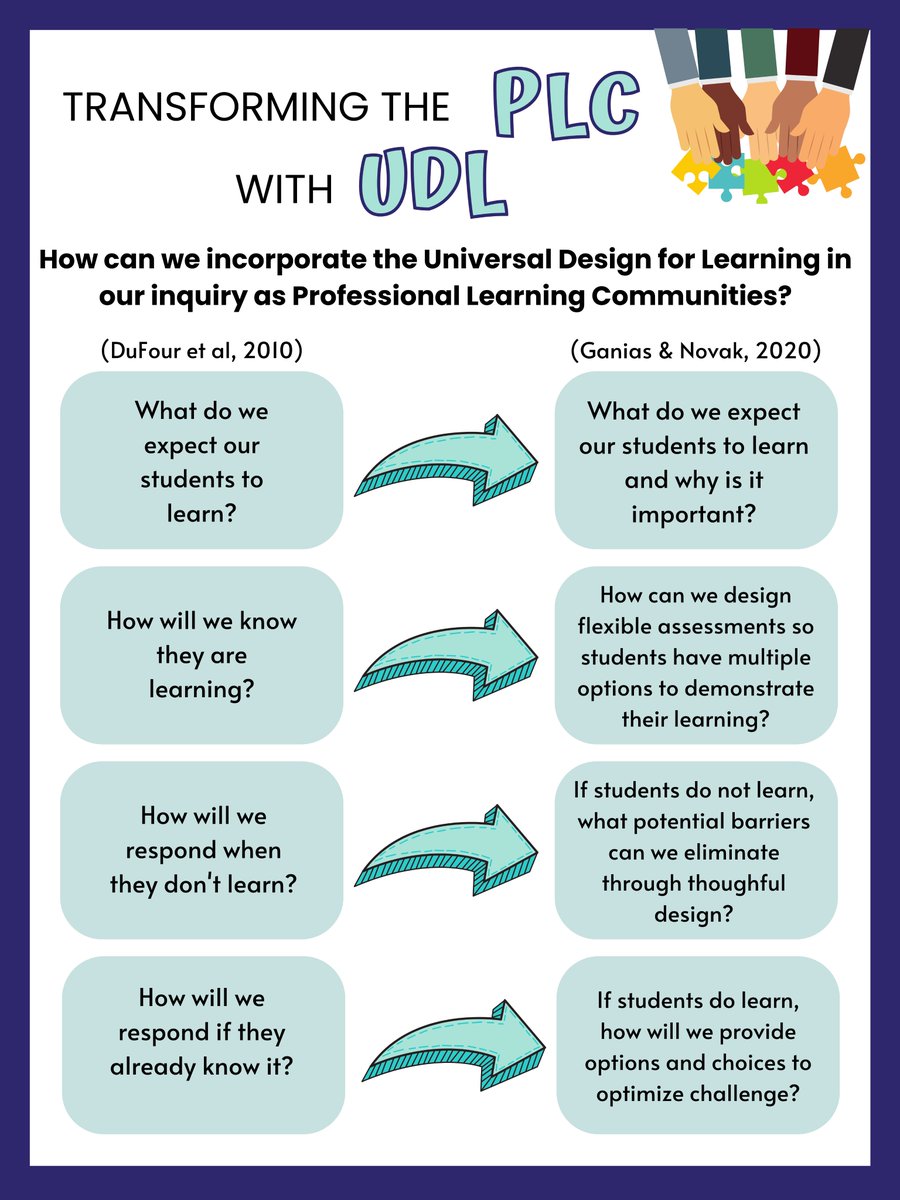
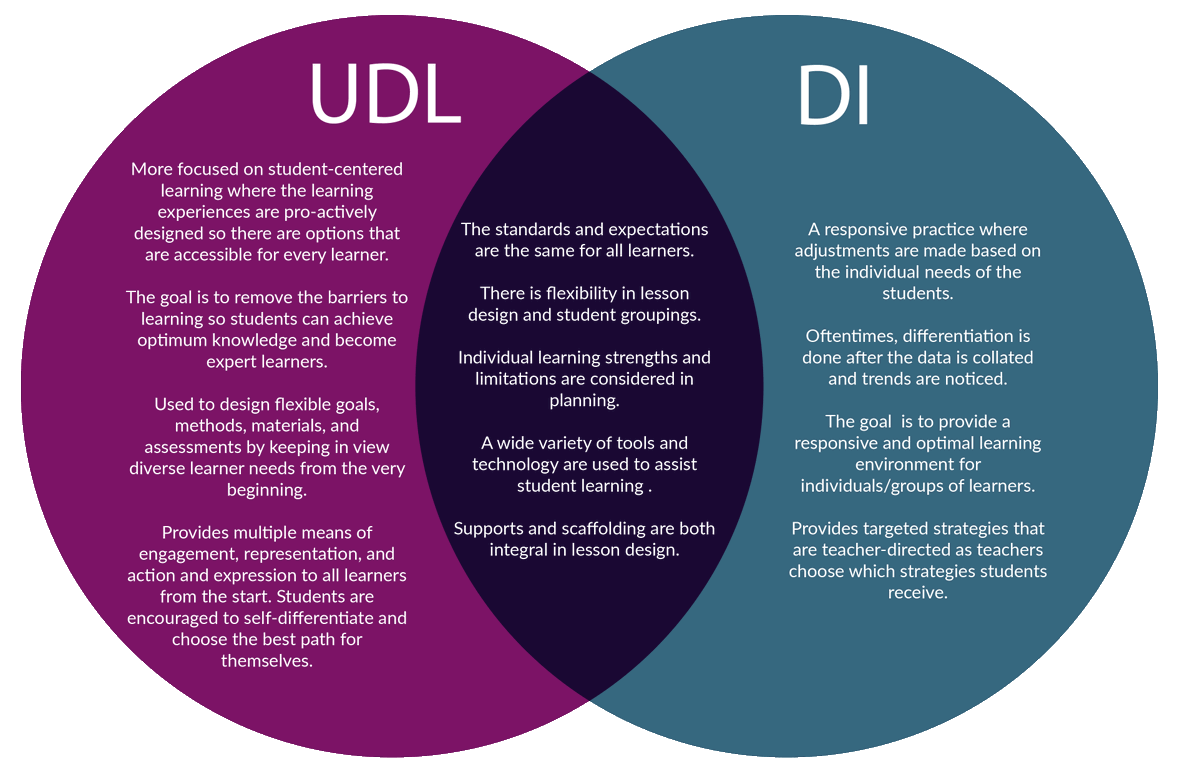
Wondering how we can transform our professional learning communities and collaborative inquiry to incorporate Universal Design for Learning? Here are ways to rethink DuFour's 4 PLC questions with a UDL lens. Thanks @Tammy_Manor for the inspiration! @KatieNovakUDL
Thank you to everyone who attended #appsmackdown10 at #Nyscate22. Below you can find the list of the 15 amazing shared at our session. Enjoy the rest of the conference and have a great Thanksgiving! @mamante@classtechtips@nyscate
https://t.co/VCLmuEY9PV
BELL RINGERS. Use them for improved retention and engagement! Here are 400 to get you started. Yes, 400.
https://t.co/BrPrxMI95I @mguhlin#learning#teaching#edu#k12
5 tips from @ClassTechTips to ensure middle school and upper elementary students get the results they need when they search online.
https://t.co/6wOCdD6qwa
Our goal is to empower educators with personalized teaching tools. One way we support district admins is by offering district-wide reports by standard and subject area so they can review overall mastery for all students.
Click the link to learn more:
https://t.co/r3anX306BY
In honor of STEM/STEAM Day today, @msedtechie is sharing six tips for building #STEM into your curriculum.
What tips do you have to add? #STEMDay#STEAM#Educators
Here's a #CanvaTip to turn your ideas into an image! 🖼️
https://t.co/VRaamvQD8L
Go to the More tab and select Text to Image. Describe the image you want to see and then choose your style of photo.
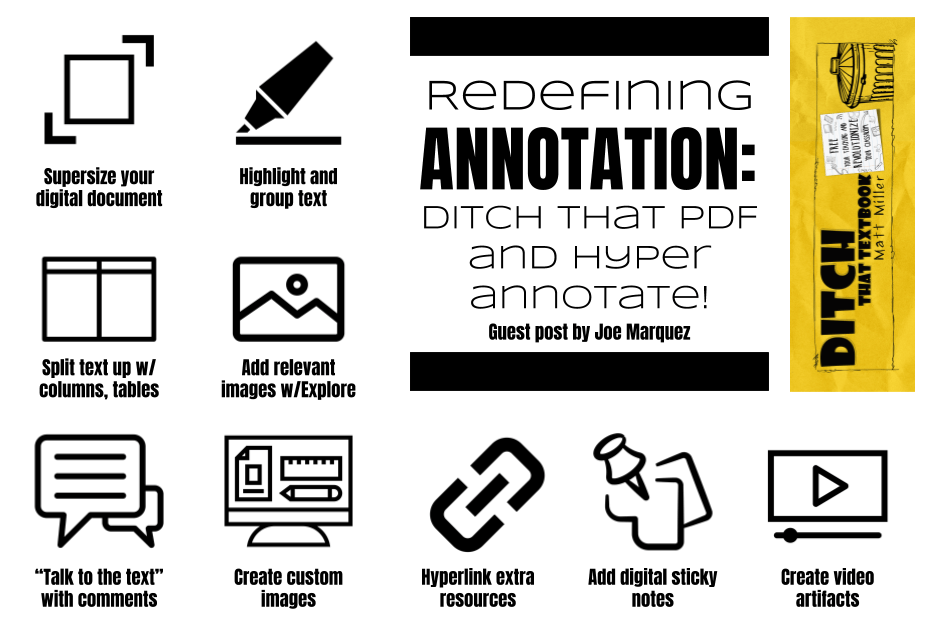
Redefining annotation: Ditch That PDF and hyper-annotate
✏️See examples
🚀Take it to the next level
7️⃣Seven options for hyper-annotation!
https://t.co/vlcLQP9j29
#ditchbook#edtech
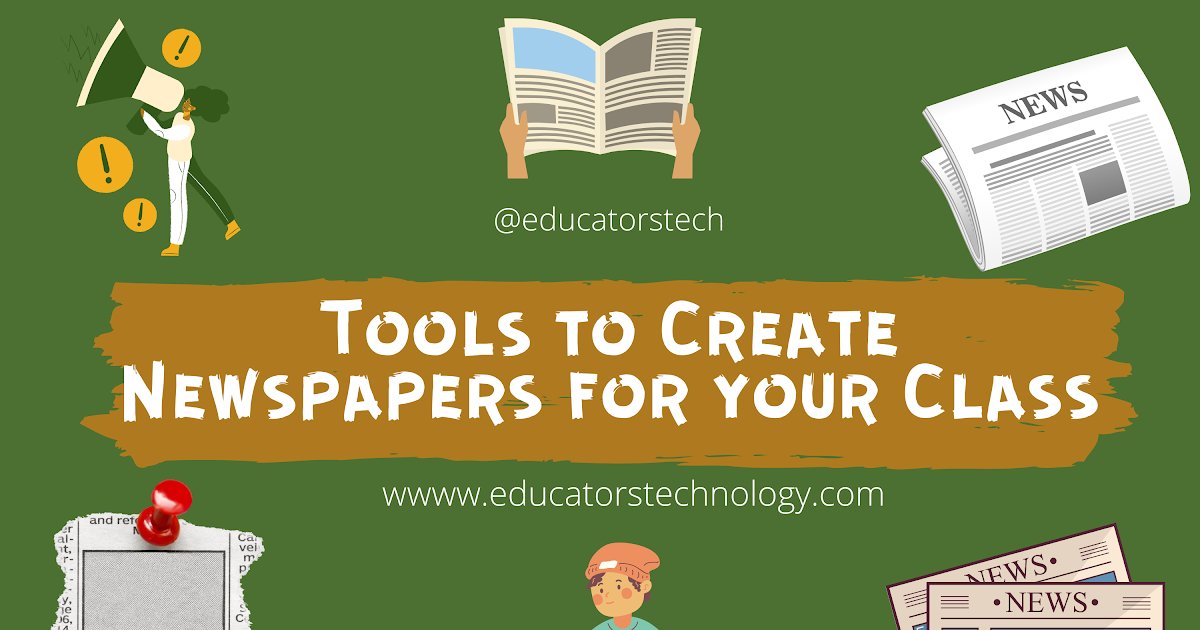
When I taught history, my students had to create newspapers in many of my units. Mostly, they used Google Docs, but here are 5 more tools that could be used!
Are you a librarian that is looking to make your makerspace digital? Check out this link that shares a complete website of different sites and sources that can be used in your digital makerspace. https://t.co/LyYMh6gBae
Educator Heather Gauck shares a few key practices that can help any educator leverage technology to ensure every student has what they need to learn and grow.
Slidesmania and Choice Boards https://t.co/GWfRDoGFJf #Add-Ons #Google#Slides
Choice Boards are the fastest way to incorporate the Universal Design for Learning into your classroom instruction!
Students will love creating videos to demonstrate their learning! Most of them already use Snapchat and TiKTok, so by incorporating film-making and editing into your classroom instruction will ensure students engagement.
From @edutopia & @matthewfarber 📝 👇
“Using design thinking and no more equipment than a smartphone, students can begin to explore their world through film.” https://t.co/2aCT3U9NGW
Have you seen Teachflix? 👀
A free resource with more than 500 classroom videos vetted by educators!
Find what you need with:
1️⃣ a search bar
2️⃣ age-level categories
3️⃣ content area categories
With activities/worksheets for any video 😲
Check it out: https://t.co/GNlspBakNP
Vocabulary is the foundation of every child’s school success. Help them build this skill by introducing https://t.co/a6qD1x9eEk at least 5 minutes a day!