If you're part of the Fediverse / Mastodon, you can find us over there as well: https://t.co/OMVQ5rSz8c
Mastodon is nice and brings to mind the old days of Twitter, now long gone and blown away by the ashes of time.
Hello folks! Just a quick reminder that the best way to get ahold of us is to email [email protected], use our online forums (https://t.co/d9Opw945JJ), or via the built in reporter under the Help menu of Acorn and Retrobatch.
It's server upgrade day today! The Flying Meat server will be up (and down) and maybe up and down again for the next hour or so.
We love server upgrade day! There's never any stress, and it's always smooth sailing. Those bits just do what they are supposed to. Every time.
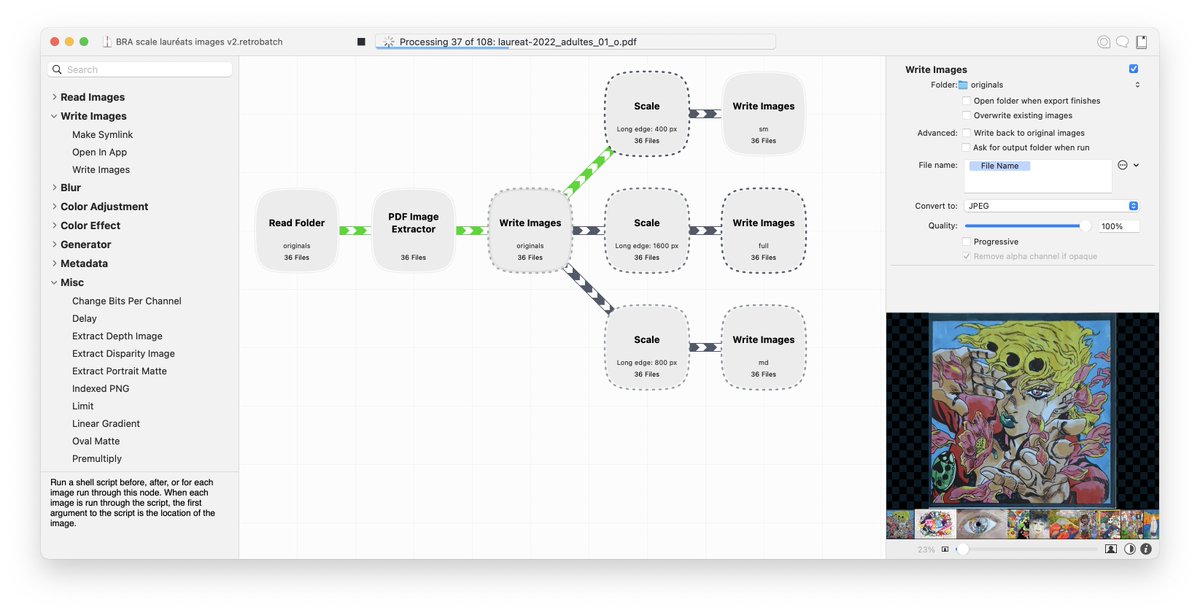
Just converted a few THOUSAND 14bit microscope images to 16 bit using @retrobatch from @flyingmeat. I can’t even imagine the amount of time it saved me!
@efunk64 Hello again! I believe we now have this fixed in the latest builds: https://t.co/zk6tbytBBO
When you get a chance, can you try it out and let me know how it works for you?
@efunk64 It’s not normal!
I just checked on my end, and it is indeed a bug that snuck in and I’ll get it fixed ASAP.
Can you tell me what version of MacOS and Acorn you’re using? I just want to confirm we’re seeing the same thing.
Retrobatch 1.5 was just released!
https://t.co/Wt5bajEzjx
There’s a couple of new nodes, as well as a fix for MacOS 13 Ventura + droplets. Check out the release notes for the gory details: https://t.co/pu0qKqJYIt
I’m blown away. Feature request for Acorn image editor forms in my head, I email request to @flyingmeat.
23 minutes later I have that exact feature running on my computer.
Always listens. Pragmatic.
There is a lot to be said about working with indie developers!
@PictoMiso There isn’t a way to create a shortcut within Acorn, but you can use the System Preferences/Settings ▸ Keyboard ▸ App Shortcuts to add a shortcut to the preset (you need to spell the preset name exactly the same, including case).
Big shout out for Retrobatch by @flyingmeat. Anytime I have a large folder of images I need to perform a bunch of transformations on, I'm amazed at how simple and alarmingly fast Retrobatch is at letting me define them and get my work done. 10/10 would recommend!
@alpipego There’s nothing for doing it with guides. Acorn instead has “Smart Layer Export”, which you can do via groups. You can read about it here: https://t.co/kJTXZ6pNNy
If you aren’t a Mac person then you likely don’t get just how wonderful Mac software can be. Let me tell you a tale of Retro Batch and Flying Meat. @flyingmeat@daringfireball
@alastair TIFF, PNG, WebP, JPEG2k, and GIF will all save with transparency (as well as the native Acorn format). If it’s not working for you - let us know at [email protected], and we can figure out what’s going wrong.
@oelna OHHHH. I’m following you now. Sorry, my bad. Too many emails and other stuff this morning and my brain is misfiring! I’ve got it fixed now, thanks for pointing it out.
To celebrate Flying Meat turning 20 years old today, everything in the store is now $20! (Including the Retrobatch Pro Upgrade - which is normally $19.99).
https://t.co/Ince7CSMyj