Want to practice your Kusto skills or even have a look at Kusto for the first time? We offer a free Kusto cluster for exactly that. No payment details required, or even a subscription, you just need an account to log in and away you go. It has 100 GB of storage available and allows multiple databases so you can practice all kinds of KQL wizardry with it.
More info here - https://t.co/zh6m3BMHzb
If you want some further guidance on how to ingest data into the cluster, have a read of my repo here - https://t.co/jt7zAXgq5w
I created this repo as interview prep at Microsoft, and then I was never asked anything about KQL or Azure Data Explorer, which was pretty funny, but now you can use it too!
Here’s a thread about the very (very) basics of MCP for cybersecurity people. I walk through the requests that are being made between the AI and an MCP server, and also have an MCP I made (“Evil MCP”) you can try:
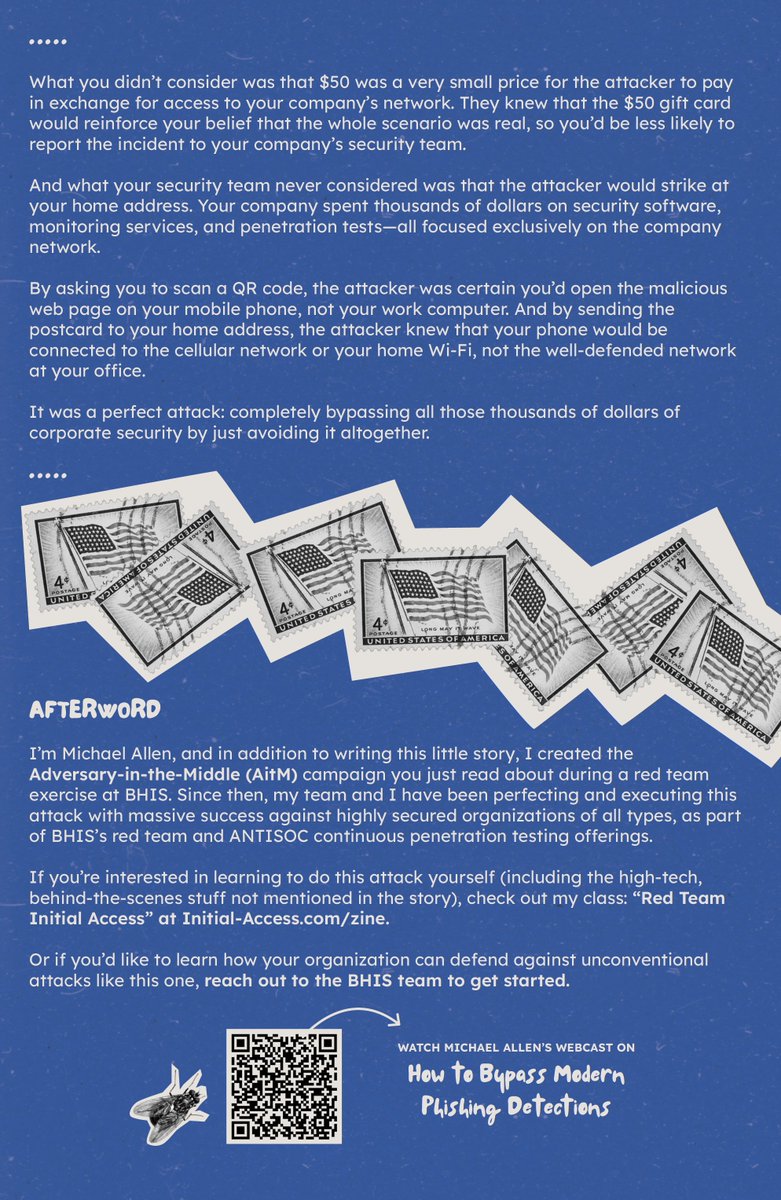
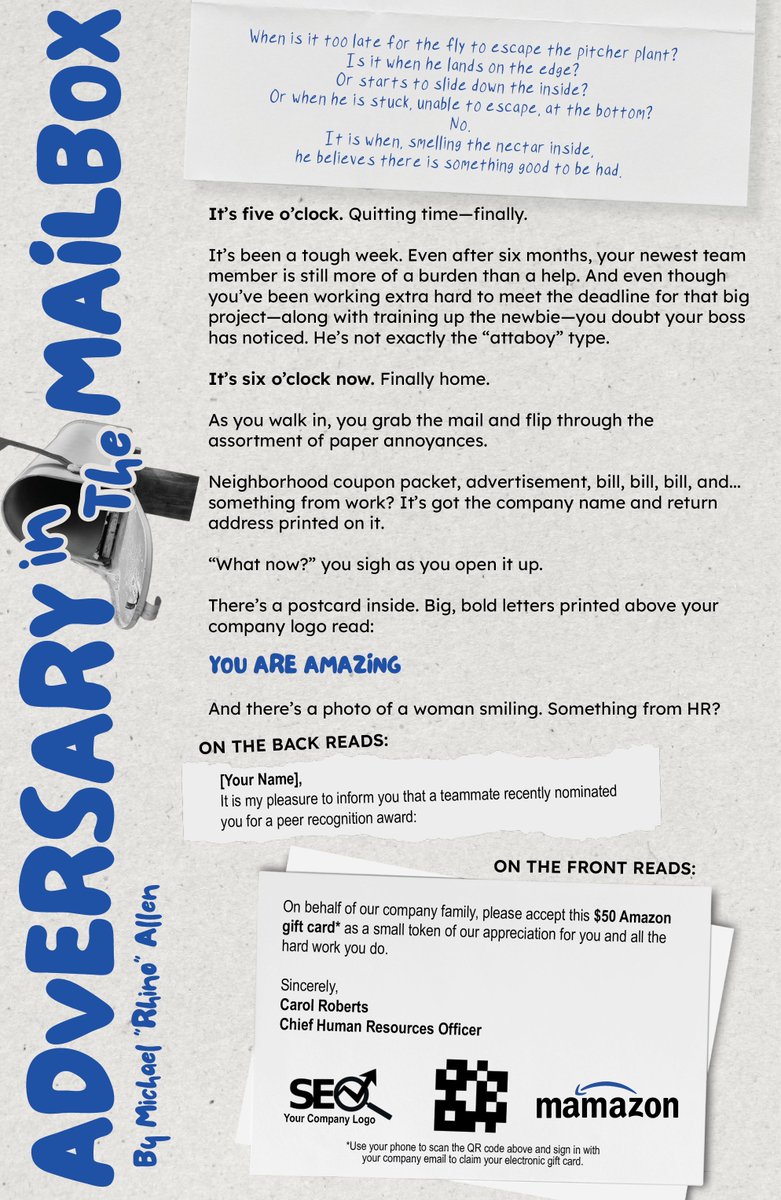
Even on holiday break we still need to be cautious! Your mailbox can be the perfect target as well.
Michael Allen breaks down the unique ways bad actors can use something simple as a your daily mail to gain access to your credentials.
More from Michael:
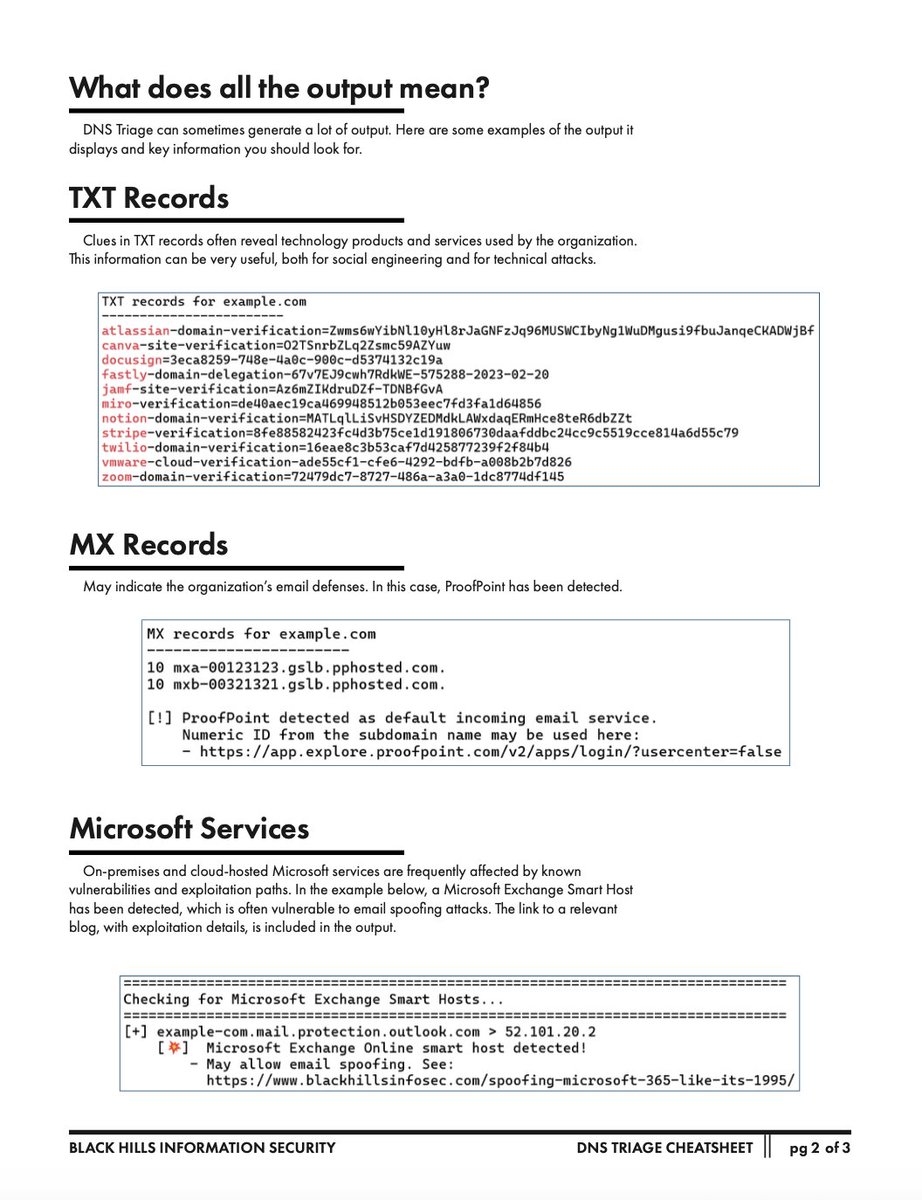
DNS Triage Cheatsheet -- https://t.co/4IBHNIkHNA
Is This Thing On? -- https://t.co/pL6N6E4dIh
The Paper Password Manager -- https://t.co/1GTqKQVlhz
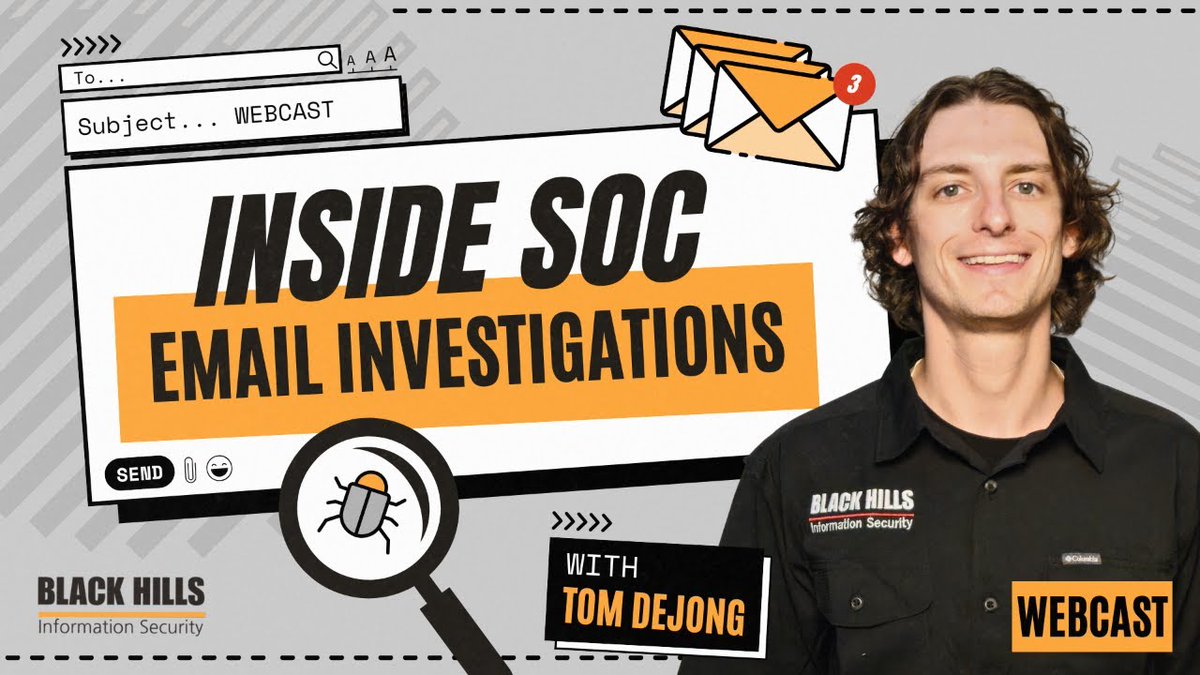
Tom DeJong just finished up a fantastic webcast on triage skills for SOC analyst!
Let's continue with more Tom and more skills to help you level up your SOC skills with INSIDE SOC: Email Investigations!
He taught us how SOC Analysts investigate potentially malicious emails to keep their organizations inboxes safe.
Revisit learning about key aspects that make up email security, how to triage & investigate a suspicious email, & best practices for SOC email investigations.
Watch the full webcast here: https://t.co/lfF1pznvgI
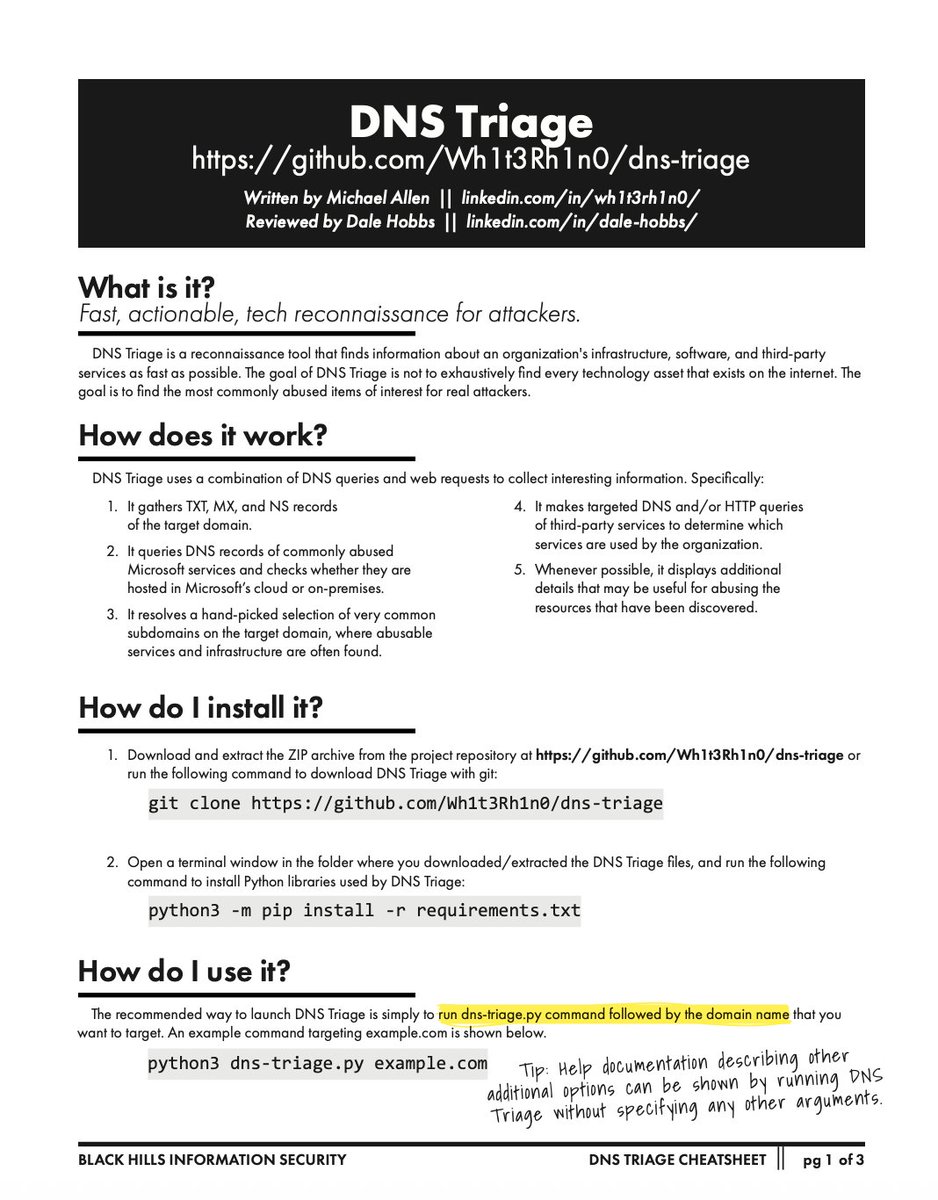
We love a good reconnaissance tool and DNS Triage by @Wh1t3Rh1n0 has our eyes and heart. Who better to provide us a cheat sheet than the creator Michael Allen!
More from Michael:
How to Test Adversary-in-the-Middle Without Hacking Tools -- https://t.co/rsHJEEySoP
Adversary in the Middle (AitM): Post-Exploitation -- https://t.co/wNmJqByYFs
OPSEC Fundamentals for Remote Red Teams -- https://t.co/wg8YAxR5gu
Normally I use patch_review.py for my monthly reporting on patch Tuesday patches. @KevTheHermit did an amazing job with it.
But since I'm more of a PowerShell guy, I finally came around and moved the codebase to ps1.
If you like #PowerShell feel free:
https://t.co/nzJ0eP2ayC
ISO 27001 BREAKDOWN IN A BEGINNER-FRIENDLY WAY
In my last class, I spent over an hour breaking down ISO 27001 to my GRC students, but I noticed it started to feel a bit overwhelming for some. So, I simplified it this way:
👉 ISO 27001 is like a rulebook that organizations follow to protect their information systems. Its ultimate goal is to safeguard the Confidentiality, Integrity, and Availability (CIA) of data.
To make it more relatable, I used this everyday analogy:
Imagine you move into your newly completed house without a gate and, unfortunately, a robbery takes place. You don’t want that to happen again, so what measures would you put in place? Maybe build a fence, install a stronger gate, add electric wires, or even hire a security guard. Each of these actions is a control — a safeguard to reduce risk and prevent another robbery attack. That’s exactly what Annex A controls are in ISO 27001.
I then explained that controls can be grouped into three categories:
Administrative (policies & rules)
Example: A rule requiring everyone to use strong passwords.
Technical (technology-based)
Example: Firewalls, antivirus software, or multi-factor authentication.
Physical (real-world protections)
Example: Locking server rooms, using ID badges, or CCTV cameras.
Using more everyday examples helps too:
A password policy = locking your house with a strong key.
Access control = only housemates have a key, not strangers.
Backups = making a photocopy of an important document.
Incident response = calling the fire department when there’s a fire outbreak.
So in essence, ISO 27001 is all about providing structured rules and safeguards to help organizations keep their data and systems secure.
We’ll continue from here in our next class, but I hope this recap makes ISO 27001 a lot clearer for any beginner trying to understand it.
How to learn Active Directory…
Step 1. Setup your own lab. Setup laps, applocker, logon scripts, CA server, sccm, exchange, file shares etc the whole nine
Step 2. intentionally misconfigure it with tools like BadBlood and BadShares (I wrote this one) or just manually screw it up
Step 3. Find all the messed up stuff (PingCastle, scriptsentry (mine), locksmith, ADeleginator (me again), AppLocker Inspector (also me), PurpleKnight, etc etc). Included in this step is documenting the stuff you find and the root cause (makes good blogging/video content)
Step 3a. Try to exploit the bad stuff. This is optional but it’s super fun and I believe it’s helpful to know how threat actors may attack the stuff you find (also good content)
Step 4. Fix all the messed up stuff. Included in this step is documenting your process and the fix (again good content)
Step 5. Repeat until you can talk about XYZ without looking it up
Bonus - document your process and stuff you’re doing on social media. Write blogs, make videos, whatever. Post daily.
Do this consistently for 1 year without looking up and I bet you’ll be surprised how far you go in just 12 months.
PS - This isn’t the only way. This is just what I’d recommend based on what’s worked for me and seeing others learn this way 🙏
Please stop using Private browser sessions for cloud admin accounts
Look, we all know we shouldn't be using admin accounts while signed into our productivity account, but if you're gonna do it, at least use browser profiles so you can enforce compliance
https://t.co/e8I882Lh9w
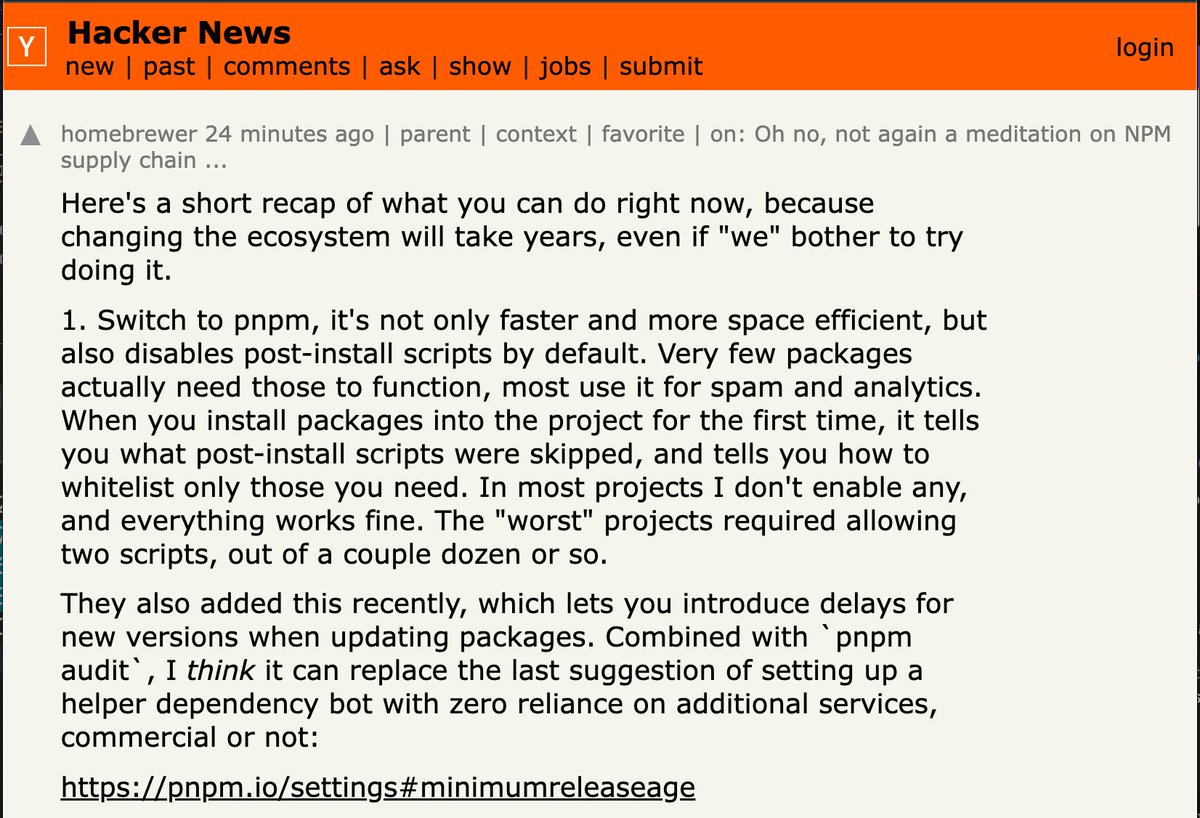
If you’re looking for ways to reduce the risk from compromised #NPM packages, here’s a solid post from Hacker News. I contains a few practical steps to harden your setup:
- Use pnpm. It’s faster, takes less space, and blocks post-install scripts by default. Most of them are useless or shady anyway.
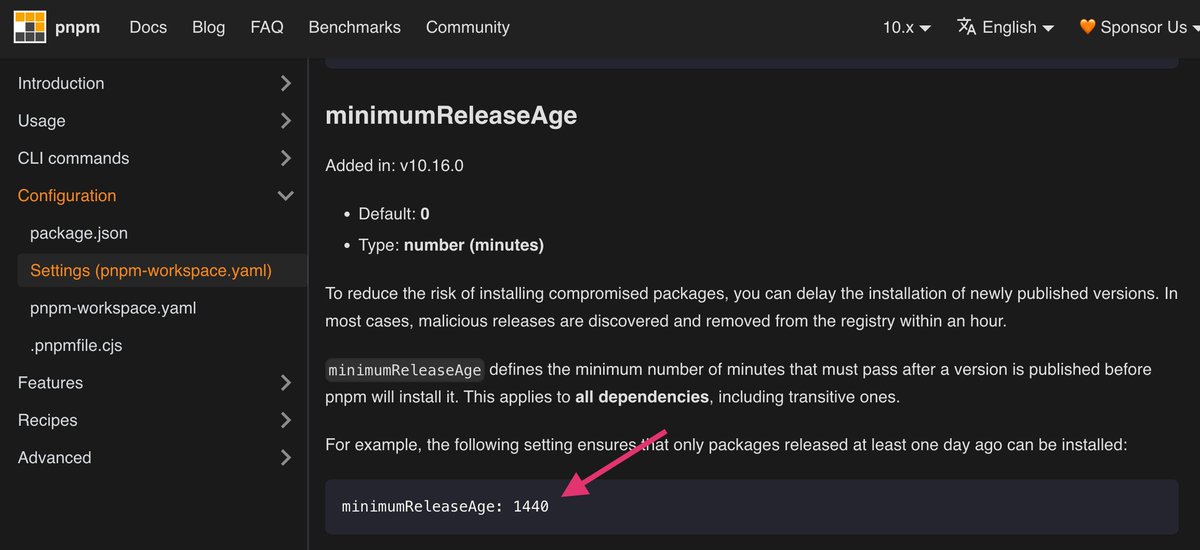
- Set minimumReleaseAge to delay fresh packages. In recent attacks, that delay alone would’ve been enough to avoid pulling malicious versions.
- On Linux, wrap your package manager in bubblewrap. Keeps the junk from touching sensitive files like ~/.ssh
No tools to buy. No pipelines to rebuild. Just small changes that help.
Hacker News post: https://t.co/oINpp9axR5
Config: https://t.co/X4aaQPrBNu
✨🎮 DESCARGA YA POKÉMON AÑIL: DEFINITIVE EDITION 🎮✨
🌍 Vuelve a Kanto en esta gran actualización con:
⚡ Mejor rendimiento
🌐 Modo online
🎨 Muchas mejoras extra
👥 Creado por @Skyflyer_R y @dpertierra con permiso de su autor original @Eric_Lostie (no participa directamente en esta versión).
⬇️ Descarga aquí:
🔗 https://t.co/FLVVWSJHtK
#FanáticosPlus |🎙️📣 Bolillo Gómez en conferencia de prensa:
Tras el gane de la Selecta frente a Guatemala, el técnico destacó el trabajo del grupo y la importancia de seguir construyendo resultados positivos 💙🇸🇻⚽