🇬🇧 Pro-Level PC Optimizations - worked with @nocriesof @n0thing @curexipubg @KlaussOW @iskCSGO @NikoMfps @FessorCS & more. Book a session on the website.
📢 "Why does my mouse feel sluggish?"
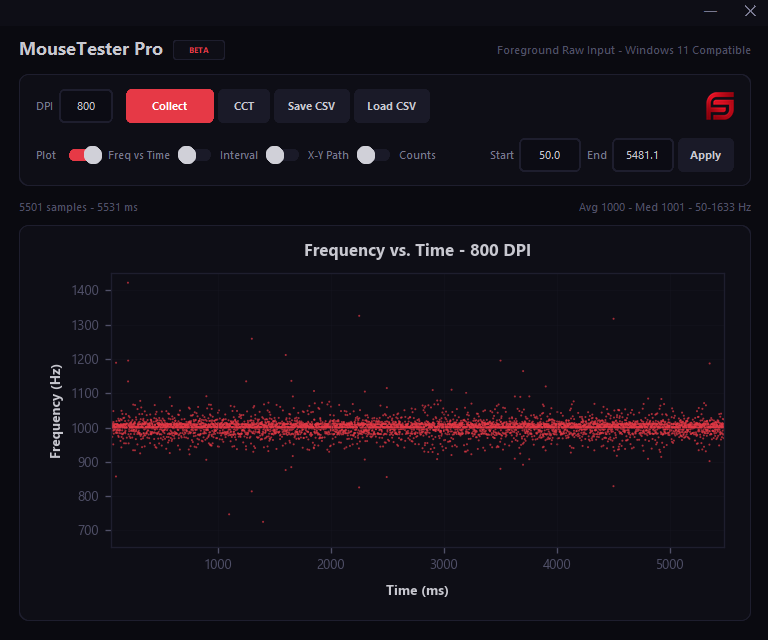
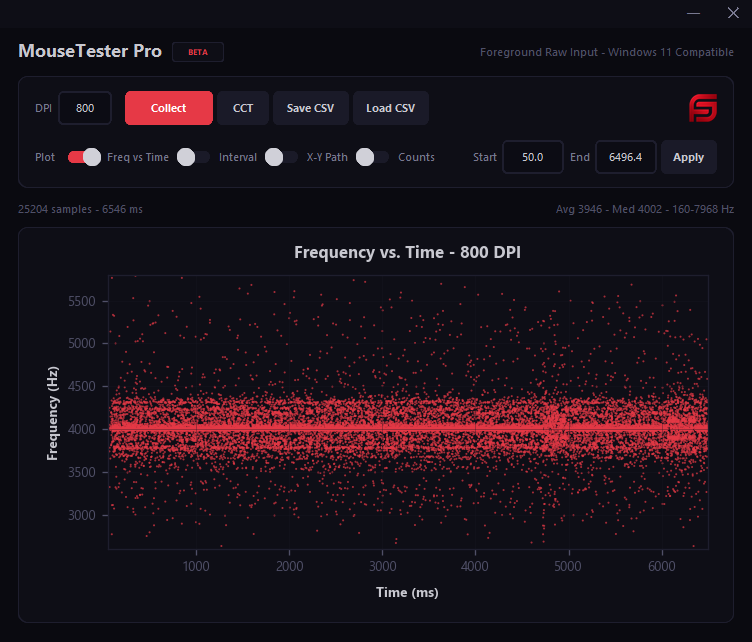
It's not input lag. It's inconsistent polling - and nobody gives you a tool to actually see it.
So we built one.
👉MouseTester Pro (actually FREE):
✅Real-time polling rate consistency graphs
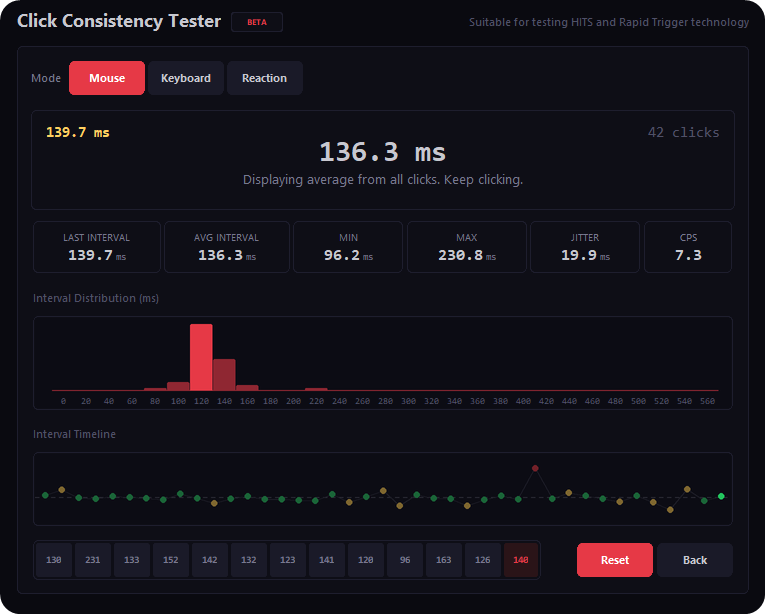
✅Click interval testing (traditional mouse vs G Pro X2 Superstrike? Now you can see the difference in ms)
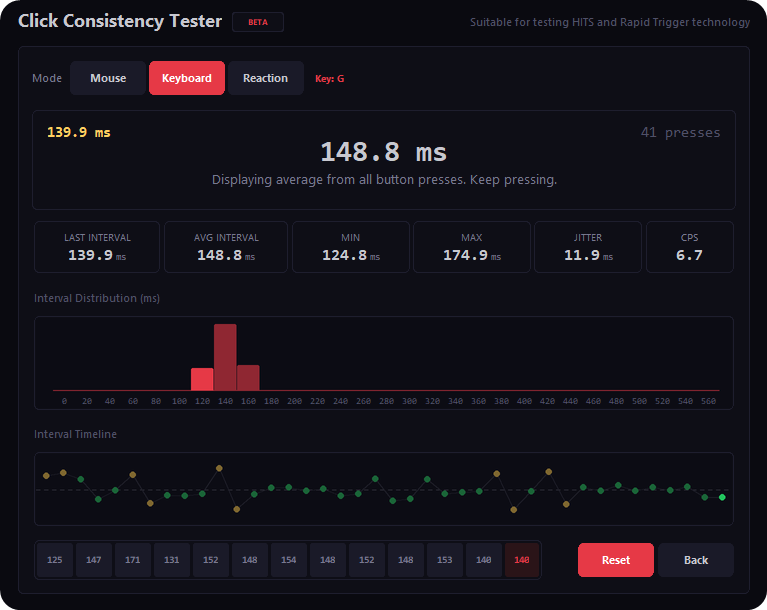
✅Keypress intervals (normal vs rapid trigger, or compare RT settings)
✅Reaction time test (all 3 in the CCT tab)
No other tool does this. Not online, not as an app. Not accurately.
Grab it for free 👇
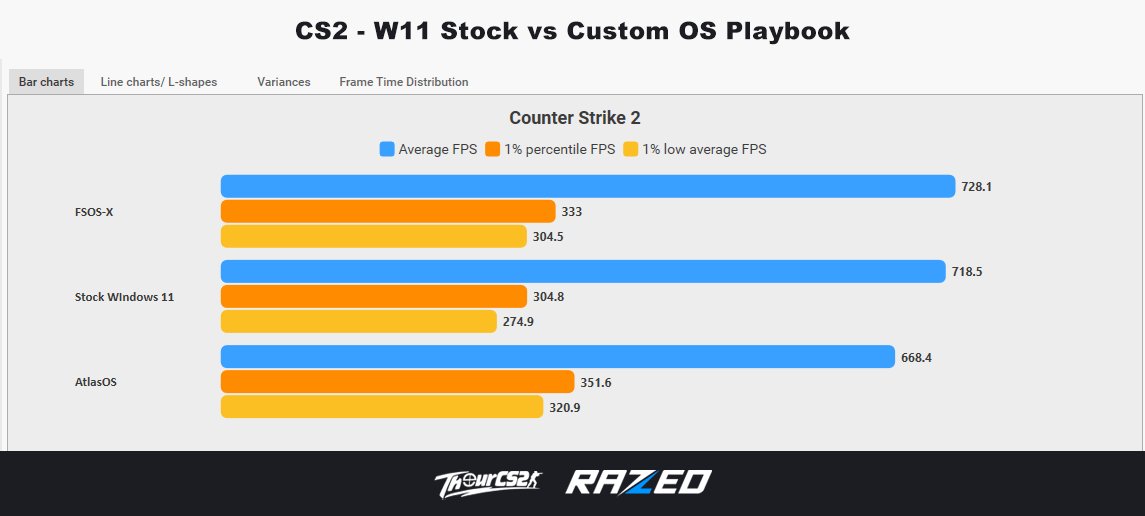
CS2 FPS Benchmark : Windows 11 Stock vs Custom OS Playbooks (FSOS-X and AtlasOS)
Benchmarked using @CapFrameX on the Dust II FPS Benchmark map. Each OS was tested 3 times and the results shown are the aggregated averages.
Average FPS:
FSOS-X: 728.1 FPS 🏆
Stock W11: 718.5 FPS
AtlasOS: 668.4 FPS
1% Low Avg:
AtlasOS: 320.9 FPS 🏆
FSOS-X: 304.5 FPS
Stock W11: 274.9 FPS
Process Count:
FSOS-X: 90
AtlasOS: 96
Stock W11: 147
While FSOS-X got the highest Avg. FPS, AtlasOS improved the 1% Lows Avg by 16.73% 🔼 compared to Stock Windows 11. For some reason, AtlasOS got the worst Avg. FPS in these runs compared to FSOS-X or W11 Stock.
FSOS-X also had the fewest background processes with 90 running compared to 147 on Stock Windows 11.
Note: I kept Windows Defender and all other security features enabled during testing. I don't recommend disabling them just to gain a few extra frames.
PC Specs:
Ryzen 7 9800X3D
RTX 5070
32GB DDR5 CL30 6000MHz
NVIDIA Drivers 610.74
Windows 11 25H2
HAGS, Game Mode, Resizable BAR: Enabled
CS2 Video Settings:
1920x1080
Reflex Enabled
MSAA 4x
For each benchmark, I performed a fresh installation of Windows 11 while keeping the same NVIDIA driver version. At the time of testing, only CS2 and CapFrameX were installed to minimize background variables.
In total, I did 3 fresh W11 installations to complete this benchmark.
And as always, results may vary from system to system.
Just got my PC optimized by @FrameSyncLabs.
No bullshit, if you want your mouse to feel crisp instead of floaty, I highly recommend reaching out to them.
Big props to them for being very professional throughout the whole process.✌️
The Ultimate Optimization package is insane like my PC feels brand new. Everything is smoother, faster, and way more responsive
Now the game feels like cheating hh @framesynclabs
📢 "Why does my mouse feel sluggish?"
It's not input lag. It's inconsistent polling - and nobody gives you a tool to actually see it.
So we built one.
👉MouseTester Pro (actually FREE):
✅Real-time polling rate consistency graphs
✅Click interval testing (traditional mouse vs G Pro X2 Superstrike? Now you can see the difference in ms)
✅Keypress intervals (normal vs rapid trigger, or compare RT settings)
✅Reaction time test (all 3 in the CCT tab)
No other tool does this. Not online, not as an app. Not accurately.
Grab it for free 👇
🚨 Want a free Logitech G PRO X2 SUPERSTRIKE?
👉 Join our Discord at https://t.co/lm9DATGNa2 and post a picture of your setup in the # setup-showcase channel.
The one with the most 🔥 reactions by 11th of March, 2026 gets a new mouse + a full PC optimization for you or a friend.
Free for all. Good luck!❤️