Not active for a while, but today I upgraded my FreeBSD laptop from 12.3 to 13.1. Only weird things I saw were "(null) has no direct installation candidates, change it to gcc?" messages during "pkg upgrade -f". I proceeded by answering "n" because "Y" caused segfault.
Oh I forgot this one.
After the upgrade, loader (Beastie) menu looked a bit strange with the menu frame was corrupted.
Fixed by adding the following config to /boot/loader.conf.
loader_menu_frame="ascii"
Didn't know I could scan a doc on #freebsd with my old EPSON EP-802A via network, just by "pkg install xsane sane-airscan". Epson2 backend can also be used by adding "net A.B.C.D" to /usr/local/etc/sane.d/epson2.conf. Win10 vm is no longer needed for this. A pleasant surprise!
@FreeBSDHelp@TrondEndrestol The latest electron12 port build was required to handle the following issue, but the package is not available for FreeBSD:12:amd64 yet. This is why I built it from the port. A good opportunity to learn a bit more about poudriere😉
https://t.co/0z4DCloeBv
My attempts to build the latest electron12 port on my #FreeBSD 12.2/amd64 box with 32G RAM failed. Looks like processes were killed with "out of swap space". Adding swap up to 64G had no effect. Will try possible workarounds shown by searches.
@jbhardman Did a quick testing on FreeBSD 13. Installing wireguard-go package on the jail seems to work, while installing wireguard-kmod and 'kldload wg' on the host causes another error (Unable to modify interface) when starting wireguard on the jail.
@jbhardman Ah, now the wireguard package seems to install wireguard-kmod instead of wireguard-go, which was only available at the time of writing the post. I haven't tried the kmod version yet but will look at it anytime soon. Maybe loading 'wg' module on the host? Or install wireguard-go?
After upgrading @joplinapp desktop to 2.3.5 (pre-release), I instantly noticed wider side margins on editor/viewer. Then I also found a new option "Editor Maximum Width" in Options > Appearance. Setting it to zero restored the same appearance as earlier versions.
A disk(ada1) on a FreeBSD home NAS started spitting out errors. As it's in a ZFS mirror, getting it back to normal was not a deal. Replacing ada1, then
# gpart backup ada0 | gpart restore -F ada1
Label the zfs partition as zfs1 and install bootcode.
# zpool replace zroot gpt/zfs1
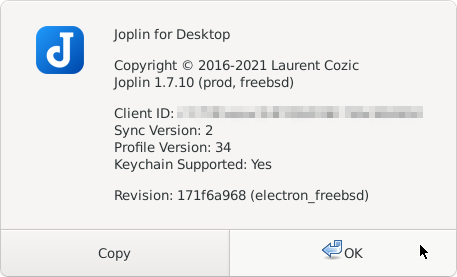
Finally I could have made a long-jump upgrade of @joplinapp from 1.0.233 to 1.7.10 on my FreeBSD box, thanks to the recent development of electron ports for FreeBSD.
On my #FreeBSD laptop, audio/ardour6 suddenly stopped working. It crashes on startup. Adding --lldb flag to run it in debugger suggests something wrong with devel/serd, which was just upgraded. So I downgraded it from 0.30.8 to 0.30.6 and it seems I can workaround the issue now.
@debdrup Yes, I'm trying it now. As I have filed only a single report on FreeBSD Bugzilla and it was some time ago, I have to re-check guidelines and recall how to do that.