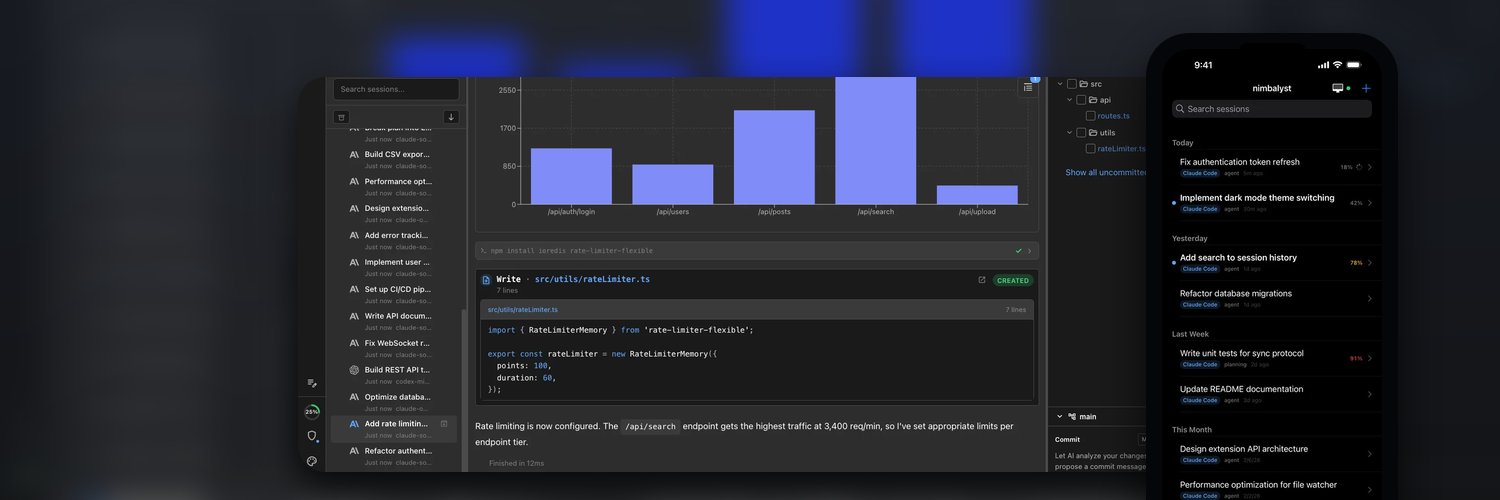
We just open sourced Nimbalyst.
AI makes it possible to do more work, but that means more to keep organized.
Sessions, prompts, file edits, tasks, and commits all start to blend together at speed.
I thought the tool should help with that and built Nimbalyst to keep everything connected.
Here are 6 examples:
Anthropic says they're limiting programmatic use, but what they're actually doing is restraining the ecosystem of the builder experience. Is this really the time to push the innovation to other providers?
A list of the innovations that open-source Nimbalyst users will now have to experience with Codex instead of Claude when their tokens run out, because terminals and toy desktop apps are not enough.
- Interactive, WYSIWYG markdown and other extension-based editors with live visual diff showing agent work
- Rich transcript experience, include visual extension rendering like Excalidraw, mindmaps, ERD, mockups
- Proper searchable database history of sessions, prompts, files edited
- Interactive shortcuts like the history of every session that has edited this file
- Parallel sessions kanban, with transcript peek to keep tabs and organizational tags
- Mobile app with real rich transcript, push notifications, synchronized session prompt drafts
- Local orchestration, interactive voice agent control across sessions
And they still have Anthropic personnel claiming this only limits non-interactive tools, continuing the confusion.
Starting June 15, paid Claude plans can claim a dedicated monthly credit for programmatic usage.
The credit covers usage of:
- Claude Agent SDK
- claude -p
- Claude Code GitHub Actions
- Third-party apps built on the Agent SDK
If your interactive tools were better, I wouldn't have to do my interactive work elsewhere. But you're not going to let me even though that is the language you used.
That’s the direction we’re pushing on with Nimbalyst:
Link the session, the edits, the prompts, the tasks, and the commit so the whole workflow stays navigable.
Focus on organizing the work and supporting the user in managing the agents.
https://t.co/ZqhyBSaLTm
Quickly viewing diffs let's you keep an eye on things without changing your entire visual context.
I want to scan a stack of AI edits in seconds, only digging in to the bigger changes.
Commit by session, not by whatever happens to be dirty in git.
The agent can prepare the commit with the session context. You still validate and edit the files and message before anything lands.
We just open sourced Nimbalyst.
AI makes it possible to do more work, but that means more to keep organized.
Sessions, prompts, file edits, tasks, and commits all start to blend together at speed.
I thought the tool should help with that and built Nimbalyst to keep everything connected.
Here are 6 examples:
In a world of software abundance, differentiation will come from taste and ergonomics.
The winners will not be the teams that add the most. They will be the teams that remove the most friction.
That takes product judgment. It means knowing your users deeply and, increasingly, letting them shape the product directly with AI instead of forcing them through fixed workflows. If users can shape the product directly, what happens to settings screens?
@edmunds Cars are a perfect example of slow dev cycles plus supplier chains producing bad software UX.
But it’s not just cars. ATMs, POS, healthcare portals, airline kiosks.
As AI makes good software cheaper to build, “legacy constraints” stops being an excuse.
One of the weirdest things about current AI tooling: you often need extra tools just to know when the agent is done or blocked on you. There's value in running parallel agents in worktrees, doing exploratory implementations, but it can be hard to keep track of it all.
“Needs attention” should just be part of the workspace. System toasts should be useful and concise to help you keep track without losing focus.
Hate being tied to my desk, babysitting agents.
Built a native iOS app for Nimbalyst so I can keep Claude Code and Codex sessions moving from my phone.