

Top Tweets for #GetData

Name tools by what they do. get_invoice_status, not getData.
In the description, say when to use it AND when not to. "Don't use this to list invoices" removes most of the confusion.

GAS(グーグルのなんか簡単なすぐできるやつ)のみで作成できる簡易版
下をアンチグラビティに読ませて、
「私の今いる環境でこれに似たようなシステム提案して。また私はプログラム初心者なので、初めても人でも分かるように手順は細かく端折らないで教えて。まずは実行前に気になる点があれば教えて」
ぐらいの適当な指示つければなんとかなります!
Gas Recipe For Beginners
【レシピ①】Google Apps Script (GAS) で作る「原本照合システム」
レセコンから出力した調剤データ(CSV)と、スキャンした処方箋(PDF)をAIで照合し、原本の回収漏れがないかチェックするシステムです。
概要
レセコンCSV
をスプレッドシートに読み込みます。
処方箋PDFをGemini AIで読み取り、「患者名」「調剤日」「医療機関名」を抽出します。
スプレッドシートのデータとAIの読み取り結果を照合し、一致すれば「OK」と表示します。
準備するもの
Google アカウント
Gemini API キー: Google AI Studio で取得
レセコンCSV: 調剤日、患者名、医療機関名が含まれるもの
ステップ 1: スプレッドシートの準備
新しいスプレッドシートを作成し、名前を「原本照合管理」にします。
最初のシート名を「レセコンデータ」にします。
1行目に以下の項目を入力してください:
A1: 患者ID, B1: 氏名, C1: 調剤日, D1: 医療機関名, E1: 照合結果
ステップ 2: フォルダの準備
Googleドライブに以下の2つのフォルダを作成し、それぞれの「フォルダID」をメモしておきます。
処理待ちフォルダ: レセコンCSVと処方箋PDFを入れる場所
保存済みフォルダ: 処理が終わったファイルを移動する場所
ステップ 3: GASコードの貼り付け
スプレッドシートのメニュー「拡張機能」>「Apps Script」を開きます。
以下のコードを貼り付け、★ 部分を自分の情報に書き換えてください。
javascript
// ★設定項目
const SETTINGS = {
SOURCE_FOLDER_ID: '★処理待ちフォルダID',
ARCHIVE_FOLDER_ID: '★保存済みフォルダID',
GEMINI_API_KEY: '★Gemini APIキー',
SHEET_NAME: 'レセコンデータ'
};
function main() {
const ss = SpreadsheetApp.getActiveSpreadsheet();
const sheet = ss.getSheetByName(SETTINGS.SHEET_NAME);
console.log("1. CSV取り込み中...");
importCsv(sheet);
console.log("2. PDF照合中...");
matchPdfWithAi(sheet);
}
// レセコンCSVをシートに書き込む
function importCsv(sheet) {
const folder = DriveApp.getFolderById(SETTINGS.SOURCE_FOLDER_ID);
const files = folder.getFilesByType(MimeType.CSV);
while (files.hasNext()) {
const file = https://t.co/p7ZlGoQ1BX();
const csvData = Utilities.parseCsv(file.getBlob().getDataAsString("Shift_JIS"));
// CSVの列位置(レセコンの出力項目に合わせて調整してください)
// 例: 0列目に調剤日、3列目に患者ID、5列目に氏名、26列目に医療機関
const newRows = csvData.slice(1).map(row => [
row[3], row[5], row[0], row[26], "未照合"
]);
if (newRows.length > 0) {
sheet.getRange(sheet.getLastRow() + 1, 1, newRows.length, 5).setValues(newRows);
}
file.moveTo(DriveApp.getFolderById(SETTINGS.ARCHIVE_FOLDER_ID));
}
}
// PDFをAIで読み取り、シートと突き合わせる
function matchPdfWithAi(sheet) {
const folder = DriveApp.getFolderById(SETTINGS.SOURCE_FOLDER_ID);
const pdfs = folder.getFilesByType(MimeType.PDF);
const lastRow = sheet.getLastRow();
if (lastRow < 2) return;
const masterRange = sheet.getRange(2, 1, lastRow - 1, 5);
const masterData = masterRange.getValues();
while (pdfs.hasNext()) {
const pdfFile = https://t.co/iPZ1obz1gn();
console.log("解析中: " + pdfFile.getName());
// AIにPDFを解析させる
const aiResults = callGemini(pdfFile.getBlob());
aiResults.forEach(res => {
masterData.forEach(row => {
// 氏名(B列[1])が一致するかチェック(空白は無視)
const nameInSheet = String(row[1]).replace(/\s/g, "");
const nameFromAi = String(https://t.co/3tZb93NHhr).replace(/\s/g, "");
if (nameInSheet === nameFromAi) {
row[4] = "✅ 一致 (AI信頼度:" + res.confidence + "%)";
}
});
});
masterRange.setValues(masterData);
pdfFile.moveTo(DriveApp.getFolderById(SETTINGS.ARCHIVE_FOLDER_ID));
}
}
function callGemini(blob) {
const url = "https://t.co/YVGOar34l1" + SETTINGS.GEMINI_API_KEY;
const prompt = "処方箋から「患者氏名」「調剤日」「医療機関名」を抽出し、以下のJSON形式で返してください。[{\"name\":\"氏名\",\"date\":\"日付\",\"hospital\":\"病院名\",\"confidence\":信頼度0-100}]";
const payload = {
contents: [{
parts: [
{ text: prompt },
{ inlineData: { mimeType: "application/pdf", data: Utilities.base64Encode(blob.getBytes()) } }
]
}]
};
const response = UrlFetchApp.fetch(url, {
method: "post",
contentType: "application/json",
payload: JSON.stringify(payload)
});
let jsonText = JSON.parse(response.getContentText()).candidates[0].content.parts[0].text;
jsonText = jsonText.replace(/```json/g, "").replace(/```/g, "").trim();
return JSON.parse(jsonText);
}
ステップ 4: 実行
プログラムの
main 関数を実行します。
初回のみ、Googleドライブやスプレッドシートへのアクセス許可が求められるので承認してください。
「完了」フォルダにファイルが移動し、スプレッドシートの「照合結果」列が更新されれば成功です!

@MisakiStudio_ there are 2 mistakes -
first the data.json() needs to be awaited
and then getData() also needs to be awaited

@MisakiStudio_ getData() returns a Promise, not the actual data.....so result is undefined.

@MisakiStudio_ we have to await the getData() because it is an asynchronous function

async function getData() {
const data = await fetch('/api/users');
return data.json();
}
const result = getData();
console.log(https://t.co/zmjszNG6HX);
// TypeError: Cannot read property 'name' of undefined
Spot the mistake? 👀

@Xie4Yuan I use getData instead of like getDownloadURL
instead of a link, it responds bytes of the image to me.

Generic types in TypeScript. Looked scary at first, now I can’t live without them. function getData<T>(url: string): Promise<T> gives you full type safety across API calls. Game changer for maintainability

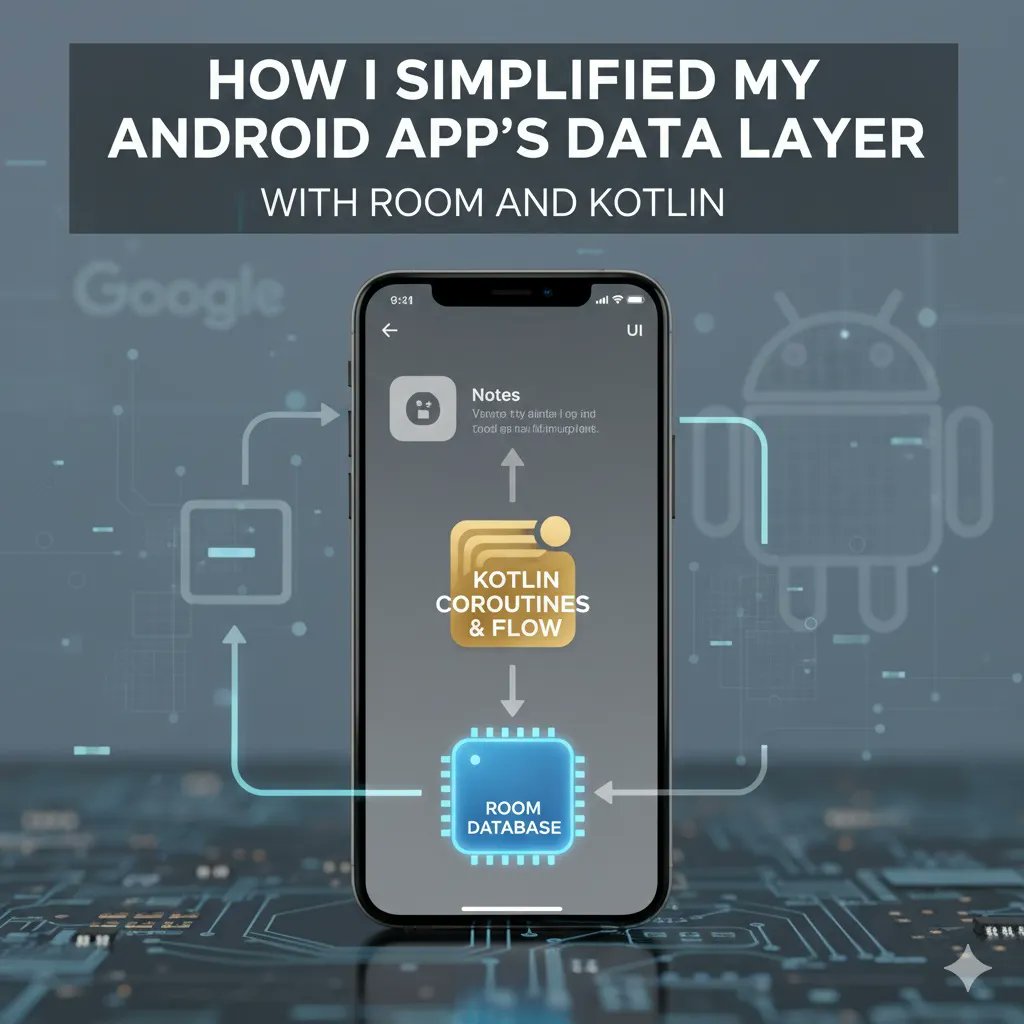
How I Simplified My Android App’s Data Layer with Room and Kotlin?
When building Android apps, managing data efficiently is one of the toughest and most repetitive challenges developers face. From writing SQL queries to handling migrations and caching, the data layer can quickly become messy and hard to maintain.
That’s exactly what happened to me, until I adopted Room, the official Android ORM (Object Relational Mapping) library, with the expressive power of Kotlin. The combination didn’t just simplify my code; it made my entire data layer cleaner, safer, and far easier to scale.
Why Room Matters in Modern Android Development
Before Room, the typical way to store local data in Android was through SQLite. While powerful, it had its drawbacks:
You had to write raw SQL queries manually.
There were no compile-time checks for query errors.
Data mapping between classes and database tables was manual and error-prone.
Migrations could easily break the app if not handled carefully.
Room fixes all of that by providing an abstraction layer over SQLite, so you still get the full power of SQL but with the convenience of type safety, annotations, and easy integration with Kotlin features like coroutines and Flow.
The Core Components of Room
Room works with three main components:
Entity: Represents a database table.
DAO (Data Access Object): Contains the SQL operations (queries, inserts, deletes, updates)
Database: Ties it all together and defines the connection to the actual database file.
Here’s how I structured mine:
Defining the Entity:
Each entity corresponds to a table. Here’s a simple example of a ‘User’ entity:
import https://t.co/G3jHCoPywk.Entity
import https://t.co/G3jHCoPywk.PrimaryKey
@Entity(tableName = "users")
data class User(
@PrimaryKey(autoGenerate = true) val id: Int = 0,
val name: String,
val email: String
)
The best part? You don’t need to worry about writing the ‘CREATE TABLE’ statement; Room handles that automatically.
Creating the DAO:
Instead of writing SQL queries directly, you define methods inside an interface or abstract class, and annotate them.
import https://t.co/G3jHCoPywk.*
@Dao
interface UserDao {
@Insert(onConflict = OnConflictStrategy.REPLACE)
suspend fun insertUser(user: User)
@Query("SELECT * FROM users")
fun getAllUsers(): List<User>
@Delete
suspend fun deleteUser(user: User)
}
Room validates your queries at ‘compile’ time, meaning you will know immediately if your SQL is invalid or not. A huge time-saver compared to debugging at runtime.
Building Database:
Finally, you tie everything together with a database class:
import https://t.co/G3jHCoPywk.Database
import https://t.co/G3jHCoPywk.RoomDatabase
@Database(entities = [User::class], version = 1)
abstract class AppDatabase : RoomDatabase() {
abstract fun userDao(): UserDao
}
You can then create an instance of your database using a ‘singleton pattern’, usually in your Application class:
import android.content.Context
import https://t.co/pIcbDW0keD
object DatabaseProvider {
fun getDatabase(context: Context): AppDatabase {
return Room.databaseBuilder(
context.applicationContext,
AppDatabase::https://t.co/skPk9F7sF5,
"app_database"
).build()
}
}
How Kotlin Makes It Even Better:
Room was designed to work beautifully with Kotlin. Here’s how that synergy helps:
Coroutines:
You can run queries asynchronously using the ‘suspend’ functions. This keeps the UI smooth and responsive.
viewModelScope.launch {
userDao.insertUser(User(name = "Rajesh", email = "[email protected]"))
}
Flow for Reactive Updates:
When you use ‘Flow’, the UI automatically reacts to database changes.
@Query("SELECT * FROM users")
fun getAllUsersFlow(): Flow<List<User>>
Combine that with ‘LiveData’ or ‘Compose’ state management, and your data of the app updates seamlessly.
Data Classes:
The ‘data class’ of Kotlin works perfectly with entities of Room framework, keeping your models concise and readable.
Simplifying Migrations
Another plus point is ‘built-in migration’ handling of ‘Room’. Instead of manually re-creating tables, you just define a migration strategy:
val migration1to2 = object : Migration(1, 2) {
override fun migrate(database: SupportSQLiteDatabase) {
database.execSQL("ALTER TABLE users ADD COLUMN phoneNumber TEXT")
}
}
Then include it when building the database:
Room.databaseBuilder(context, AppDatabase::https://t.co/skPk9F7sF5, "app_database")
.addMigrations(migration1to2)
.build()
What I Learned from Using Room?
After integrating Room in my app, a few things became clear:
Consistency beats complexity.
With clear data access patterns through DAOs, my code became consistent and easier to debug.
Type safety saves time.
I stopped wasting hours fixing query-related runtime crashes.
Kotlin + Room = Developer Delight.
The natural integration with coroutines and Flow made asynchronous operations painless.
Scaling became easier.
Adding new entities or changing database structures was much simpler with migrations and annotations.
When Not to Use Room
While Room is great, it’s not perfect for every scenario. For instance:
If your data is temporary or cached from APIs, use ‘DataStore’ or ‘Preferences’ instead.
If you need complex relational operations (such as; joins across multiple tables frequently), you might have to consider alternatives like ‘Realm’ or ‘ObjectBox’ for performance.
Room isn’t just a convenience. It’s a game changer for Android app development architecture. Combined with Kotlin, it makes your local data layer robust, testable, and clean.
When I migrated my app from raw SQLite to Room, I came across fewer crashes, simpler debugging, and faster development cycles. It felt like cleaning up a messy stuff.
So, if you are still juggling raw SQL or a messy local data setup, do yourself a favour; adopt Room with Kotlin.

저는 여전히 AI, 특히 DeAIOS와 @0G_labs에 대해 긍정적인 전망을 가지고 있습니다. 하지만 이 프로젝트에 대해 무엇을 연구해야 할지 막막했습니다. 그래서 DeAIOS의 통합에 대해 생각해 보게 되었습니다. 단순히 기능뿐 아니라 다양한 분야에서 성공적인 적용 사례까지 고려하게 된 것입니다. 제 호기심은 새로운 탐구의 여정을 촉발했습니다.
0G Labs(Zero Gravity Labs)는 탈중앙화 AI(DeAI)에 중점을 둔 모듈식 AI 중심 레이어 1 블록체인 인프라라는 것은 잘 알려져 있습니다. 0G Labs의 목표는 확장 가능한 스토리지, 컴퓨팅 기능, 데이터 가용성, 그리고 웹 3.0 애플리케이션에 검증 가능한 추론 기능을 제공하는 것입니다. 0G Labs는 탈중앙화 인공지능 운영 체제(DeAIOS)를 탈중앙화 생태계에 통합하여 웹 3.0 애플리케이션의 기능을 강화하고자 합니다.
AI 에이전트, 게임, DeFi, 탈중앙화 물리 인프라 네트워크(DePIN), 상호 운용성 등 300개 이상의 프로젝트가 0G 생태계에 통합되었습니다. 이러한 통합은 0G의 DeAIOS, AI 추론용 SDK, 그리고 0G 스토리지 및 0G 컴퓨팅과 같은 도구를 활용하여 고성능 온체인 AI 실행을 지원합니다.
@0G_labs가 DeAIOS를 통합한 몇 가지 생태계/프로젝트는 다음과 같습니다.
**AI 에이전트/인프라**
- Eliza Labs (Eliza OS)
- @assisterr
- @codatta_io
- @SyncAI_Network
- @TalusNetwork
- @alibaba_cloud
- @Dormint_io (Health Copilot)
**게임**
- @aiarena_
- @BladeGamesHQ
- @FireblocksHQ (게임 보안)
- @GR1Dnetwork 네트워크
- @playshrapnel (Play Shrapnel)
- @Gaimin
**DeFi**
- @d3x_xyz
- @CygnusFi
- @mindnetwork_xyz
- @nemtarnetwork
**상호운용성**
- @quex_tech
- @union_build
- @mightynetworAi
- @emmet_finance
**레이어 1/레이어 2**
- @movementlabsxyz
- @taikoxyz
- @Optimism
- @arbitrum
- @auroraisnear
- @0xPolygon
**DePIN**
- @aizel_network
- @conduit_network
- @fogworlsinc
- @gaib_ai
- @ionet
- @iotex_io
**Launchpad**
- @Moca_Network
- @mintairxyz
- @CoinList
- @rapidnodexyz
- @easynodexyz
**커뮤니티**
- @Galxe
- @carv_official
- @alliancedao
- @getdatahive
- @kindred_ai
**기타**
- @Alchemy, @Privasea_ai, @Calderaxyz, @EuclidProtocol, 그리고 더 보기...
0G Labs가 메인넷에 진입하면 엄청난 잠재력을 누릴 수 있습니다.

I am stil bullish for AI, I am bullish for DeAIOS, I am bullish for @0G_labs but at a time, I ran out of ideas on what I want to research on about the project.
It got me thinking. The more I think about the project, I only help but wonder, what areas have we seen the DeAIOS integration, not just talking about how it works but where it has successgully been used? Curiosity led me into thiis new journey I have embarked on.
It is no longer news that the 0G Labs (Zero Gravity Labs) is a modular AI-first Layer 1 blockchain infrastructure that is focused on decentralized AI (DeAI), providing scalable storage, compute, data availability, and verifiable inference for Web3 applications. In other words, the 0G Labs seek to integrate their Decentralized Artificial Intelligence Operating System (DeAIOS) into Decentralized ecosystems providing scalable storage, compute, data availability, and verifiable inference for Web3 applications.
Over 300 projects have been integrated with 0G's ecosystem, spanning AI agents, gaming, DeFi, DePIN, interoperability, and more. These integrations leverage 0G's deAIOS (decentralized AI Operating System), SDKs for AI inference, and tools like 0G Storage and 0G Compute for high-performance, on-chain AI execution.
Few of the ecosystems/projects @0G_labs finds its DeAIOS integration are listed below.
AI AGENTS/ INFRASTRUCTURE
- Eliza Labs (Eliza OS)
- @assisterr
- @codatta_io
- @SyncAI_Network
- @TalusNetwork
- @alibaba_cloud
- @Dormint_io AI (Health Copilot)
GAMING
- @aiarena_
- @BladeGamesHQ
- @FireblocksHQ (Gaming Security)
- @GR1Dnetwork Network
- @playshrapnel Play Shrapnel
- @Gaimin
DEFI
- @d3x_xyz
- @CygnusFi
- @mindnetwork_xyz
- @nemtarnetwork
INTEROPERABILITY
- @quex_tech
- @union_build
- @mightynetworAi
- @emmet_finance
L1/L2
- @movementlabsxyz
- @taikoxyz
- @Optimism
- @arbitrum
- @auroraisnear
- @0xPolygon
DEPIN
- @aizel_network
- @conduit_network
- @fogworlsinc
- @gaib_ai
- @ionet
- @iotex_io
LAUNCHPAD
- @Moca_Network
- @mintairxyz
- @CoinList
- @rapidnodexyz
- @easynodexyz
COMMUNITY
- @Galxe
- @carv_official
- @alliancedao
- @getdatahive
- @kindred_ai
OTHERS
@Alchemy , @Privasea_ai , @Calderaxyz, @EuclidProtocol and more...
There is a lot to benefit from when 0G Labs go mainnet.


Why 90% of developers are terrible at naming things:
• UserService (what service?)
• getData (get what data?)
• handleClick (handle how?)
• utils (utils for what?)
Good names are documentation

@mario_casari Yeah... In your e. g. you mentioned map.
For that we have getOrDefault().
Had you said
Integer getData();
var data = getData() ;
data = Objects. requiresNoNullOrElse(data, 0);
👆 would have been better I guess


@CyrusS4050 @Johnson483852 @JoinSapien @cookiedotfun @KaitoAI @asanallick0 @Ariaherex @AhmedOvoy @0xAnik @getDATAPi @FerminLope23403 Great stuff
@Johnson483852 @JoinSapien @cookiedotfun @KaitoAI @asanallick0 @Ariaherex @AhmedOvoy @0xAnik @getDATAPi @FerminLope23403 Don't fade , keep up the work
@Jeremiahbelmar @JoinSapien @cookiedotfun @KaitoAI @asanallick0 @Ariaherex @AhmedOvoy @0xAnik @getDATAPi @FerminLope23403 Always am part of @JoinSapien
@Jeremiahbelmar @JoinSapien @cookiedotfun @KaitoAI @asanallick0 @Ariaherex @AhmedOvoy @0xAnik @getDATAPi @Finance__Nomad @FerminLope23403 Sure the future is bright
@JoinSapien
@Boluwaji025 @JoinSapien @cookiedotfun @KaitoAI @Ariaherex @AhmedOvoy @0xAnik @Gift_goldheart @getDATAPi @JoinSapien mate

@Johnson483852 @JoinSapien @cookiedotfun @KaitoAI @Ariaherex @AhmedOvoy @0xAnik @Gift_goldheart @getDATAPi GSapien

@Johnson483852 @OpenledgerHQ @KaitoAI @cookiedotfun @asanallick0 @Ariaherex @AhmedOvoy @0xAnik @getDATAPi @FerreWeb3 @OpenledgerHQ is gaining fast, 46+ partners and top Yapper momentum driving global adoption.
@OpenledgerHQ @recallnet @JoinSapien @vooi_io @elympics_ai

@Johnson483852 @OpenledgerHQ @KaitoAI @cookiedotfun @Ariaherex @AhmedOvoy @0xAnik @getDATAPi @Finance__Nomad Let’s go @OpenledgerHQ come check this out

The Full Intent Flow
✅ You sign an intent off-chain.
✅ Skate checks your hash with getDataHashForUser.
✅ If valid, Skate executes it on-chain via AVS.
Last Seen Hashtags on Sotwe
kampüsescort
Seen from Turkey
10yearsOn
Seen from United States
incestoconhija
Seen from Germany
sister fucking
Seen from France
queensavyy
Seen from United Kingdom
瀬戸内コンテンポラリー
Seen from United States
beurette
Seen from France
swing
Seen from Vietnam
รับงานตรัง
Seen from Thailand
พาเมียให้เพื่อนเย็ด
Seen from Thailand
Most Popular Users

Elon Musk 
@elonmusk
239.7M followers

Barack Obama
@barackobama
118.6M followers

Cristiano Ronaldo
@cristiano
114.3M followers

Donald J. Trump
@realdonaldtrump
111.7M followers

Narendra Modi
@narendramodi
106.9M followers

Rihanna
@rihanna
98.6M followers

NASA
@nasa
92.1M followers

Justin Bieber
@justinbieber
91.7M followers

KATY PERRY
@katyperry
89.9M followers

Taylor Swift
@taylorswift13
83.9M followers

Lady Gaga
@ladygaga
75.4M followers

Virat Kohli
@imvkohli
73.3M followers

Kim Kardashian
@kimkardashian
70.8M followers

YouTube
@youtube
68.6M followers

Neymar Jr
@neymarjr
66.3M followers

Bill Gates
@billgates
65.1M followers

Selena Gomez
@selenagomez
63M followers

The Ellen Show
@theellenshow
62.1M followers

CNN
@cnn
61.7M followers

X
@x
60.6M followers