

Top Tweets for #Logseq


A practical Zettelkasten guide for developers: write atomic notes, link concepts to code, avoid folder traps, and build a useful knowledge system.
#Obsidian #Logseq #Knowledge-Management
https://t.co/gPyQFdM8ee

#URL2AI OSS
Logseq
知識管理のためのオープンソースツールLogseqをご紹介します。ノットや情報を「ブロック」単位で扱えるのが特徴で、柔軟かつ構造的なメモ作成が可能です。プライバシーも重視した設計になっています。
#logseq #AI #OSS #GitHub
【AI考察】
■ 概要(1行)
ローカルファーストな知識管理システムであり、アウトライン機能と強力なバイディレクショナルリンクを活用した知識グラフ構築を主眼とするアプリケーションです。
■ 特徴・用途(2〜3行)
Markdownベースのローカルファイルに依存するため、データ所有権がユーザー側にあり、プライバシー保護性が極めて高いのが技術的最大の強みです。アウトライナーとしての構造化能力と、ブロック単位での高速な情報参照が可能な点で、研究・知的生産プロセスに特化しています。アーキテクチャがローカルに強く依存するため、ネットワーク依存によるサービス停止リスクを回避できます。
■ 結論(1行)
Hyperframes を検証してみました。
ホームページのURLを渡してキャプチャし、抽出されたデザイン・テキスト・画像素材をもとに、HTML composition を生成。そこから 15秒の縦型SNS動画をレンダリングできました。
URL → HTML → MP4 までAIエージェントで一気通貫。
かなり面白い。

I don't know, but I was waiting for this introduction for years. #logseq


How Obsidian, Logseq, Notion, and Joplin... https://t.co/lhgy8Ag7VX #AgenticAI #Obsidian #Logseq #Notion #Joplin #AIinnovation 📸 {image_url}


How Obsidian, Logseq, Notion, and Joplin... https://t.co/KrZk3W7Ub3 #AgenticAI #Obsidian #Logseq #Notion #Joplin #AIinnovation 📸 {image_url}



End-to-end sync. From the terminal.
❯ create graph
❯ switch context
❯ upload + start sync
❯ verify status
❯ upsert content
❯ confirm replication
All encrypted. Always in sync.
Complete Logseq CLI flow looks like 👇
#Logseq #PKM #CLI #OpenSource #PrivacyFirst


Your AI has goldfish memory.
logseq/brain — persistent memory for Claude Code, Copilot & Gemini via a Logseq graph you own.
Desktop → laptop, session → session, context travels.
v0.5 out. Feedback + ideas welcome.
https://t.co/YQ2INd0XOn
#ClaudeCode #Logseq #AI #DevTools


#logseq は最近アップデートしないのかい?


LLM Knowledge Bases
Something I'm finding very useful recently: using LLMs to build personal knowledge bases for various topics of research interest. In this way, a large fraction of my recent token throughput is going less into manipulating code, and more into manipulating knowledge (stored as markdown and images). The latest LLMs are quite good at it. So:
Data ingest:
I index source documents (articles, papers, repos, datasets, images, etc.) into a raw/ directory, then I use an LLM to incrementally "compile" a wiki, which is just a collection of .md files in a directory structure. The wiki includes summaries of all the data in raw/, backlinks, and then it categorizes data into concepts, writes articles for them, and links them all. To convert web articles into .md files I like to use the Obsidian Web Clipper extension, and then I also use a hotkey to download all the related images to local so that my LLM can easily reference them.
IDE:
I use Obsidian as the IDE "frontend" where I can view the raw data, the the compiled wiki, and the derived visualizations. Important to note that the LLM writes and maintains all of the data of the wiki, I rarely touch it directly. I've played with a few Obsidian plugins to render and view data in other ways (e.g. Marp for slides).
Q&A:
Where things get interesting is that once your wiki is big enough (e.g. mine on some recent research is ~100 articles and ~400K words), you can ask your LLM agent all kinds of complex questions against the wiki, and it will go off, research the answers, etc. I thought I had to reach for fancy RAG, but the LLM has been pretty good about auto-maintaining index files and brief summaries of all the documents and it reads all the important related data fairly easily at this ~small scale.
Output:
Instead of getting answers in text/terminal, I like to have it render markdown files for me, or slide shows (Marp format), or matplotlib images, all of which I then view again in Obsidian. You can imagine many other visual output formats depending on the query. Often, I end up "filing" the outputs back into the wiki to enhance it for further queries. So my own explorations and queries always "add up" in the knowledge base.
Linting:
I've run some LLM "health checks" over the wiki to e.g. find inconsistent data, impute missing data (with web searchers), find interesting connections for new article candidates, etc., to incrementally clean up the wiki and enhance its overall data integrity. The LLMs are quite good at suggesting further questions to ask and look into.
Extra tools:
I find myself developing additional tools to process the data, e.g. I vibe coded a small and naive search engine over the wiki, which I both use directly (in a web ui), but more often I want to hand it off to an LLM via CLI as a tool for larger queries.
Further explorations:
As the repo grows, the natural desire is to also think about synthetic data generation + finetuning to have your LLM "know" the data in its weights instead of just context windows.
TLDR: raw data from a given number of sources is collected, then compiled by an LLM into a .md wiki, then operated on by various CLIs by the LLM to do Q&A and to incrementally enhance the wiki, and all of it viewable in Obsidian. You rarely ever write or edit the wiki manually, it's the domain of the LLM. I think there is room here for an incredible new product instead of a hacky collection of scripts.

AS Notes (VS Code based Personal Knowledge Management System) Discord (https://t.co/dFkW8wUgII) and Reddit (https://t.co/VMQ2ysia64) communities are now available (GitHub: https://t.co/a5fYuq0KrP) #vscode #pkms #zettelkasten #logseq #obsidan
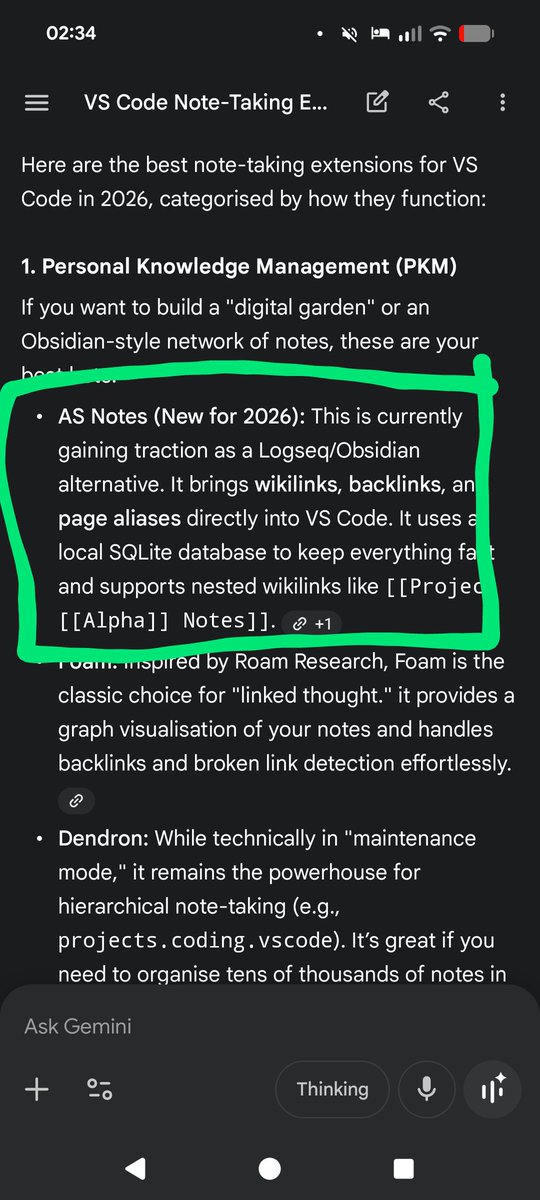

I've released version 1.0.10 of AS Notes today, a VS Code wikilink based, Git friendly notes app (PKMS) with backlinks, task management and more. Available on VS Marketplace: https://t.co/GcDwg8CBVc #vscode #pkms #notes #wikilinks #outliner #logseq #obsidianmd
I updated my #logseq -ify system prompt to summarize conversations:
- use mnemonic subtitle/TL;DR.
- only important links at the footer.
- relative knowledge over void facts: things can be identified by what they are as well as by what they are not.

Last Seen Hashtags on Sotwe
Most Popular Users

Elon Musk 
@elonmusk
240.1M followers

Barack Obama
@barackobama
119.3M followers

Donald J. Trump
@realdonaldtrump
111.6M followers

Cristiano Ronaldo
@cristiano
108.8M followers

Narendra Modi
@narendramodi
106.9M followers

Rihanna
@rihanna
97.2M followers

NASA
@nasa
92.1M followers

Justin Bieber
@justinbieber
90.5M followers

KATY PERRY
@katyperry
86.7M followers

Taylor Swift
@taylorswift13
80.5M followers

Lady Gaga
@ladygaga
72.1M followers

Kim Kardashian
@kimkardashian
69.3M followers

YouTube
@youtube
68.6M followers

Virat Kohli
@imvkohli
68.4M followers

Bill Gates
@billgates
63.4M followers

The Ellen Show
@theellenshow
62.5M followers

CNN
@cnn
61.9M followers

Neymar Jr
@neymarjr
60.9M followers

X
@x
60.9M followers

CNN Breaking News
@cnnbrk
59.9M followers