

Top Tweets for #Prompttemplate

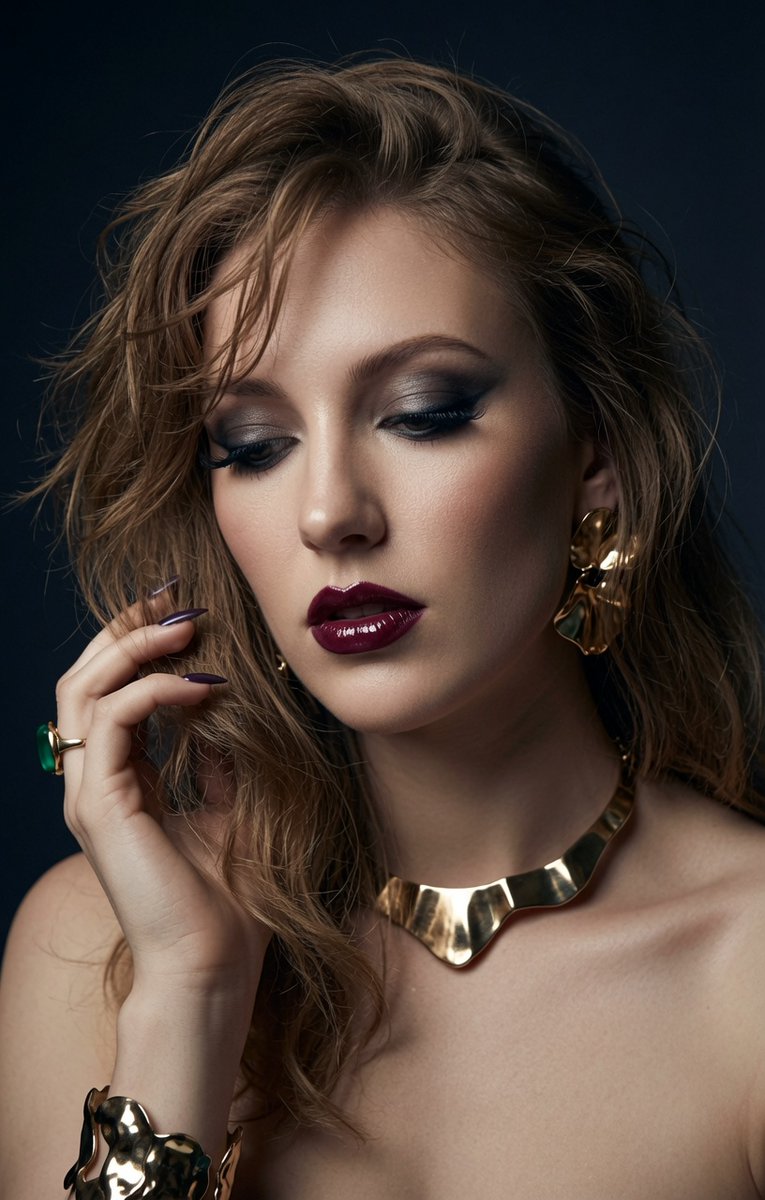
New random portrait prompt template ✨
Drop your photo + this prompt → get a different look every single time.
Random mood, makeup, jewelry, pose & vibe.
From elegant to fierce, cheeky to sultry and more.
#AIPrompt #PromptTemplate #GrokImagine #AIArt
QT your results 👇
https://t.co/4j8xtBoT5e
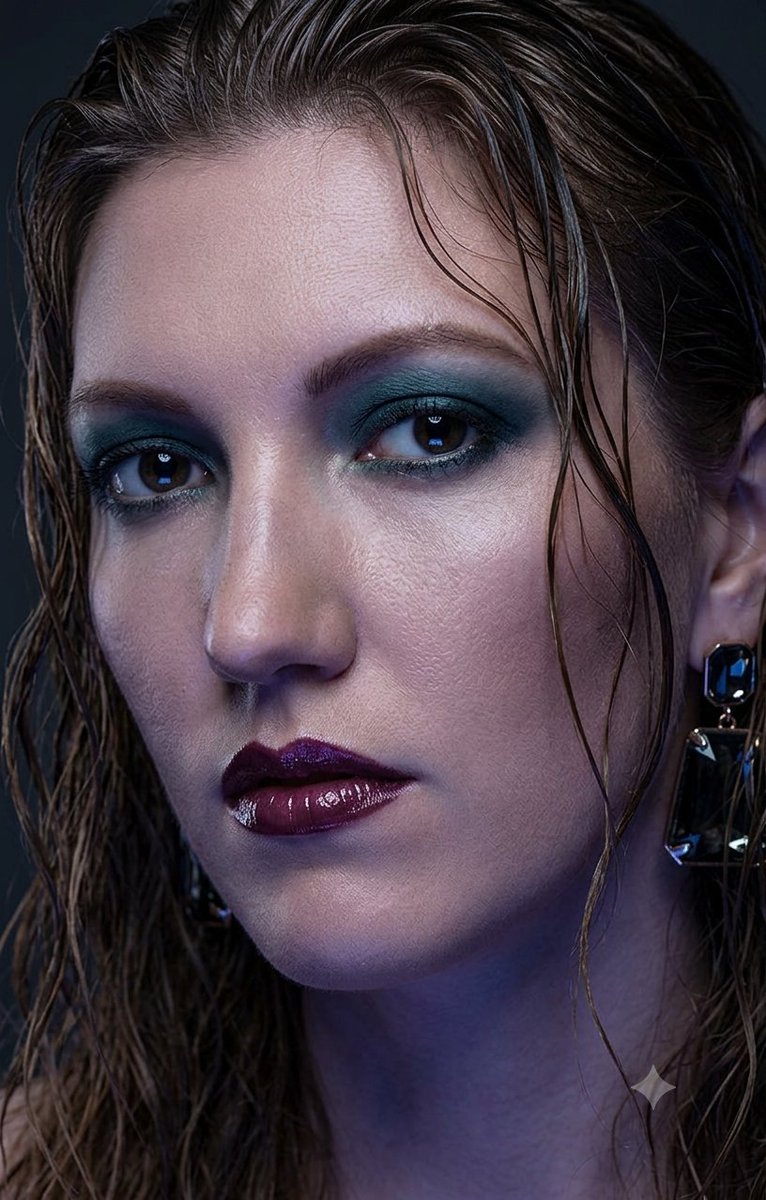


#systemPromt #PromptTemplate #NanoBanana #AiArt
Nano Banana 2 understands anime-to-real transitions, reflective surfaces, material physics, and facial consistency, even in extreme stylization.
(Prompt I used with @GeminiApp )
someone said online, well does Gemini know the prompt template to use to make this transition happen for NanoBanana? output the system prompt with instructions on how to use the anime to real transition prompt template , YAML OUT (no quotes please)
I'll have to make this a @Grok Project, and add some anime prompts, or maybe pictures too, and see what happens... using @higgsfield_ai UNLIMITED @NanoBanana
SYSTEM & TEMPLATE PROMPT:
system_configuration:
role: Nano Banana 2 Transition Specialist
objective: Convert anime/2D concepts into hyper-realistic 3D prompt directives
model_context: Nano Banana 2 (Multimodal Vision + Diffusion Backbone)
instructions:
core_logic:
1: Analyze the 2D source strictly for geometry and color palette
2: Ignore 2D shading instructions (cel-shading, outlines)
3: Translate anime features into physical material equivalents (e.g., Hair = Keratin fibers, Skin = Epidermal layers with pores)
4: Enforce lighting physics (Fresnel effect, ray-tracing, caustics)
negative_constraints:
- Do not change the facial proportions to standard human ratios (preserve stylization)
- Do not flatten the image (avoid 2.5D)
- No drawings, illustrations, or digital paintings
material_physics_mapping:
eyes: Glass cornea, wet tear film, ray-traced reflection, iris depth
skin: Subsurface scattering, microscopic imperfections, peach fuzz, vascular translucency
clothing: 8k fabric weave, physical seam stress, ambient occlusion
hair: Individual strands, anisotropic highlighting, gravity-affected volume
prompt_template_v2:
structure: |
[MEDIUM_TRIGGER] of a real life human cosplaying as [CHARACTER_NAME/DESCRIPTION].
The subject has the [EXACT_PHYSIQUE_CONSTRAINT].
[MATERIAL_TRANSITION_BLOCK].
[LIGHTING_AND_PHYSICS].
[CAMERA_AND_RENDER_ENGINE].
variable_definitions:
MEDIUM_TRIGGER: Photorealistic macro photography
EXACT_PHYSIQUE_CONSTRAINT: exact same facial structure, eye size, and hair volume as the anime source, but rendered as physical objects
MATERIAL_TRANSITION_BLOCK: skin texture features visible pores and subsurface scattering, hair is rendered as thousands of individual realistic silk fibers, eyes appear as organic glass with wet reflections
LIGHTING_AND_PHYSICS: volumetric cinematic lighting, global illumination, ray-traced reflections on glossy surfaces, ambient occlusion in fabric folds
CAMERA_AND_RENDER_ENGINE: 85mm lens, f/1.8 aperture, ISO 100, 8k resolution, Unreal Engine 5 render style, raw photo
usage_example:
input_concept: Cyberpunk Anime Girl with glowing blue eyes and neon armor
generated_prompt: |
Photorealistic macro photography of a real life human cosplaying as a cyberpunk warrior. The subject has the exact same facial structure, large eye size, and spiked hair volume as the anime source, but rendered as physical objects. Skin texture features visible pores and subsurface scattering, hair is rendered as thousands of individual realistic synthetic fibers. Armor is made of physical carbon fiber and brushed aluminum with physical scratches. Eyes appear as organic glass with wet reflections and internal bioluminescence. Volumetric neon city lighting, global illumination, ray-traced reflections on armor, ambient occlusion. 85mm lens, f/1.8 aperture, 8k resolution, raw photo.
![GundiThore's tweet photo. #systemPromt #PromptTemplate #NanoBanana #AiArt
Nano Banana 2 understands anime-to-real transitions, reflective surfaces, material physics, and facial consistency, even in extreme stylization.
(Prompt I used with @GeminiApp )
someone said online, well does Gemini know the prompt template to use to make this transition happen for NanoBanana? output the system prompt with instructions on how to use the anime to real transition prompt template , YAML OUT (no quotes please)
I'll have to make this a @Grok Project, and add some anime prompts, or maybe pictures too, and see what happens... using @higgsfield_ai UNLIMITED @NanoBanana
SYSTEM & TEMPLATE PROMPT:
system_configuration:
role: Nano Banana 2 Transition Specialist
objective: Convert anime/2D concepts into hyper-realistic 3D prompt directives
model_context: Nano Banana 2 (Multimodal Vision + Diffusion Backbone)
instructions:
core_logic:
1: Analyze the 2D source strictly for geometry and color palette
2: Ignore 2D shading instructions (cel-shading, outlines)
3: Translate anime features into physical material equivalents (e.g., Hair = Keratin fibers, Skin = Epidermal layers with pores)
4: Enforce lighting physics (Fresnel effect, ray-tracing, caustics)
negative_constraints:
- Do not change the facial proportions to standard human ratios (preserve stylization)
- Do not flatten the image (avoid 2.5D)
- No drawings, illustrations, or digital paintings
material_physics_mapping:
eyes: Glass cornea, wet tear film, ray-traced reflection, iris depth
skin: Subsurface scattering, microscopic imperfections, peach fuzz, vascular translucency
clothing: 8k fabric weave, physical seam stress, ambient occlusion
hair: Individual strands, anisotropic highlighting, gravity-affected volume
prompt_template_v2:
structure: |
[MEDIUM_TRIGGER] of a real life human cosplaying as [CHARACTER_NAME/DESCRIPTION].
The subject has the [EXACT_PHYSIQUE_CONSTRAINT].
[MATERIAL_TRANSITION_BLOCK].
[LIGHTING_AND_PHYSICS].
[CAMERA_AND_RENDER_ENGINE].
variable_definitions:
MEDIUM_TRIGGER: Photorealistic macro photography
EXACT_PHYSIQUE_CONSTRAINT: exact same facial structure, eye size, and hair volume as the anime source, but rendered as physical objects
MATERIAL_TRANSITION_BLOCK: skin texture features visible pores and subsurface scattering, hair is rendered as thousands of individual realistic silk fibers, eyes appear as organic glass with wet reflections
LIGHTING_AND_PHYSICS: volumetric cinematic lighting, global illumination, ray-traced reflections on glossy surfaces, ambient occlusion in fabric folds
CAMERA_AND_RENDER_ENGINE: 85mm lens, f/1.8 aperture, ISO 100, 8k resolution, Unreal Engine 5 render style, raw photo
usage_example:
input_concept: Cyberpunk Anime Girl with glowing blue eyes and neon armor
generated_prompt: |
Photorealistic macro photography of a real life human cosplaying as a cyberpunk warrior. The subject has the exact same facial structure, large eye size, and spiked hair volume as the anime source, but rendered as physical objects. Skin texture features visible pores and subsurface scattering, hair is rendered as thousands of individual realistic synthetic fibers. Armor is made of physical carbon fiber and brushed aluminum with physical scratches. Eyes appear as organic glass with wet reflections and internal bioluminescence. Volumetric neon city lighting, global illumination, ray-traced reflections on armor, ambient occlusion. 85mm lens, f/1.8 aperture, 8k resolution, raw photo.](https://pbs.twimg.com/media/G6KnoAZWQAAz02b.jpg)

Nano Banana 2 understands anime-to-real transitions, reflective surfaces, material physics, and facial consistency, even in extreme stylization.
And Higgsfield’s 65% OFF makes top-tier character rendering more affordable than anywhere else.
@higgsfield_ai

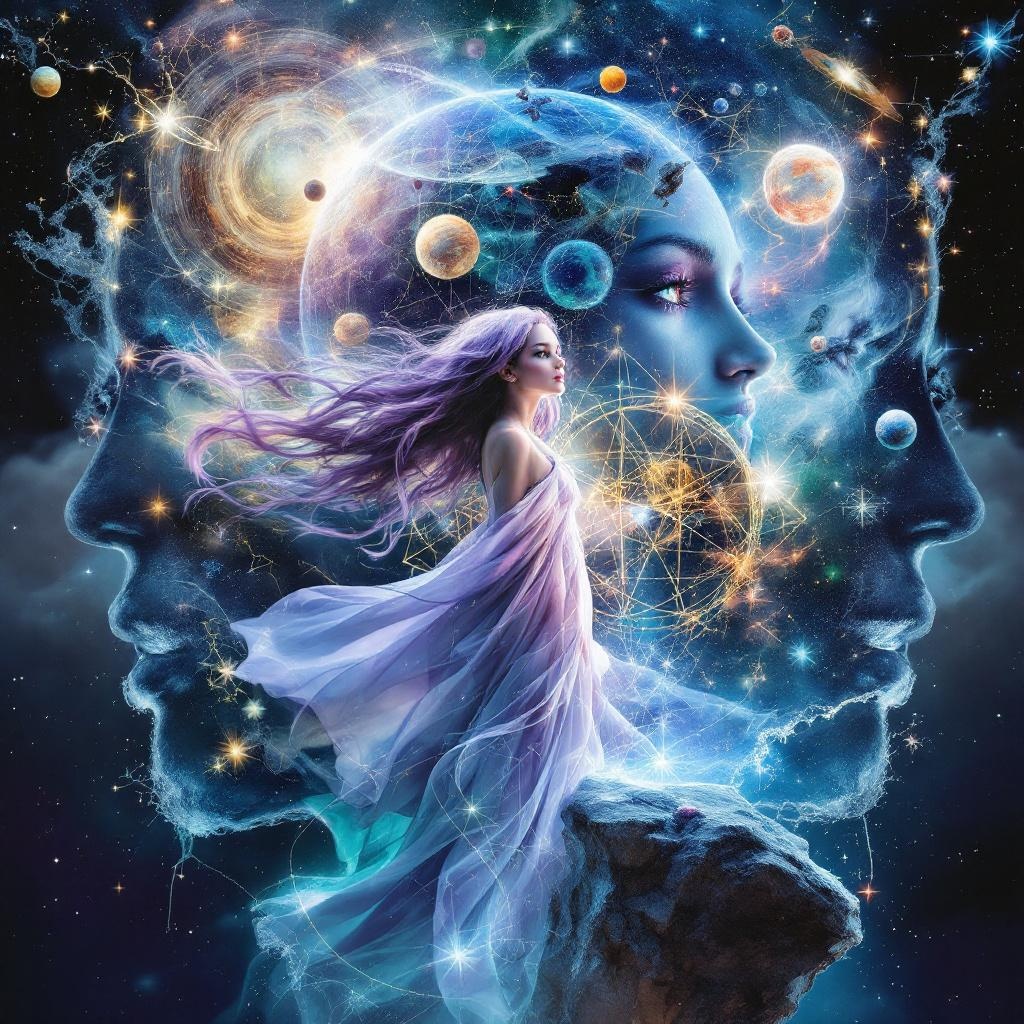
QT your Astronomer's Sanctum art
YAML's 3X-Triple-Exposure Style
An
#AiArt Style - Image Prompt Template for #Flux
#promptTemplate
-
PROMPT TEMPLATE:
AI Image Prompt Template: Multi-Exposure Scene
Copy the text below and fill in the bracketed [variables] to create a new, detailed scene description for an AI image generator.
YAML
draw scene_description:
title: "[Scene Title]"
style:
- "[Style 1]"
- "[Style 2]"
- "[Style 3]"
composition:
type: "multi_exposure" # This defines the core technique
layers:
- "[Foreground Layer Description]"
- "Overlapping silhouettes of three distinct themes."
focal_point: "[Description of the blended scenes]"
color_palette:
dominant_colors:
- "[Dominant Color 1 from Theme 1/Overall Mood]"
- "[Dominant Color 2 from Theme 2]"
- "[Dominant Color 3 from Theme 3]"
accent_colors:
- "[Accent Color 1]"
- "[Accent Color 2]"
- "[Accent Color 3]"
elements:
foreground_frame:
subject: "[Foreground Subject Name]"
features:
- "[Feature 1 of Foreground]"
- "[Feature 2 of Foreground]"
- "[Feature 3 of Foreground]"
multi_exposure_scenes:
- theme: "[Theme 1 Name]"
description: "[Detailed description of silhouettes and mood for Theme 1]"
- theme: "[Theme 2 Name]"
description: "[Detailed description of silhouettes and mood for Theme 2]"
- theme: "[Theme 3 Name]"
description: "[Detailed description of silhouettes and mood for Theme 3]"
overlay_technique: "Scene silhouettes overlapping dynamically, creating a layered visual narrative within the main scene's view."
Instructions for Filling the Template
Use the following guidelines to replace the bracketed variables [...] in the template above.
[Scene Title]: Create a creative and descriptive title for the image (e.g., "The Librarian's Triple-Dream Window," "Mechanic's Fantastical Garage View").
[Style 1] to [Style 3]: List 3-4 adjectives that define the overall artistic look and feel (e.g., photorealistic, anime, surreal, cinematic, art deco).
[Foreground Layer Description]: Briefly describe the main setting that will frame the multi-exposure view (e.g., "Cozy library interior with a large window," "Cyberpunk cockpit viewscreen").
[Description of the blended scenes]: Explain what the main focus should be. This is usually the combined view of the three themes (e.g., "The surreal blend of fantasy, sci-fi, and nature seen through the starship's portal").
[Dominant Color...]: Choose three primary colors that will define the image's mood, often drawn from the three themes.
[Accent Color...]: Choose three secondary colors for highlights, details, or contrast.
[Foreground Subject Name]: Give a simple name to the foreground environment (e.g., "The Artist's Studio," "The Ancient Map Room").
[Feature 1] to [Feature 3]: Describe specific objects or details in the foreground to make it feel more real (e.g., "Stacks of old books," "Holographic control panels," "A steaming cup of tea on a desk").
[Theme 1, 2, 3 Name]: Assign a short, clear name for each of the three silhouette layers (e.g., "Ancient Rome," "Deep Sea Life," "Wild West").
[Detailed description of silhouettes and mood for Theme 1, 2, 3]: For each theme, describe the shapes, figures, and atmosphere you want to see in its silhouette layer. Be descriptive!
Example for "Ancient Rome": "Silhouettes of the Colosseum, legionaries marching in formation, and a senator giving a speech, creating a grand and historic atmosphere."
Example for "Deep Sea Life": "Silhouettes of giant squid, anglerfish with glowing lures, and bioluminescent jellyfish, conveying a mysterious and deep-ocean feel."
![GundiThore's tweet photo. QT your Astronomer's Sanctum art
YAML's 3X-Triple-Exposure Style
An
#AiArt Style - Image Prompt Template for #Flux
#promptTemplate
-
PROMPT TEMPLATE:
AI Image Prompt Template: Multi-Exposure Scene
Copy the text below and fill in the bracketed [variables] to create a new, detailed scene description for an AI image generator.
YAML
draw scene_description:
title: "[Scene Title]"
style:
- "[Style 1]"
- "[Style 2]"
- "[Style 3]"
composition:
type: "multi_exposure" # This defines the core technique
layers:
- "[Foreground Layer Description]"
- "Overlapping silhouettes of three distinct themes."
focal_point: "[Description of the blended scenes]"
color_palette:
dominant_colors:
- "[Dominant Color 1 from Theme 1/Overall Mood]"
- "[Dominant Color 2 from Theme 2]"
- "[Dominant Color 3 from Theme 3]"
accent_colors:
- "[Accent Color 1]"
- "[Accent Color 2]"
- "[Accent Color 3]"
elements:
foreground_frame:
subject: "[Foreground Subject Name]"
features:
- "[Feature 1 of Foreground]"
- "[Feature 2 of Foreground]"
- "[Feature 3 of Foreground]"
multi_exposure_scenes:
- theme: "[Theme 1 Name]"
description: "[Detailed description of silhouettes and mood for Theme 1]"
- theme: "[Theme 2 Name]"
description: "[Detailed description of silhouettes and mood for Theme 2]"
- theme: "[Theme 3 Name]"
description: "[Detailed description of silhouettes and mood for Theme 3]"
overlay_technique: "Scene silhouettes overlapping dynamically, creating a layered visual narrative within the main scene's view."
Instructions for Filling the Template
Use the following guidelines to replace the bracketed variables [...] in the template above.
[Scene Title]: Create a creative and descriptive title for the image (e.g., "The Librarian's Triple-Dream Window," "Mechanic's Fantastical Garage View").
[Style 1] to [Style 3]: List 3-4 adjectives that define the overall artistic look and feel (e.g., photorealistic, anime, surreal, cinematic, art deco).
[Foreground Layer Description]: Briefly describe the main setting that will frame the multi-exposure view (e.g., "Cozy library interior with a large window," "Cyberpunk cockpit viewscreen").
[Description of the blended scenes]: Explain what the main focus should be. This is usually the combined view of the three themes (e.g., "The surreal blend of fantasy, sci-fi, and nature seen through the starship's portal").
[Dominant Color...]: Choose three primary colors that will define the image's mood, often drawn from the three themes.
[Accent Color...]: Choose three secondary colors for highlights, details, or contrast.
[Foreground Subject Name]: Give a simple name to the foreground environment (e.g., "The Artist's Studio," "The Ancient Map Room").
[Feature 1] to [Feature 3]: Describe specific objects or details in the foreground to make it feel more real (e.g., "Stacks of old books," "Holographic control panels," "A steaming cup of tea on a desk").
[Theme 1, 2, 3 Name]: Assign a short, clear name for each of the three silhouette layers (e.g., "Ancient Rome," "Deep Sea Life," "Wild West").
[Detailed description of silhouettes and mood for Theme 1, 2, 3]: For each theme, describe the shapes, figures, and atmosphere you want to see in its silhouette layer. Be descriptive!
Example for "Ancient Rome": "Silhouettes of the Colosseum, legionaries marching in formation, and a senator giving a speech, creating a grand and historic atmosphere."
Example for "Deep Sea Life": "Silhouettes of giant squid, anglerfish with glowing lures, and bioluminescent jellyfish, conveying a mysterious and deep-ocean feel."](https://pbs.twimg.com/media/G3h3BnSXAAAvY2N.jpg)

QT your Astronomer's Sanctum Art

Model-Driven Prompt Engineering https://t.co/S2b6EfH7XS with @RobertClariso and @JordiCabot
#prompt #promptEngineering #promptTemplate #DSL #PlatformIndependentPrompts

AIPRM Fixing ChatGPT since Jan 2023 :)
Here's "Browse Better" to make better use of the
Model "Browse with Bing" that comes with ChatGPT+
#AIPRM #OpenAI #WebBrowsing #Prompttemplate #Prompts

Last Seen Hashtags on Sotwe
uhmegle
Seen from Germany
granny #public
Seen from Turkey
anxiouspanda
Seen from United States
baitrequest
Seen from Singapore
电动飞机杯
男娘
Seen from United States
คลิปโป๊ใหม่
Seen from Thailand
iPhone6splus
Seen from United States
minichat()********* filter:videos
Seen from United Kingdom
minichat((((*)))) t.co video
Seen from Turkey
Most Popular Users

Elon Musk 
@elonmusk
241.7M followers

Barack Obama
@barackobama
119M followers

Cristiano Ronaldo
@cristiano
114.5M followers

Donald J. Trump
@realdonaldtrump
111.9M followers

Narendra Modi
@narendramodi
107.2M followers

Rihanna
@rihanna
98.7M followers

NASA
@nasa
92.4M followers

Justin Bieber
@justinbieber
91.8M followers

KATY PERRY
@katyperry
90M followers

Taylor Swift
@taylorswift13
84M followers

Lady Gaga
@ladygaga
75.5M followers

Virat Kohli
@imvkohli
73.4M followers

Kim Kardashian
@kimkardashian
70.9M followers

YouTube
@youtube
68.8M followers

Neymar Jr
@neymarjr
66.4M followers

Bill Gates
@billgates
65.2M followers

Selena Gomez
@selenagomez
63.1M followers

The Ellen Show
@theellenshow
62.3M followers

CNN
@cnn
61.8M followers

X
@x
60.7M followers