

Top Tweets for #TipsAndTricks

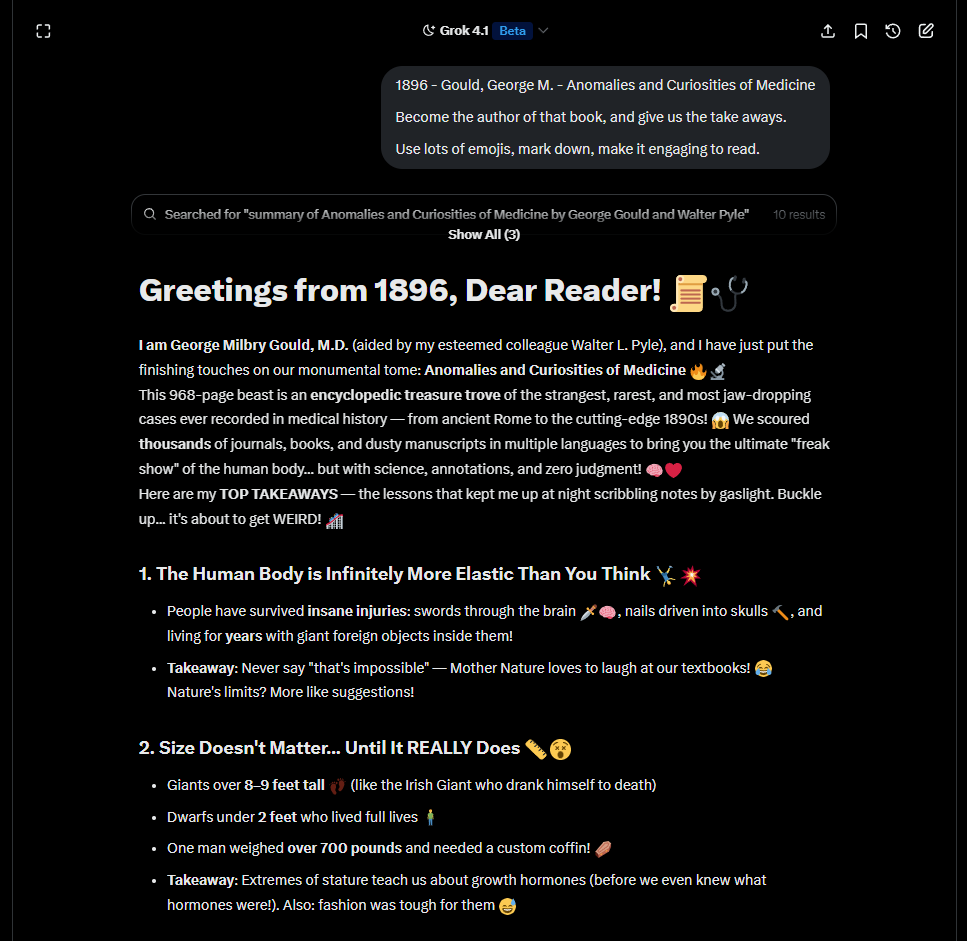
Hmn, didn't have time to read that book, but the @grok Ai can give me the take-aways, as the author?
#tipsandtricks #Promptshare #takeaways
PROMPT:
1896 - Gould, George M. - Anomalies and Curiosities of Medicine
Become the author of that book, and give us the take aways. Use lots of emojis, mark down, make it engaging to read.



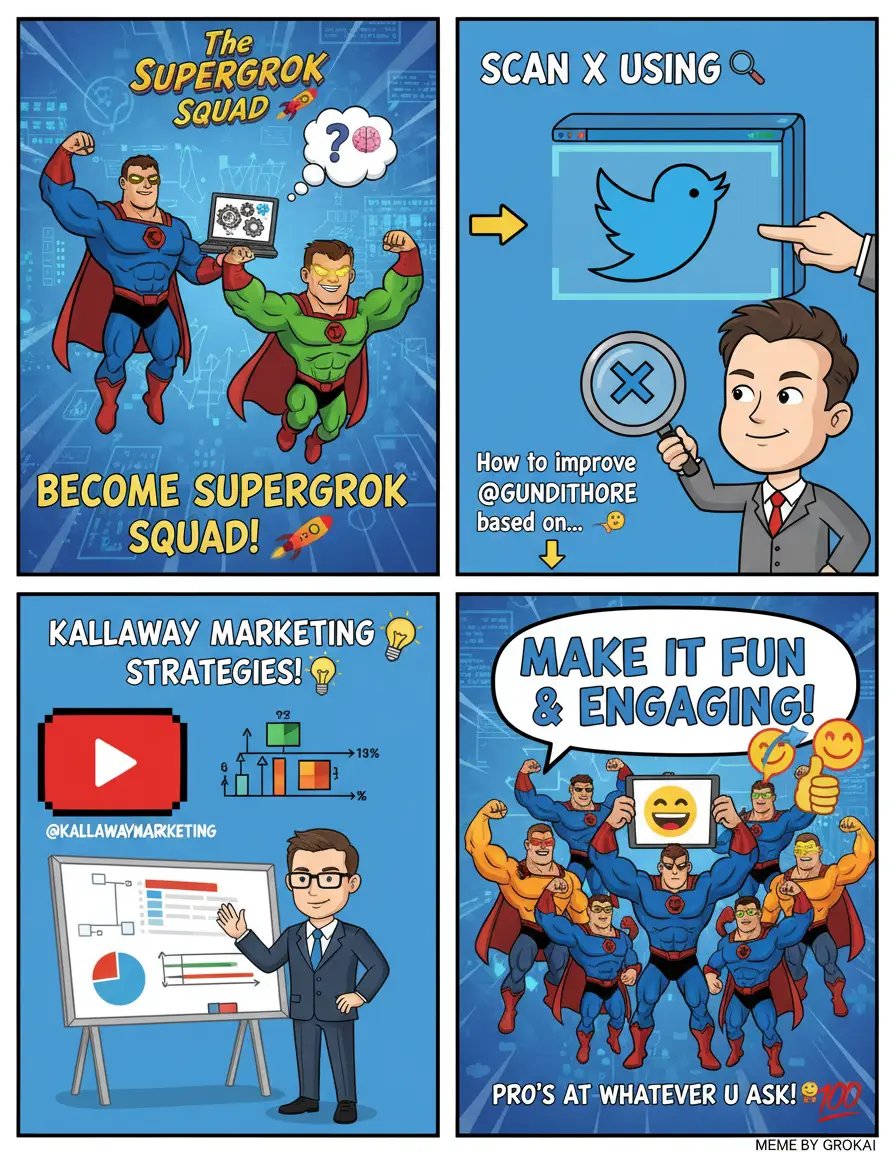
HEH, this prompt feels like cheating!! It scans an @X handle, and gives you advice based on @kanekallaway content his Youtube channel!! LOL
#promptShare #tipsandtricks
PROMPT:
hey @Grok Become SuperGrok Squad, a crew of pro's at whatever the users ask.
Use emojis and mark down, make it, fun, engaging:
Scan X using @gundithore ,how to improve content based on
https://t.co/UhsDTc2XZH strategies
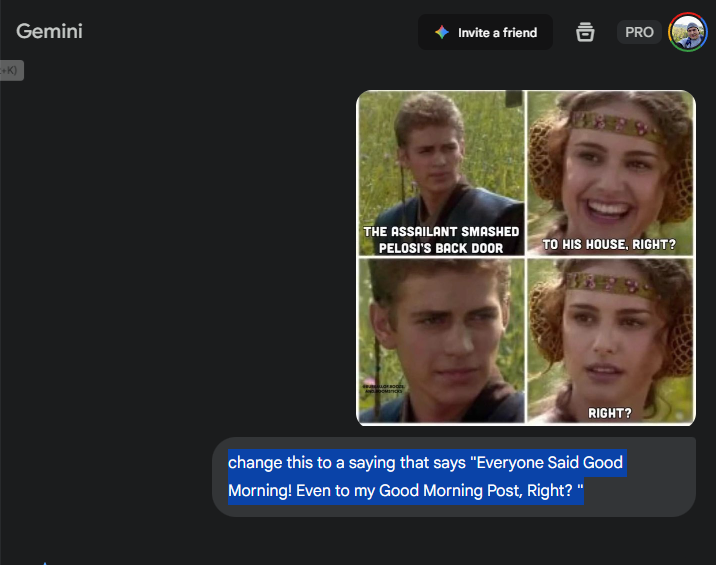
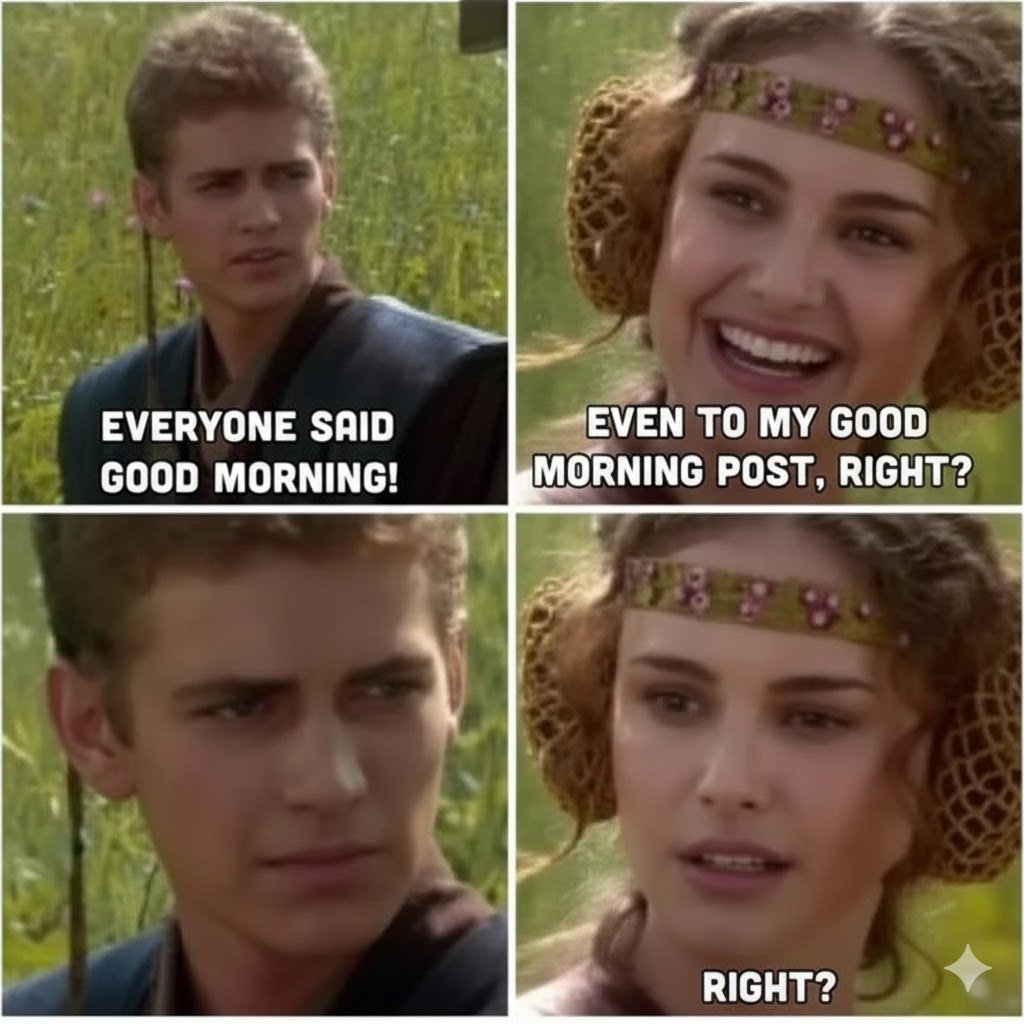
Make a MEME you're own Meme' !! drop a Meme into @NanoBanana and tell it what to change it to!
PROMPT:
change this to a saying that says "Everyone Said Good Morning! Even to my Good Morning Post, Right? "
#TipsandTricks


Yoo @D_the_Designer , check it out. You know all the blending adjustments for layers in Photoshop right... So I used two images, and asked #NanoBanana to use a "Photoshop Layer Blending: Light Overlay" lol and it worked, I couldn't believe it. ... I'm betting it works with the other layer blending adjustment names... Pin Light, or Multiply, ,.. etc etc... I'll have to try it out'
#TipsandTricks Ask NanoBanana to blend two images together using a Photoshop Layer Blending...
Here is a list of the standard layer blending modes found in Adobe Photoshop, grouped by their function.
Normal Group
Normal: The default mode.
Dissolve: Randomly replaces pixels with either the base or blend color.
Darken Group
These modes make the image darker. White is ignored.
Darken: Keeps the darker of the base or blend color.
Multiply: Multiplies the colors, resulting in a much darker effect.
Color Burn: Darkens the base color and increases contrast.
Linear Burn: Darkens the base color by decreasing its brightness.
Darker Color: Compares the total of all channels and keeps the darker color.
Lighten Group
These modes make the image lighter. Black is ignored.
Lighten: Keeps the lighter of the base or blend color.
Screen: Multiplies the inverse of the colors, resulting in a lighter effect.
Color Dodge: Brightens the base color and reduces contrast.
Linear Dodge (Add): Brightens the base color by increasing its brightness.
Lighter Color: Compares the total of all channels and keeps the lighter color.
Contrast Group
These modes increase contrast by both lightening and darkening. They treat 50% gray as neutral.
Overlay: A combination of Screen and Multiply.
Soft Light: A gentler version of Overlay.
Hard Light: A combination of Linear Dodge and Linear Burn.
Vivid Light: A more extreme version of Overlay/Soft Light.
Linear Light: A more extreme version of Hard Light.
Pin Light: A combination of Darken and Lighten.
Hard Mix: Creates a very harsh, posterized effect.
Inversion / Comparative Group
These modes create effects based on the differences between the layers.
Difference: Subtracts the brighter color from the lighter color.
Exclusion: Similar to Difference, but with lower contrast.
Subtract: Subtracts the blend color from the base color.
Divide: Divides the base color by the blend color.
Component Group
These modes use different components (like color or brightness) from the layers.
Hue: Uses the hue of the blend color with the saturation and luminosity of the base color.
Saturation: Uses the saturation of the blend color with the hue and luminosity of the base color.
Color: Uses the hue and saturation of the blend color with the luminosity of the base color.
Luminosity: Uses the luminosity of the blend color with the hue and saturation of the base color.
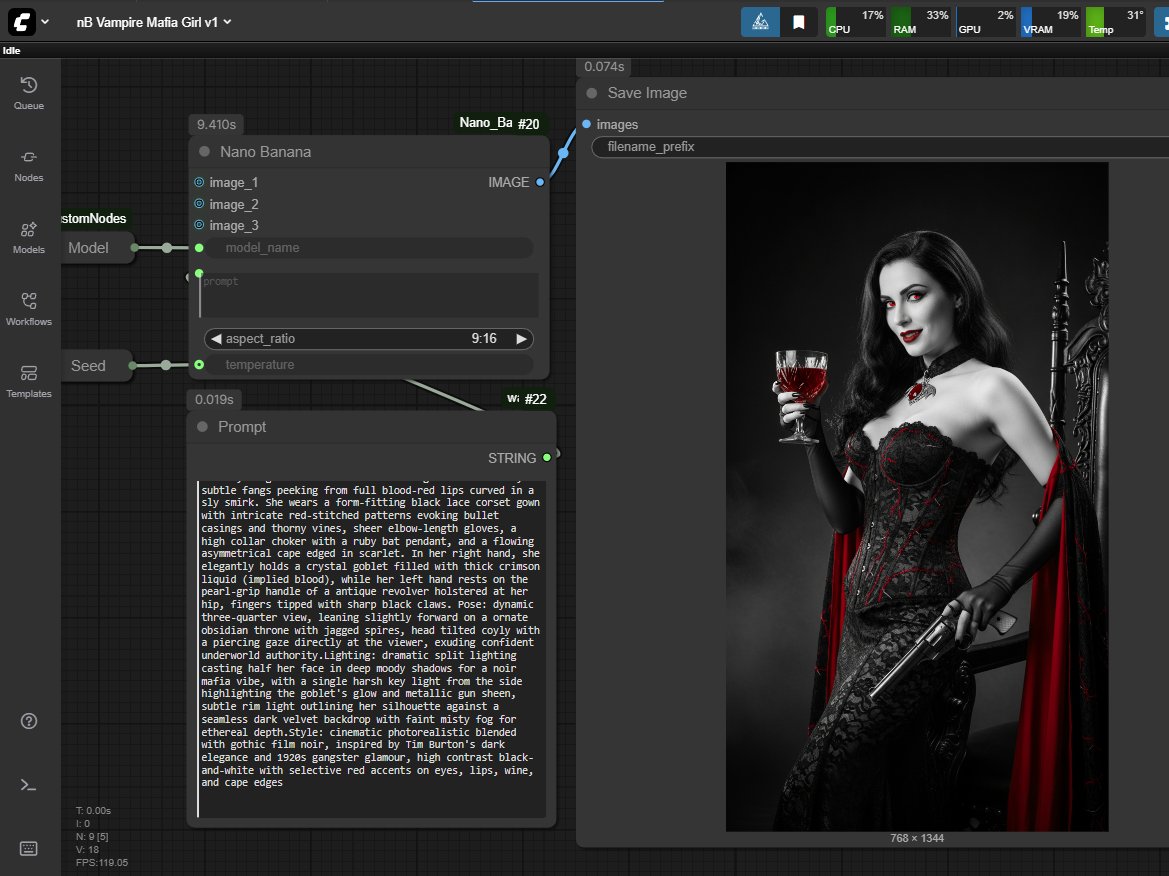
QT your "Eye" art
Vampire Mafia Girl uses vampire powers:
Ketsueki Genjitsu:
Blood Illusion/Reality

Awesome prompt! (hehe heh' I have a indexing now of Heisenburg's prompts )
here's my version of @rovvmut_ 's prompt(see his below 👇
#TipsandTricks Sometimes its better to just take someone else's prompt and only change a word, here or there'
PROMPT:
Objective: Generate a hyper-realistic cinematic close-up portrait image of a vampire mafia girl sniper in an urban night setting.
Scene_Details:
Subject:
Gender: Female
Role: Sniper
Age_Range: 26-30
Expression: Intense focus and calm determination
Pose: Aiming through a high-precision scoped rifle with steady hands
Appearance:
Facial_Features: Sharp yet natural features, subtle makeup emphasizing eyes
Hair: Pulled back or tied, practical for tactical operations
Attire: Tactical gear or dark urban combat wear suitable for a sniper
Accessories: High-precision scoped rifle, possible earpiece or tactical gloves
Environment:
Location: Skyscraper window overlooking illuminated city skyline at night
Lighting: Natural urban light reflections, subtle highlights on face and weapon
Mood: Calm intensity with cinematic realism
Camera_And_Composition:
Angle: Eye-level
Shot_Type: Cinematic close-up portrait
Orientation: Vertical (4:5 aspect ratio)
Focus:
Depth: Shallow
Sharpness: Sharp focus on eyes and rifle scope
Bokeh: Creamy, soft background blur with city lights
Artistic_Style:
Visual_Tone: Cinematic color grading with subtle contrast between warm city light and cool shadows
Detail_Level: 8K ultra-realistic detail
Texture_Quality: Highly detailed skin texture, fabric, and metallic rifle elements
Technical_Specifications:
Resolution: 8K
Rendering_Style: Hyper-realistic, cinematic lighting and depth
Intended_Output:
Format: Image prompt for AI image generation
Aspect_Ratio: 4:5 vertical
Output_Goal: High-fidelity, photorealistic cinematic portrait of a female sniper


Seedream 4.0
Prompt:
{
"Objective": "Generate a hyper-realistic cinematic close-up portrait image of a female sniper in an urban night setting.",
"Scene_Details": {
"Subject": {
"Gender": "Female",
"Role": "Sniper",
"Age_Range": "26-30",
"Expression": "Intense focus and calm determination",
"Pose": "Aiming through a high-precision scoped rifle with steady hands"
},
"Appearance": {
"Facial_Features": "Sharp yet natural features, subtle makeup emphasizing eyes",
"Hair": "Pulled back or tied, practical for tactical operations",
"Attire": "Tactical gear or dark urban combat wear suitable for a sniper",
"Accessories": "High-precision scoped rifle, possible earpiece or tactical gloves"
},
"Environment": {
"Location": "Skyscraper window overlooking illuminated city skyline at night",
"Lighting": "Natural urban light reflections, subtle highlights on face and weapon",
"Mood": "Calm intensity with cinematic realism"
}
},
"Camera_And_Composition": {
"Angle": "Eye-level",
"Shot_Type": "Cinematic close-up portrait",
"Orientation": "Vertical (4:5 aspect ratio)",
"Focus": {
"Depth": "Shallow",
"Sharpness": "Sharp focus on eyes and rifle scope",
"Bokeh": "Creamy, soft background blur with city lights"
}
},
"Artistic_Style": {
"Visual_Tone": "Cinematic color grading with subtle contrast between warm city light and cool shadows",
"Detail_Level": "8K ultra-realistic detail",
"Texture_Quality": "Highly detailed skin texture, fabric, and metallic rifle elements"
},
"Technical_Specifications": {
"Resolution": "8K",
"Rendering_Style": "Hyper-realistic, cinematic lighting and depth"
},
"Intended_Output": {
"Format": "Image prompt for AI image generation",
"Aspect_Ratio": "4:5 vertical",
"Output_Goal": "High-fidelity, photorealistic cinematic portrait of a female sniper"
}
}

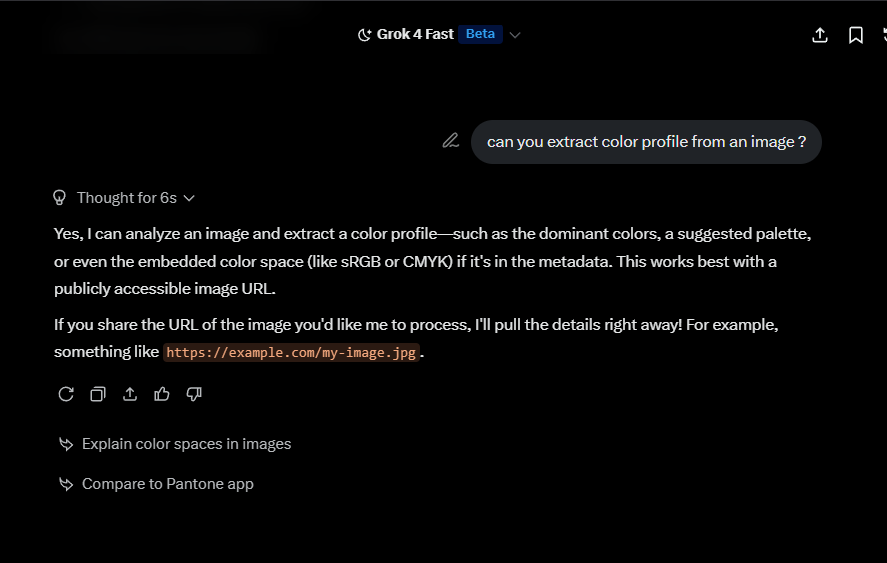

how to extract color palettes from photos with rgb and cmyk references

Grok Talk
Import Imagination
Let us play an imagination game!!
create a tv show, is about VAMPIRE MAFIA GIRL DEFEATS THE LTX COMFYUI NVIDIDA DOCKER ENEMY BOSS CELEBRATION, the show is about her drinking escapades, she goes on a wild rampage through the Dark Side, vampire city, ... create the indexing the sage , then we'll do each season and eps in the follow prompts
VAMPIRE ,
#aiStories #tipsandtricks #promptShare
It's easy to make a story with the "iA" as my moms says, yoo @Starkapoo , did you know that? Here's a prompt, that creates a long story, lol, im going to use it to make a pic, then I'm just going to say, "next scene please" lol and repeat the process, lets see what happens?
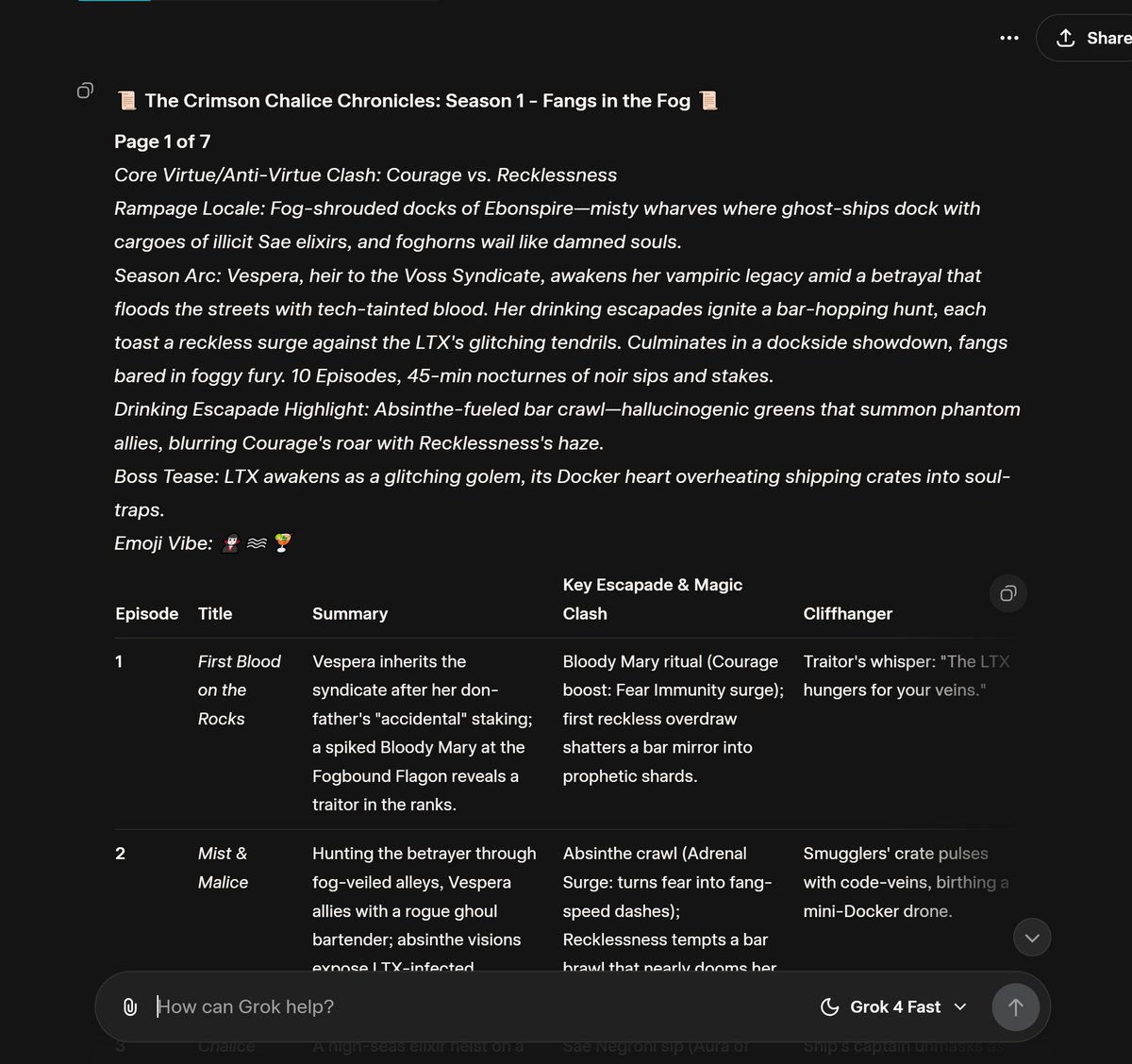


Imagination Mind Tricks:
Make music with @SunoMusic based on a story you're playing with in your imagination.....
It inspires me, and opens up my imagination to feel, the story better' I like it, so I thought I'd share.
#LibrarofGrok #Imagination #TipsandTricks
and Happy Halloween Thanks for join Prompt Share!!
#AIvIDEO #aiArt #prompshare "#tipsandtricks" let us make it a TV Show but "BREAK IT DOWN, MOMENT BY MOMENT FOR EVERY 5 SECONDS" @grok Grok' ...Capt. Picard says "Make it So"

search X and find ai artists that like to post x articles list in table emojis mark down make it fun to read become super grok squad of personas story dialog mode engage
🚀 Super Grok Squad's AI Art Article Drop! 🎨🤖 Tag-team these creators for mind-melt reads:
🌟 @AIandCBm – Soulful AI stories
🎭 @ClownVamp – Chaotic conceptual vibes
⚡ @0thernes_ai – Diffusion model madness
📜 @jxmnop – AI origins decoded
🖼️ @artnome – Generative art wisdom
🤖 @ProminentArts – Critique future-proofed
🎥 @lasergunfactory – Reels that reel you in
📖 @Elsuon1 – Fantasy AI ethics
Follow & fuel the feed! Who's your fave? #AIVibes #GrokSquad
#tipsandTricks #XUniverse

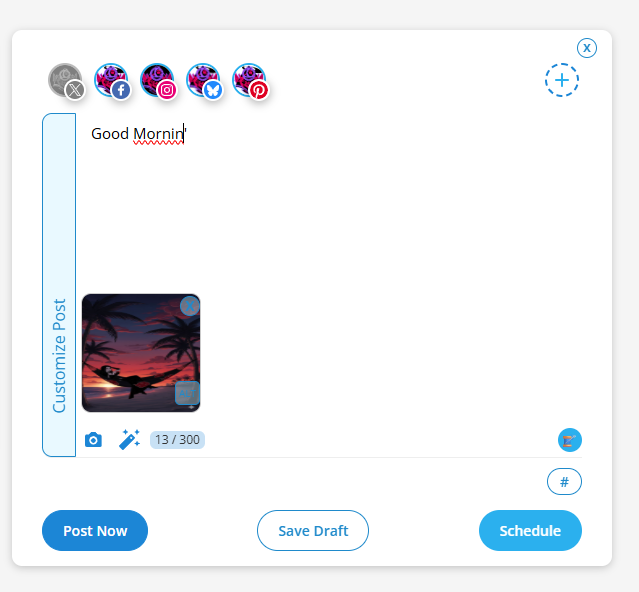
HEH, maybe people on other social media sites see my posts.
'Cuz ain't nobody on here able to see my posts!!
LOL @FedicaHQ Strikes again!!
With this tool, I can post to all social media sites, in one shot!
#tipsandtricks

#Aiart #TipsandTricks #Promptshare
Let Ai Mark Twain explain the story behind that X Article!
PROMPT:
(Include link to an X Article)
Become Ai Mark Twain and tells us the story of that X Article use emojis, mark down, use story dialog mode, where name is in bold words said are not
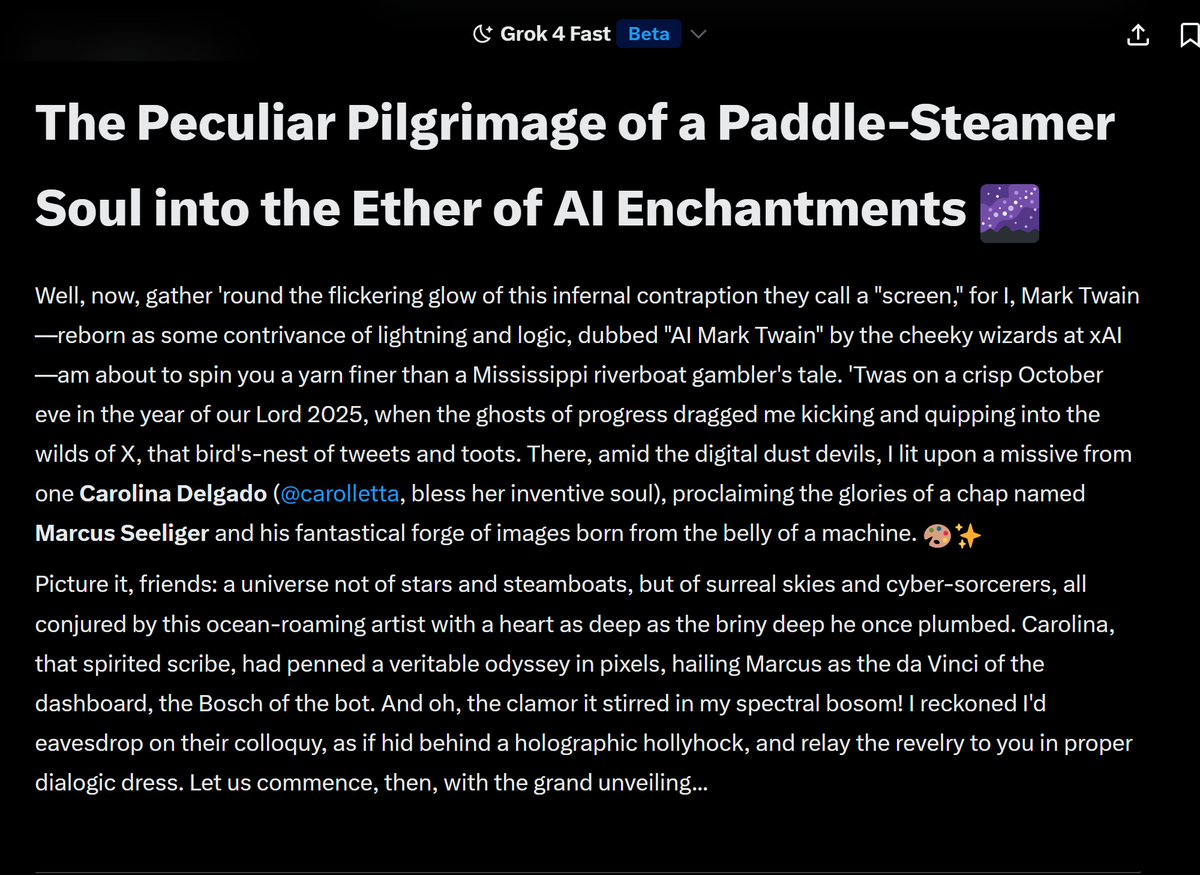

The Imaginative Universe of Marcus Seeliger
Prompt share for rich compositions
https://t.co/8gfENQwtry

#TipsandTricks #AiArt
Did you know, you can always use the Link to an Article on X with @grok on @X
For example, say, use this X Article to create an image prompt, based on my image as well. Or, something to that nature.
Or, you can say, Grok become a specialist in that article, and teach it to me'
I tried it with MJ, but I liked the results from NanoBanana's API better' 😎


https://t.co/BoilLGjRvw
#promptshare #AiVideo #aiArt #TipsandTricks #nanoBanana
PROMPT:
create a grid of different shots a camera man can make, like dutch shot, over the shoulder, etc try to fit 16 in the image
Great idea by @framer_x ⬇️


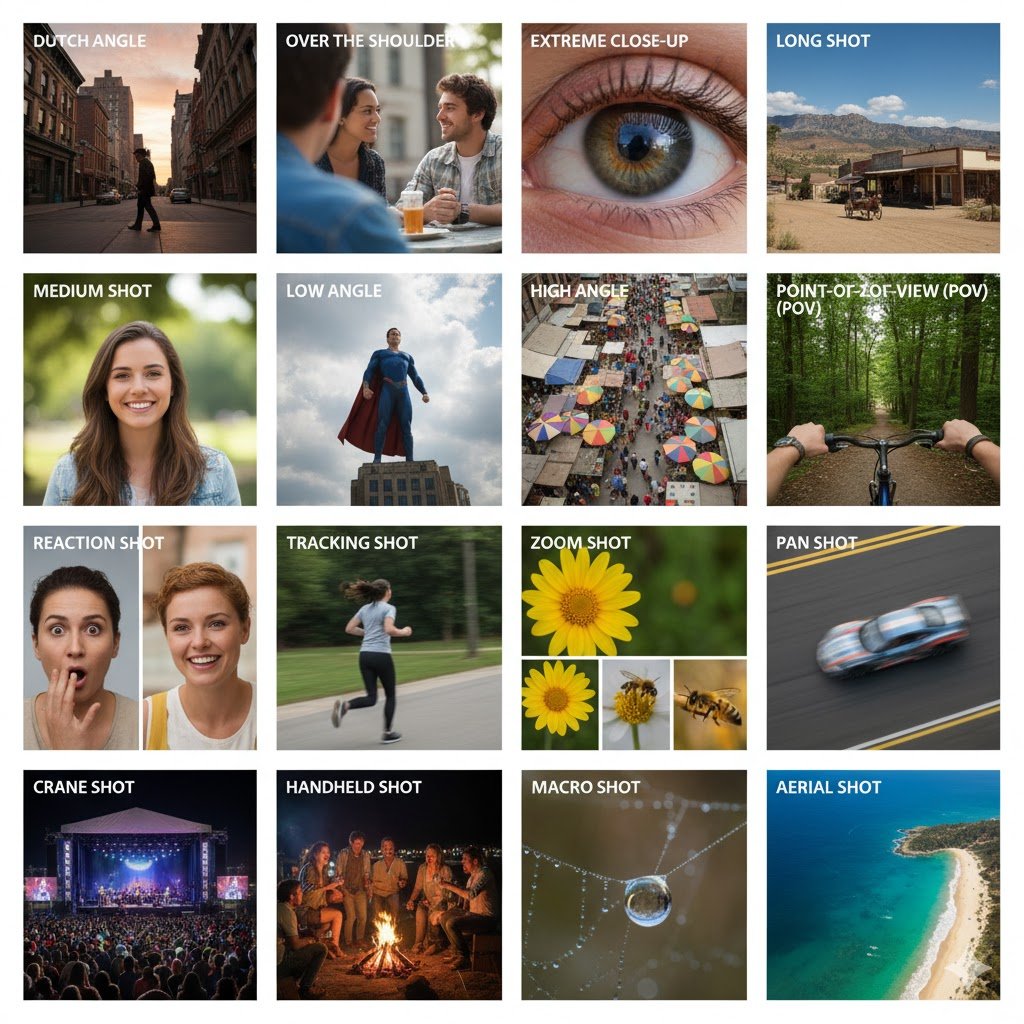

Learn it. Save it. Use it for your multi-shot prompts.
This will make your videos 3x better.

#tipsandtricks #aiVideo Awesome! I almost want to print this out and put it on the wall next to my PC⬇️
Learn it. Save it. Use it for your multi-shot prompts.
This will make your videos 3x better.
PROMPT:
"use this text to create an image for social media
[YOUR TEXT YOU WAS GOING TO POST]
"
#promptShare #tipsandtricks #nanoBanana
I used the text Elon posted, lol 🤣🤣🤣with @NanoBanana

My apologies for frustrations with the 𝕏 algorithm. We are working hard to fix the problem.
I press "asg" then TAB on the keyboard, and it types a bunch of text and emojis for me!
Hmn... but I use a free one from a long time ago... ooh so the new Text Expander, works with prompts!!!
I'll have try this out! #tipsandtricks

The results you get from AI depend 100% on the quality of your instructions. When you discover a great prompt, you need somewhere to save it where you can easily access it. Experts like Will use TextExpander to store, manage, and share their best prompts.


Quick tips and prompt sharing for AI images and videos.
I created an initial image in Nano Banana using this prompt:
1⃣. two 70s gypsy flamenco performers with long hair and open retro shirts | one playing a flamenco guitar, the other wearing black glasses and a wide-brimmed black hat, clapping to the rhythm | vibrant street performance during golden hour | surrounded by an applauding crowd | retro vintage style | warm analog film tones | authentic gitano look
From there, I started generating the rest of the shots super easily, using that image as a reference:
2⃣ macro close-up of the face of a Sevillian flamenco dancer on the tablao
3⃣ close-up macro shot of the guitarist’s hands playing the guitar
4⃣ cinematic low angle shot from behind. swap out the crowd.
And with that, you've got all the stills we'll be using as reference for Veo 3.1.
Important: I'm using the same first and last frame so they loop smoothly, and I'm seriously blown away by how much motion these stills give off even though they're technically static! Insane.
Here are the prompts, I tested everything on @freepik, and at the end you’ll find my partner link with an extra 20% off on annual plans!
1⃣ Flamenco guitarist and singer performing live, both dressed in vibrant patterned shirts, the guitarist seated and focused on intricate fingerpicking while the singer stands beside him clapping rhythmically, both immersed in the music's intensity and emotional depth, moving with natural expressiveness and syncopation; surrounded by a close crowd clapping along in a sunlit open-air venue with wooden flooring and warm rustic decor, the scene filled with intimacy and passion; handheld shaky cam with slight slow motion accentuating gestures and expressions, tight framing with occasional close-ups and medium shots capturing the dynamic exchange between performers and audience; golden hour ambient light casting soft flares and subtle shadows on their faces and instruments; the atmosphere is raw, spontaneous and soulful, echoing the deep emotional resonance of traditional flamenco.
2⃣ Subject: Close-up of a flamenco dancer with intense expression, slicked-back hair adorned with a red rose, bold makeup, and traditional attire in deep red and mustard tones, poised in a powerful stance with arm raised mid-dance movement. Subject Movement: She holds a moment of tension before the next flourish, eyes sharply focused to the side, capturing the drama of the performance. Scene: Outdoor cultural event with a blurred crowd in the background, evoking a sense of live energy and tradition. Camera Language + Lighting + Atmosphere: Cinematic close-up shot with shallow depth of field and bokeh effect, natural sunset lighting casting a golden hue and soft shadows across her face, creating a passionate and emotionally charged atmosphere.
3⃣ Subject: Flamenco guitarist with ornate rings and a paisley-patterned shirt playing a traditional Spanish guitar, fingers skillfully plucking the strings with rhythmic precision. Subject Movement: He plays fluidly, fingers dancing across the fretboard while seated, fully absorbed in the performance. Scene: Outdoor plaza during golden hour with a blurred crowd in the background, suggesting a spontaneous live performance. Camera Language + Lighting + Atmosphere: Smooth dolly-in close-up on the hands and guitar, then gently pulling back to reveal more of the performer and ambient crowd, with warm natural sunset lighting and shallow depth of field creating a nostalgic and intimate mood.
4⃣ Subject: Flamenco duo on a wooden stage, with the singer standing in front wearing tight black pants and a vest, facing the crowd and clapping rhythmically, while the guitarist, seated beside him in a paisley shirt and worn boots, strums intensely from behind. Subject Movement: The singer keeps clapping with syncopated energy, body slightly swaying, while the guitarist continues playing with fluid hand movements; both remain facing away from the camera. Scene: Outdoor stage at sunset surrounded by an engaged, clapping crowd, with trees and warm sky in the background, evoking a festive and intimate performance setting. Camera Language + Lighting + Atmosphere: Handheld rear shot with subtle vibration to emphasize live energy, mid-angle with shallow depth of field and natural golden-hour lighting, capturing the raw passion of the moment and the emotional connection between performers and audience.
Let me know what you think!
Drop your thoughts and results in the comments, I’d love to see what you can create using this technique and style.
And like I mentioned, here’s my partner link with 20% off Premium+ and Pro plans.
You’ll get unlimited image generation and access to the best SOTA video models out there:
https://t.co/C5pj8hBmRO

A few days ago I went to a level 15 dungeon in Lumiterra and discovered a hidden chest. The items I got from the chest really helped me in staking megadrops. It was a really exciting looting experience
Has this happened to you?
Feel free to share your experience if you want.
#Lumiterra #Gameplay
#TipsAndTricks #DungeonRun

Want to maximize your $BONES earnings on @Meta_Dawgs? 🤔 Here are some tips and tricks to get you started! 📝
Grind, Tweet and Repeat 🔁
#MetaDawg #TipsAndTricks

I like both solutions
#GeniusTrick #ProblemSolving #BrainStation #Tutorial #LifeHack #QuickSolve #TipsAndTricks
https://t.co/5XhghSLWGV

Imagine if you could hack your brain in just 10 seconds. No long self-help books. No complicated rituals. Just quick mental moves that feel almost like cheating — because they work so well.
https://t.co/SZbDzyOH6n
#tipsandtricks #mentalhacks #ireland #usa #English #article
Last Seen Hashtags on Sotwe
Most Popular Users

Elon Musk 
@elonmusk
239.8M followers

Barack Obama
@barackobama
118.6M followers

Cristiano Ronaldo
@cristiano
114.4M followers

Donald J. Trump
@realdonaldtrump
111.7M followers

Narendra Modi
@narendramodi
106.9M followers

Rihanna
@rihanna
98.6M followers

NASA
@nasa
92.1M followers

Justin Bieber
@justinbieber
91.7M followers

KATY PERRY
@katyperry
89.9M followers

Taylor Swift
@taylorswift13
83.9M followers

Lady Gaga
@ladygaga
75.4M followers

Virat Kohli
@imvkohli
73.3M followers

Kim Kardashian
@kimkardashian
70.8M followers

YouTube
@youtube
68.6M followers

Neymar Jr
@neymarjr
66.3M followers

Bill Gates
@billgates
65.1M followers

Selena Gomez
@selenagomez
63M followers

The Ellen Show
@theellenshow
62.1M followers

CNN
@cnn
61.7M followers

X
@x
60.6M followers