

Top Tweets for #actionbutton

The iPhone 18 Pro Action Button can do a lot more than just silence your phone.
In this tutorial I show every main setting, useful tips, and how to create a menu with multiple actions using Shortcuts.
Watch here: https://t.co/8IJs8HzO0J
#iPhone18Pro #ActionButton #iPhoneTips

@privatetalky No, never used it because my phone was ALWAYS in mute. Rather have the actionbutton so that it actually is used for something!

@privatetalky I like the silent switch actionbutton very.
Current button I don't like it much because you don't know if it's in the open or closed state.

Mein ActionButton Menü sieht bei mir so aus. Viel Funktionen auf eine Knopfdruck 😜


Dear Apple @AppleSupport, could you enable double click on volume up or down or power button to activate quick Actions for iPhones without action buttons? That would be helpful for iPhone users to access to certain actions.
Thank you.
#ActionButton #Apple #AppleSupport #iPhone


The iPhone 15 Pro Max: A Masterpiece for Some, Overkill for Others (Extended)
Rating: 9.5/10
Introduction
In the ever-evolving landscape of technology, Apple continues to set the gold standard with its iPhone lineup. The iPhone 15 Pro Max, the crown jewel of Apple's latest offerings, is no exception. It's a device that polarizes opinion—you either can't imagine life without it, or you question its high price tag and the hype that surrounds it. But one thing is certain: it's a technological marvel that serves as the yardstick for all other smartphones.
Target Audience: The Pros
The iPhone 15 Pro Max is a dream come true for die-hard Apple enthusiasts, especially those who use their phones for professional purposes. While the exterior design is evolutionary, the device is revolutionary in terms of connectivity and camera capabilities. It's not just another iPhone; it's an iPhone designed to meet the demands of professionals who have been waiting for more.
Not Just Apple's First, But Apple's Best
It's important to note that while some of the iPhone 15 Pro Max's features may be making their Apple debut, they aren't necessarily new to the tech world. Features like USB-C and advanced camera optics have been seen in other devices. However, Apple's philosophy has always been clear: it's not about being the first; it's about being the best.
A Blend of Familiarity and Innovation
The iPhone 15 Pro Max offers a blend of familiar and new features. The 6.7-inch OLED display is similar to last year's model but comes with enhanced brightness and slimmer bezels. The device also introduces a second-generation Ultra Wideband chip, offering more precise location tracking. Additionally, it includes a satellite communication system for emergency situations, making it a potentially life-saving device.
The Price of Luxury
Owning an iPhone has never been a budget-friendly affair, and the iPhone 15 Pro Max pushes that envelope even further. Starting at $1,199, it's $100 more expensive than its predecessor. However, the base storage has been bumped up to 256GB, offering more value for the price.
Design and Build: A Touch of Spacecraft
The device's band is made of titanium, giving it a luxurious feel and a lighter weight. Apple is capitalizing on the "spacecraft-grade" material, emphasizing its lightweight yet durable nature. The softer edges and reduced weight make it more comfortable to hold for extended periods.
Customization at Your Fingertips
Gone is the traditional mute switch, replaced by a customizable "Action Button." This button can be programmed to perform various tasks, from toggling silent mode to launching the camera, offering a level of customization rarely seen in iPhones.
USB-C: More Than Just a Port
The transition from Lightning to USB-C is significant, not just for faster data transfer but also for its versatility. It allows for direct connection to external storage devices and even serves as an output for 4K60 HDR video.
A Camera System Like No Other
The iPhone 15 Pro Max takes photography to a new level. With its 48-megapixel main camera and exclusive 5x optical zoom telephoto lens, it offers unparalleled flexibility and quality. The device also introduces a macro mode, allowing for extreme close-up photography.
Portrait Mode Reimagined
The new Portrait mode is seamlessly integrated into the standard photo mode, capturing depth information automatically when a person or pet is in the frame. This allows for post-capture adjustments, blurring the lines between professional and casual photography.
Video Capabilities: A Niche Marvel
The device's video features, including ProRes support and Log encoding, are impressive but cater to a very specific audience. If you're not into professional video editing, these features might be overkill for you.
Performance and Battery Life
Powered by the new Apple A17 Pro chip, the device offers significant improvements in processing speed. Despite the power-packed performance, the battery life remains commendable, easily lasting a full day of intensive use.
Connectivity and Ecosystem
With support for dual eSIMs and the new Wi-Fi 6E, the device ensures you're always connected. And as always, the seamless integration with Apple's ecosystem makes it more than just a phone—it's part of a connected lifestyle.
Verdict: A Device for the Discerning Few
The iPhone 15 Pro Max is undoubtedly a masterpiece, but it's not for everyone. Its advanced features and capabilities make it a device tailored for professionals and tech enthusiasts. If you're someone who will make the most of its cutting-edge features, it's worth every penny. However, if you're a casual user, you might find its capabilities—and its price tag—to be more than you need.
So, is the iPhone 15 Pro Max the right phone for you? That depends on how you plan to use it. It's a device that has stretched the boundaries of what a smartphone can do, but its "Pro" label serves as a reminder: it's a device meant for those who will truly exploit its capabilities to the fullest.
#apple #appleevent #iPhone15 #iPhone #iPhone15Pro #iPhone15ProMax #techtwitter #BrandedFeatures #actionbutton
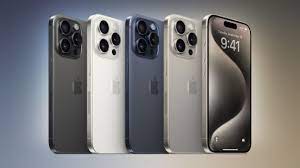
1/ 📱 The iPhone 15 Pro Max is here, and it's a game-changer! But is it the right fit for you? Let's dive into the nitty-gritty of what makes this device a masterpiece and who it's really for. Buckle up, tech enthusiasts! 🚀 #iPhone15ProMax #AppleEvent #TechReview

The iPhone 15 Pro's Action Button: A Deep Dive into Apple's 'Press and Hold' Decision (Extended)
When Apple took the wraps off its latest flagship, the iPhone 15 Pro, the tech world was abuzz not just with its cutting-edge features but also with a seemingly minor yet significant design choice. The device introduced a new hardware element called the "Action Button," and it came with a twist—instead of a simple tap to activate, users are required to 'press and hold' the button to trigger its designated function.
The Context: Dynamic Island and User Experience
This design decision evoked a sense of déjà vu, reminiscent of Apple's earlier feature known as the "Dynamic Island." For those unfamiliar, the Dynamic Island is a UI element that, when tapped, takes you directly to the corresponding app. For example, if you're jamming to your favorite tunes on the Music app, a single tap on the Dynamic Island whisks you right back to the app. A long-press, however, expands the Dynamic Island, revealing quick controls for added functionality.
In the case of the Dynamic Island, the jury is still out on whether Apple's 'long-press to expand' approach is the best. Accidental taps aren't a significant issue here, and many users, myself included, would prefer accessing basic information with a simple tap.
Why 'Press and Hold' Makes Sense for the Action Button
After spending three days rigorously testing the iPhone 15 Pro Max, the rationale behind Apple's 'press and hold' requirement for the Action Button became increasingly evident. The Action Button's tactile feel is remarkably similar to the volume up button, leading to frequent accidental presses. Imagine the chaos of unintentionally triggering a random action when you merely wanted to turn up the volume on your device. This design choice effectively minimizes such inadvertent activations, making the user experience more streamlined and less frustrating.
The Road Ahead: User Customization and Flexibility
While the 'press and hold' feature serves its purpose well, it's worth considering future updates that offer users alternative ways to utilize the Action Button. A customizable double-click setting could be a valuable addition, either as an alternative to the long-press or as a way to initiate a secondary action.
My Personal Experience: The Action Button as a Camera Shortcut
As for my personal use-case, I'm still exploring the full range of possibilities that the Action Button offers. Currently, I've set it as a dedicated Camera button, which has proven to be incredibly handy for capturing spontaneous moments. However, I believe that the true potential of this additional hardware feature is yet to be fully unlocked.
In conclusion, Apple's 'press and hold' requirement for the Action Button on the iPhone 15 Pro may have initially puzzled some, but it's a well-thought-out design choice aimed at enhancing user experience. As we continue to adapt to this new feature, it will be interesting to see how Apple might refine or expand its functionality in future iterations.
#apple #appleevent #iPhone15 #iPhone #iPhone15Pro #iPhone15ProMax #techtwitter #BrandedFeatures #actionbutton
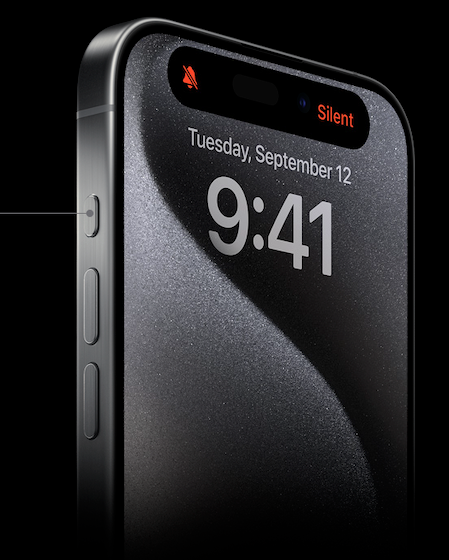
1/ 📱 Hey #AppleFans, let's talk about the iPhone 15 Pro's intriguing new feature—the Action Button! Ever wondered why Apple chose a 'press and hold' mechanism instead of a simple tap? Let's dive in! 🤔 #iPhone15Pro #ActionButton
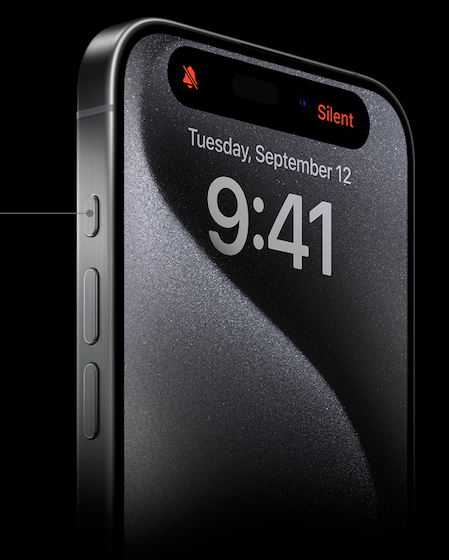
1/ 📱 Hey #AppleFans, let's talk about the iPhone 15 Pro's intriguing new feature—the Action Button! Ever wondered why Apple chose a 'press and hold' mechanism instead of a simple tap? Let's dive in! 🤔 #iPhone15Pro #ActionButton

Found another use case for the #ActionButton on the #iPhone15ProMax. A dedicated shutdown key. No more button combinations.
Found another use case for the #ActionButton on the #iPhone15ProMax. A dedicated shutdown key. No more button combinations.
Apple's Transition: The End of the iPhone's Ring/Silent Switch (Extended Thoughts)
A Staple Since 2007
Since Steve Jobs took the stage to announce the first iPhone in 2007, the ring/silent switch has been a constant feature. Yet, as we learned during Apple's recent iPhone event, this enduring element is meeting its end, making way for a haptic "action button." The new button aims to offer a customizable experience for iPhone users, allowing them to perform a range of activities—be it launching the camera, activating an assistance feature, or opening a specific app.
The Change: Mixed Emotions
Apple's decision to replace the ring/silent switch was presented subtly, emphasizing the action button's versatility. And while this is certainly an interesting evolution, especially in terms of accessibility, it’s hard not to feel a tinge of nostalgia. Apple has a history of making design changes that not everyone embraces immediately. For instance, many still miss TouchID, and the MacBook's haptic touchpads haven't found universal acclaim compared to their mechanical precursors. There was also the attempt to consolidate everything into a single port—a move that didn’t quite achieve its purpose but did manage to boost dongle sales.
Evolving User Needs
From a broader perspective, the decision to phase out the ring/silent switch is understandable. When the first iPhone debuted, it was, at its core, a phone. The switch wasn't a feature but a necessity, offering users an easy way to mute their devices quickly. This helped to avoid awkward situations, like having a phone ring during a crucial meeting or at a theatre performance.
As years have gone by, however, the way we use smartphones has drastically changed. We’ve become increasingly indifferent to ringtones and specific notification sounds. More often than not, our iPhones remain in silent mode, untouched from the moment we first set them up. This shift in usage patterns makes the decision to remove the ring/silent switch a logical one.
Mechanical Certainty vs. Digital Flexibility
One of the aspects that many users will miss is the mechanical certainty that the ring/silent switch provided. There was no second-guessing; you knew if your phone was on silent or not. This tactile experience provides a kind of assurance that purely digital interfaces struggle to replicate.
However, it's not all bad news. The new action button will itself be a physical interface, giving users at least some degree of tactile interaction. While the ring/silent switch’s function was limited to sound management, this new button promises broader utilities. The thought of assigning this button different tasks is intriguing, and users might find it becomes an essential part of their iPhone experience.
The Future: A Window Opens As A Door Closes
As we prepare to say goodbye to the iPhone's last significant moving part, it’s worth noting that this change is not a one-way street towards a loss. Rather, it seems like a door is closing and a window is opening. Users are getting a new form of physical interaction, one that promises greater functionality and customization.
However, Apple still has room for improvement, particularly when it comes to design elements like the much-criticized gap in the display. While the company may be pushing the boundaries of innovation, certain decisions like these are still met with resistance. But as we’ve seen over the years, Apple often walks the fine line between infuriating and fascinating its customer base. Only time will tell if this new change becomes another pivotal moment in the tech giant's ever-evolving story.
#apple #appleevent #iPhone15 #iPhone #iPhone15Pro #iPhone15ProMax #techtwitter #applewatch #usbc #ActionButton #TechTrends
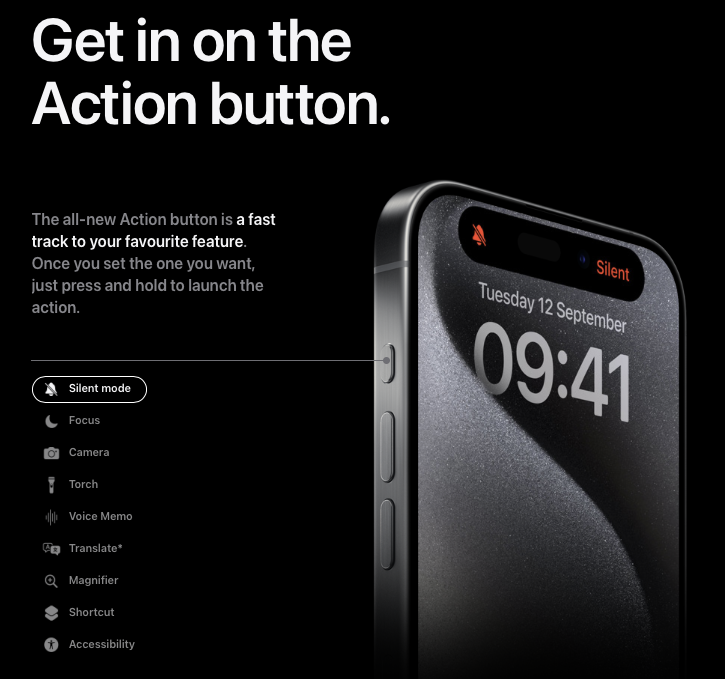
1/ 📱Apple's Transition: The End of the iPhone's Ring/Silent Switch🔕 - A Thread👇#apple #appleevent #iPhone15 #iPhone #iPhone15Pro #iPhone15ProMax #techtwitter #actionbutton #techtrends
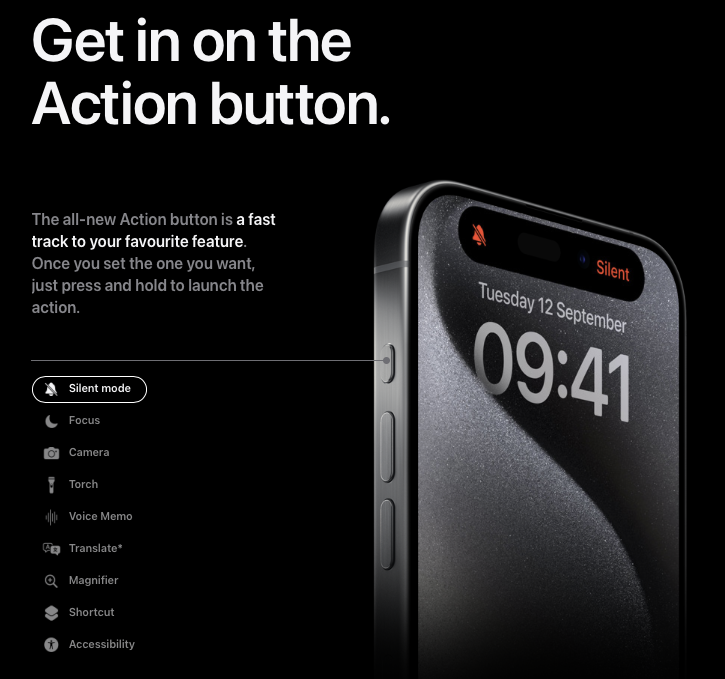
1/ 📱Apple's Transition: The End of the iPhone's Ring/Silent Switch🔕 - A Thread👇#apple #appleevent #iPhone15 #iPhone #iPhone15Pro #iPhone15ProMax #techtwitter #actionbutton #techtrends

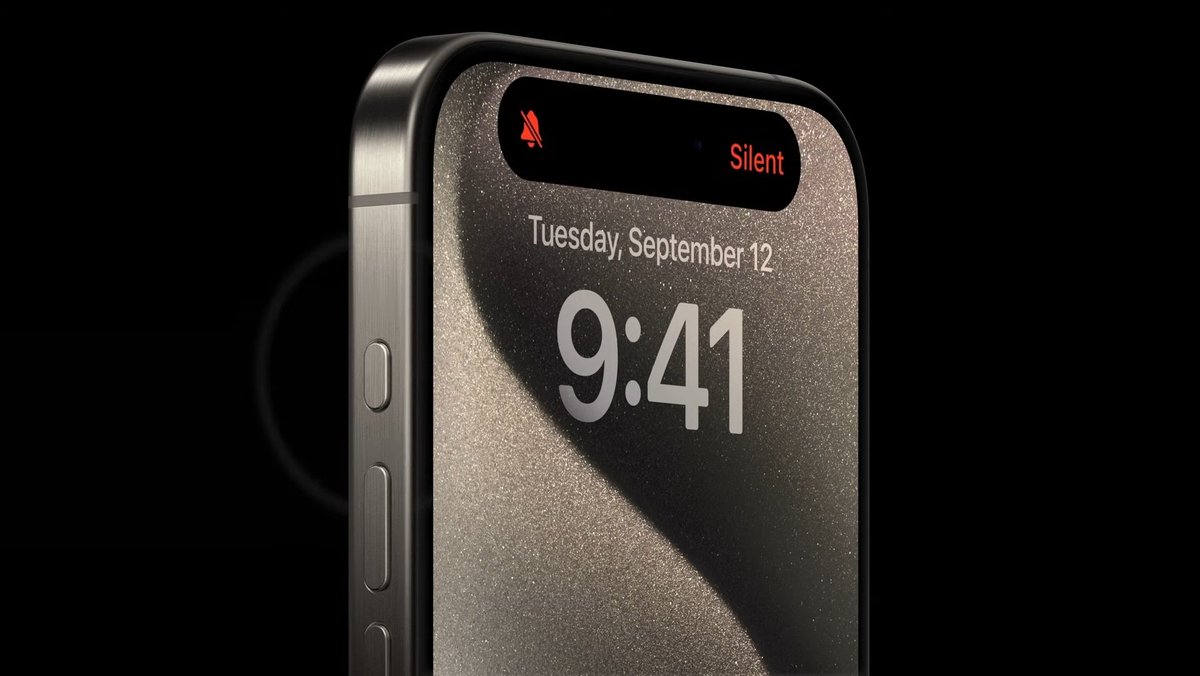
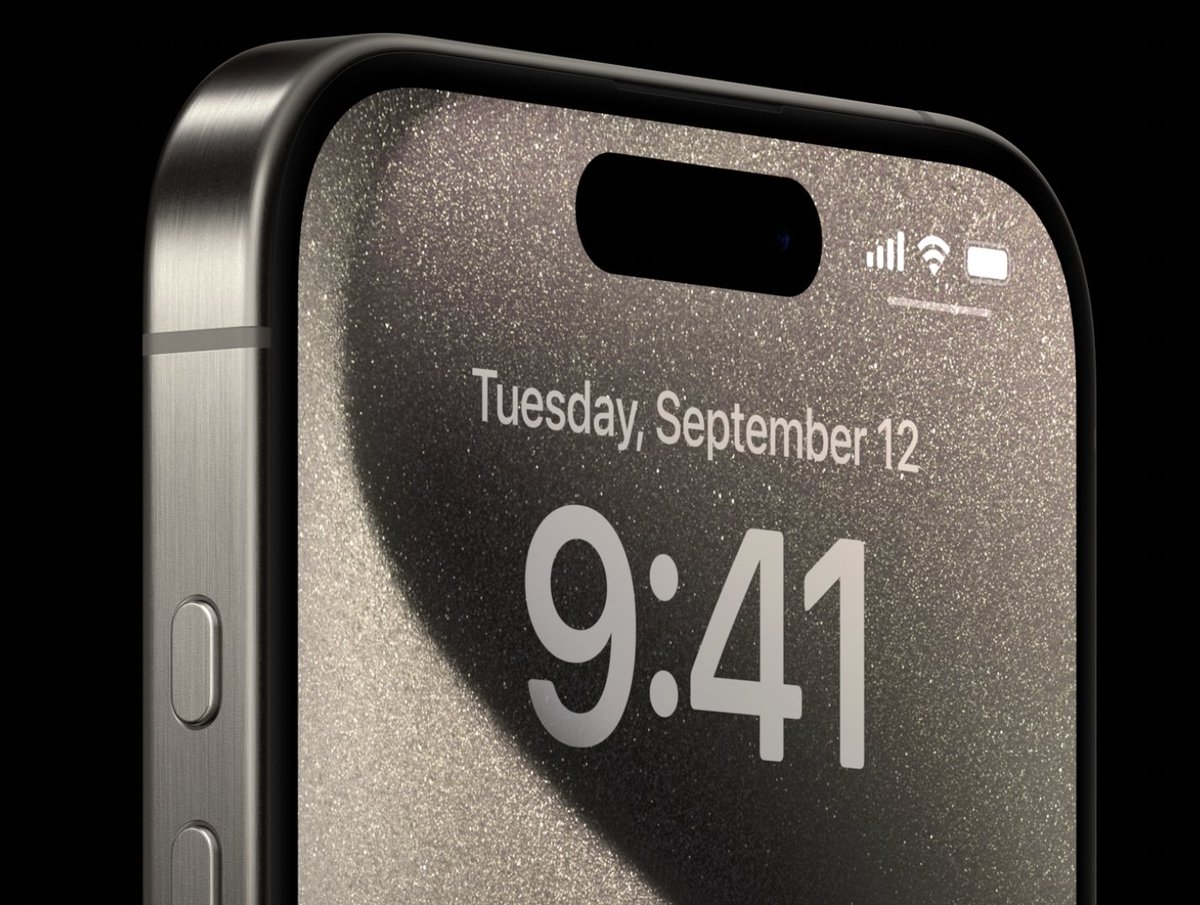
Apple iPhone 15 Pro models action button features
Press and hold for mute..
#AppleEvent #AppleEvent2023 #iPhone15Pro #ActionButton



Last Seen Hashtags on Sotwe
Trends for you
Most Popular Users

Elon Musk 
@elonmusk
239.7M followers

Barack Obama
@barackobama
118.6M followers

Cristiano Ronaldo
@cristiano
114.3M followers

Donald J. Trump
@realdonaldtrump
111.7M followers

Narendra Modi
@narendramodi
106.9M followers

Rihanna
@rihanna
98.6M followers

NASA
@nasa
92.1M followers

Justin Bieber
@justinbieber
91.7M followers

KATY PERRY
@katyperry
89.9M followers

Taylor Swift
@taylorswift13
83.9M followers

Lady Gaga
@ladygaga
75.4M followers

Virat Kohli
@imvkohli
73.3M followers

Kim Kardashian
@kimkardashian
70.8M followers

YouTube
@youtube
68.6M followers

Neymar Jr
@neymarjr
66.3M followers

Bill Gates
@billgates
65.1M followers

Selena Gomez
@selenagomez
63M followers

The Ellen Show
@theellenshow
62.1M followers

CNN
@cnn
61.7M followers

X
@x
60.6M followers