

Top Tweets for #materialapp

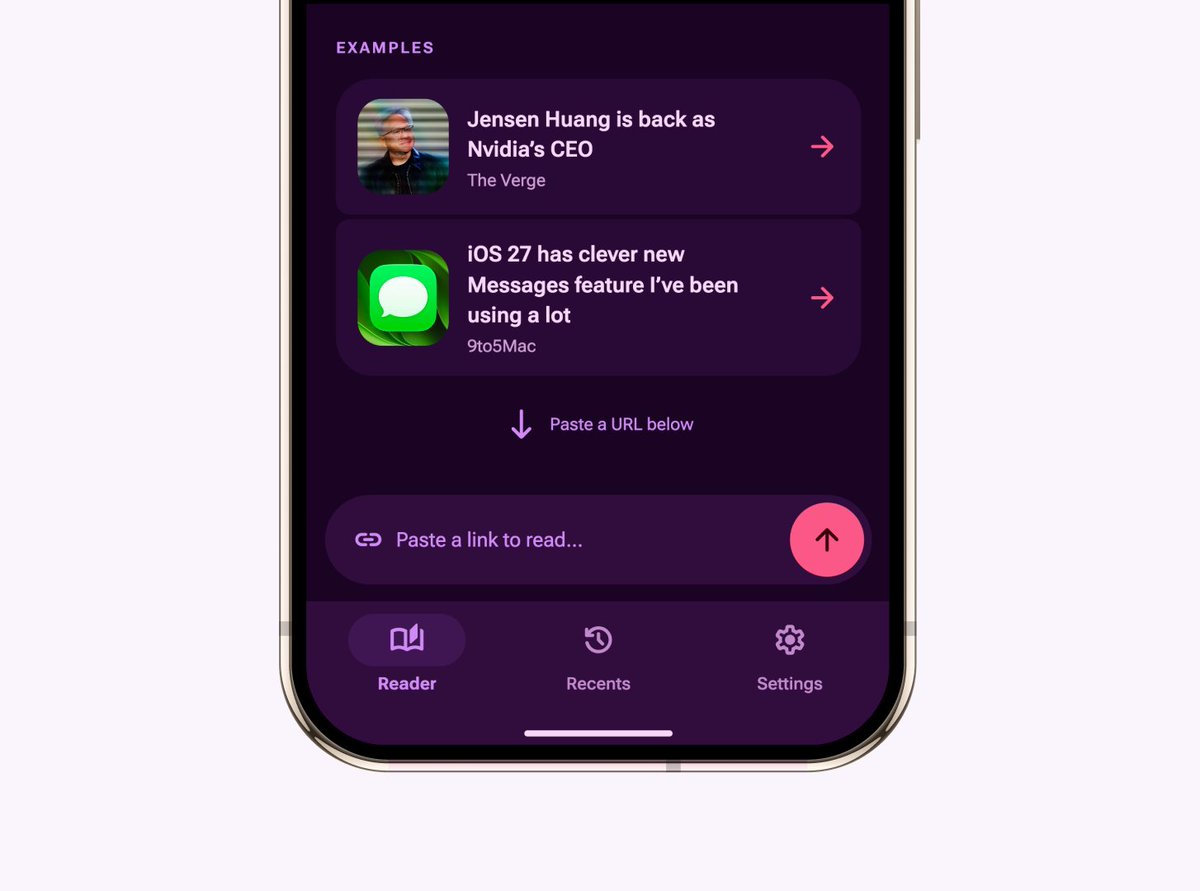

اثنين دايم نشوفهم سوا… واليوم نفصل بينهم👀
MaterialApp vs Scaffol


@gochev @ThomasBurkhartB Actually shadcn_ui is not based on material lib, it is a WidgetsApp and components are built without material lib. You can use Shadcn with a MaterialApp or CupertinoApp too, and for those parts it depends on resp lib. This just based on my mem. @nank1ro has the details if course
@ThomasBurkhartB I just use MaterialApp as base and build custom designed widgets for things don't fit desired design intent, using lower Flutter primitives, composing from scratch as needed. Claude now does a good job of going from design to re-suable UI components without need for external libs
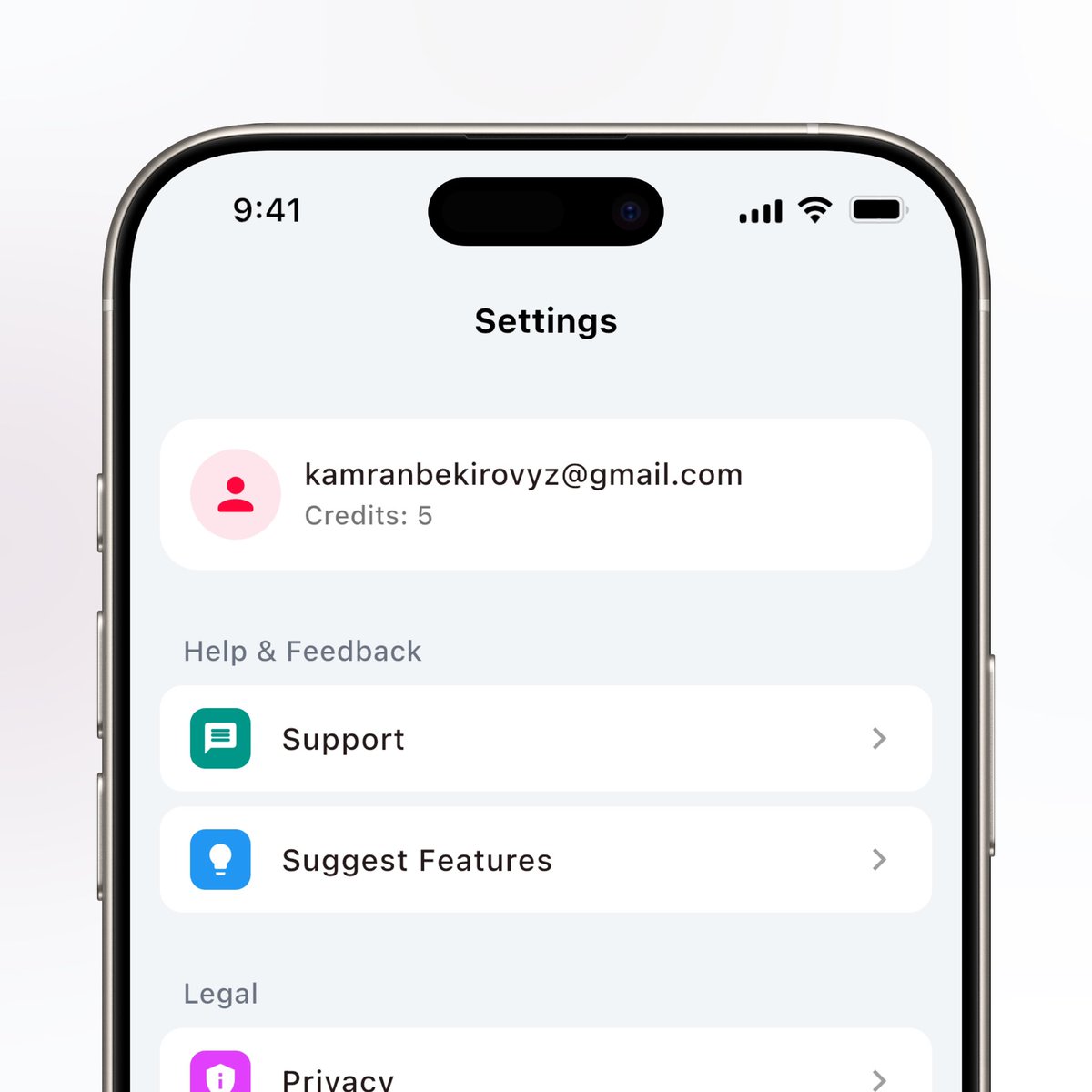
@ThomasBurkhartB It's a MaterialApp, but themed/styled heavily and using squircles for all corners, blurs, no Material ink splashes, but custom instant highlight splashes. Android uses iOS scroll physics too because, Material scrolls are meh. Animations uses real spring physics, not material's

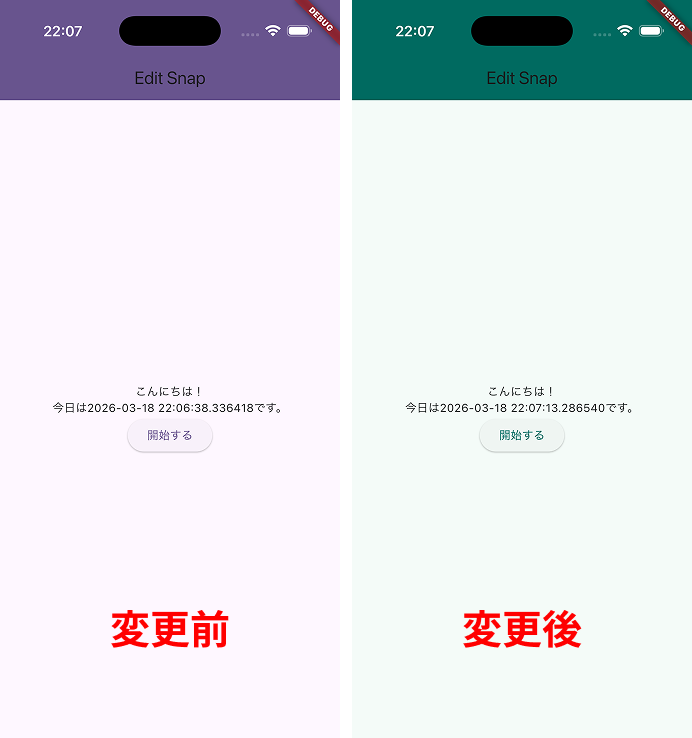
【画像編集アプリ開発4】
▼テーマのアレンジ
・MaterialAppのthemeで、ColorScheme.fromSeedのseedColorを変更してアプリ全体の配色(カラースキーム)を切り替える
→AppBar(上部)やボタン、全体の背景色が変わる
#個人開発

【画像編集アプリ開発2】
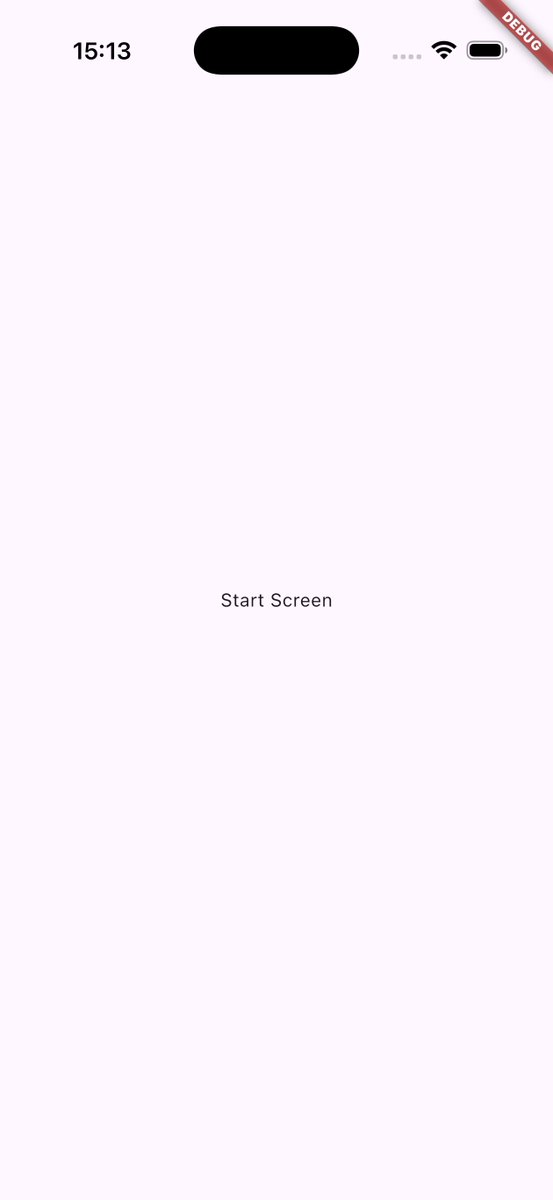
▼アプリ起動後のスタート画面を作成
①プロジェクト名/libにstart_screen.dartファイル作成
②①ファイルにStartScreenクラス記述
③main.dartに①をインポート
④MaterialAppのhomeに②を渡す
#個人開発


【テーマとルーティング】
▼まとめ
・MaterialApp/ThemeDataでテーマ設定
・ThemeDataでカスタマイズ・ダークモード対応
・Theme Extensionで独自のテーマや世界観を表現
・Nav1.0はシンプルな画面遷移にNav2.0は複雑な画面遷移を実装
#個人開発
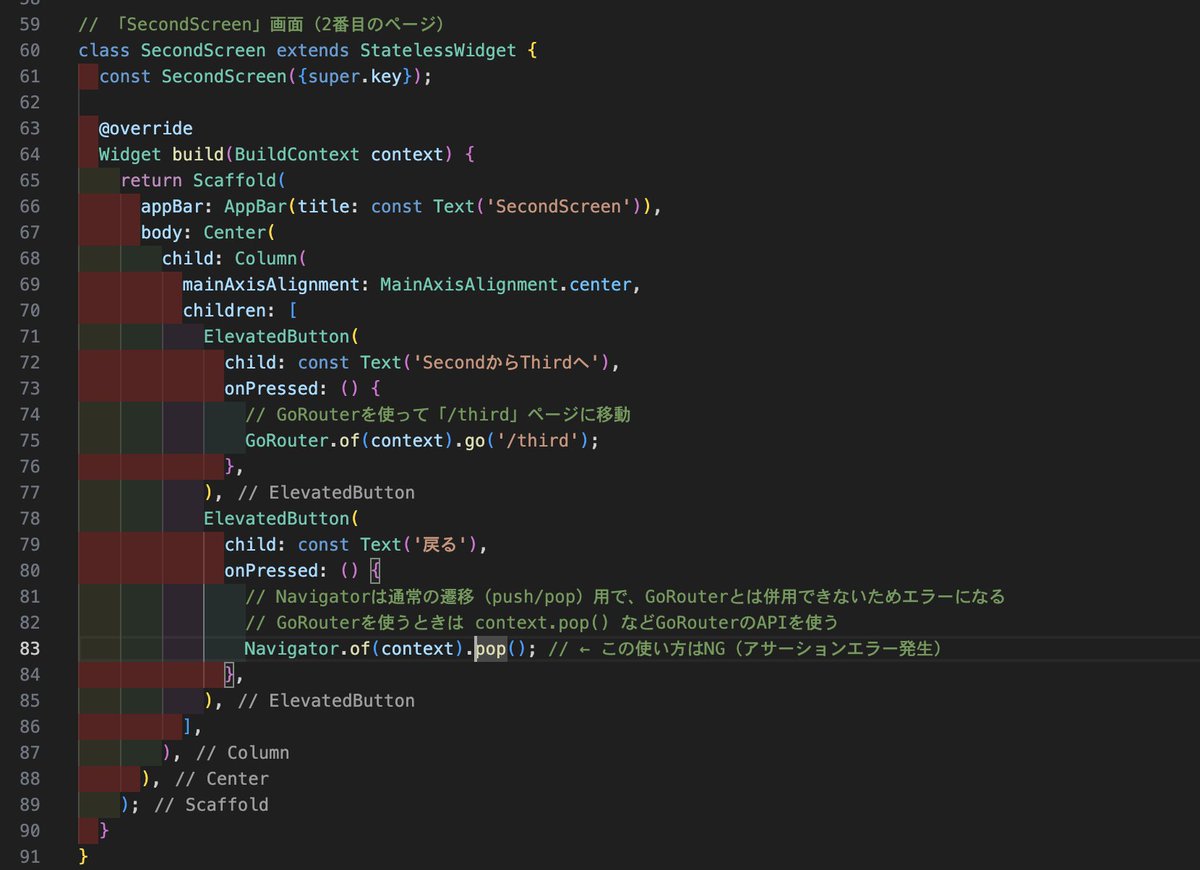
【ナビゲーションとルーティング5】
▼Routerウィジェットによる画面遷移
・go_routerパッケージ導入必要
・MaterialApp.routerでルート設定を管理
・各画面間をcontext.go('/path')で遷移
・goは置き換え遷移で戻るボタン押下でエラー
#個人開発



@Coded_Studios Only use AdaptiveApp not MaterialApp

Day 1 of learning Flutter 😤
The setup is wild 😭 had to install so much and don't get me started on Android Studio😮💨
Used my phone to debug
Learnt about main(), runApp(), how MaterialApp is the root, and how widgets + state work together to build the UI.
Long way to go 🚀


@DevRitual Good tip.
And if you need more colors you can create a class that extends ThemeExtension, create it in MaterialApp -> ThemaData and use it like this:
color: Theme.of(context).extension<CustomColors>()!.featureColor



In Flutter, MaterialApp is the starting point for building Material Design apps. It sets up themes, routes, navigation, and more — your app’s root widget for a polished, platform-aware UI!
#FlutterDev #MaterialApp #FlutterUI #SoftwareDevelopmentUK

@eojeffs I'm looking for a workaround to force MaterialApp to use it too.
@evangitonga If CupertinoApp can use system font, I'm looking for a hack to force MaterialApp to use it too.
@mirsaiddev I don't want to increase app size. If CupertinoApp can use system font, I'm looking for a hack to force MaterialApp to use it too.
Guys, does Flutter uses Roboto or something as a font on iOS when using MaterialApp? It does not look like SF font.
How can I force the app to use Apple system font on iOS?

Özet gpt:
Makalede, Flutter’da durum yönetimi ve ön yüz mimarileri detaylı bir şekilde inceleniyor. Özellikle, StatefulWidget, Change Notifiers ve BLoC gibi yaklaşımların avantajları ve dezavantajları ele alınıyor. Her birinin kullanım senaryoları ve uygulamadaki etkileri tartışılıyor.
Kullanılan Teknolojiler / Framework’ler:
•StatefulWidget: Flutter’da durum yönetimi için kullanılan temel widget türü.
•Change Notifiers: Durum değişikliklerini dinlemek ve yönetmek için kullanılan sınıflar.
•BLoC (Business Logic Component): Sunum katmanını iş mantığından ayıran bir mimari desen.
Çözülmek İstenen Problem:
Flutter uygulamalarında, kullanıcı arayüzü ile iş mantığı arasındaki etkileşimi yönetmek ve uygulamanın durumunu etkili bir şekilde kontrol etmek.
Sunulan Çözüm / Yaklaşım:
•StatefulWidget Kullanımı: Kullanıcı etkileşimlerine yanıt olarak arayüzü güncellemek için setState() metodunun kullanılması.
•Change Notifiers ile Durum Yönetimi: ChangeNotifier sınıfı ile durum değişikliklerini izlemek ve Consumer widget’ları ile bu değişikliklere tepki vermek.
•BLoC Deseni Uygulaması: Olaylar ve durumlar arasında net bir ayrım yaparak, iş mantığını sunum katmanından izole etmek ve böylece uygulamanın ölçeklenebilirliğini artırmak.
Koddan Alınabilecek İpuçları:
•StatefulWidget Örneği:
class CounterScreen extends StatefulWidget {
@override
_CounterScreenState createState() => _CounterScreenState();
}
class _CounterScreenState extends State<CounterScreen> {
int _counter = 0;
void _incrementCounter() {
setState(() {
_counter++;
});
}
@override
Widget build(BuildContext context) {
return Scaffold(
appBar: AppBar(title: Text("Stateful Widget Example")),
body: Center(
child: Column(
mainAxisAlignment: https://t.co/VjAp8puUPy,
children: [
Text("Counter Value:", style: TextStyle(fontSize: 20)),
Text('$_counter', style: TextStyle(fontSize: 40, fontWeight: FontWeight.bold)),
SizedBox(height: 20),
ElevatedButton(
onPressed: _incrementCounter,
child: Text("Increment"),
),
],
),
),
);
}
}
•Change Notifier ve Consumer Kullanımı:
class CounterModel extends ChangeNotifier {
int _counter = 0;
int get counter => _counter;
void increment() {
_counter++;
notifyListeners();
}
}
// Uygulamanın ana widget'ında:
ChangeNotifierProvider(
create: (context) => CounterModel(),
child: MaterialApp(
home: Scaffold(
body: Center(
child: Consumer<CounterModel>(
builder: (context, counterModel, child) {
return Text('${counterModel.counter}');
},
),
),
floatingActionButton: FloatingActionButton(
onPressed: () {
Provider.of<CounterModel>(context, listen: false).increment();
},
child: Icon(Icons.add),
),
),
),
);
•

@timodlg You’re right. Going back to work on my Travely eSIM app! I’m building it with Flutter, using MaterialApp for Android and CupertinoApp for iOS, following each OS’s design system. Launching soon!

Day 3/28 Quit Smoking App
Navigation is now available, but honestly i feel very uncomfortable with CupertinoApp, and i have already thoughts to change it to MaterialApp. For those who doing Flutter what is your preference?

for the first time I try CupertinoApp in Flutter, somehow it's the same as MaterialApp but somehow different, can't understand if I like it or not.

@itshimanshugup @abi_prod I've read somewhere that the "getmaterialapp" that we uses on getx state management, has most of the features of materialApp and it is possible to alter it and create your own packages from it.
But I am not sure about it. If anyone has knowledge regarding this please correct me

@TijnvdEijnde Perfectly explained everything @TijnvdEijnde. And If you make a separate file for routes using onGenerateRoute, The MaterialApp will become cleaner.


@vimehraa29 This works until you want to add Firebase Analytics. The router observer thing really wants to be created before MaterialApp is created.
Last Seen Hashtags on Sotwe
gay homie
Seen from Australia
funny
Seen from Turkey
Orgasms
Seen from Germany
cuckoldtürkiye
Seen from Poland
balls squeeze
Seen from Turkey
いかに楽しく
Seen from Greece
snapchat video********************
Seen from Italy
EnvironmentalTechnology
Seen from United States
MAGATURD
Seen from United States
awekhijab
Seen from Malaysia
Most Popular Users

Elon Musk 
@elonmusk
239.8M followers

Barack Obama
@barackobama
118.6M followers

Cristiano Ronaldo
@cristiano
114.3M followers

Donald J. Trump
@realdonaldtrump
111.7M followers

Narendra Modi
@narendramodi
106.9M followers

Rihanna
@rihanna
98.6M followers

NASA
@nasa
92.1M followers

Justin Bieber
@justinbieber
91.7M followers

KATY PERRY
@katyperry
89.9M followers

Taylor Swift
@taylorswift13
83.9M followers

Lady Gaga
@ladygaga
75.4M followers

Virat Kohli
@imvkohli
73.3M followers

Kim Kardashian
@kimkardashian
70.8M followers

YouTube
@youtube
68.6M followers

Neymar Jr
@neymarjr
66.3M followers

Bill Gates
@billgates
65.1M followers

Selena Gomez
@selenagomez
63M followers

The Ellen Show
@theellenshow
62.1M followers

CNN
@cnn
61.7M followers

X
@x
60.6M followers